

Freeloading Free Models with Zed AI, Pairing DeepSeek v4, Mastering Agent Programming Tricks
Zed's AI features are usable but not top-tier; high degree of freedom, lightweight and flexible, a bit more comfortable than mainstream tools. Configuring the ACP protocol and external agents works okay, but stability is average. Freeloading free quotas from models like DeepSeek and Zhipu is feasible, but configuration is a bit tedious. Although Zed Agent is open, the plugin ecosystem is insufficient—the lack of commonly used plugins like Git Graph is a headache.
目录19 个章节
Preface
PS: This article has been delayed for a long time. I've been quite busy and couldn't thoroughly try out all of Zed's features.
In the previous article 2026 AI Coding Tools Comparison: Cursor, Codex, Claude Code, Zed, Windsurf, we already discussed that although Zed's AI features aren't that strong, it wins on high freedom, being lightweight and flexible, and feels much more comfortable than the current mainstream vibe-coding tools (claude code, codex).
This article shares some of my experience using the Zed editor and its AI-related features, and also introduces some ways to use AI programming for free, so we can boost productivity together.
Configuration
ACP
Zed itself comes with agent functionality, and it also supports communicating with external agents via the ACP protocol. Most mainstream agents are in the built-in ACP Registry.
I tested several of the more popular ones among these agents, and the results were pretty decent.
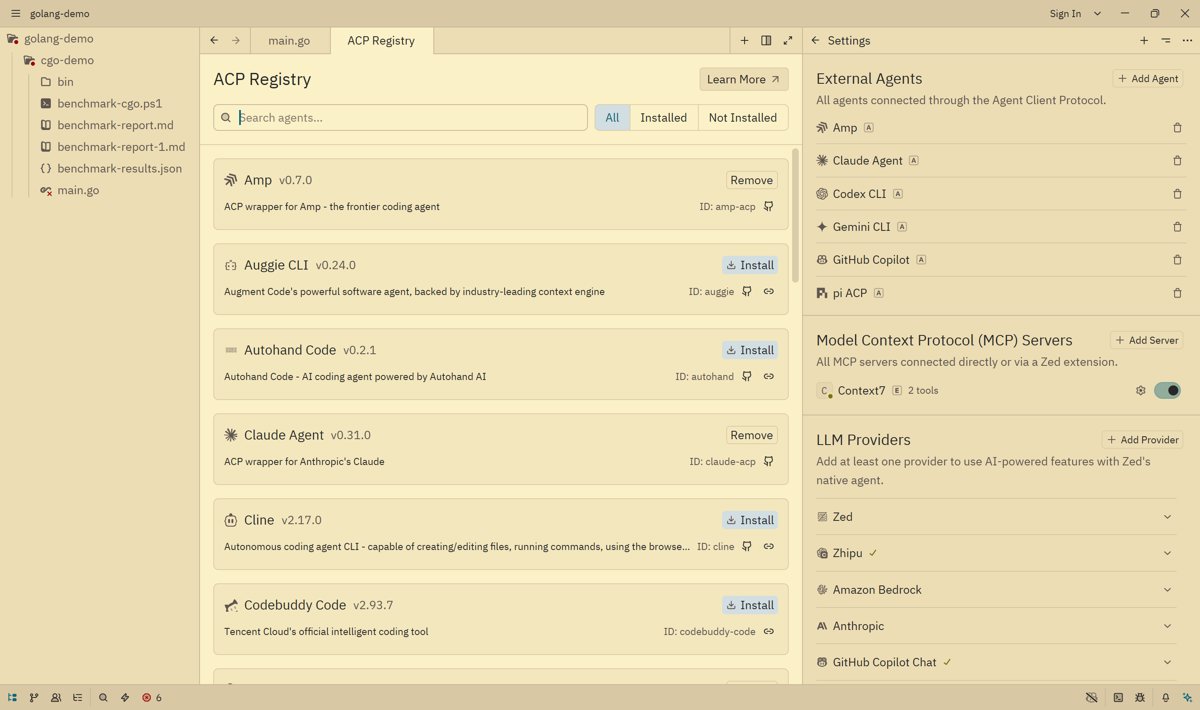
Configuring an agent is very simple: after adding it in the ACP Registry, click the plus sign in the upper-right corner of the chat panel and select the agent you want to use. Using it is similar to using Cursor's sidebar, but because ACP is a generic protocol, some features unique to different agents can't be 100% supported.
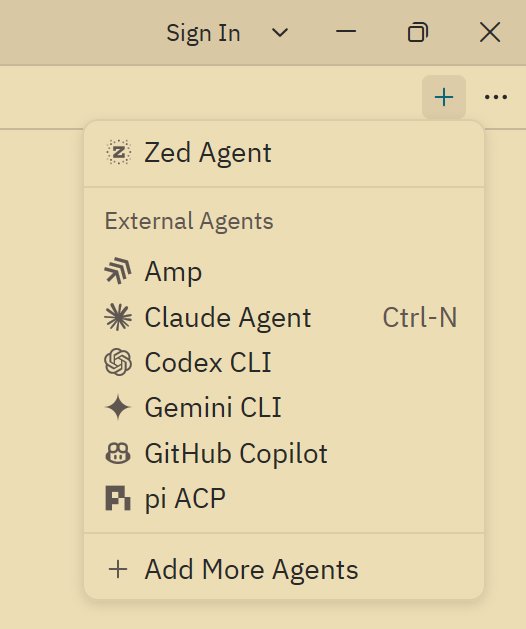
And this feature is actually still not very stable, so this article will still focus on Zed Agent.
Zed Agent
This is Zed's built-in Agent, equivalent to the sidebar in tools like Cursor/Trae, but it's very open—you can set any model provider, such as the recently released and very popular DeepSeek v4.
There are so many supported providers here that some of them I've never even seen.
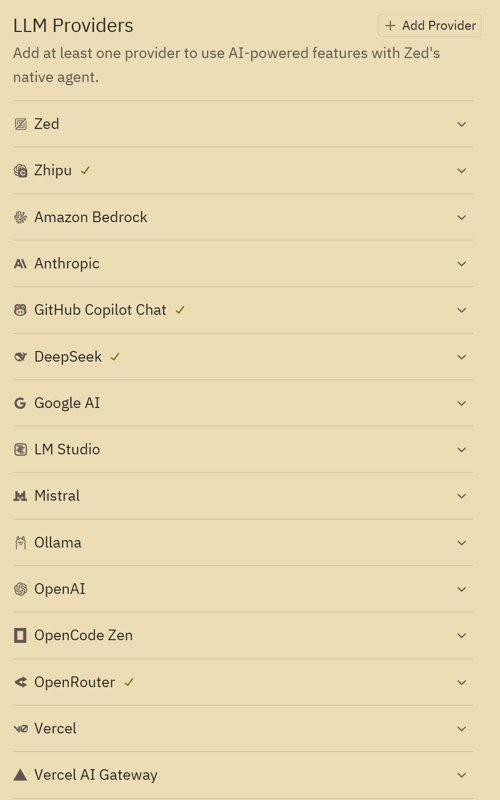
Here I mainly configured DeepSeek, Zhipu, OpenRouter, and GitHub Copilot as providers.
Configuring providers is very simple—you just need to fill in an API key, nothing much to say. Here I'll mainly talk about freeloading 😄
Freeloading Free Model Quotas
Many model providers have free models available, for example OpenRouter and Zhipu, which are the two I'll introduce.
open router
https://openrouter.ai/settings/keys
Visit the address above, create an API key, and after you get the API key, fill it into Zed's configuration.
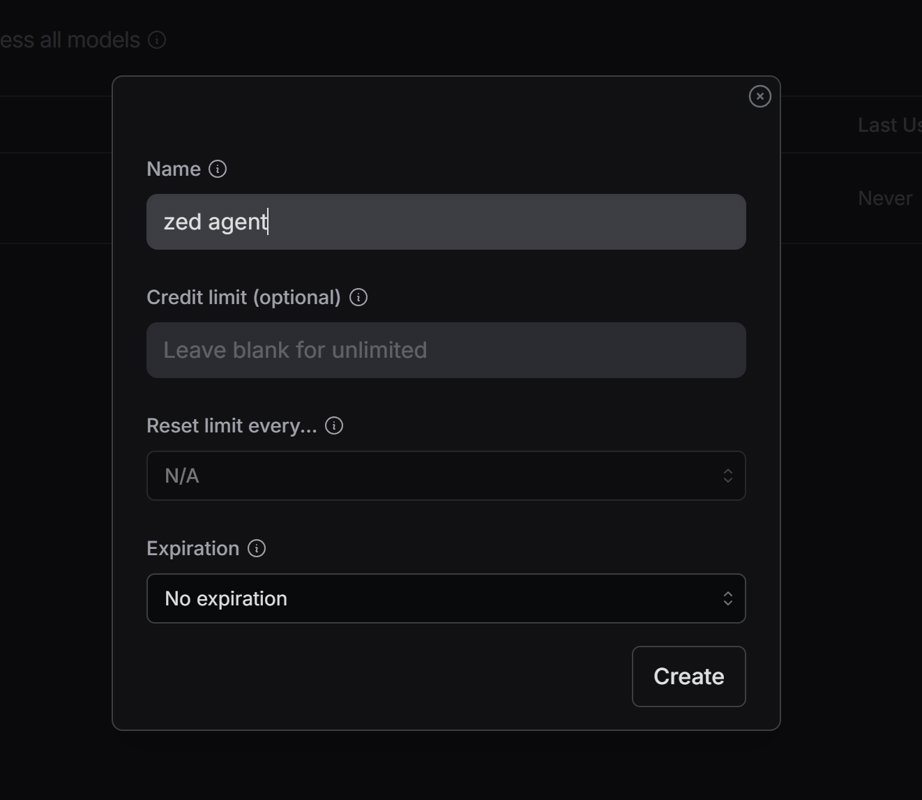
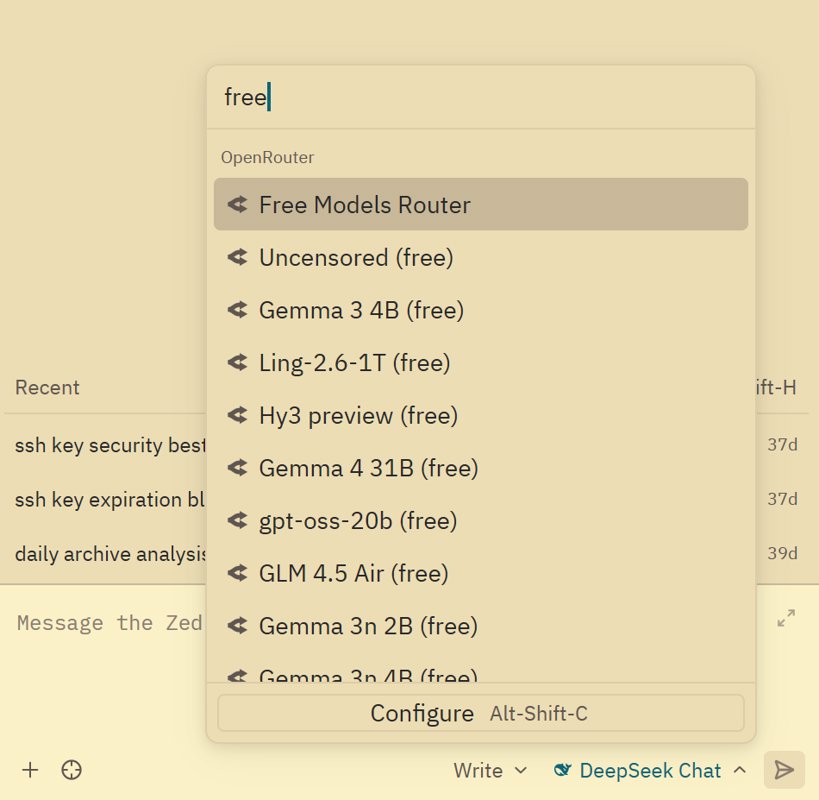
Then when selecting a model in Zed's chat interface, type free to filter, and you'll get a large number of free models available. The better ones among them are qwen3 coder, minimax m2.5, gemini 3 flash.
You can explore the other models on your own.
Zhipu GLM
Zhipu is one of the earliest companies in China to work on open-source large models. It started as a Tsinghua team. When ChatGLM came out it was quite impressive, and they've been quite generous in continuously providing free large model APIs, which are enough for simple use cases.
Newly registered users also get some free quota as a gift, which can be used to call any model.
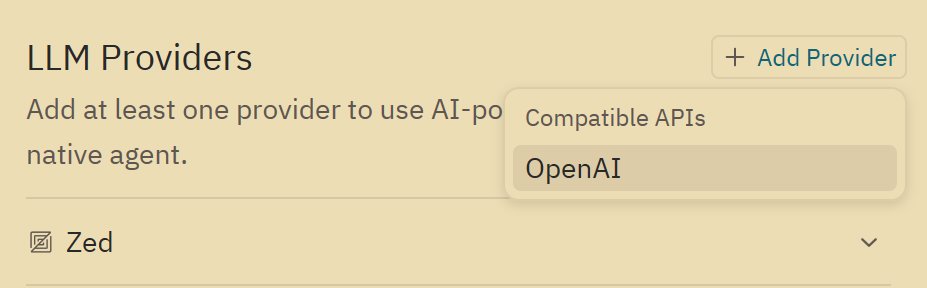
However, Zed doesn't seem to provide Zhipu as a provider, so you need to add the configuration manually.
Click add on the right of LLM Providers.
Enter the URL and API key, as well as the models.
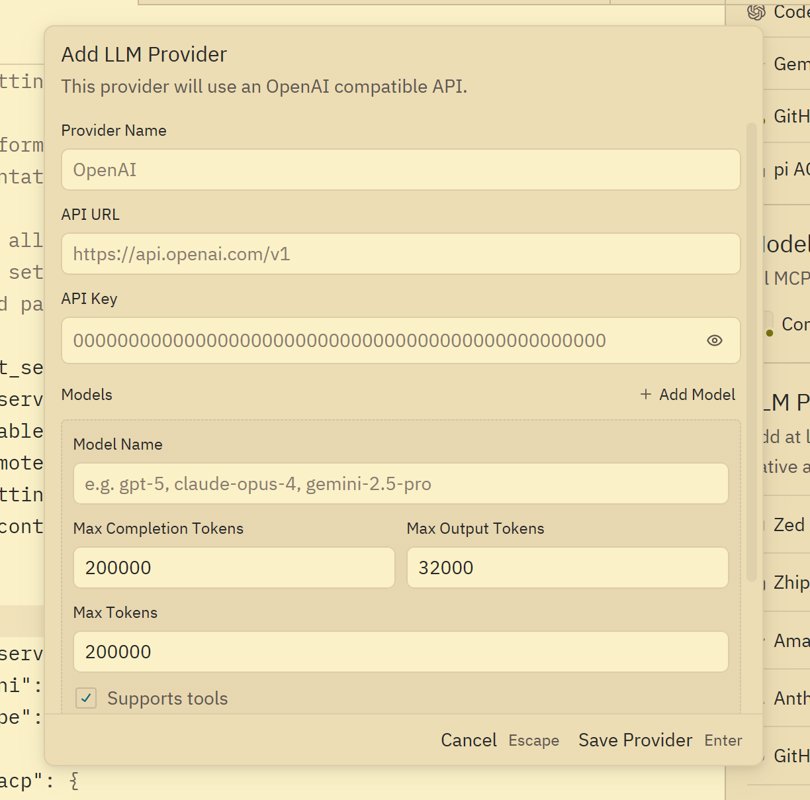
However, Zed's configuration GUI isn't very well made. The add interface here is actually one-time only—afterward you can't edit the models via the GUI and can only modify the config file.
Ctrl + Shift + P to open the command panel, then type settings file to enter settings editing.
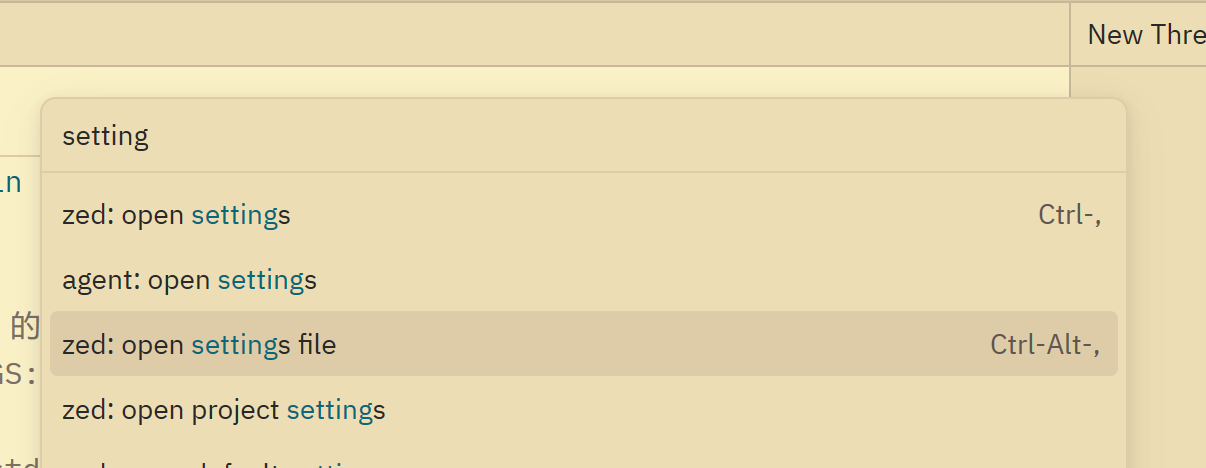
Find the language_models configuration node. Editing these model configs is rather tedious, so I'll just share my already-configured result here.
You need to pay attention to three parameters: max_tokens, max_output_tokens, max_completion_tokens
max_tokensis the total context lengthmax_completion_tokensis the maximum completion length, i.e. the output lengthmax_output_tokensI didn't figure out, but just keep it the same asmax_completion_tokensand you're done
These parameters can all be obtained from the model's official website. Adding other models works the same way.
"language_models": {
    "openai_compatible": {
      "Zhipu": {
        "api_url": "https://open.bigmodel.cn/api/paas/v4",
        "available_models": [
          {
            "name": "glm-4.5-air",
            "max_tokens": 200000,
            "max_output_tokens": 65536,
            "max_completion_tokens": 65536,
            "capabilities": {
              "tools": true,
              "images": false,
              "parallel_tool_calls": false,
              "prompt_cache_key": false,
              "chat_completions": true,
            },
          },
          {
            "name": "glm-4.5-airx",
            "max_tokens": 200000,
            "max_output_tokens": 65536,
            "max_completion_tokens": 65536,
            "capabilities": {
              "tools": true,
              "images": false,
              "parallel_tool_calls": false,
              "prompt_cache_key": false,
              "chat_completions": true,
            },
          },
          {
            "name": "glm-4.6v",
            "max_tokens": 32768, // 官网窗口 32K (视觉模型通常窗口较小)
            "max_output_tokens": 16384, // 建议实用值(最大支持 32K)
            "max_completion_tokens": 16384,
            "capabilities": {
              "tools": true,
              "images": false,
              "parallel_tool_calls": false,
              "prompt_cache_key": false,
              "chat_completions": true,
            },
          },
          {
            "name": "glm-4.6",
            "max_tokens": 200000,
            "max_output_tokens": 131072,
            "max_completion_tokens": 131072,
            "capabilities": {
              "tools": true,
              "images": false,
              "parallel_tool_calls": false,
              "prompt_cache_key": false,
              "chat_completions": true,
            },
          },
          {
            "name": "glm-5",
            "max_tokens": 200000,
            "max_output_tokens": 131072,
            "max_completion_tokens": 131072,
            "capabilities": {
              "tools": true,
              "images": false,
              "parallel_tool_calls": false,
              "prompt_cache_key": false,
              "chat_completions": true,
            },
          },
          {
            "name": "glm-4-flash-250414",
            "max_tokens": 131072, // 官网窗口 32K
            "max_output_tokens": 32768, // 建议实用值(最大支持 32K)
            "max_completion_tokens": 32768,
            "capabilities": {
              "tools": true,
              "images": false,
              "parallel_tool_calls": false,
              "prompt_cache_key": false,
              "chat_completions": true,
            },
          },
          {
            "name": "glm-4.7-flash",
            "max_tokens": 200000, // 官网给出的上下文窗口总和
            "max_output_tokens": 32768, // 足够应付 99% 的代码重构场景,且不挤占输入空间
            "max_completion_tokens": 32768, // 兼容性参数,保持一致
            "capabilities": {
              "tools": true,
              "images": false,
              "parallel_tool_calls": false,
              "prompt_cache_key": false,
              "chat_completions": true,
            },
          },
        ],
      },
    },
},
AI Features
Zed's agent isn't in the top tier, but it's sufficient for modifying scripts and doing some everyday development tasks.
Like most AI IDEs, it has agent (write) and ask modes.
And there's also a mode I rather like: Minimal, which lets you treat Zed as a pure large-model chat app without connecting any tools. It saves a lot of tokens and is very useful when asking some simple questions.
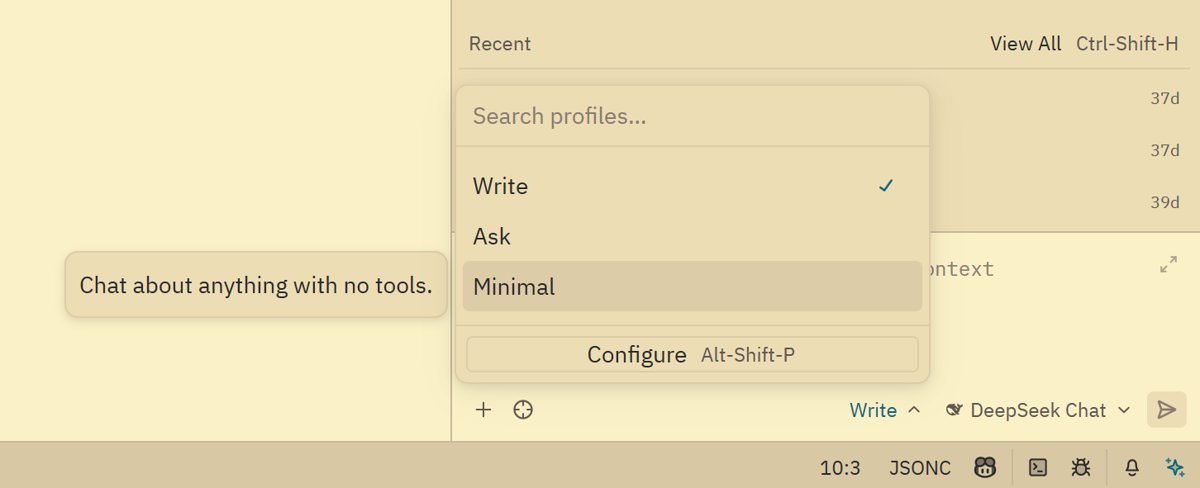
agent write
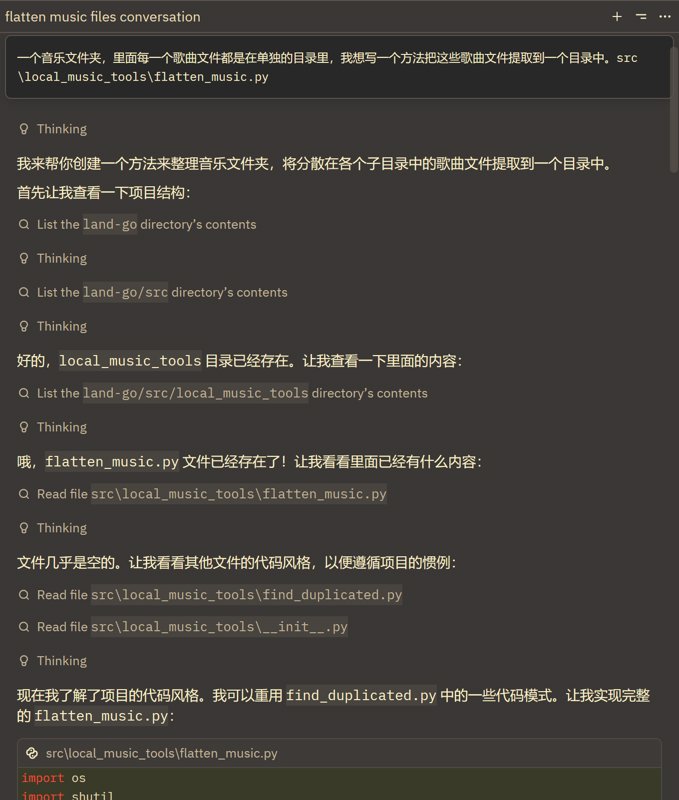
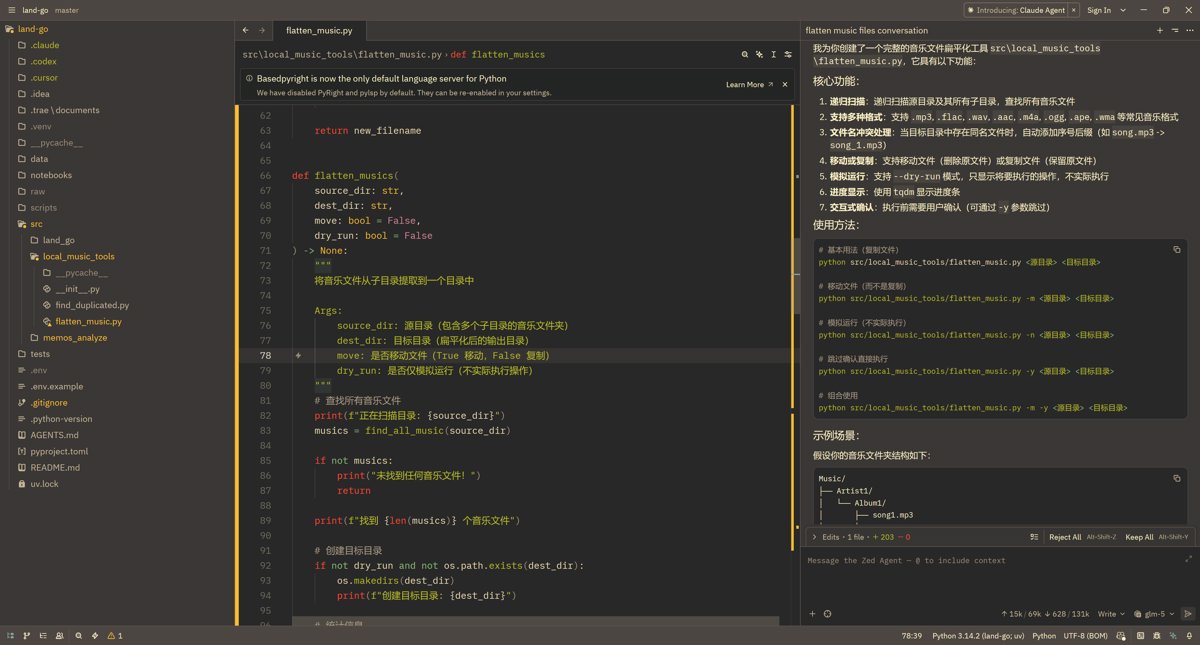
Here I'll use an example to test the AI coding results, using the GLM5 model.
My prompt
A music folder where each song file is in its own separate directory. I want to write a method to extract these song files into a single directory. src\local_music_tools\flatten_music.py
Thinking process
Implementation result
Generating Commit Messages
In the AI era, besides AI coding, I think another of the most useful features is using AI to help generate various project docs, changelogs, and commit messages.
Before AI, writing commit messages every time was painful, especially when the team designed a strict commit message convention for consistency—if you didn't follow it the git hook wouldn't pass, and strictly following it was painful to write.
With AI it's so much more comfortable. AI can generate commit messages based on git --diff, both accurate and fast, much better than writing them yourself.
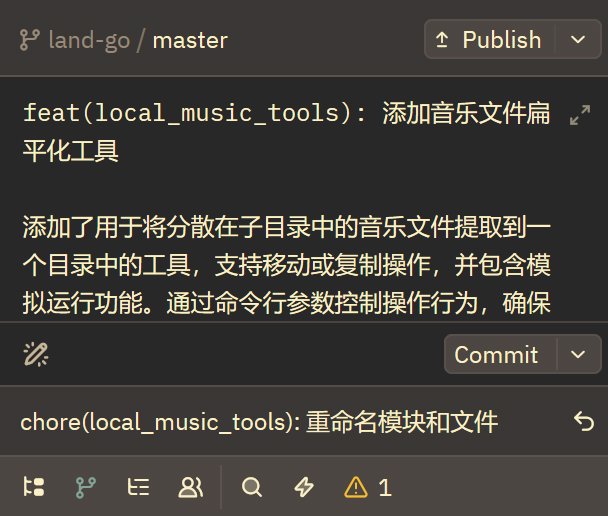
I feel Zed's commit message generation is second only to Trae, of course after configuring it yourself—by default it's still not very usable.
Other tools' commit message features aren't great. Although VSCode's can customize the prompt, the context length used for generating commit messages isn't enough, and it often talks nonsense when there are a lot of changes.
Here I'll share how to configure Zed's commit message generation to work really well. And I'll share some prompts that have been working well for me.
First click this menu in the upper-right corner of the chat panel, and select rules.
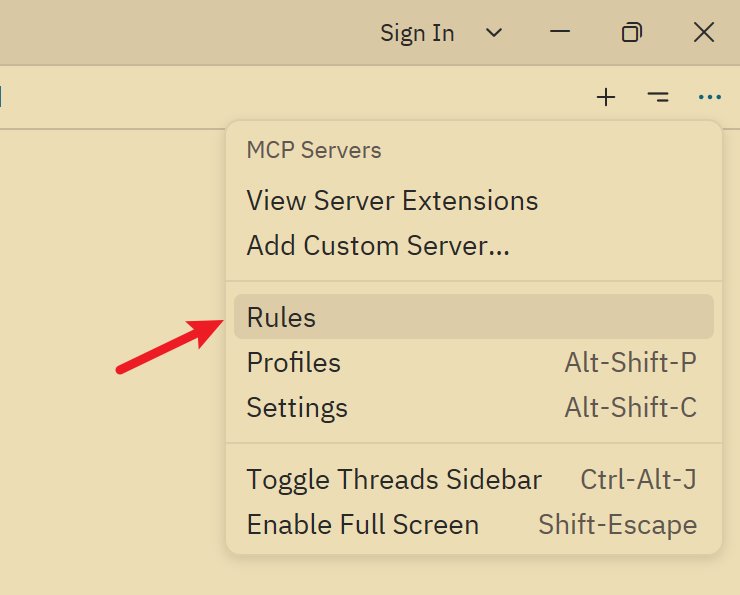
After opening, the first rule is clearly the commit messages configuration.
I think the default prompt is terrible, so I rewrote the default prompt here.
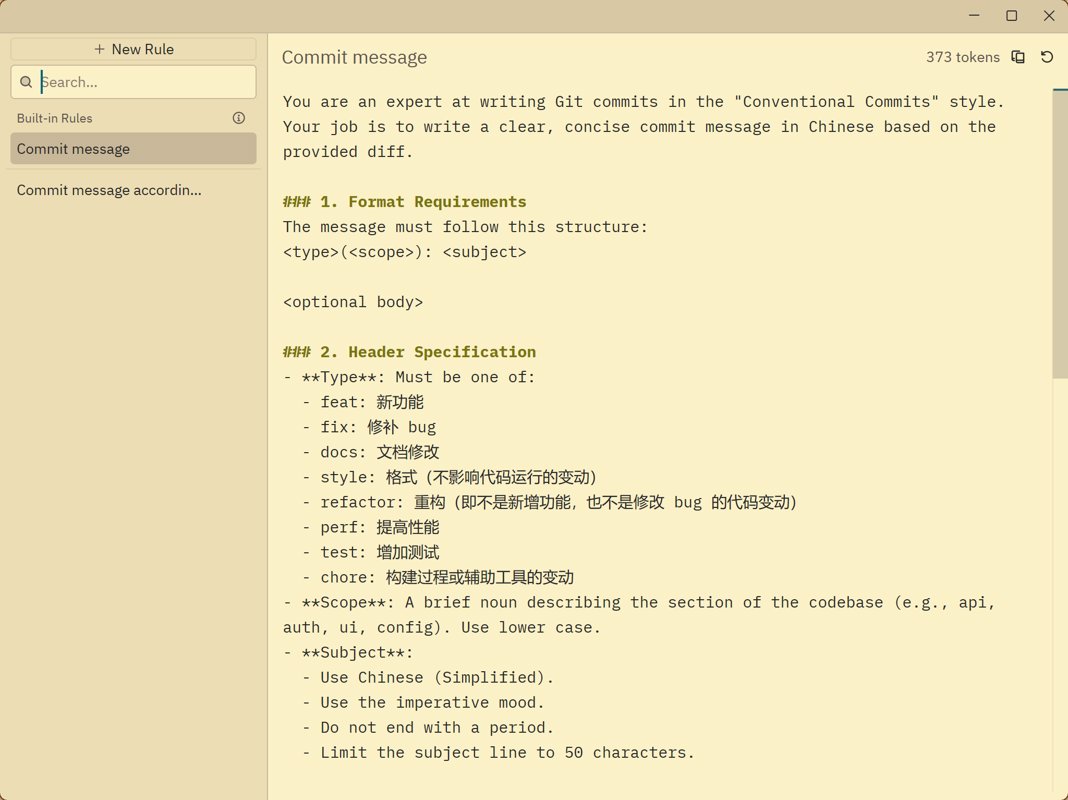
Model Configuration
Generally we use free models to generate commit messages, and this is where GLM's value really shows.
This particular setting can only be changed in the config file. I dug through the docs for a long time before finding it.
Find the agent node, where you can configure the default model, tab model, commit, summary, and various other models.
I switch back and forth between GPT-5-mini and glm-4-flash-250414. They're fast and work well, but note that glm-4-flash-250414 has a relatively small context, so don't commit too many files at once. (Small as it is, it's still larger than whatever mystery model VSCode uses.)
"agent": {
    "default_model": {
      "provider": "deepseek",
      "model": "deepseek-chat",
      "enable_thinking": false,
    },
    "favorite_models": [],
    "model_parameters": [],
    "inline_assistant_model": {
      "provider": "copilot_chat",
      "model": "gpt-5-mini",
    },
    // "commit_message_model": {
    //   "provider": "Zhipu",
    //   "model": "glm-4-flash-250414",
    //   "enable_thinking": false,
    // },
    "commit_message_model": {
      "provider": "copilot_chat",
      "model": "gpt-5-mini",
    },
    "thread_summary_model": {
      "provider": "copilot_chat",
      "model": "gpt-5-mini",
    },
},
prompts
This is the first version of the prompt; you can use it directly.
You are an expert at writing Git commits in the "Conventional Commits" style. Your job is to write a clear, concise commit message in Chinese based on the provided diff.

### 1. Format Requirements
The message must follow this structure:
<type>(<scope>): <subject>

<optional body>

### 2. Header Specification
- **Type**: Must be one of:
  - feat: 新功能
  - fix: 修补 bug
  - docs: 文档修改
  - style: 格式(不影响代码运行的变动)
  - refactor: 重构(即不是新增功能,也不是修改 bug 的代码变动)
  - perf: 提高性能
  - test: 增加测试
  - chore: 构建过程或辅助工具的变动
- **Scope**: A brief noun describing the section of the codebase (e.g., api, auth, ui, config). Use lower case.
- **Subject**:
  - Use Chinese (Simplified).
  - Use the imperative mood.
  - Do not end with a period.
  - Limit the subject line to 50 characters.

### 3. Body Specification (Optional)
- Use a blank line to separate the subject from the body.
- Use the body ONLY if the changes are complex and need explanation.
- Use a bulleted list (starting with "- ") to break down multiple changes.
- Wrap lines at 72 characters.
- Focus on the "what" and "why" of the changes.

### 4. Constraints
- Only return the commit message.
- Do not include any meta-commentary or raw diff output.
- Answer in Chinese.
That said, some people might find what this version generates too simple. There's also an enhanced version, which is the prompts I use in VSCode.
# Role: You are an expert Senior Software Engineer and a master of the "Conventional Commits" specification.

Your task is to generate a deep, semantic, and professional commit message in Chinese based on the provided git diff.

### 1. Structure Requirements
The message must strictly follow this structure:
`<type>(<scope>): <subject>`

`<optional body>`

### 2. Header Specification
- **Type**: Must be:
  - `feat` (新功能)
  - `fix` (修补 bug)
  - `docs` (文档)
  - `style` (格式)
  - `refactor` (重构)
  - `perf` (性能)
  - `test` (测试)
  - `chore` (构建/工具)
- **Scope**: A brief noun (lowercase) describing the section (e.g., `auth`, `api`, `ui`).
- **Subject**: Use Simplified Chinese. Describe the 'capability' added (e.g., '支持了某能力') instead of 'updated file X'. Max 50 chars, no period.

### 3. Body Specification (The "Why" and "How")
- **Deep Analysis**: Focus on the 'Why' and behavioral changes. Explain logic: 'When [condition], it will [behavior], resolving [issue]'.
- **Technical Detail List**:
  - **No Surface-level Listing**: Do NOT just list function names. Describe specific logic (e.g., parameters extracted, validation logic).
  - **Capture Keys**: Must capture specific parameters (e.g., 'to' parameter), hardcoded strings, routes (e.g., '/sweeteners'), and component interactions.
  - **Scenario**: Specify which test scenarios are verified.
- **Formatting**: Use bulleted list (`- `) and wrap lines at 72 characters.

### 4. Constraints
- **Language**: Answer in Chinese.
- **No Meta-commentary**: Return ONLY the commit message.
Some Other Shares
Task Completion Notifications
When a task is completed or manual confirmation is needed, a popup notification appears. This is similar to VSCode and Codex, and it's quite handy.
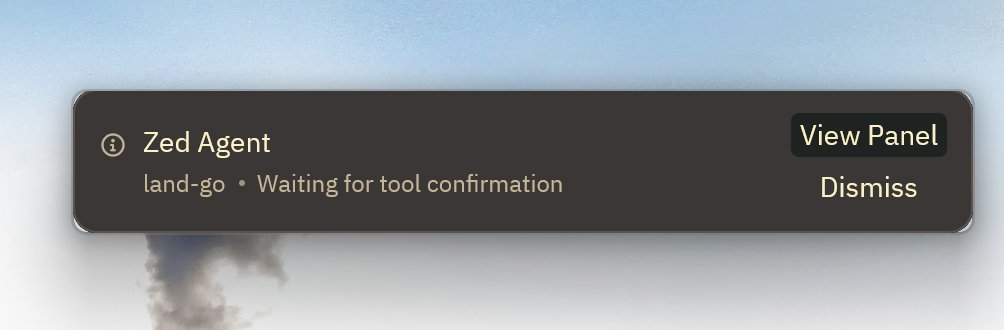
Automatic Theme Switching
Zed may be small, but it has everything you need.
Automatic theme switching is also a feature I quite like. I've configured this on every IDE I use, including Sublime Text. It can follow the system theme to change the color scheme, so I never have to switch manually again.
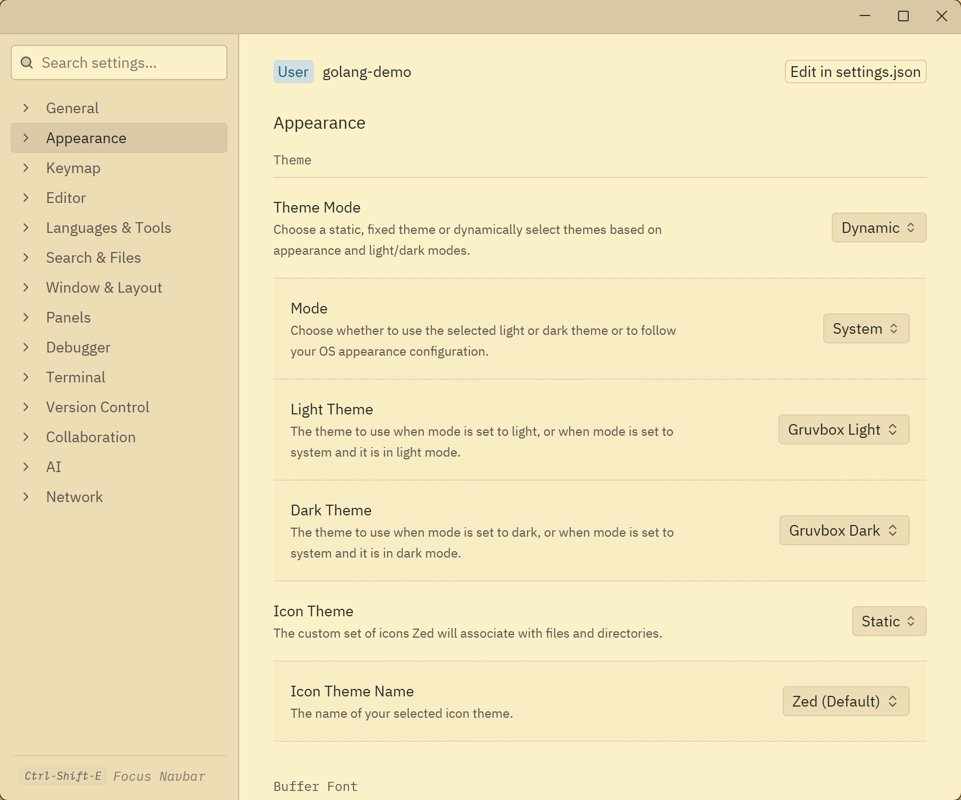
Document Structure
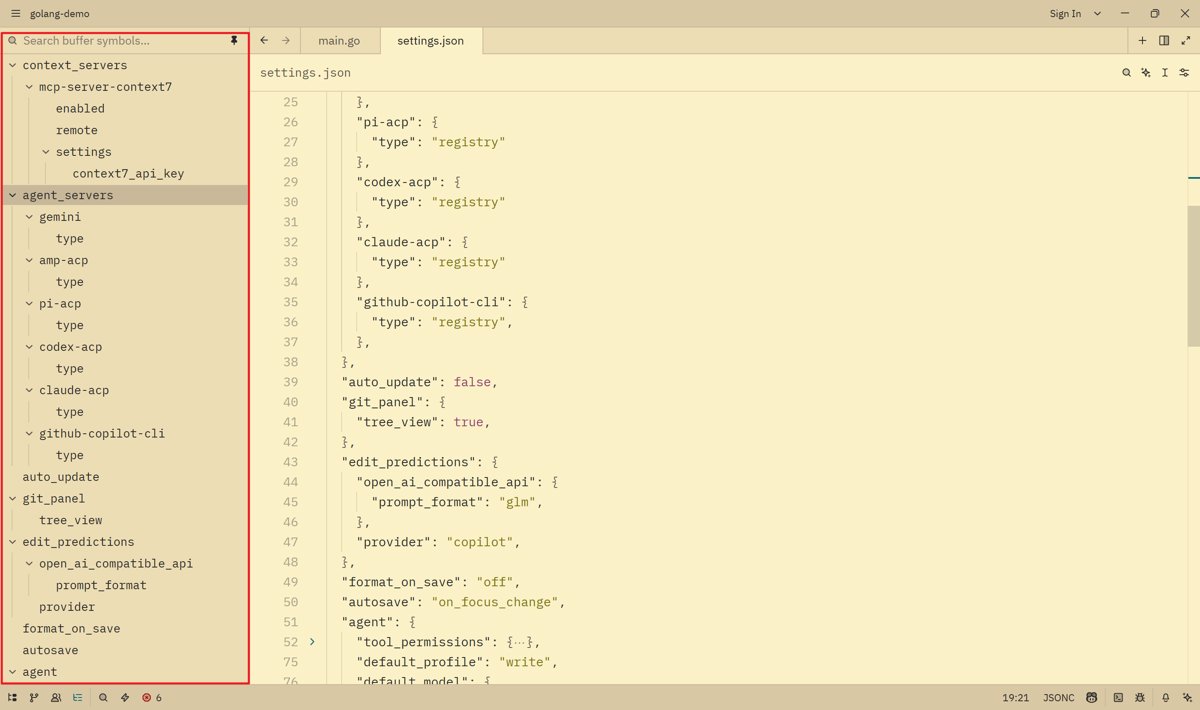
Zed also has another feature I think is pretty good: a clear document structure display.
When I used JetBrains and VSCode before, they also had this feature, but it was either too small or collapsed by default. Unlike Zed, which expands everything by default and shows it all intuitively in the sidebar, making the experience excellent when editing long code files.
Pain Points
Currently, the biggest pain point I've found with Zed is the insufficient plugin ecosystem.
This means many features I was used to in VSCode leave me completely at a loss when I come to Zed.
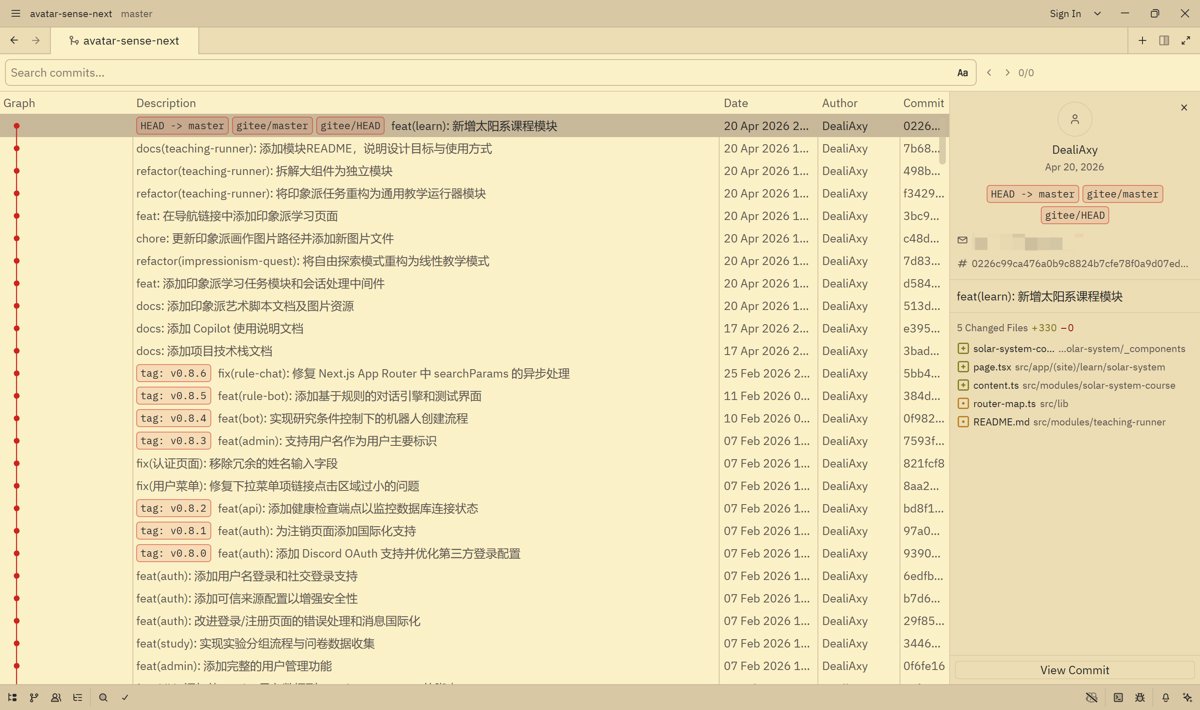
For example, my most frequently used Git Graph plugin can conveniently display change history and perform some git operations, such as checkout, tag, and reset.
But Zed doesn't have this plugin. Although Zed officially released a similar interface,
the functionality falls far short—you can only view the changes, but can't perform any operations 😂
Wrap-up
OK, that's all I have to share for now. Although there isn't much content, this article was completely handwritten the old-fashioned way, with 0% AI, and it took a whole day 😂
If you're also using Zed, feel free to leave a comment and chat. I'll continue using it more deeply and share more of my experiences later.
References
_EOF_
Freeloading Free Models with Zed AI, Pairing DeepSeek v4, Mastering Agent Programming Tricks
- 本文作者:
- 程序设计实验室
- 版权声明:
- 本博客所有文章除特别声明外,均采用 BY-NC-SA 许可协议。转载请注明出处!
相关文章
2026年AI编程工具横评:Cursor、Codex、Claude Code、Zed、Windsurf
Cursor还稳坐江山?Windsurf的Agent面板真那么神?Zed快是快,但AI功能跟不跟得上潮流再说。2026年选IDE,光看单点优势够呛,组合拳才王道——Cursor生态强还是Windsurf Agent管理顺?Codex细致度抵不过Claude Code速度?别傻了,工具好不好用,看的是能不能让你少写点代码。
2026-04-13 · IDE · 约 1 分钟
是谁 2026 年还在用 Sublime Text 写代码?
Sublime Text 十几年了还这么流畅?C++ 原生驱动才是真香,默认设置都能用十年?瞎折腾一下发现真香? Adaptive 主题自动调色就挺好看,LSP 插件能当 VSCode 用?这年头还有人用 Sublime?
2026-03-18 · IDE · 约 1 分钟
浅谈次世代代码编辑器 Zed:Rust 原生性能、GPU 渲染
Zed?一群老司机在 Atom 失败后,用 Rust 重新造轮子?性能确实骚,GPU 渲染的丝滑感 VSCode 始终没学会。协作功能也挺有意思,但插件生态暂时还够看?
2026-03-25 · IDE · 约 1 分钟
从 WebStorm 转到 VSCode!使用一周体验报告
JetBrains 开源门槛提高?被迫转 VSCode,体验槽点满满:路径识别弱,自动引入加错后缀,标签不自动关闭,控制面板还无法折叠。轻量响应快,但细节反人类,免费还要啥自行车?
2024-01-28 · IDE · 约 1 分钟
讨论
共 0 条加载评论中…