

Spring-Boot: Creating Your First Application
Introduction Spring Boot is a lightweight framework that can complete most of the configuration work for Spring-based applications. In this tutorial, you will learn how to use Spring Boot's starters, features, and executable JAR file structure to quickly create a Spring-based application that can run directly. This article uses IDEA as the development tool and Gradle as the build tool to create a simple SpringBoot application, without involving database configuration for now. Creating with IDEA
目录4 个章节
Introduction
Spring Boot is a lightweight framework that can complete most of the configuration work for Spring-based applications. In this tutorial, you will learn how to use Spring Boot's starters, features, and executable JAR file structure to quickly create a Spring-based application that can run directly. This article uses IDEA as the development tool and Gradle as the build tool to create a simple SpringBoot application, without involving database configuration for now.
Creating with IDEA
Create a new project and select Spring Initializr
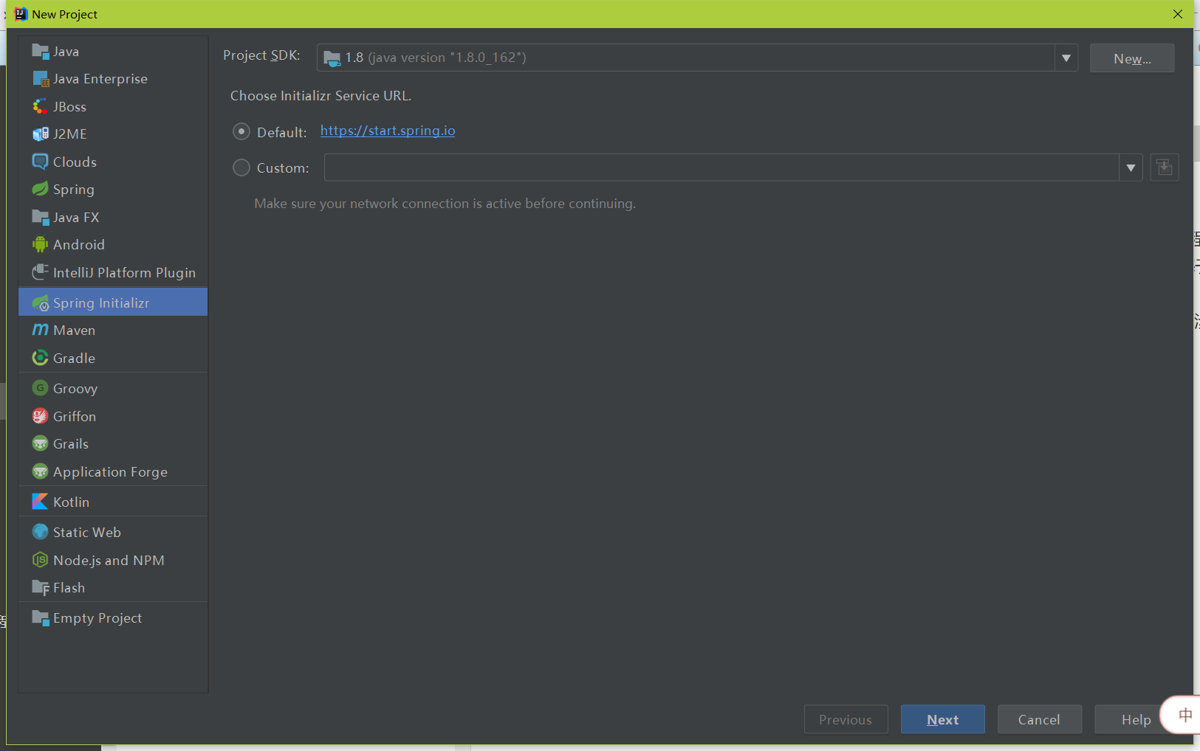
Next
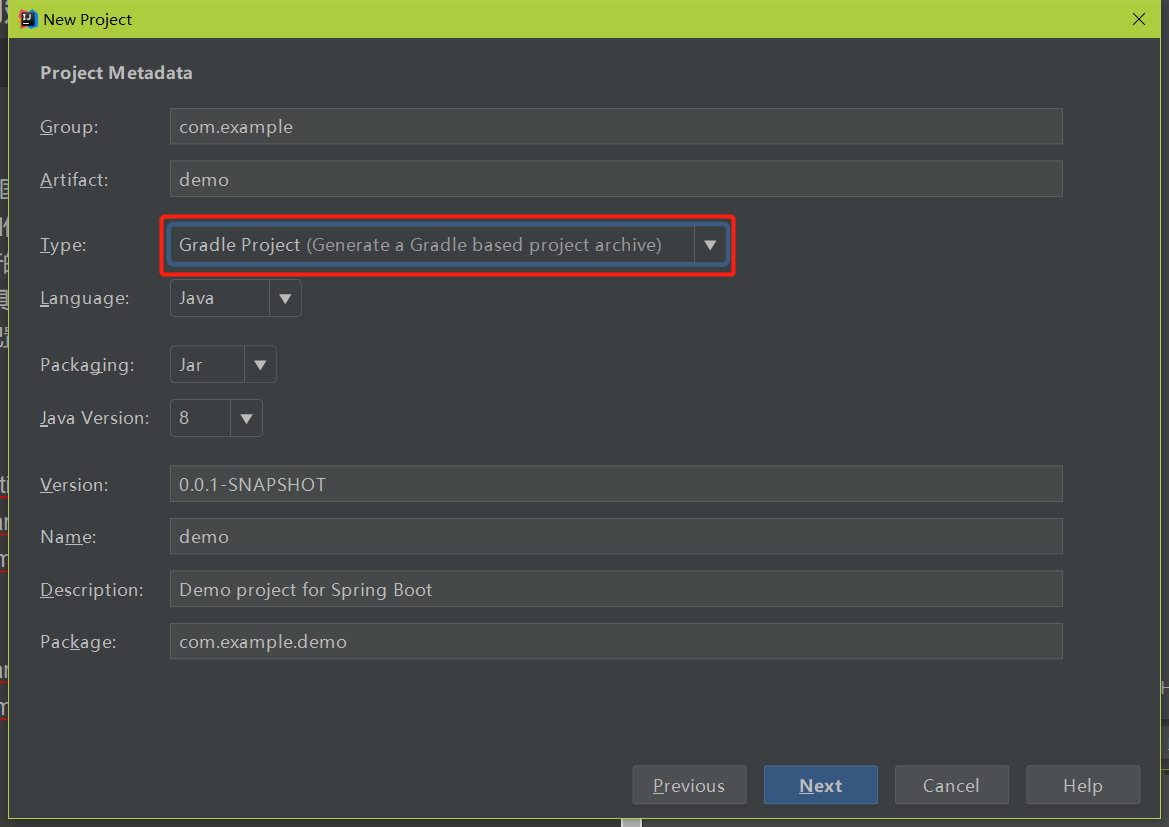
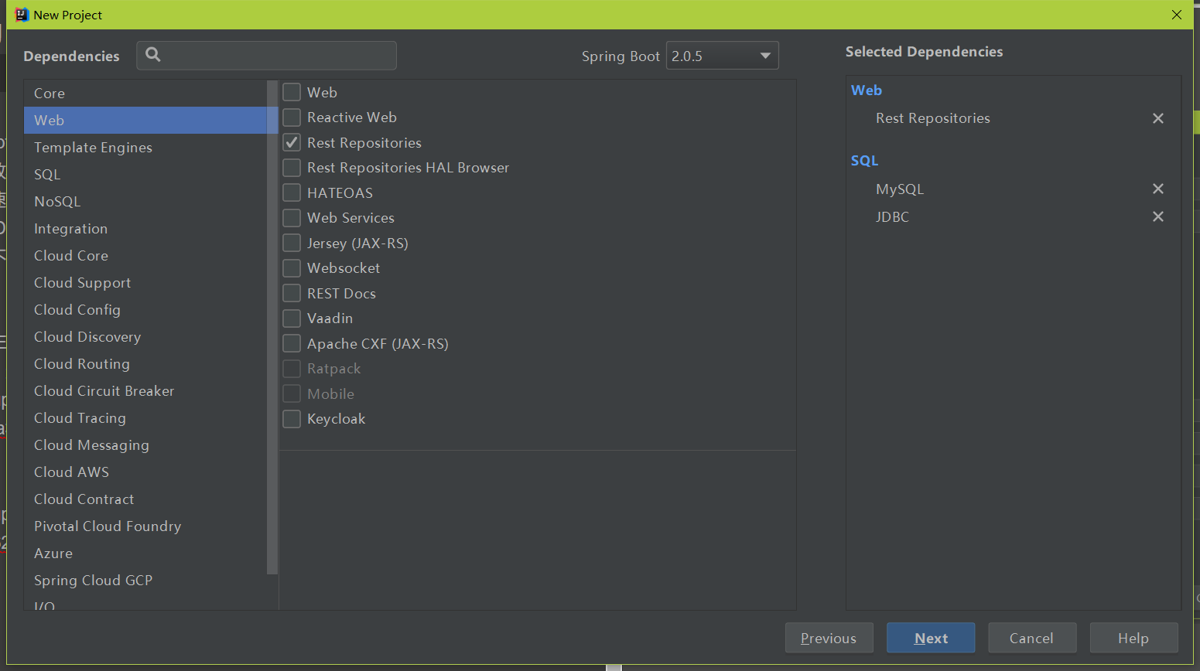
Configure dependencies
The dependencies I selected are all shown on the right.
For Web, I selected REST support, which makes it convenient to write REST applications—you can just use mapping.
For the database, I selected JDBC and the MySQL driver. (However, they won't be used in the first application.)
The next step is to choose the folder to save the project. I won't take a screenshot here~
Finally, click the 完成 button, and Gradle will start building the project. This process takes a while, so please be patient.
Writing Code
After waiting for Gradle to finish building, you can start writing REST endpoints. The code is as follows.
package cn.deali.demo;

import org.springframework.boot.SpringApplication;
import org.springframework.boot.autoconfigure.SpringBootApplication;
import org.springframework.boot.autoconfigure.jdbc.DataSourceAutoConfiguration;
import org.springframework.web.bind.annotation.RequestMapping;
import org.springframework.web.bind.annotation.RestController;

@RestController
// 排除引入数据源配置类
@SpringBootApplication(exclude = {DataSourceAutoConfiguration.class})
public class DemoApplication {

    @RequestMapping("/")
    String index() {
        return "hello world";
    }

    @RequestMapping("hello")
    String hello() {
        return "hello";
    }

    public static void main(String[] args) {
        SpringApplication.run(DemoApplication.class, args);
    }
}
Run & Test
Click Run - Run DemoApplication to run the Spring Boot project.
If everything is normal, take a look at the output in the Run window.
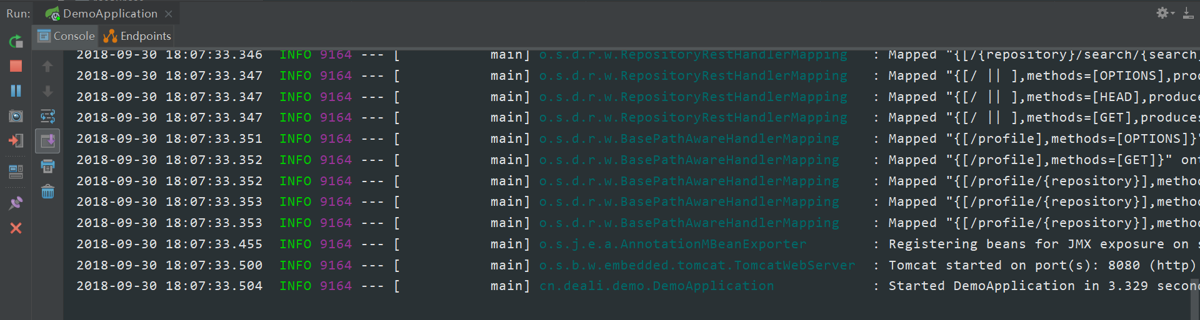
At this point, open a browser and enter
http://127.0.0.1:8080
or
http://127.0.0.1:8080/hello
to see the running result.
_EOF_
Spring-Boot: Creating Your First Application
- 本文作者:
- 程序设计实验室
- 版权声明:
- 本博客所有文章除特别声明外,均采用 BY-NC-SA 许可协议。转载请注明出处!
相关文章
JavaWeb开发---使用IDEA创建Servlet程序
前言 最近做项目需要,从之前熟悉的PHP和Python转到了JavaWeb,所以就有了这个笔记。资源图片都是来自网上的资源,根据自己的实际操作应用,做了总结归纳。 所需工具 JDK Tomcat IDEA 创建工程 设置工程名字: 创建完成后工程结构如下: 上面的图片是在网络上复制的,好像我用的IDEA 2017.3.2没有这个Create web.xml的选项,我也不知道为啥,难道是IDEA越更
2021-12-18 · Java · 约 1 分钟
Java开发:JDK安装和环境配置
前言 环境配置是开发中最基础的部分,不过最近有很多新入坑的同学,都在问怎么安装JDK和配置环境,索性写一篇。 这里要注意一下,在Windows平台和Linux平台下做开发是不同的,Windows平台开发Java需要自己手动配置JDK的环境变量,而大多数Linux都是不需要的,安装了OpenJDK就可以了(可能很多发行版都自带了OpenJDK),这点是比较方便的。 下载Java JDK Window
2023-02-08 · Java · 约 1 分钟
Java使用JDBC操作SQLite
SQLite介紹 SQLite是一個輕量級的資料庫系統,不需要安裝就可以使用,也可以十分容易的就內嵌於系統內,FireFox就內嵌SQLite,可以在FireFox上直接使用JavaScript來呼叫操作資料庫。 SQLite是由C語言撰寫而已,可以跨Linux及Windows等平台,在Java存取及操作上則可使用JDBC來連線SQLite。 在JDBC連線SQLite上,大概分成二種方式,一種是
2021-12-18 · Java · 约 1 分钟
2020年第一次用上Struts2框架做Web开发的体验
SliiyStruts2 又名 sb-struts2,因为struts真的太难用了(也许在很多年前是很好用的,但是现在看来,被其他框架秒成渣) 前言 想不到我还是得和这struts框架打交道啊,从一开始学web的时候就十分抵制这类古老,使用反人类的框架,不过为了帮女朋友做个学校的作业,还是得搞一下,然而,半小时就写好的业务代码,因为我不熟悉这个框架和Java的这套体系,调试了半天才成功run起来…
2022-06-17 · Java · 约 1 分钟
讨论
共 0 条加载评论中…