Installing Linux on the JiGe 14x: First Look at Fedora 42
Jige 14x with Fedora 42 runs smoothly, drivers work out of the box. GNOME is refreshingly clean, but Wayland is barely functional—no terminal transparency, multitasking less tidy than Windows. Lots of little bugs. Network is down again? Just reinstall.
目录12 个章节
Preface
Fedora updates very quickly, with version numbers climbing at an astonishing rate.
I remember the last time I saw a discussion, the version number was only in the twenties. I didn't expect it to be at 42 already.
I mentioned before that my Kunkun 14x was sent for repair and has been returned.
- Less than half a year, my Kunkun 14x also broke down...
- After 10 days for repair, the Kunkun 14x is finally back, but it's not that simple...
I installed Linux specifically to test the keyboard, but it was sent for repair after less than two days of use.
Now that it's fixed, I need to do some in-depth testing to see what the Fedora system experience is like in 2025.
This article is just a simple record and doesn't involve specific configurations. The development speed of the Linux desktop experience has exceeded my imagination~
For system installation and configuration, you can refer to the article I wrote last year: In 2024, I started using the Linux desktop as my main system again
Overview
| Dimension | Highlights ✨ | Drawbacks 🤔 |
|---|---|---|
| Installation & Drivers | System installation was smooth, drivers work out-of-the-box (Wi-Fi / Bluetooth / camera all functional) | Occasionally encountered Wi-Fi not being recognized after restart, requiring reinstallation or troubleshooting |
| Desktop Environment (GNOME) | Interface is fresh and clean, Launchpad is user-friendly, touchpad experience is superior to Windows | Multitasking interface is less organized than Windows; minor bugs occasionally occur |
| Terminal & Tools | Built-in terminal looks great and is functional; screenshot tool is useful, supporting multiple export formats | Couldn't find the configuration entry for terminal transparency |
| File Management | Supports AVIF / WebP by default, no issues with previewing and opening | Interface is clean but functionality is basic, lacking advanced features (like dual-pane) |
| Input & Interaction | Mouse scroll direction is adjustable, edge gestures on the touchpad are a pleasant surprise | Feels laggy under Wayland; X11 isn't smooth enough either |
| Stability | Generally smooth for daily applications, good driver compatibility | Wayland ecosystem is "struggling"; minor bug with GNOME name confusion |
| Ecosystem & Future | Fedora updates quickly, cutting-edge experience, GNOME has improvements | High uncertainty (frequent updates may introduce new bugs) |
First Impression
The first impression after installing the system is great.
The interface has a fresh and clean vibe.
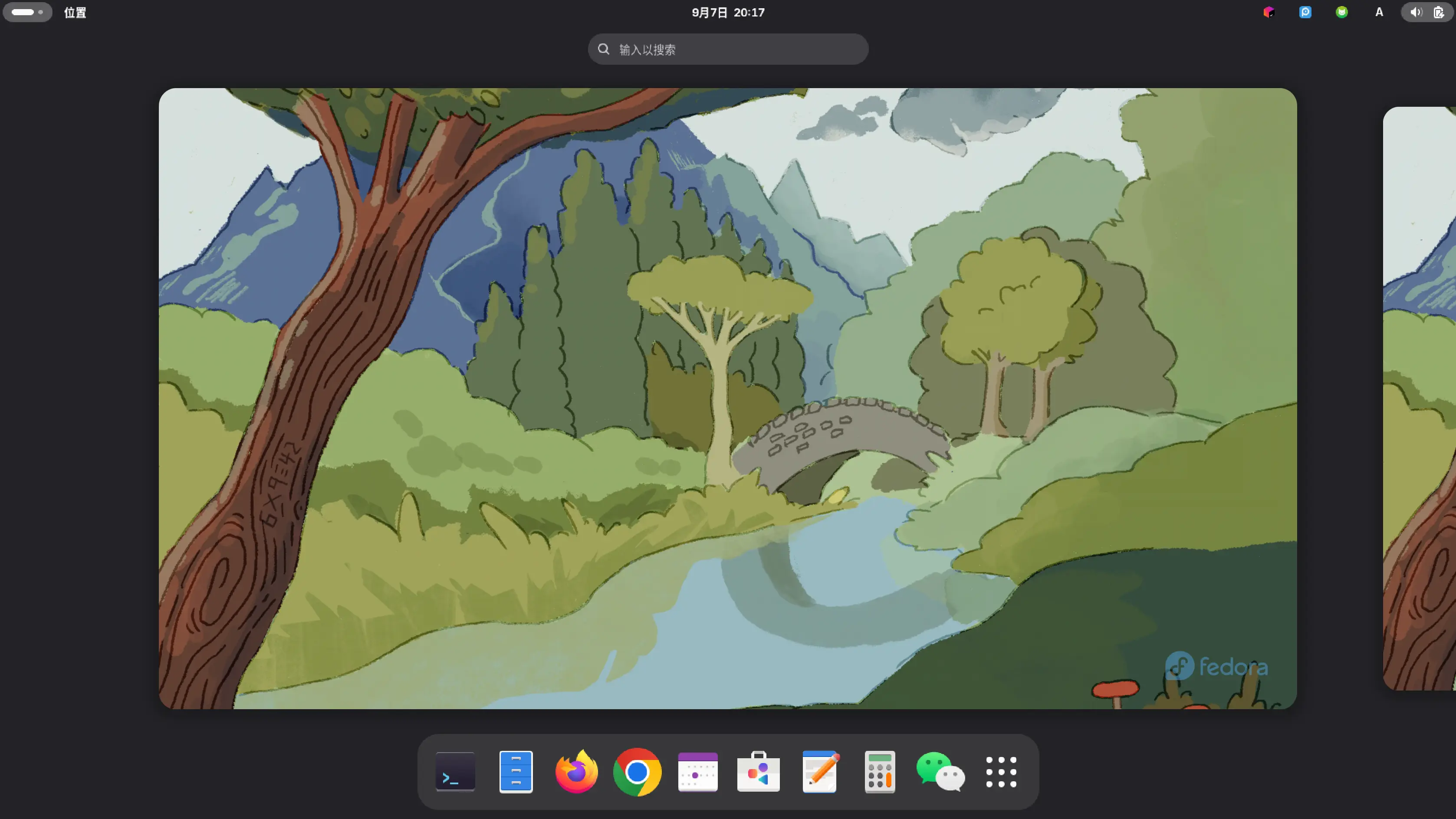
Launchpad
I chose GNOME for this interface – I fell in love with this Launchpad the first time I used it on Debian.
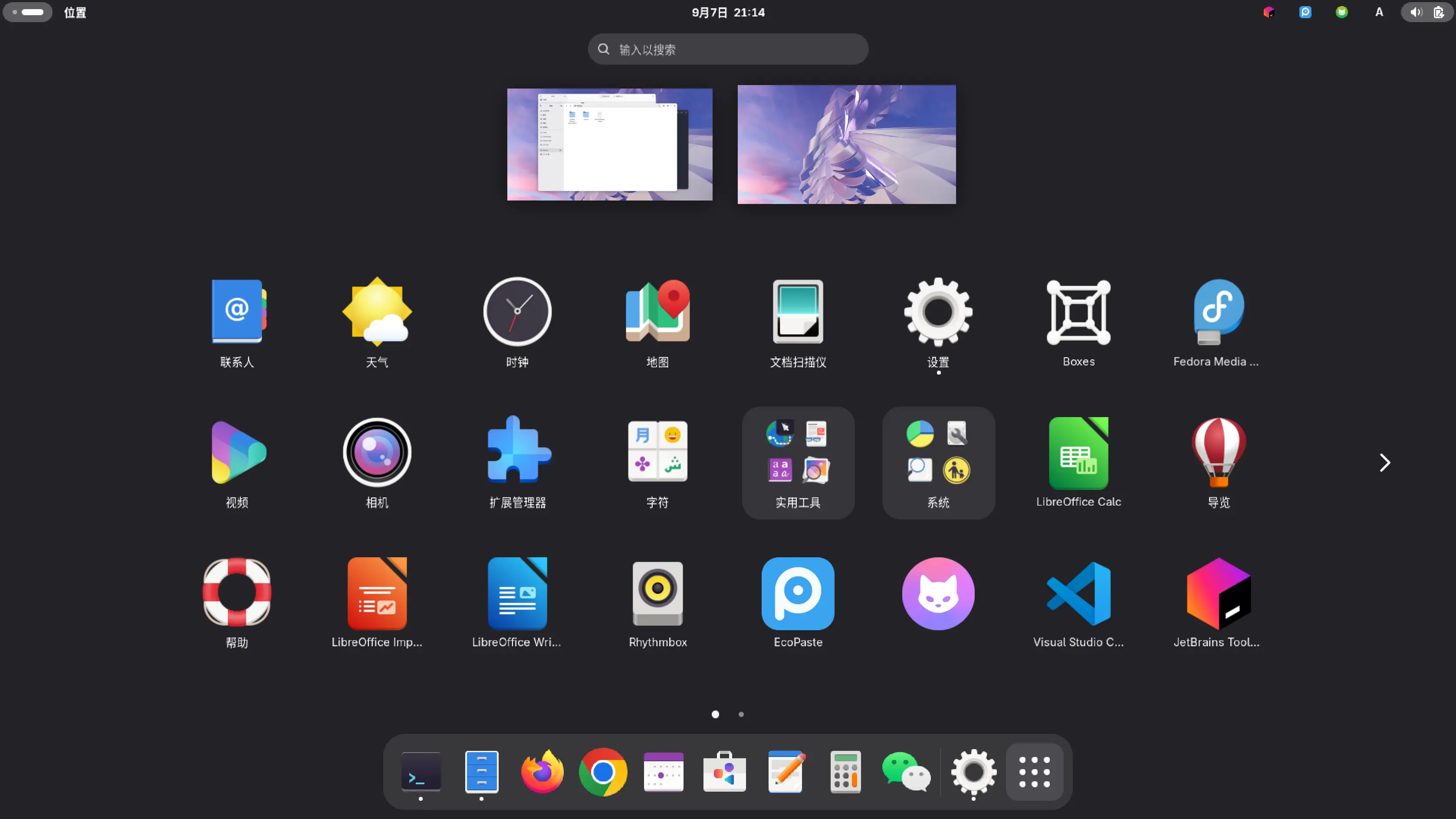
Multitasking Interface
Not bad, I guess
I still prefer the neat and organized style of Windows for the multitasking interface
GNOME's multitasking interface is similar to that of macOS
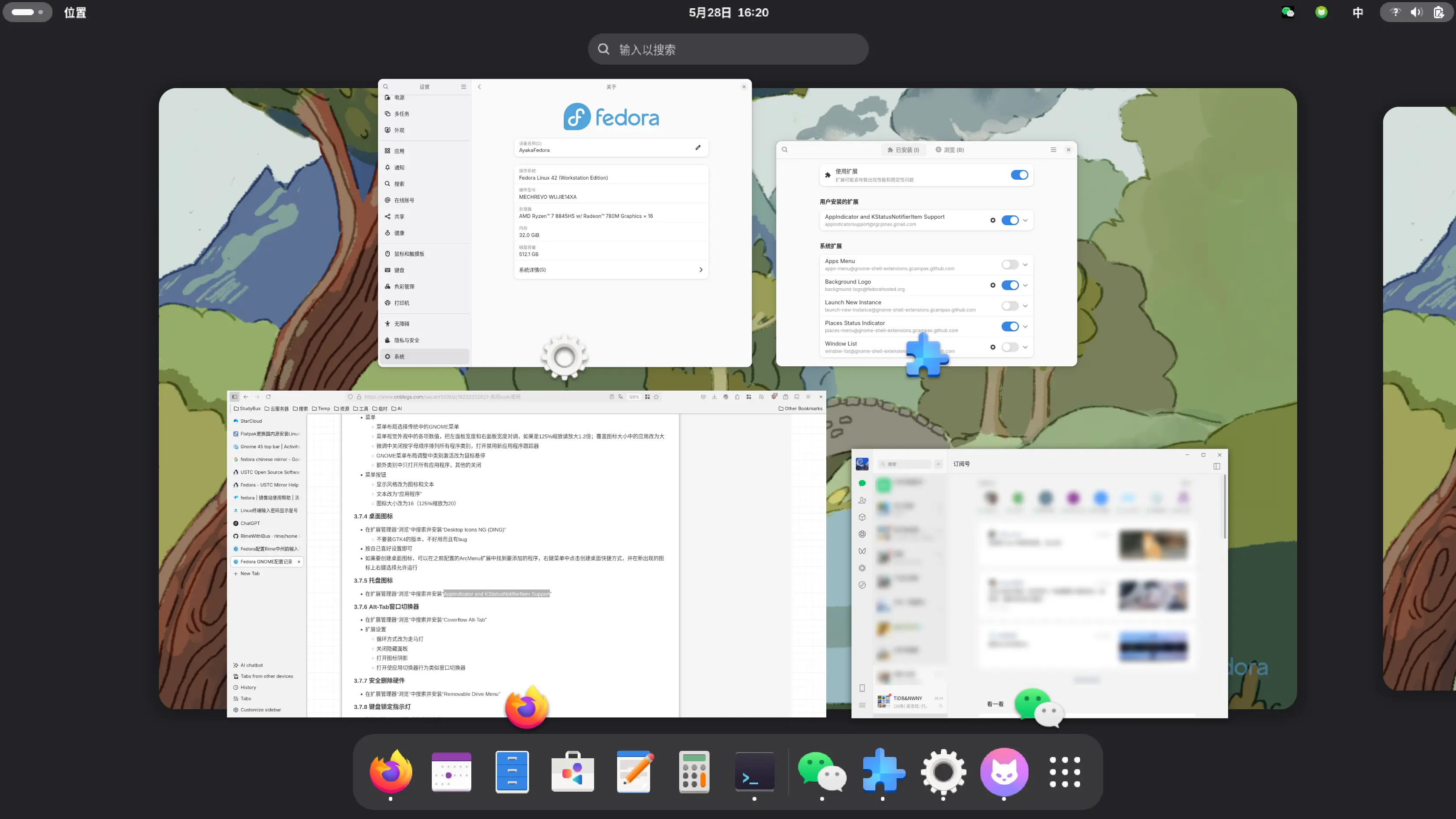
Terminal
I really like this terminal.
The only drawback is that I can't adjust the transparency (I'm not sure if I just haven't found the configuration setting).
File Manager
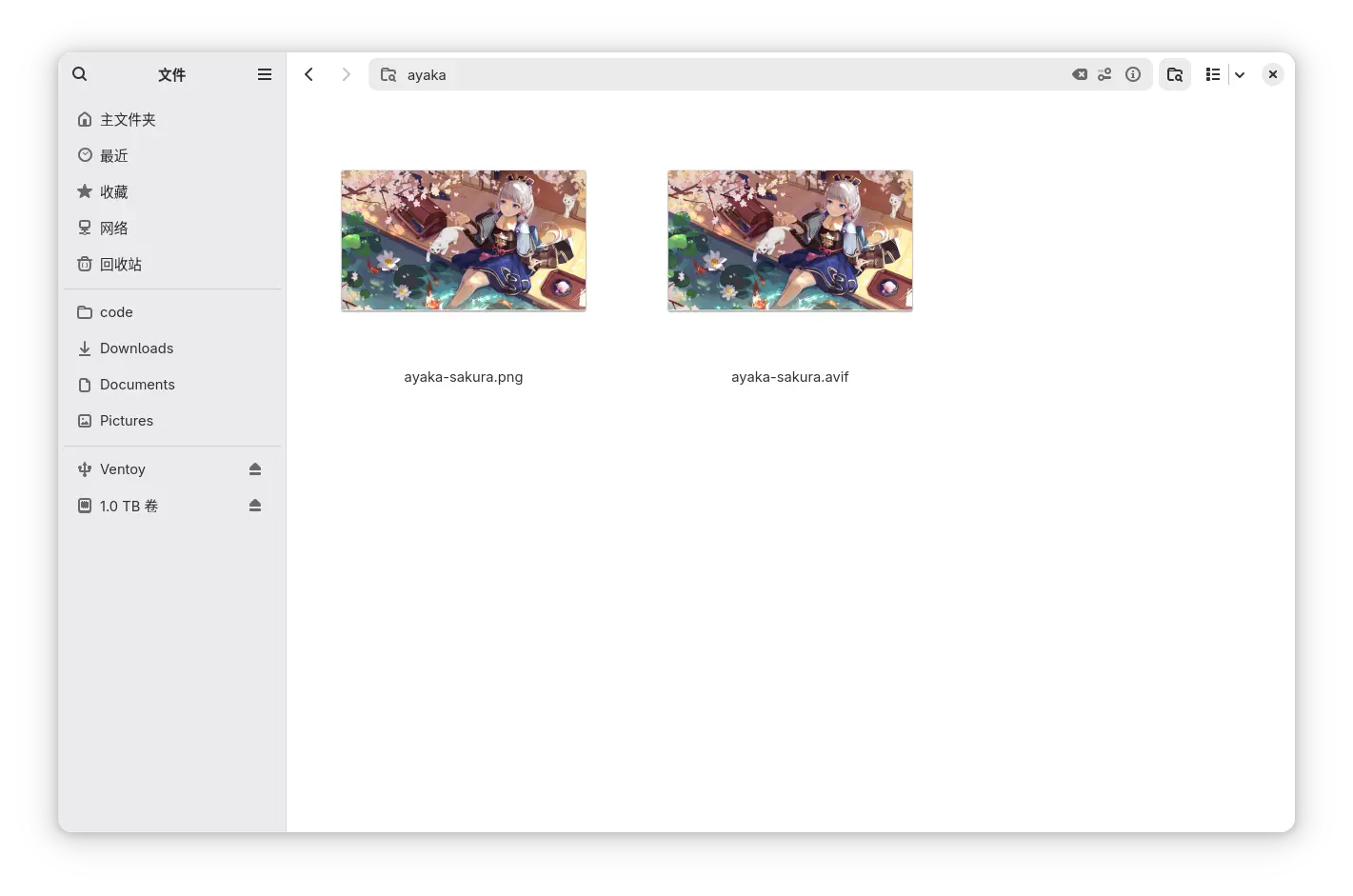
This file manager gets great reviews.
It supports AV1 encoding by default, allows previewing, and enables opening avif format images directly with a click.
On Windows, you still have to download a decoder from the store yourself.
Mouse
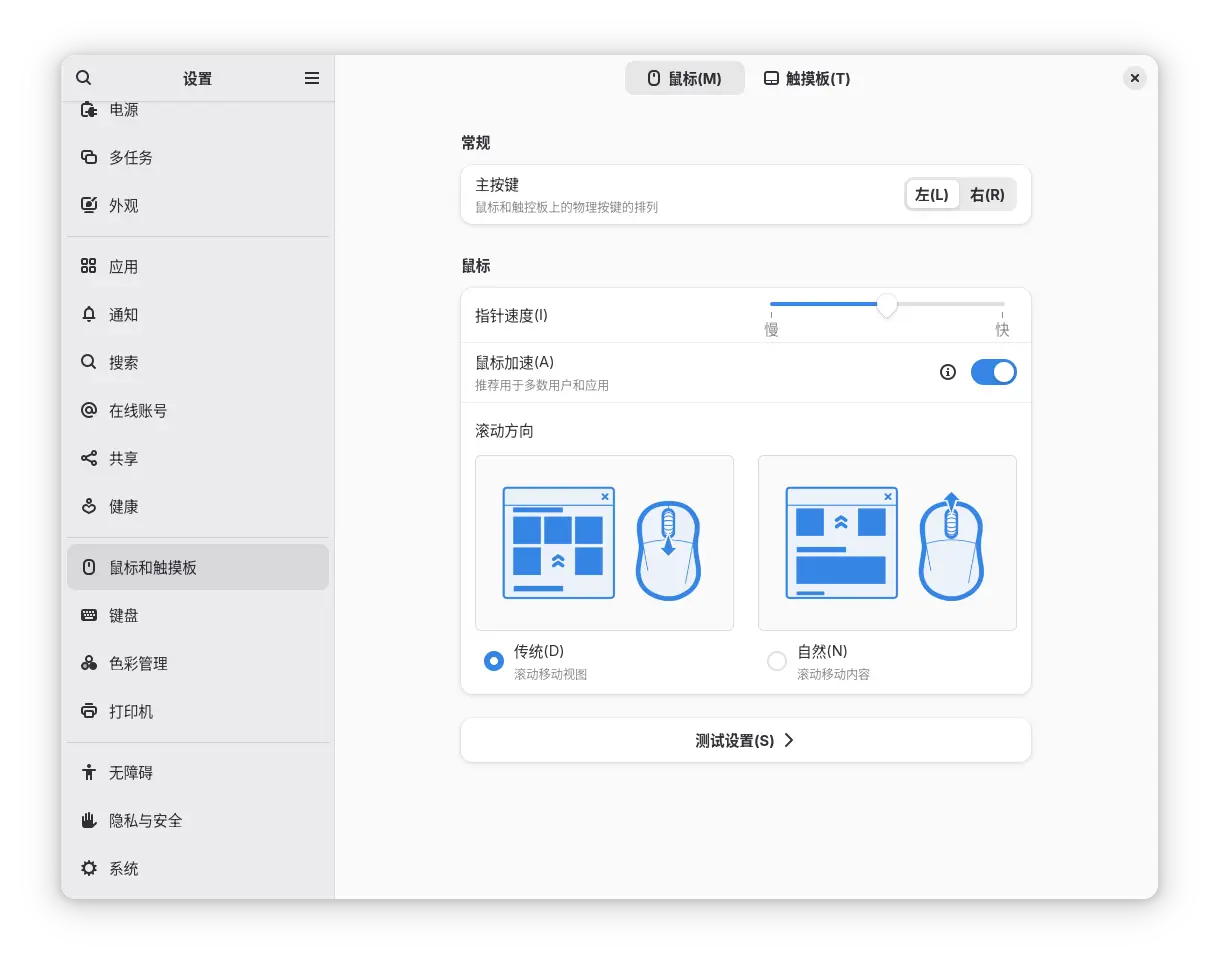
GNOME's experience is getting better and better now
The mouse configuration is similar to Mac, allowing you to set the scroll direction.
Touchpad Support
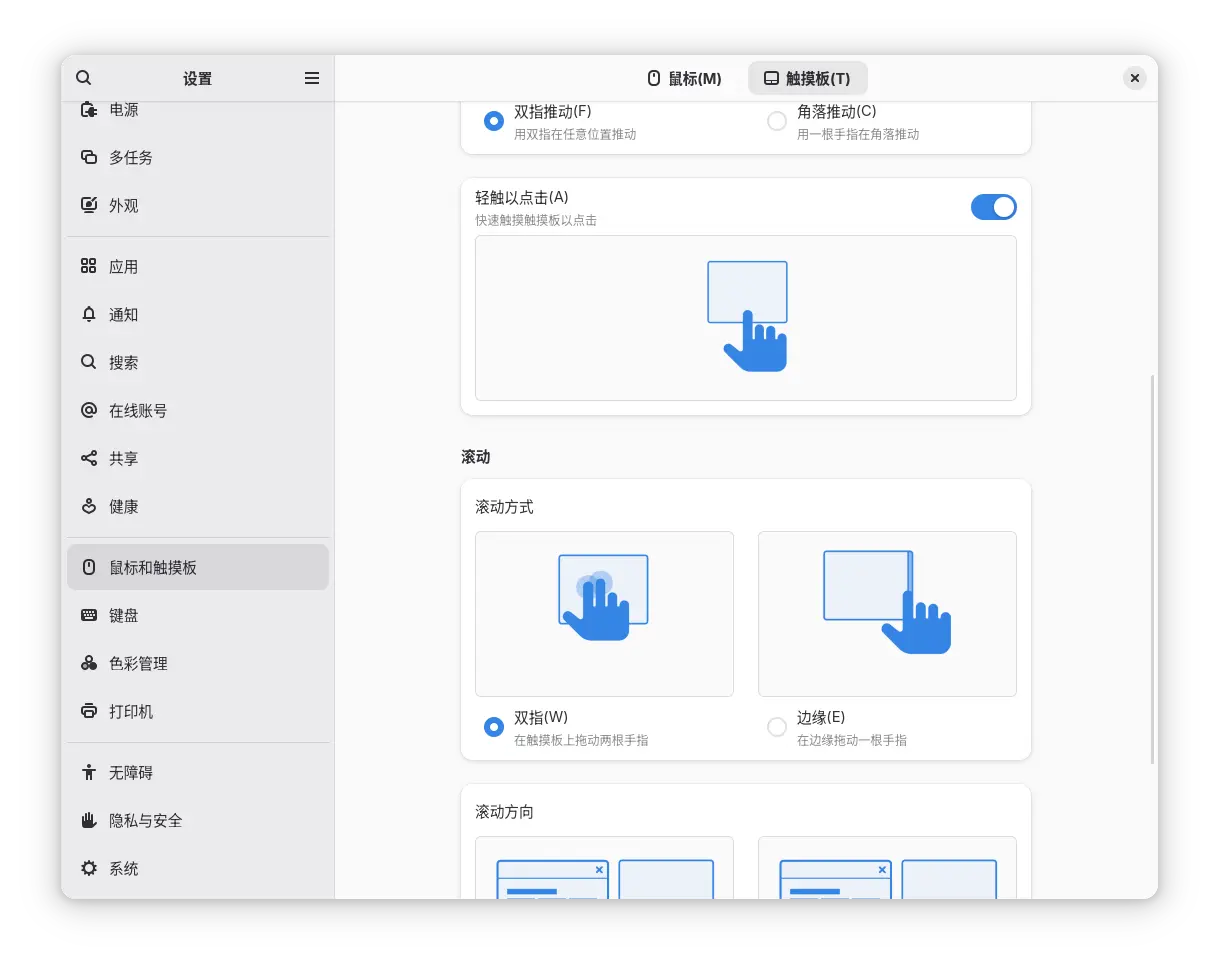
To my surprise, GNOME's touchpad support is even better than Windows.
These edge gesture functionalities seem to be something some domestic laptop manufacturers are also working on, implemented through third-party software (I haven't tried them yet).
This edge swiping—I've actually used it and the experience was quite good. For fixed scrolling scenarios, using this saves a lot of effort.
However, in daily use, I'm still used to two-finger swiping, which offers more freedom.
Summary
The experience of using Linux on the Geeker 14x has been pretty good.
Most drivers work out of the box. I haven’t messed with facial recognition, but everything else has been fine.
Though for some reason, Wayland still feels half-dead after all these years.
Using XWindow always feels a bit sluggish compared to Windows—kind of laggy?
A fellow internet user suggested I try KDE, and I’m currently looking for a suitable distro. (I probably won’t end up falling down the Arch rabbit hole, right?)
Also, GNOME looks nice, but it has quite a few small bugs. For example, sometimes when I open the Launchpad, the app names are all jumbled up. Reopening it fixes it, but I’m not sure if it’s a GNOME bug or a Wayland bug 😂
Oh, and after not using it for a while, I booted into Fedora again and found that the network was broken. The Wi-Fi wasn’t detected, and even plugging in an Ethernet cable didn’t work. I’m not sure what went wrong. Switching kernel versions didn’t help either… but I’m planning to reinstall anyway, so I won’t worry about it too much.
OK, that’s it for now. I need to hurry up and try out Pop!_OS 😄
Aside: About Pop!_OS
This is a distribution with great characteristics and potential. The reason I wanted to try it is that it reminded me of the Unity desktop. I stayed on Ubuntu 16.04 for a long time and was reluctant to switch from this old gem, all because of the Unity desktop. Later, starting with 18.04, it was dropped. Ubuntu's parent company also abandoned the project, which is truly a shame. I believe Unity was the best desktop experience in the Linux ecosystem.
While browsing forums, I saw that many other users also liked Unity. As I scrolled through, I came across Pop!_OS. What a strange name! User reviews say it's a distribution that can carry the torch for the Linux desktop. Based on Ubuntu, it uses the familiar apt package manager and offers its own COSMIC desktop as an alternative to GNOME and KDE. It also comes with built-in tiling window management—all worth trying.
Moreover, Pop!_OS is backed by the hardware manufacturer System76, which secures funding for the system's development. This is unlike Canonical, which was so poor that it had to cut both Unity and Mir 🤣.
Enough talk, I'll finish posting the article and reinstall right away.
Bonus: About Screenshot Formats
All images in this article were taken using GNOME's built-in screenshot tool.
The default screenshot format is PNG.
There are 11 images in total, and I used Magick to test the sizes of different formats, just for your reference.
| Format | Size |
|---|---|
| PNG | 6.42 MB |
| JPEG | 3.14 MB |
| WebP | 777 KB |
| AVIF | 455 KB |
Converting with ImageMagick is quite convenient.
I've also attached the script here.
Shell version
for i in *.png; do
    magick "$i" "output/${i%.png}.jpg"
done
PowerShell version
foreach ($i in Get-ChildItem *.png) {
    magick $i.FullName ("output\" + $i.BaseName + ".jpg")
}
The AVIF version has the smallest size, but the conversion speed is also the slowest.
WebP is the most balanced among them, offering the best value and good compatibility. My blog also uses this WebP approach.
_EOF_
Installing Linux on the JiGe 14x: First Look at Fedora 42
- 本文作者:
- 程序设计实验室
- 版权声明:
- 本博客所有文章除特别声明外,均采用 BY-NC-SA 许可协议。转载请注明出处!
相关文章
最好的Linux发行版:Ubuntu-18-04-深度使用体验
前言 经常看我博客和公众号的同学应该知道,我是狂热的Linuxer,对Linux系统有一种偏执的喜好,所以当你看到这篇文章的时候应该不会觉得奇怪,不过,真正应该疑惑的是,为什么说Ubuntu才是最好的Linux发行版呢?按照我的习惯和风格,不应该是大蜥蜴(OpenSUSE)或是Arch(Manjaro)么? 接下来本文将解答这些问题。 Why Ubuntu 是大蜥蜴不好看?还是Arch不好用?玩什
2021-12-18 · Linux评测 · 约 1 分钟
关于系统的折腾-&-OpenSuSE养老
前言 最近python写得多了真的受不了Windows的开发环境了,于是又开始折腾系统,先是试了黑苹果,结果发现真的是难,问题一大堆 = = ... 于是果断选择回到我大蜥蜴的怀抱,用过那么多桌面环境,最喜欢的还是Gnome,所以就这样吧,在大蜥蜴养老就行了,好像这次安装完之后没什么大问题了,除了输入法暂时用不了搜狗,其他都ok,不折腾了,太浪费时间。 附上截图 欢迎与我交流 打代码直播间:htt
2021-12-18 · Linux评测 · 约 1 分钟
无需折腾的Linux发行版:Manjaro体验与配置笔记,开箱即用-真香!
本文的系统配置部分会持续更新,欢迎关注和交流~ 前段时间装了KDE版的Manjaro之后又换了黑苹果,不过没折腾好,这不又乖乖换回了Manjaro,这次我用了Gnome,很久没用Gnome,Manjaro的调教有点惊艳到我了~ 首先是开机的时候就弹出来Hello界面,以前没怎么注意它,这次发现居然已经预设了好几种布局,真的啥都有,连自己折腾都省得了。我果断选了最喜欢的unity布局(其实就是装了u
2025-10-27 · Linux评测 · 约 1 分钟
国产Linux发行版Deepin浅度体验
前言 昨天系统又重装了两次,所以没时间写推文了,今天刚刚搭完就来写了。 这几天电脑升级硬件之后系统还没配置好,只是装了个Win10,我还是更喜欢在Linux环境工作,又看到Deepin的界面设计得很好看,于是就装了一个试试效果。 但是用的时间还不长,所以只能是浅度体验。 系统截图 两种模式的桌面。 时尚模式(类似于Mac系统) 高校模式(类似与Windows系统) Dashboard(所有应用程序
2021-12-18 · Linux评测 · 约 1 分钟
讨论
共 0 条加载评论中…