

Install Latest Version VLC Player on Ubuntu 18.04
Add software source sudo add-apt-repository ppa:videolan/master-daily sudo apt update Install sudo apt install vlc qtwayland5 Run VLC player Install additional decoders vlc-plugin-access-extra - multimedia player and streamer (extra access
目录5 个章节
Add Software Repository
sudo add-apt-repository ppa:videolan/master-daily
sudo apt update
Install
sudo apt install vlc qtwayland5
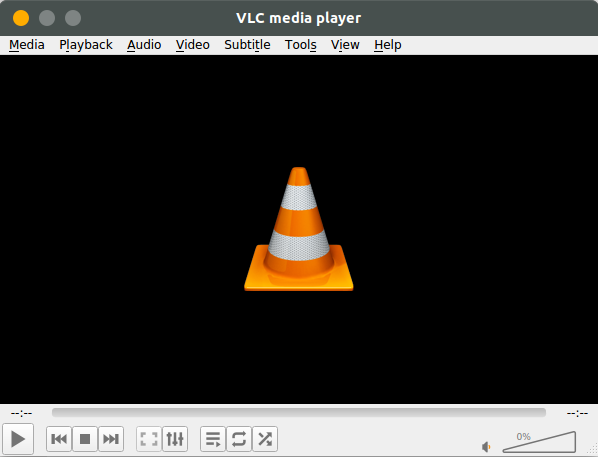
Run VLC Media Player
Installing Additional Decoders
- vlc-plugin-access-extra - multimedia player and streamer (extra access plugins)
- vlc-plugin-fluidsynth - FluidSynth plugin for VLC
- vlc-plugin-jack - JACK audio plugins for VLC
- vlc-plugin-notify - LibNotify plugin for VLC
- vlc-plugin-samba - Samba plugin for VLC
- vlc-plugin-skins2 - multimedia player and streamer (Skins2 plugin)
- vlc-plugin-svg - SVG plugin for VLC
- vlc-plugin-video-splitter - multimedia player and streamer (video splitter plugins)
- vlc-plugin-visualization - multimedia player and streamer (visualization plugins)
sudo apt install libavcodec-extra
About

For more interesting operations, please follow my WeChat public account: DealiAxy
Every article is also available on my blog: blog.deali.cn
_EOF_
Install Latest Version VLC Player on Ubuntu 18.04
- 本文作者:
- 程序设计实验室
- 版权声明:
- 本博客所有文章除特别声明外,均采用 BY-NC-SA 许可协议。转载请注明出处!
相关文章
配置MariaDB数据库服务端远程访问
操作步骤 开启远程访问权限 连接MariaDB数据库,执行以下命令开启远程访问。 grant all privileges on *.* to 'root'@'192.168.248.248' identified by 'password'; flush privileges; 如果需要任意IP地址访问,就把IP地址换成%。 修改配置文件 在网络上能搜索到的资料都只说了第一点,然而亲测之后并没有
2025-10-27 · 系统配置 · 约 1 分钟
linux配置sendmail发邮件服务
前言 因为开发需要,搞了个wiki系统,并且用到了邮件订阅,所以研究了一番发送邮件的方法。 安装 没什么好说的,先安装必要组件。 apt install sendmail-bin apt install sendmail apt install sendmail-cf #配置工具 配置sendmail sendmail默认是本机用户发送给本机,所以需要修改可以发送到整个Internet: 修改se
2025-10-27 · 系统配置 · 约 1 分钟
Debian8-stable-升级Python版本到3-6
前言 最近把一个Python项目部署到服务器上,然而服务器上的Python版本实在是太旧了,于是着手进行更新。 互联网上搜索到的方法都是下载Python3.6的代码之后手动编译,然而在服务器上编译安装出了点问题,于是想到了Ubuntu的ppa方式,debian和Ubuntu本属同源,理论上Ubuntu的ppa,debian也是可以用的。 操作步骤如下: 添加软件源 add-apt-reposito
2025-10-27 · 系统配置 · 约 1 分钟
服务器时间漂移,如何开启Linux NTP自动同步
本文记录了作者在服务器运维中发现时间漂移问题,并通过启用NTP同步、使用Chrony等工具进行排查与解决的全过程。文章强调了NTP同步的重要性,介绍了排查思路和高效工具的使用,以及如何同步硬件时钟(RTC),为服务器时间精准同步提供了解决方案。
2025-10-27 · 系统配置 · 约 1 分钟
讨论
共 0 条加载评论中…