

The pitfalls and solutions for installing Virtualbox on Manjaro Linux~
Foreword Not long ago, my Ubuntu installation disk ran out of space, so I decided to install another system on a new SSD. This led me back to Manjaro, and the KDE desktop is really user-friendly. However, I still need to explore many configuration aspects, as I’ve mainly used Gtk-based desktops in the past. Now, onto the main topic: Installing VirtualBox VirtualBox is available in Manjaro’s official repository. You can simply open Octopi and search for it. Alternatively, you can install it by entering the command: sudo pacman -S virtu
目录9 个章节
Preface
Not long ago, as my Ubuntu installation disk ran out of space, I decided to install another system on a new SSD, which led me back to Manjaro. The KDE desktop is truly excellent to use, though many configuration aspects still require some research, given that my primary desktop experience in the past was mainly with Gtk-based environments~
Getting Started
Installing VirtualBox
VirtualBox is available in Manjaro's official repositories. You can find it by opening Octopi and searching.
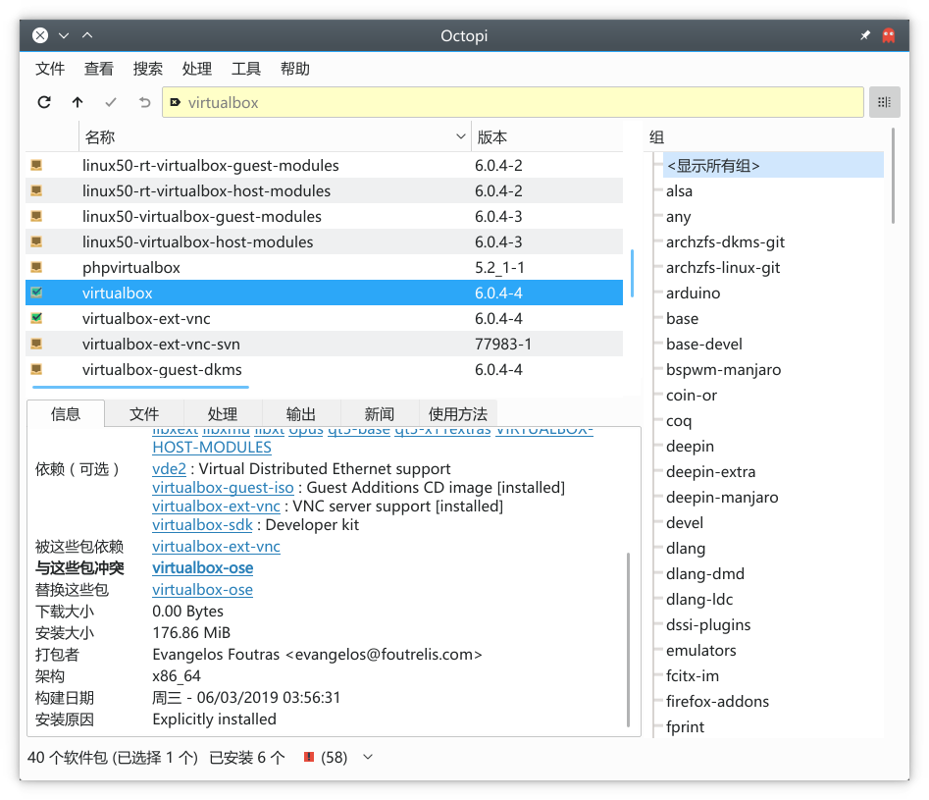
Or you can install it by entering the following command:
sudo pacman -S virtualbox
Installing Kernel Modules
The previous step installed VirtualBox, but it cannot be used yet—you need to install and activate the kernel modules first.
The corresponding kernel modules are available in the official repositories, but you should check the correct version first.
How do you check the kernel version? Open the Manjaro Settings Manager as shown below:
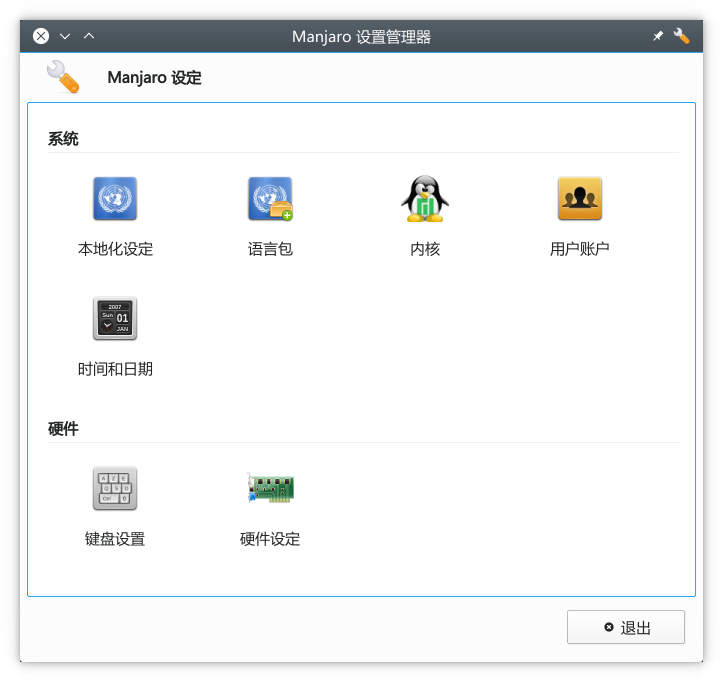
Select "Kernel":
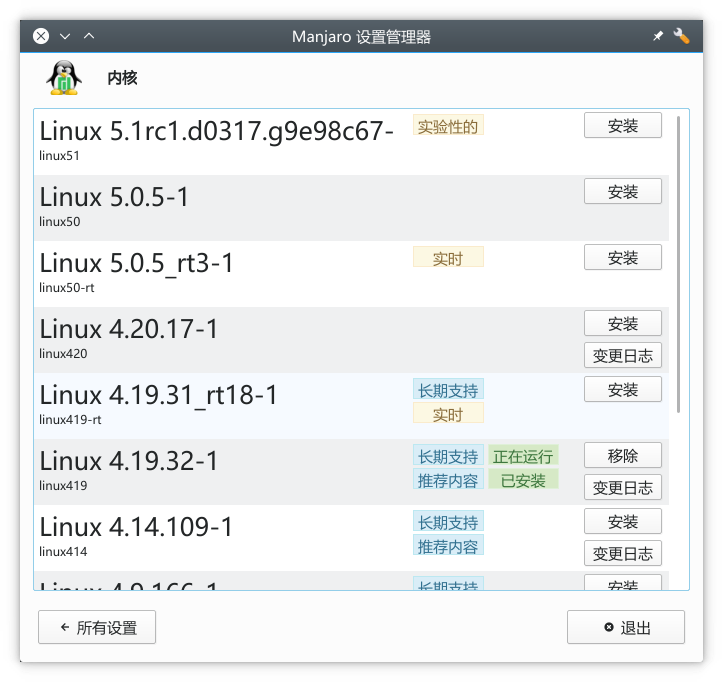
You can see the current kernel version is 4.19.32-1. Then you can proceed to install the kernel modules~
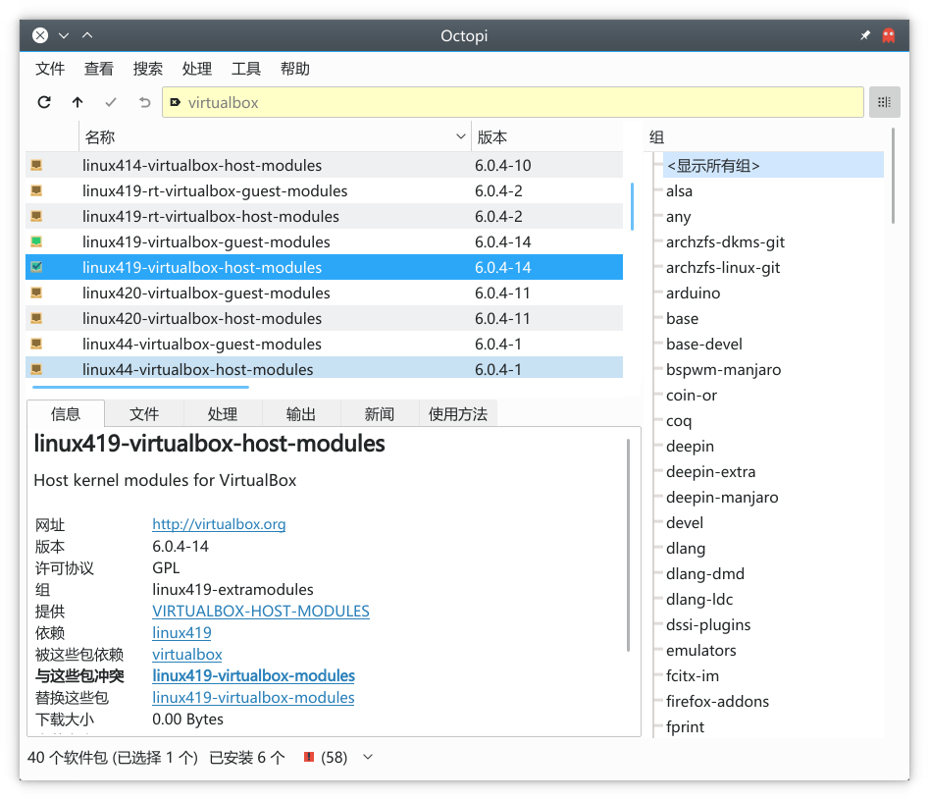
When searching for Virtualbox in Octopi, you'll see many kernel modules available. Here, we select the one corresponding to the kernel version Linux419, as shown in the image:
Activating the Kernel Module
sudo modprobe vboxdrv
Add Current User to virtualbox User Group
sudo gpasswd -a [username] vboxusers
Replace [username] with your username. For example, in my case it looks like this:
sudo gpasswd -a dealiaxy vboxusers
Issue: Imported Existing Virtual Machine Cannot Boot
When importing an existing virtual machine, you may encounter this issue. The primary cause is a change in the virtual hard disk's location. This can be resolved by reassigning the correct path in the settings.
However, you might then encounter an error stating that the virtual hard disk's SSID is invalid. In this case, you'll need to reset the SSID.
Navigate to the directory containing the virtual hard disk file and execute the following command:
VBoxManage internalcommands sethduuid <file.vdi>
Replace <file.vdi> with the name of your virtual hard disk file.
References
- https://forum.manjaro.org/t/kernel-driver-not-installed-virtualbox/65797
- https://wiki.manjaro.org/index.php?title=Virtualbox#Install_VirtualBox
- https://stackoverflow.com/questions/44114854/virtualbox-cannot-register-the-hard-disk-already-exists
Welcome to Chat with Me
- Coding Live Stream: https://live.bilibili.com/11883038
- WeChat Official Account: DealiAxy
- Zhihu: https://www.zhihu.com/people/dealiaxy
- Jianshu: https://www.jianshu.com/u/965b95853b9f
_EOF_
The pitfalls and solutions for installing Virtualbox on Manjaro Linux~
- 本文作者:
- 程序设计实验室
- 版权声明:
- 本博客所有文章除特别声明外,均采用 BY-NC-SA 许可协议。转载请注明出处!
相关文章
某些软件中无法切换fcitx输入法的问题
gsettings set org.gnome.settings-daemon.plugins.xsettings overrides "{'Gtk/IMModule':<'fcitx'>}"
2025-10-27 · FAQ & Tips · 约 1 分钟
LINUX-DESKTOP-MENU-EDITORS
Which application can you use when you need to modify menu with applications on your desktop? Let’s take a look.. Linux desktops (like Gnome or KDE) usually follow freedesktop.org menu specification f
2025-10-27 · FAQ & Tips · 约 1 分钟
轻松解决Linux+Windows双系统时间不一致问题
前言 Linux用户很多都是使用双系统的吧,毕竟很多Linux下没有的软件还是需要打开Windows。 但是一直以来有个困扰,Linux下时间显示是正常的,但是回到Windows下时间就会慢了8个小时 = = 这是因为Windows默认使用硬件时钟,而Linux使用网络时间,现在只需要一条命令就能搞定这个问题。 解决 在Linux下打开终端,输入命令: timedatectl set-local-
2025-10-27 · FAQ & Tips · 约 1 分钟
Linux下查看dd命令写入进度
前言 Linux下有一个强力工具,dd,用来操作镜像,简直神器,唯一的不足是没有显示操作进度,不过也不是没有办法,下面介绍几个查看写入进度的方法。 status选项查看进度 如果你使用的是GNU版本的dd,并且coreutils版本高于8.24,那么可以使用status选项。例如: sudo dd if=/dev/sda of=/dev/zero status=progress 上面命令在Mac
2025-10-27 · FAQ & Tips · 约 1 分钟
讨论
共 0 条加载评论中…