

Bought a new RAM stick to expand my desktop, didn't expect mysterious screen artifacts
Background My current setup is an i5-8400 with 16G of RAM (two ADATA 8G 2400 sticks) image-20221101101011261 Then in daily use, 16G of RAM was already stretched thin. Whether for Android development or backend development, every compile was painfully laggy It happened to be Double 11, so I figured I'd buy a 16G stick to expand, making a 32G dual-channel setup. Looked around on JD, 2400 16G RAM was basically extinct, so I could only go with 2666. I figured the motherboard would automatically downclock 2666 to 2400, so it shouldn't
目录6 个章节
Background
My current setup is an i5-8400 with 16G of RAM (two ADATA 8G 2400 sticks)
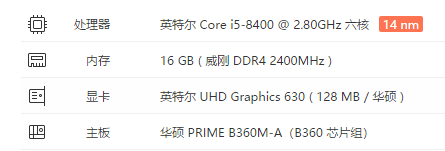
Then in daily use, 16G of RAM was already stretched thin. Whether for Android development or backend development, every compile was painfully laggy
It happened to be Double 11, so I figured I'd buy a 16G stick to expand, making a 32G dual-channel setup.
Looked around on JD, 2400 16G RAM was basically extinct, so I could only go with 2666. I figured the motherboard would automatically downclock 2666 to 2400, so it shouldn't be a big deal~
Then I picked up some no-name domestic RAM at a dirt-cheap price~
The Start
Bam, just like that, super fast
JD delivery arrived the next day. Gotta give that speed a thumbs-up~
A quick unboxing
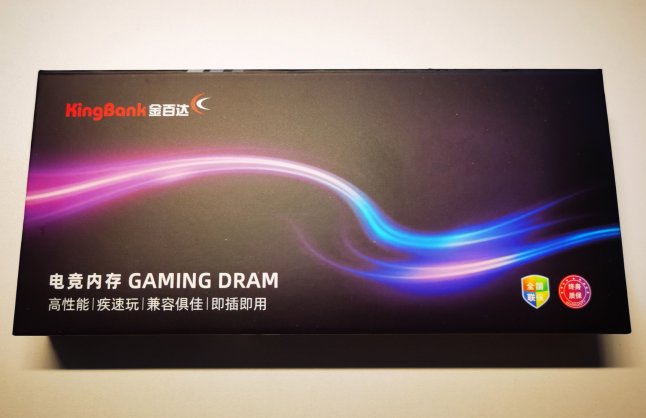
Opened the packaging, pretty bare-bones~
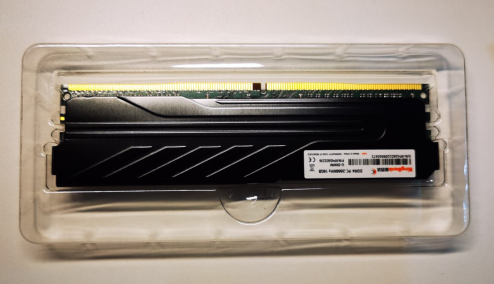
The heat spreader is decent though
Installed it right away to try it out
Only when installing did I realize I'd been seating the RAM in the wrong slots all along
The B360M motherboard only supports dual channel and has four RAM slots, 1234; 12 is channel A, 34 is channel B. I'd previously put both sticks in slots 12. What a waste~
Just plugged the new stick into slot 3 and powered on!
Great, it POSTed on the first try
Ran a score test with Entertainment Master
Huge improvement~
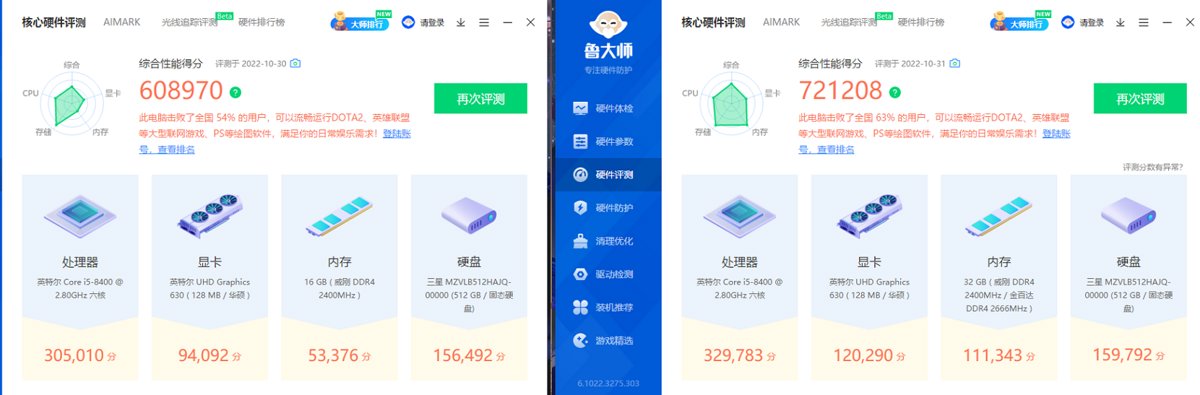
The RAM score literally doubled
CPU and GPU scores also went up quite a bit
Looks like dual channel really does make a decent difference for performance
Checked and found all 3 sticks were at 2666mhz
Did it automatically overclock them for me??
Whatever, as long as it works. Overclocking 2400 to 2666 shouldn't be a problem, right?
Things Go Wrong
Just when I thought I could comfortably keep using it like this
The problems showed up
Straight-up blue screen + artifacts
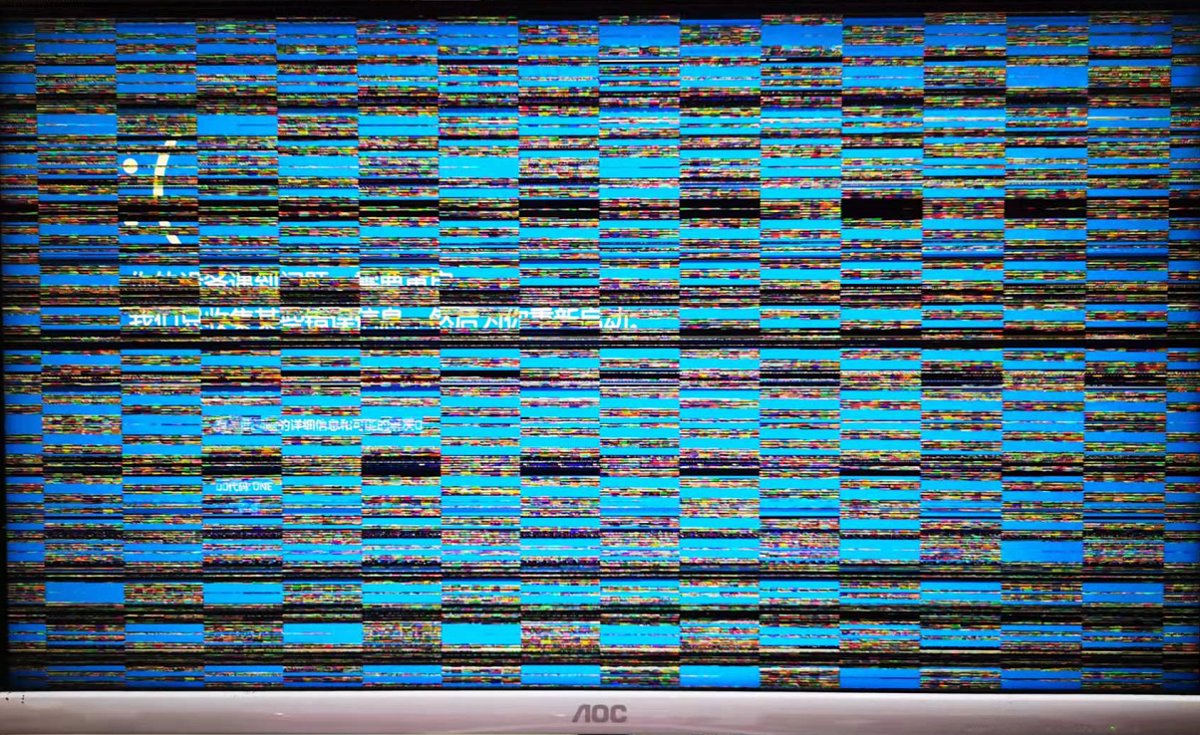
Got a bit nervous. First reaction was that the new RAM was defective
Because I'd run into this kind of thing before—adding RAM and then getting artifacts
Opened the case like a pro, pulled out the new stick
Went back to the original two sticks, worked fine
OK, I was going to request a return, and that would've been the end of it.
However...
Tinkering
Since I'd discovered the original two 8G sticks weren't connected in dual-channel mode
That was definitely not acceptable
After pulling the new RAM, I immediately moved the original sticks from slots 12 to slots 13, to form dual channel
Turned out it wouldn't boot
I was shocked. Had the earlier automatic overclock to 2666 fried the old RAM??
Doesn't seem likely though. RAM doesn't break that easily
So I tried them one stick at a time
Found that each of these sticks worked fine on its own
Then I gradually paired them two by two, tried it, and they all POSTed normally
So first I put the original ADATA 8G heat-spreader stick + the newly bought 16G in dual channel, ran it for half an hour to test. Checked the frequency, still 2666, and sure enough, artifacts showed up in less than half an hour
At this point I could confirm it was a frequency issue. Went into BIOS, manually set the RAM frequency to 2400, installed all three sticks, POSTed normally. After booting I found the frequency had become 2133. Worked fine.
But 2133 performance is just too weak
Went into BIOS again and enabled XMP
XMP stands for Intel Extreme Memory Profile. It is a memory certification standard launched by Intel in September 2007. It applies to DDR3 and the latest DDR4. Intel claims it can "let you overclock RAM and compatible DDR3/DDR4 memory."
Before XMP technology appeared, RAM overclocking was already widespread. The demand first came from gamers, who were really living the Olympic spirit, demanding faster and stronger, so they could better wreck others in online games. To that end, memory manufacturers produced all kinds of gaming RAM that could run above their default frequencies. But back then these sticks had relatively poor compatibility, and gamers had to repeatedly tweak various timings in the BIOS to run games stably. Motherboard compatibility was also a big problem—it might work on this board, but not necessarily on one from another brand.
Intel sensed this market demand and launched the XMP memory certification standard in September 2007. The principle is that it extends two groups of profiles on the SPD.
(SPD is on every DIMM, a small storage chip (EEPROM), which records in detail many parameters including CL-tRCD-tRP-tRAS-CMD and so on, as well as manufacturer codes, etc. This is also why the BIOS can tell what kind of RAM we installed.)
The first profile group is generally the rated frequency speed, i.e. the speed the high-frequency stick's packaging guarantees it can reach. The second group is generally a higher extreme frequency.
Memory manufacturers are responsible for verifying the compatibility of these two profile groups with different chipsets, and submitting the RAM and those settings to Intel for testing. After testing, Intel grants XMP certification and publishes it on the official website (reference 1).
Its working principle is very simple and direct. The BIOS memory initialization program is responsible for reading that XMP data block from the SPD, and setting various parameters according to its requirements rather than the results of training.
Rebooted, frequency went back to 2400. Thought I was finally in the clear, but I was still being naive
Used it for a little while, artifacts again
This time it finally clicked
These two sets of RAM really weren't very compatible
Took the machine apart again, removed the two old sticks, left only the one new 16G stick
This time it was much more stable. Used it for two hours, until my App compiled a new version for release, all perfectly normal...
Recap
Although I still haven't fully figured out what the problem is
I've more or less pieced most of it together
First, the new no-name RAM should be fine
Second, the two old sticks should also be fine
As for why the artifacts happened, the motherboard/CPU probably has relatively high requirements for dual-channel RAM, generally needing sticks from the same batch with the same ICs
That also explains why even my two old sticks dropped to 2133 when running in dual channel
Forcing XMP on and pulling it up to 2400 doesn't help—it only makes the system unstable
(Caught Double 11)
So in the end I ordered another no-name 16G stick
These two old 8G sticks, I might consider selling them off~
Finally
Booted up at noon today and found
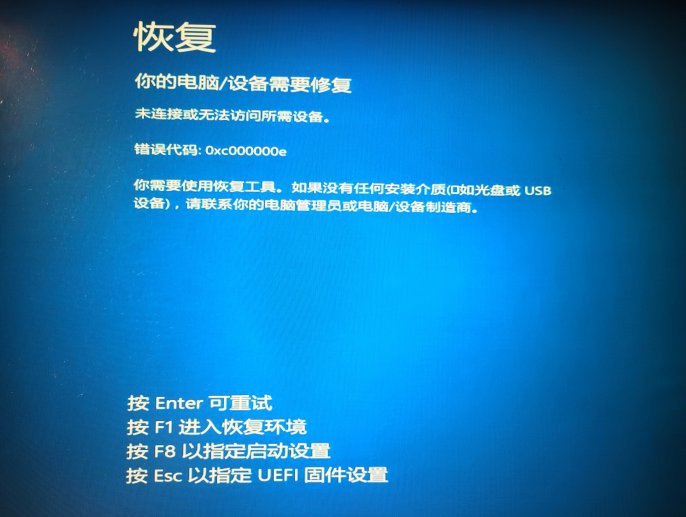
My Windows system is toast
Luckily I'm dual-booting, still have Ubuntu
Went into Ubuntu and checked—the files on the Windows drive were all fine
So weird, no idea where the problem is
I'll try to fix it tonight~
PS: GPUs are still expensive this Double 11. I'm out
_EOF_
Bought a new RAM stick to expand my desktop, didn't expect mysterious screen artifacts
- 本文作者:
- 程序设计实验室
- 版权声明:
- 本博客所有文章除特别声明外,均采用 BY-NC-SA 许可协议。转载请注明出处!
相关文章
2022年双十一小结
前言 抓住11月的尾巴来发这篇文章~ 也算是上一篇【买条新内存给台式机扩容,没想到出现玄学花屏】吧~ 内存条花屏事件后续 后面入了俩一模一样的内存,组32G双通道,结果还是出现了死机、花屏 然后上一篇文章在知乎有朋友评论说有可能是CPU的 IMC(integrated memory controller)有问题,导致双通异常,表现是两条内存只能单通道,双通道就不行… 确实和我遇到的情况是吻合的。那
2022-11-30 · 2022 · 约 1 分钟
2022-生日
本来打算前几天来写的,不过果然还是等到当天更有气氛一些~ 就写个随笔吧。 算起来,我毕业工作也是几年时间了,回头想想,读书的十几年,学到的还真不一定有比工作的这几年多,不愧是「社会大学」啊。最大的影响大概是世界观吧,对社会的了解,以前的管中窥豹和现在的身处其中是完全不同的感受。 读书的时候,特别学理工科的人,特别容易走入一个误区,以为世界是线性运行的,严格按照某种规律运动的,但其实世界是个混沌系统
2022-11-07 · 2022 · 约 1 分钟
2022-五四青年节分享
很快啊,五一劳动节假期就到了最后时刻了,虽然这个假期的天气不是很好,感觉几天有点虚度了的感觉,不过今天是五四青年节,总该来写点什么。 不知道为啥,总觉得今年的五四青年节有点冷清,是心境的改变还是其他原因就不得而知了,在写这段话前,我想到了之前上了热搜的鲁迅语录: 愿中国青年都摆脱冷气,只是向上走,不必听自暴自弃者流的话。能做事的做事,能发声的发声。有一分热,发一分光,就令萤火一般,也可以在黑暗里发
2022-11-07 · 2022 · 约 1 分钟
一些实用工具软件记录
CrystalDisk系列 https://crystalmark.info/en/download/ CrystalDiskInfo CrystalDiskMark 磁盘空间分析 推荐 wiztree,速度很快 https://diskanalyzer.com/download
2022-11-06 · 杂七杂八 · 约 1 分钟
讨论
共 0 条加载评论中…