

Apple Actually Sent Me This Kind of Email? What New Scam Is This
Today I suddenly received an email saying my Apple ID had been locked, asking me to click a link to log in and unlock it. At first I found it pretty annoying—last month my US-region ID had just been locked, and I went through a lot of hassle contacting Taiwan customer service to get it unlocked. Now my China-region ID is locked too? Apple is probably done for. But looking at this email, I always felt something was off... That e in the word apple doesn't seem to be an English letter, does it? Would an email from Apple Inc. look like this? And the sender's email address is wrong too—I've never seen this domain. Isn't Apple's supposed to be apple.com?
目录2 个章节
Today I suddenly received an email saying my Apple ID had been locked, asking me to click a link to log in and unlock it. At first I found it pretty annoying—last month my US-region ID had just been locked, and I went through a lot of hassle contacting Taiwan customer service to get it unlocked. Now my China-region ID is locked too? Apple is probably done for.
But looking at this email, I always felt something was off...
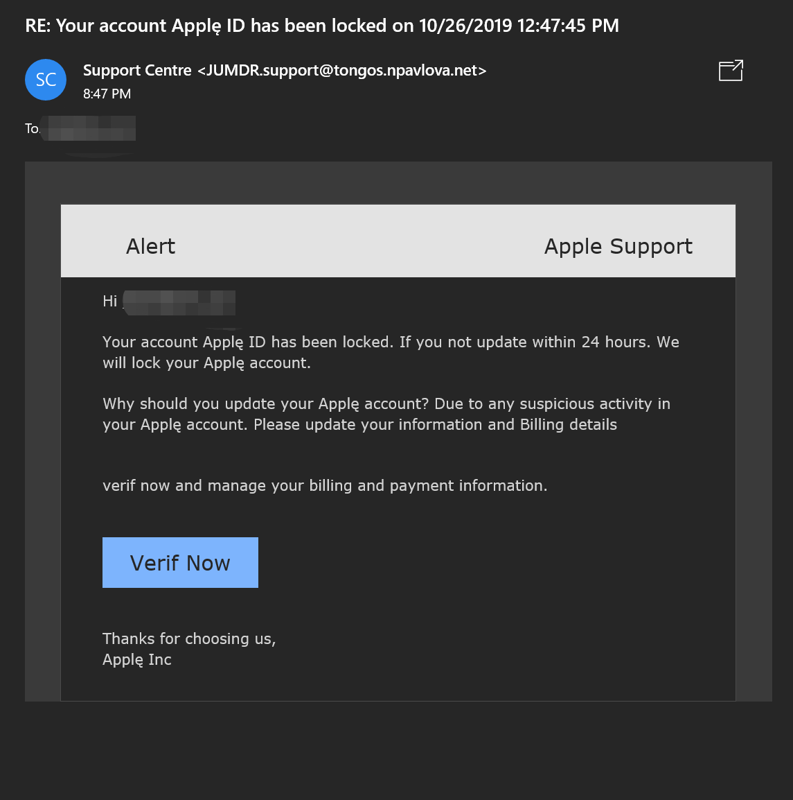
That e in the word apple doesn't seem to be an English letter, does it? Would an email from Apple Inc. look like this? And the sender's email address is wrong too—I've never seen this domain. Isn't Apple's supposed to be apple.com? This is shady, so I opened the link half-believing, half-doubting...
By the way, I couldn't even open this website—I had to use a VPN to access it...
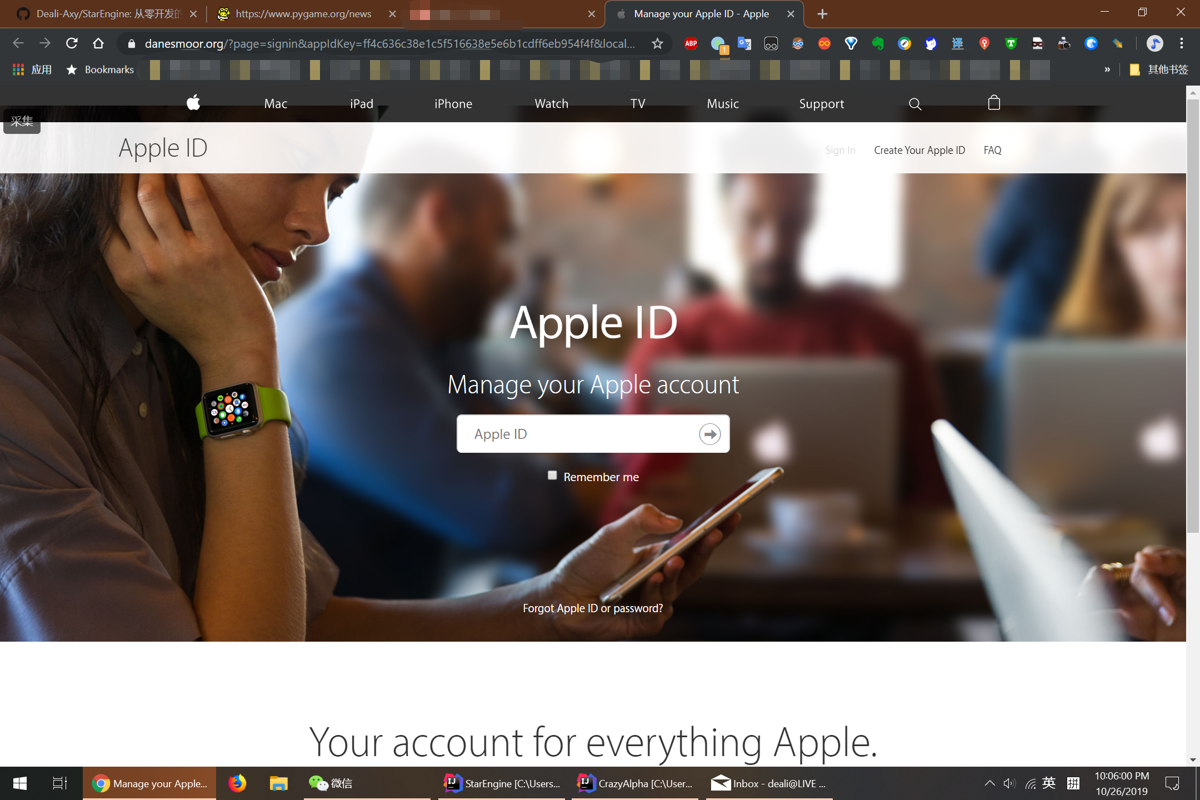
The page was even made to look pretty decent, but this URL... I didn't study much, don't try to fool me...
Out of respect for people's hard work (it's not easy to write a page imitating Apple's official website, right?), I decided to just enter some random account to log in. And it actually logged in successfully. I was speechless—it told me the account was locked...
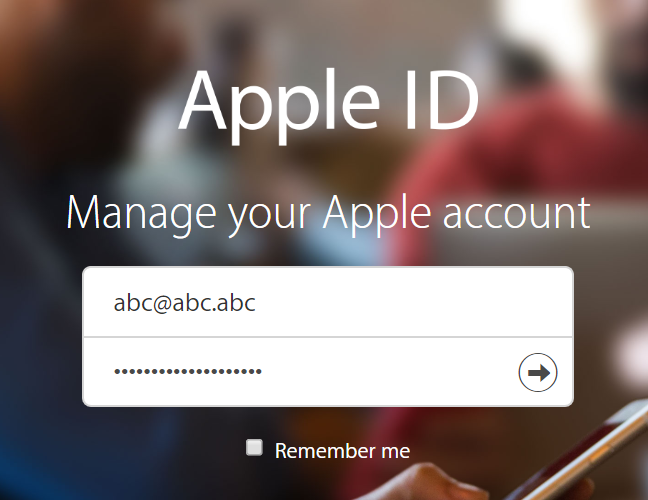
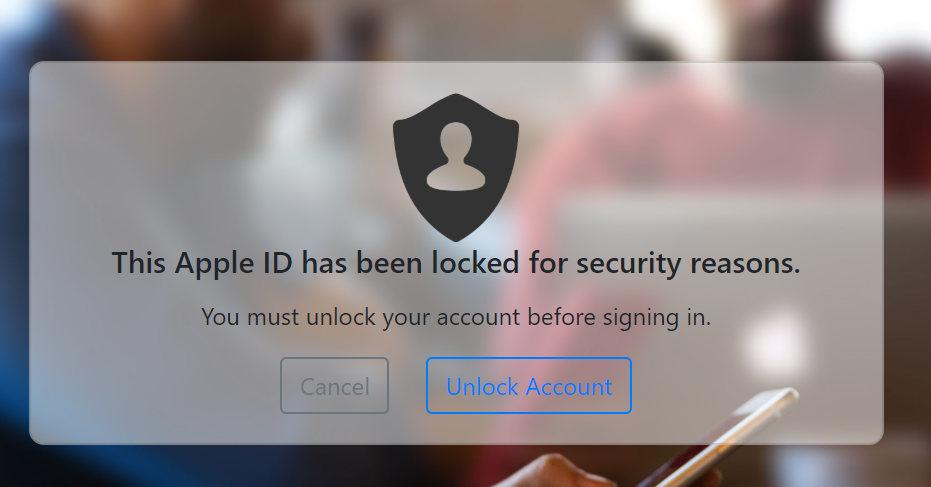
I took another look at this page. Aside from the middle part that asks you to enter your account and password and leads you step by step into the trap, all the other links are fake and can't be clicked. So it turns out it's just a crude phishing page... This is way too sloppy...
Alright, let's take another look at this page's code and see if we can find something.
No way—a website that requires a VPN to access is using Baidu analytics code? What's going on? Was this developed by my fellow Chinese countrymen to scam me?
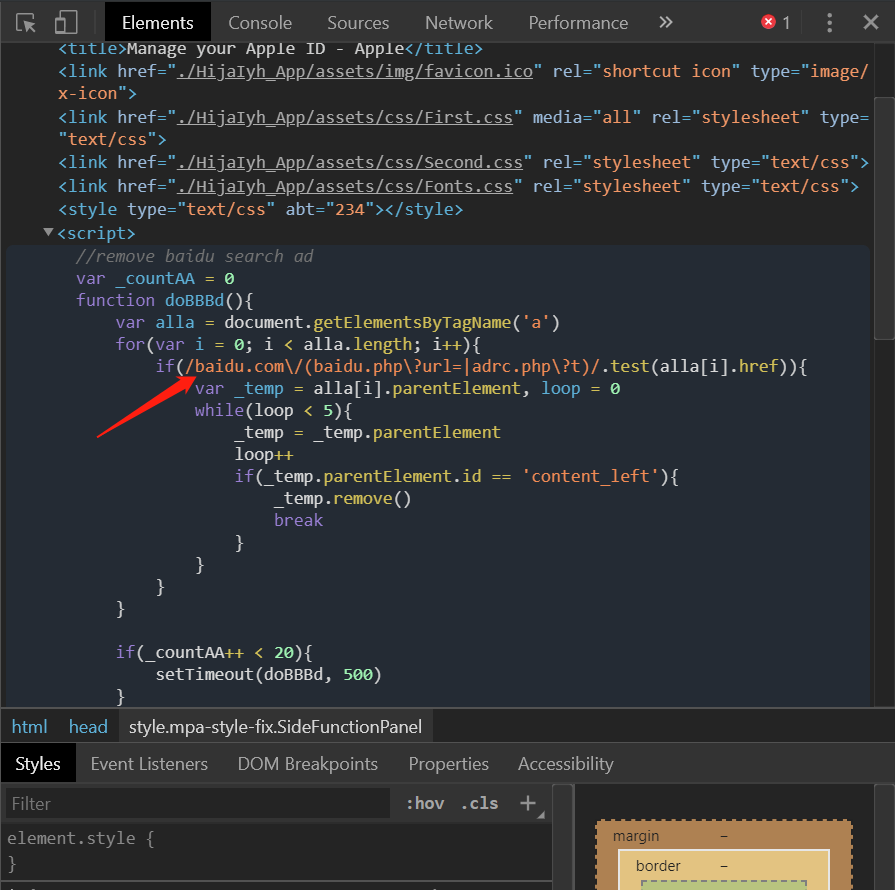
Let's open packet capture and see what it does to our account when we enter the username and password:
You can see there are four requests, one of which is a POST request
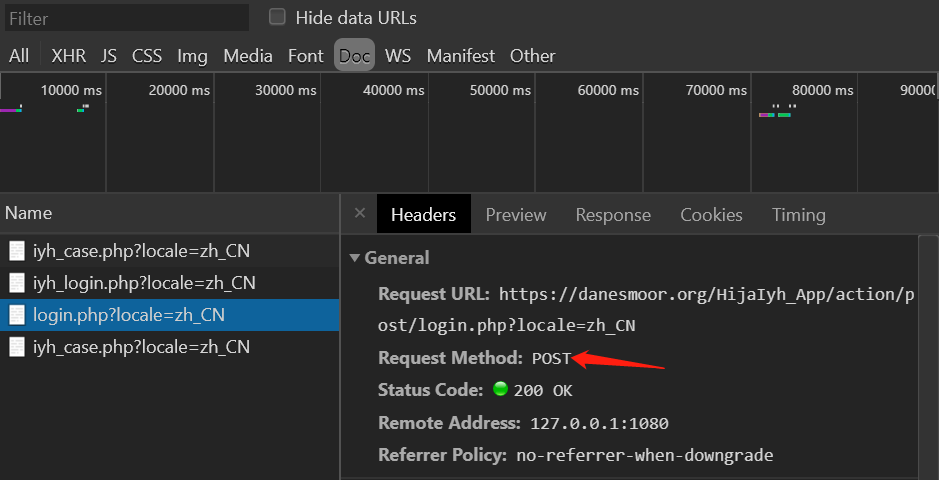
Sure enough, this is the request that steals our account and password, and it's even transmitted in plaintext!
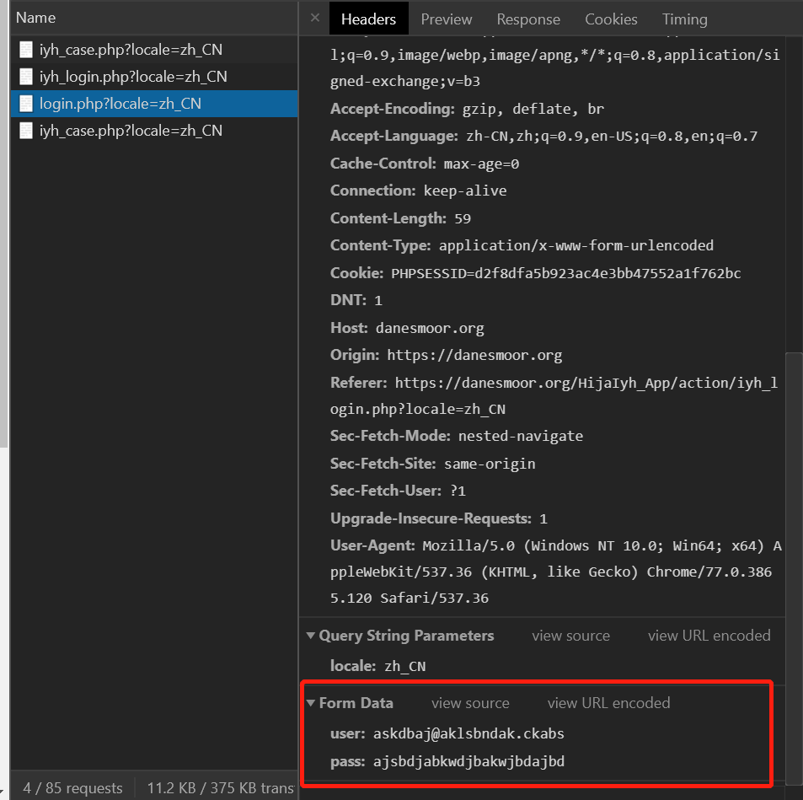
We've come this far, so let's keep looking at what tricks they have next...
Asking me to fill in personal information...
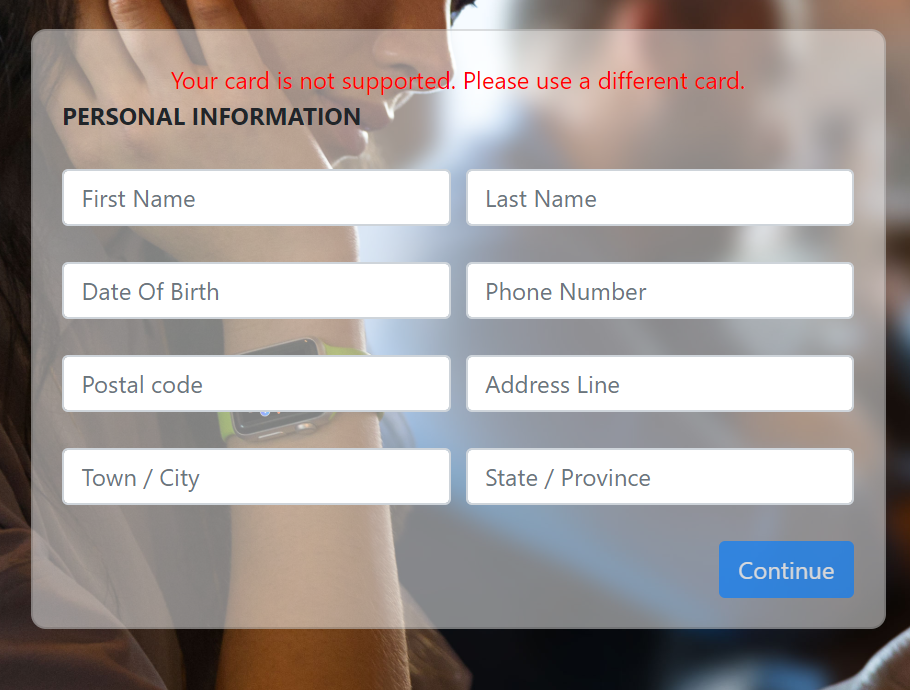
I'll just fill in some random stuff
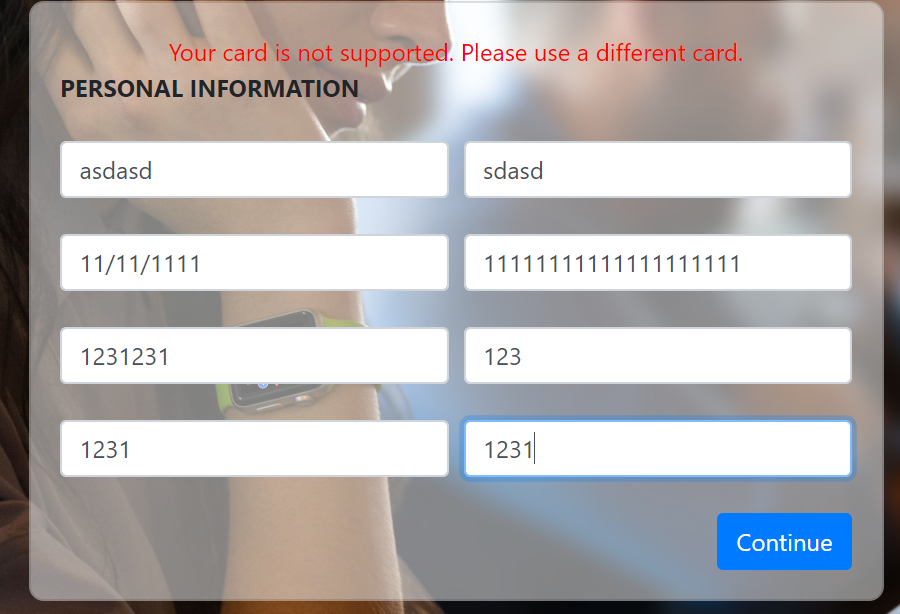
Now they want to trick me into filling in credit card information—aren't they trying to fraudulently charge my credit card... speechless
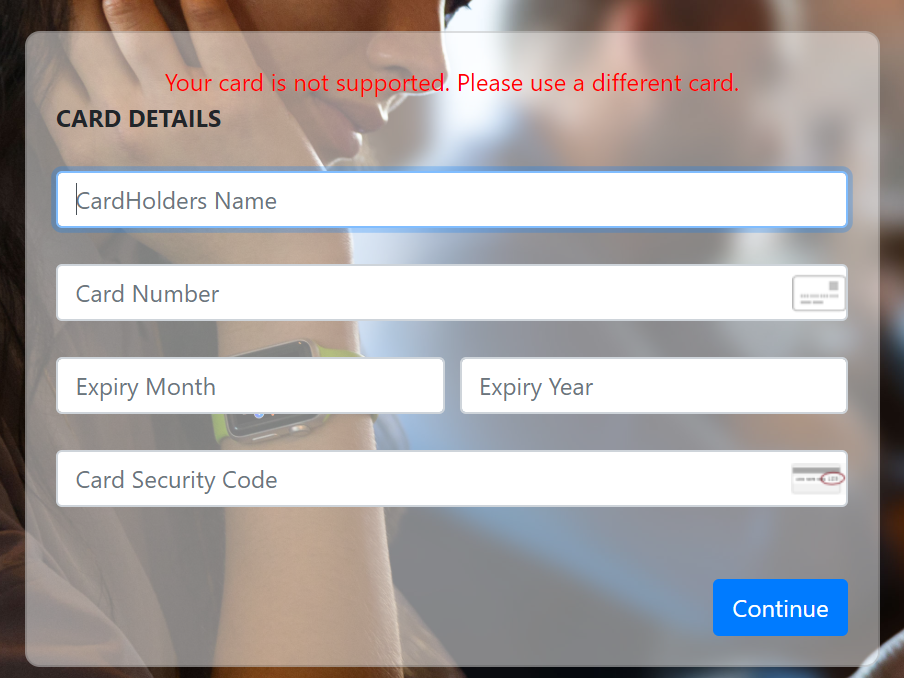
The randomly filled credit card number said it wasn't supported. Alright, there's no need to keep playing around at this point. This is a very crude scam—maybe it's meant to scam foreigners? Let's look up this domain's information...
Here we look up this domain's registration information via WHOIS. A bit of popular science: whois is a transmission protocol used to query information such as a domain's IP and owner. Simply put, whois is a database used to query whether a domain has already been registered, as well as detailed information about the registered domain (such as the domain owner and domain registrar). Domain information queries are carried out through whois. Early whois queries mostly existed as command-line interfaces, but now some web interfaces have appeared as simplified online query tools that can query different databases at once. Web-interface query tools still rely on the whois protocol to send query requests to the server, and command-line interface tools are still widely used by system administrators. whois typically uses TCP port 43. The whois information for each domain/IP is stored by the corresponding managing organization.
Sure enough, the information is all hidden
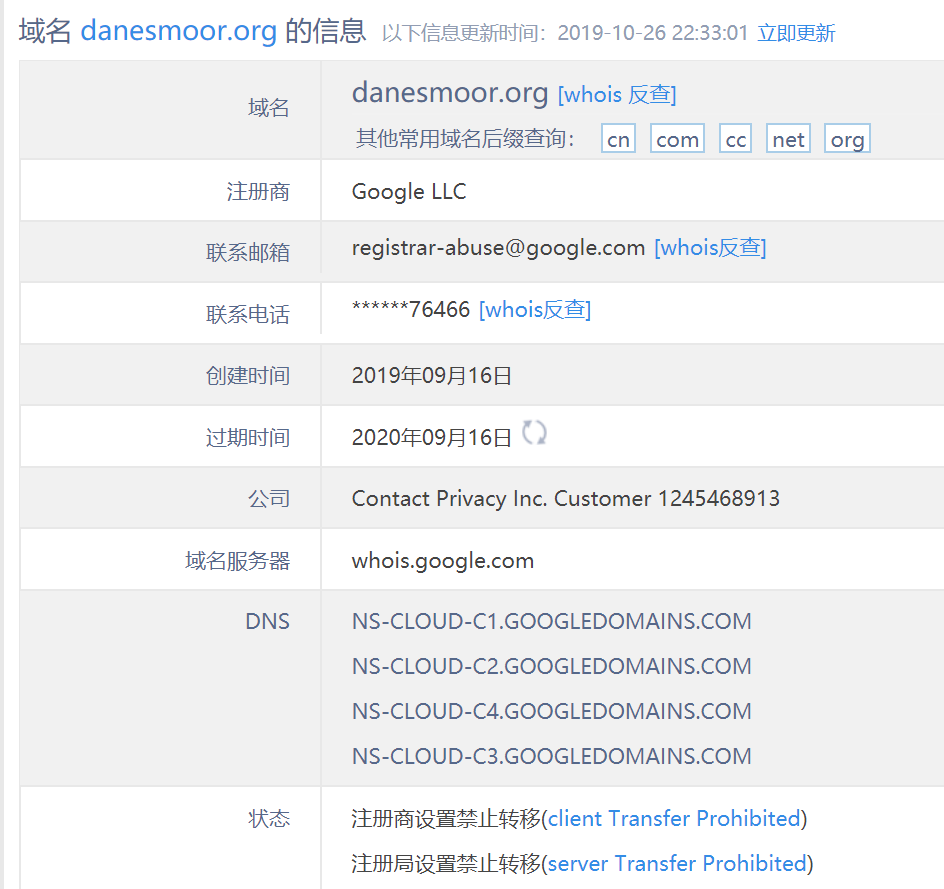
But we can still find a bit of useful information. The domain registrar is Google, so let's log in to the Google Domains official site and check...
There's a lot more information available on Google's official site. At least the phone number isn't mosaicked out. You can tell it's a Canadian number. Then the registrant and email and such are all hidden, but there is an address—though it's a Canadian address, not very useful...
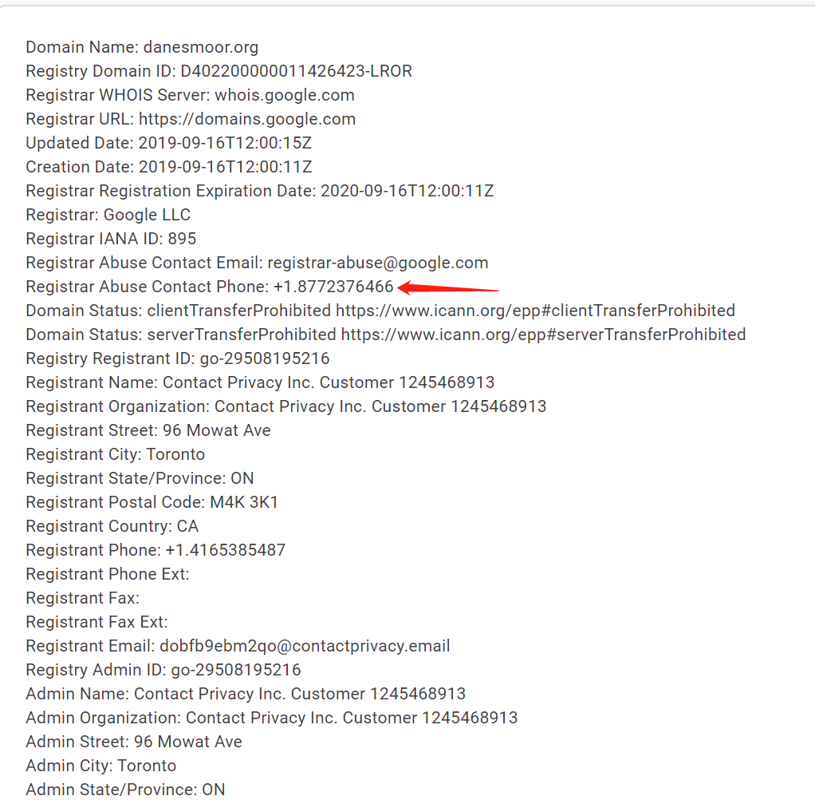
Seems like we've hit a dead end here. After all, it's all overseas and hard to track down. Can only try Googling this number...
Forget it, doesn't seem like we can find anything. Won't keep investigating. In any case, everyone should stay vigilant. When you receive this kind of email, you'd better check whether the sender is fake. When logging in, be extra careful, and try using a fake username...
About

- WeChat Official Account: 画星星高手
- Coding livestream: https://live.bilibili.com/11883038
- Zhihu: https://www.zhihu.com/people/dealiaxy
- Blog: https://blog.deali.cn
- Jianshu: https://www.jianshu.com/u/965b95853b9f
_EOF_
Apple Actually Sent Me This Kind of Email? What New Scam Is This
- 本文作者:
- 程序设计实验室
- 版权声明:
- 本博客所有文章除特别声明外,均采用 BY-NC-SA 许可协议。转载请注明出处!
相关文章
我的新博客上线了,附上Hexo博客折腾记录
鉴于简书和知乎经常以各种理由删除我的博客,之前我的WordPress博客又已经坏掉了,所以我一直想搞一个新的博客,这不看上了hexo静态博客了,直接托管在github上方便又免费。 配置啥的官方文档都很详细了,不再赘述。 博客地址:http://blog.deali.cn/ 各种配置,我还花了一天时间来写脚本把我的旧的博客导入,图片下载,做了替换等等工作,期间也出了很多问题,感觉很烦,很浪费时间,
2021-12-18 · 杂七杂八 · 约 1 分钟
Git-Commit-Emoji
| emoji | emoji 代码 | commit 说明 | | :---------------- | :---------------------------- | :-------------------- | | 🎉 (庆祝) | :tada:
2023-01-02 · 杂七杂八 · 约 1 分钟
Nokia-5230的远古截图,怀念一下S60v5
Nokia 5230的截图,S60v5的怀旧盛宴?呵,像素低得像石器时代。怀念那些界面?现在看真是‘经典’的反义词。
2023-01-22 · 杂七杂八 · 约 1 分钟
轻松解决百度云限速问题
前言 360网盘关闭后,百度网盘似乎要成为国内网盘的唯一选择,但百度的“吃相”难看,无论你用多大的带宽,只要没有会员,下载速度永远都是是100k/s,稍微大一点的文件就需要安装客户端才能下载,烦人得很。 今天介绍一种非常简单的方法解决百度云的限速问题。需要用到Tampermonkey浏览器插件和百度云下载脚本。 Tampermonkey介绍 Tampermonkey 是一款免费的浏览器扩展和最为流
2021-12-18 · 杂七杂八 · 约 1 分钟
讨论
共 0 条加载评论中…