Ubuntu-18-04-安装最新版VLC播放器
添加软件源 sudo add-apt-repository ppa:videolan/master-daily sudo apt update Install sudo apt install vlc qtwayland5 运行VLC播放器 安装额外解码器 vlc-plugin-access-extra - multimedia player and streamer (extra access
目录5 个章节
添加软件源
sudo add-apt-repository ppa:videolan/master-daily
sudo apt update
Install
sudo apt install vlc qtwayland5
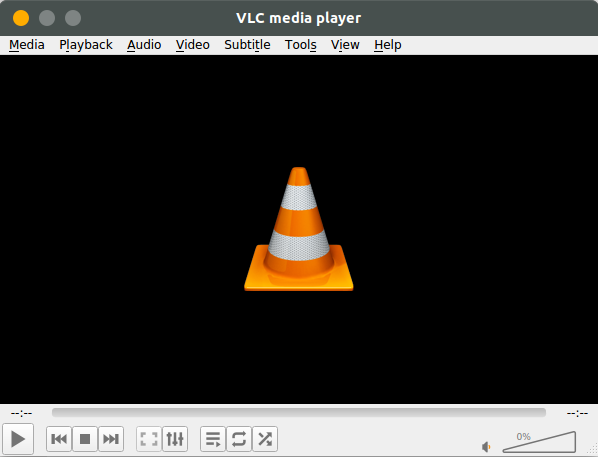
运行VLC播放器
安装额外解码器
- vlc-plugin-access-extra - multimedia player and streamer (extra access plugins)
- vlc-plugin-fluidsynth - FluidSynth plugin for VLC
- vlc-plugin-jack - JACK audio plugins for VLC
- vlc-plugin-notify - LibNotify plugin for VLC
- vlc-plugin-samba - Samba plugin for VLC
- vlc-plugin-skins2 - multimedia player and streamer (Skins2 plugin)
- vlc-plugin-svg - SVG plugin for VLC
- vlc-plugin-video-splitter - multimedia player and streamer (video splitter plugins)
- vlc-plugin-visualization - multimedia player and streamer (visualization plugins)
sudo apt install libavcodec-extra
About

了解更多有趣的操作请关注我的微信公众号:DealiAxy 每一篇文章都在我的博客有收录:blog.deali.cn
_EOF_
Ubuntu-18-04-安装最新版VLC播放器
- 本文作者:
- 程序设计实验室
- 版权声明:
- 本博客所有文章除特别声明外,均采用 BY-NC-SA 许可协议。转载请注明出处!
相关文章
别再手动复制SSH公钥了,Linux服务器一键从GitHub快速导入公钥
输入GitHub用户名就自动导入SSH公钥?Ubuntu这懒人功能挺省事。原理不就是爬取`https://github.com/用户名.keys`吗?手动用`curl`也能实现,装`ssh-import-id`更高效,但谁稀罕这些花里胡哨的。
2026-03-11 · 系统配置 · 约 1 分钟
设置Linux默认的文件管理器
搜索了半天,也试了很久。 用以下命令可以: 使用Xfce的文件管理器 xdg-mime default Thunar.desktop inode/directory thunar.desktop换成你想要的文件管理器名称 再不行就只能把原来的那个文件管理器卸载掉= =。 我比较喜欢用Gnome的文件管理器: xdg-mime default org.gnome.Nautilus.desktop i
2025-10-27 · 系统配置 · 约 1 分钟
在Linux上安装Windows字体
前言 Linux系统下为安装WPS后,由于版权问题并没有自带字体,而这些字体又是平时必须使用的,下面介绍为Linux系统添加字体的方法。 操作 由于Windows系统自带了完善的字体,所以可以从安装的windows系统下拷贝。首先执行命令: mkdir /usr/share/fonts/wps_symbol_fonts/ //创建WPS的字体目录 然后到windows字体目录下,C:/Win
2025-10-27 · 系统配置 · 约 1 分钟
小心误关了NAS服务器!修改Linux的电源键功能
NAS居然离线关机了?电源键被傻逼系统接管了。改改`logind.conf`让这玩意忽略电源键,省得误操作重启关机。谁用谁知道,别真当NAS是玩具。
2025-10-27 · 系统配置 · 约 1 分钟
讨论
共 0 条加载评论中…