

StarBlog Development Notes (19): Exploring Markdown Rendering Solutions
Preface In my view, the core of a blog website is the reading experience. During the development of StarBlog, the most time-consuming part was precisely the article display functionality. At first I hadn't figured out how to do backend rendering well, so I had to use the Editor.md component for frontend rendering as a stopgap. I wasn't satisfied with frontend rendering because of poor performance—the page would flash after loading, creating a disjointed feel that hurt the experience. Now that I've built a fairly complete backend rendering solution, frontend rendering can retire. This article introduces StarBlog blog development
目录18 个章节
Preface
In my view, the core of a blog website is the reading experience.
During the development of StarBlog, the most time-consuming part was precisely the article display functionality.
At first I hadn't figured out how to do backend rendering well, so I had to use the Editor.md component for frontend rendering as a stopgap. I wasn't satisfied with frontend rendering because of poor performance—the page would flash after loading, creating a disjointed feel that hurt the experience.
Now that I've built a fairly complete backend rendering solution, frontend rendering can retire. This article covers the various Markdown rendering approaches used while developing StarBlog (mainly focusing on backend rendering).
Two Approaches
Frontend Rendering
Rendering with the Editor.md component was barely satisfactory. I mainly chose it for its ability to generate a ToC (table of contents), but the generated ToC wasn't great either—I later forked the source and hacked it to make it somewhat better.
The hacking process is in this article: Hacking the editormd component to improve ToC rendering
I submitted a PR to the official repo for this ToC optimization, but got no response. Looking at GitHub, there are dozens of PRs, and the last commit was almost 4 years ago—looks like this project is truly dead...
Besides editor.md, there are a few other frontend options:
They all look decent. I didn't look into whether they have ToC. An expert on CNBlogs wrote a comparison article—interested readers can check it out in the references~
Backend Rendering
Currently the only usable Markdown library for C# seems to be Markdig. At first I complained that missing docs made it hard to use, and I even considered reinventing the wheel myself. Things have improved recently though—after studying several newly added official docs, I understand the library better. It really has a lot of features, is well designed, and is highly extensible~
So I'll stick with this for now~
My current approach is to use Markdig to generate HTML from Markdown, then display that HTML on the frontend, combined with style libraries like Bootstrap or github-markdown-css to beautify the article body, and JS libraries like highlight.js for syntax highlighting.
As for the article ToC, Markdig doesn't have a ready-made solution, so I rolled my own~
See this article: Generating a Markdown Document Table of Contents Tree in C#
It's actually a kind of hybrid approach~
The rest of this article focuses on backend rendering.
Handling ToC
The previous article already covered generating the table of contents tree in some detail, so I won't repeat all that here—I'll just cover the differences~
First parse the Markdown document and get all heading nodes
var headings = new List<Heading>();

foreach (var heading in document.Descendants<HeadingBlock>()) {
  var item = new Heading {Level = heading.Level, Text = heading.Inline?.FirstChild?.ToString()};
  headings.Add(item);
}
Then iterate and process them.
Originally I used the heading text directly as the anchor href attribute, but that doesn't work in practice. Based on testing, Markdig's rules for generating anchor IDs are as follows
For Chinese:
- section
- section-1
- section-2
- ...
The number after section is the order of appearance among all Chinese headings, not among all headings.
For English, replace spaces and convert to lowercase (other cases not considered; in fact special characters should also be replaced)
So when processing href, there are two cases. Use the regex [\u4e00-\u9fbb] to detect whether it contains Chinese characters.
var chineseTitleCount = 0;
for (var i = 0; i < headings.Count; i++) {
  var item = headings[i];
  var text = item.Text ?? "";
  if (Regex.IsMatch(text, "[\u4e00-\u9fbb]")) {
    item.Slug = chineseTitleCount == 0 ? "section" : $"section-{chineseTitleCount}";
    chineseTitleCount++;
  }
  else {
    item.Slug = text.Replace(" ", "-").ToLower();
  }
  // ...
}
Done
Styling
Bootstrap default styles
The default styles are okay, but something feels missing. Maybe I could look at the styles of various online Markdown editors~
github-markdown-css
As the name suggests, this is GitHub's markdown style
URL: https://www.npmjs.com/package/github-markdown-css
After installation there are three files
- github-markdown.css: (default) Automatically switches between light/dark themes via
@media (prefers-color-scheme) - github-markdown-light.css: Light theme
- github-markdown-dark.css: Dark theme
The official site also has this sentence, but I don't know how to generate them myself—do I have to scrape the CSS from GitHub?
You may know that now GitHub supports more than 2 themes including
dark_dimmed,dark_high_contrastandcolorblindvariants. If you want to try these themes, you can generate them on your own!
Install
yarn add github-markdown-css
Include
<link rel="stylesheet" href="~/lib/github-markdown-css/github-markdown-light.css">
Usage
<div class="markdown-body">
  @Html.Raw(Model.ContentHtml)
</div>
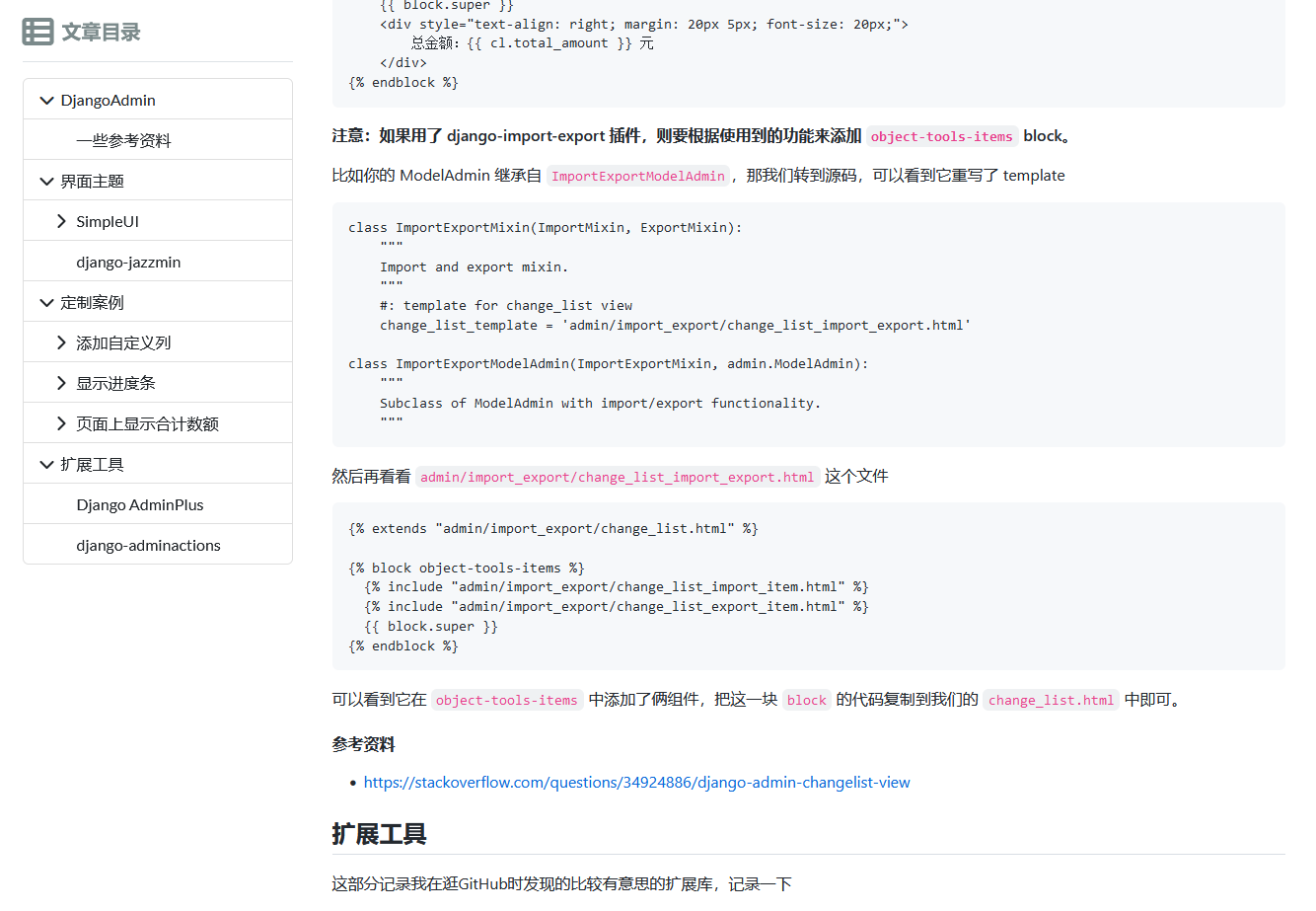
Result
It really has that GitHub flavor, but still no syntax highlighting
Syntax Highlighting
Currently using the highlight.js package, official site: https://www.npmjs.com/package/highlight.js
There are many other tools, but I won't go into them—this one is enough~
Download
To use it directly on a webpage you can't install via an NPM package; you have to download from: https://highlightjs.org/download/
If you don't want to download, you can use a CDN, but then only some languages are supported for highlighting.
There are so many languages, and surprisingly no select-all button. Checking them one by one is too much trouble, so I wrote a select-all script. Paste it into the browser console to select all, then download.
document.querySelectorAll('input').forEach( item => {
    if(item.getAttribute('type')==='checkbox') item.checked=true
})
Include
After downloading, unzip and put it under wwwroot/lib
<link rel="stylesheet" href="~/lib/highlight/styles/default.min.css">
<script src="~/lib/highlight/highlight.min.js"></script>
<script>hljs.highlightAll();</script>
Or skip downloading and use a CDN directly
<link rel="stylesheet" href="https://cdnjs.cloudflare.com/ajax/libs/highlight.js/11.6.0/styles/default.min.css">
<script src="https://cdnjs.cloudflare.com/ajax/libs/highlight.js/11.6.0/highlight.min.js"></script>
<script>hljs.highlightAll();</script>
Result
With syntax highlighting, it looks completely different
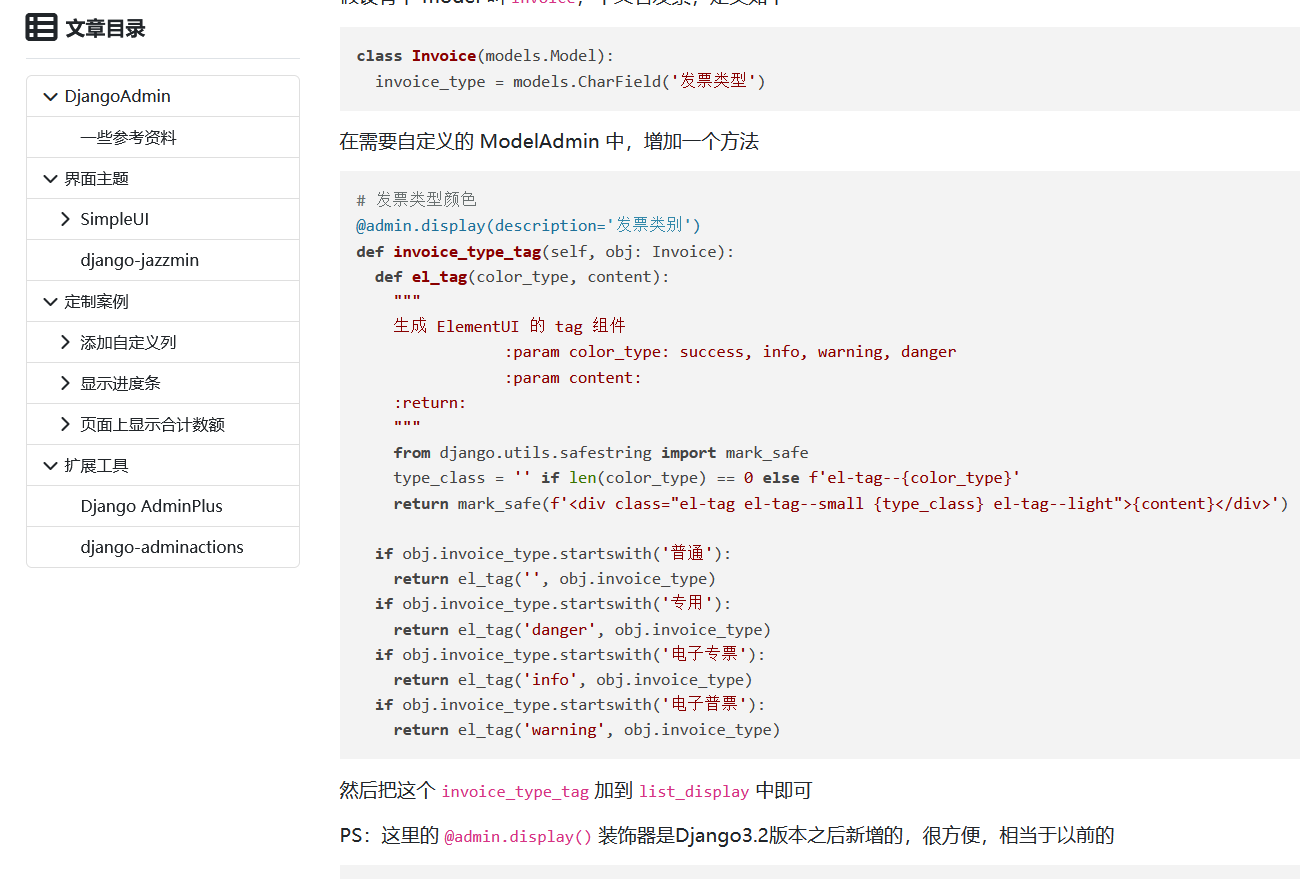
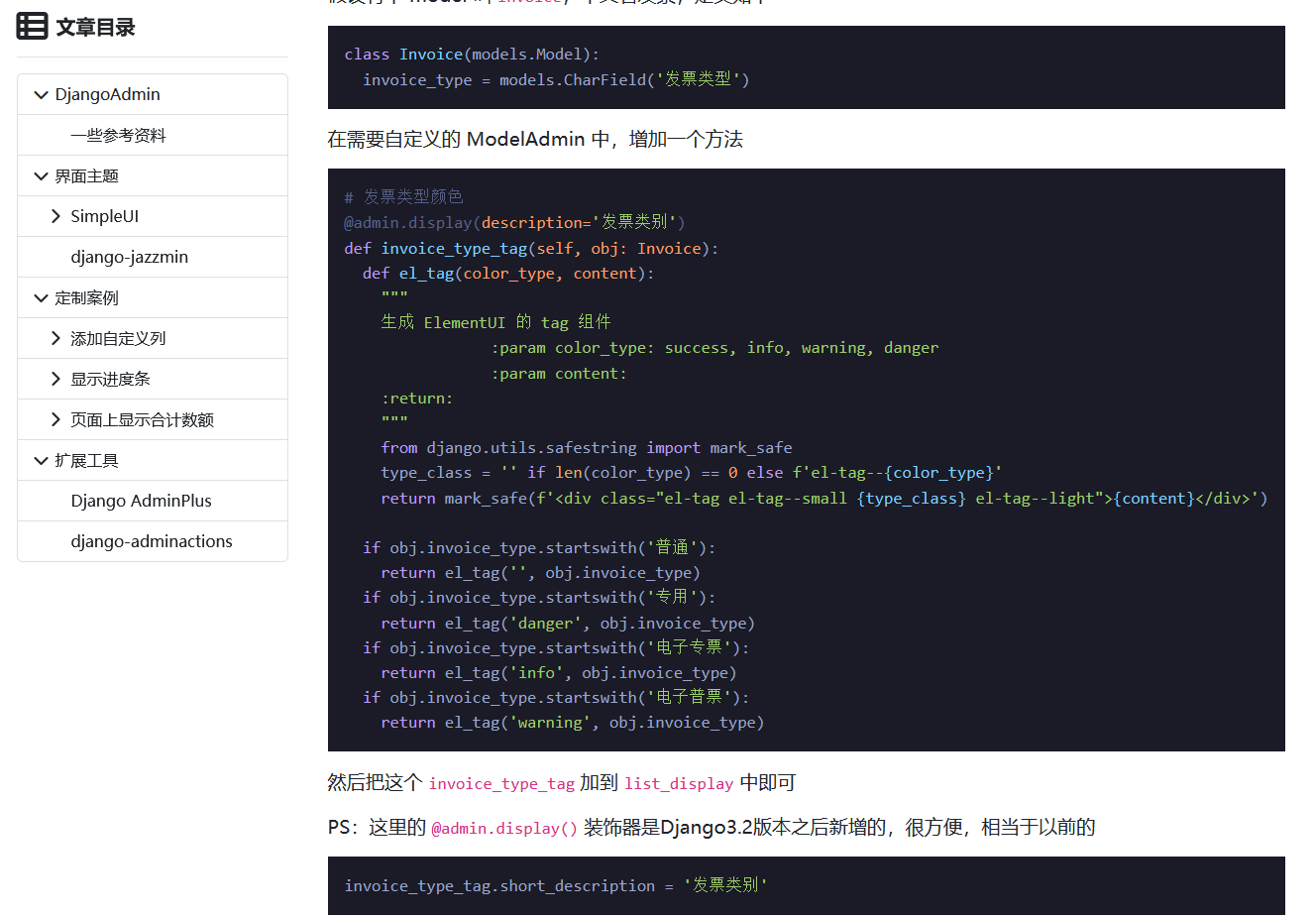
There are many other themes—lots of them under the styles directory. Just pick one when including the CSS.
Let me try a dark theme
Series Articles
- Building a Blog Project with .NetCore — StarBlog - (1) Why Write Your Own Blog?
- Building a Blog Project with .NetCore — StarBlog - (2) Environment Setup and Creating the Project
- Building a Blog Project with .NetCore — StarBlog - (3) Model Design
- Building a Blog Project with .NetCore — StarBlog - (4) Batch Importing Markdown Blog Posts
- Building a Blog Project with .NetCore — StarBlog - (5) Starting to Build the Web Project
- Building a Blog Project with .NetCore — StarBlog - (6) Page Development: Blog Post List
- Building a Blog Project with .NetCore — StarBlog - (7) Page Development: Post Detail Page
- Building a Blog Project with .NetCore — StarBlog - (8) Displaying Category Hierarchy
- Building a Blog Project with .NetCore — StarBlog - (9) Batch Importing Images
- Building a Blog Project with .NetCore — StarBlog - (10) Image Waterfall Layout
- Building a Blog Project with .NetCore — StarBlog - (11) Implementing Visit Statistics
- Building a Blog Project with .NetCore — StarBlog - (12) Dynamic Compilation of Razor Pages
- Building a Blog Project with .NetCore — StarBlog - (13) Adding Friend Links
- Building a Blog Project with .NetCore — StarBlog - (14) Implementing Theme Switching
- Building a Blog Project with .NetCore — StarBlog - (15) Generating Random-Size Images
- Building a Blog Project with .NetCore — StarBlog - (16) Some New Features (Monitoring/Stats/Config/Initialization)
- Building a Blog Project with .NetCore — StarBlog - (17) Automatically Downloading External Images in Posts
- Building a Blog Project with .NetCore — StarBlog - (18) Packaging and Uploading Local Typora Posts
- Building a Blog Project with .NetCore — StarBlog - (19) Exploring Markdown Rendering Solutions
References
- JavaScript Parsing and Rendering Markdown - https://www.cnblogs.com/makalochen/p/14464519.html#5117019
_EOF_
StarBlog Development Notes (19): Exploring Markdown Rendering Solutions
- 本文作者:
- 程序设计实验室
- 版权声明:
- 本博客所有文章除特别声明外,均采用 BY-NC-SA 许可协议。转载请注明出处!
相关文章
StarBlog博客开发笔记(11):实现访问统计
系列文章 基于.NetCore开发博客项目 StarBlog - (1) 为什么需要自己写一个博客? 基于.NetCore开发博客项目 StarBlog - (2) 环境准备和创建项目 基于.NetCore开发博客项目 StarBlog - (3) 模型设计 基于.NetCore开发博客项目 StarBlog - (4) markdown博客批量导入 基于.NetCore开发博客项目 StarBl
2022-06-20 · StarBlog博客开发笔记 · 约 1 分钟
StarBlog博客开发笔记(24):统一接口数据返回格式
前言 开发接口,是给客户端(Web前端、App)用的,前面说的RESTFul,是接口的规范,有了统一的接口风格,客户端开发人员在访问后端功能的时候能更快找到需要的接口,能写出可维护性更高的代码。 而接口的数据返回格式也是接口规范的重要一环,不然一个接口返回JSON,一个返回纯字符串,客户端对接到数据时一脸懵逼,没法处理啊。 合格的接口返回值应该包括状态码、提示信息和数据。 就像这样: { st
2023-01-02 · StarBlog博客开发笔记 · 约 1 分钟
StarBlog博客开发笔记(29):添加RSS订阅功能
RSS 的对立面是算法推荐,像微信公众号、知乎、微博、今日头条等平台。 且不说算法推送平台广告多,迁移麻烦的问题。算法推荐的特点是,你不需要刻意选择,算法会根据你的喜好,给你推送内容。这样一来,你几乎没有选择的余地,在不断被「喂饱」中逐渐失去判断的能力。
2023-07-04 · StarBlog博客开发笔记 · 约 1 分钟
StarBlog博客开发笔记(6):页面开发之博客文章列表
系列文章 基于.NetCore开发博客项目 StarBlog - (1) 为什么需要自己写一个博客? 基于.NetCore开发博客项目 StarBlog - (2) 环境准备和创建项目 基于.NetCore开发博客项目 StarBlog - (3) 模型设计 基于.NetCore开发博客项目 StarBlog - (4) markdown博客批量导入 基于.NetCore开发博客项目 StarBl
2023-05-07 · StarBlog博客开发笔记 · 约 1 分钟
讨论
共 0 条加载评论中…