

Solving the Issue of Swagger API Not Grouping Correctly in drf-yasg
Swagger is a very useful interactive documentation tool in backend development. Django's original Django-Swagger has stopped being maintained. Now people generally use the drf_yasg package to implement documentation. It supports both swagger and redoc. redoc is static, which is nice for exporting documentation, but we generally use swagger because you can debug inside the documentation, which is very convenient. DRF has something called AutoSchema that can automatically scan ViewSet and APIView and similar that can provide
目录5 个章节
Swagger is a very useful interactive documentation tool in backend development. Django's original Django-Swagger has stopped being maintained. Now people generally use the drf_yasg package to implement documentation. It supports both swagger and redoc. redoc is static, which is nice for exporting documentation, but we generally use swagger because you can debug inside the documentation, which is very convenient.
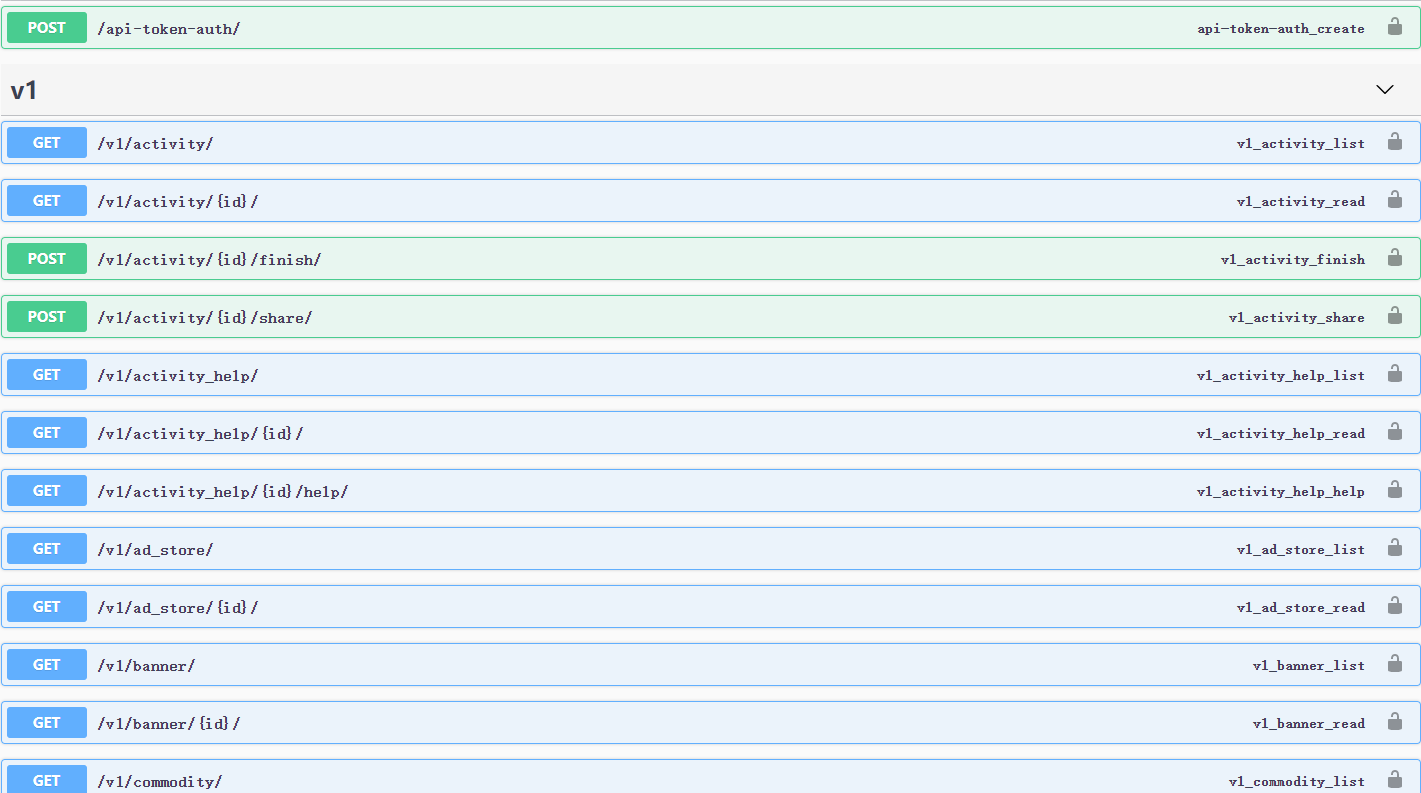
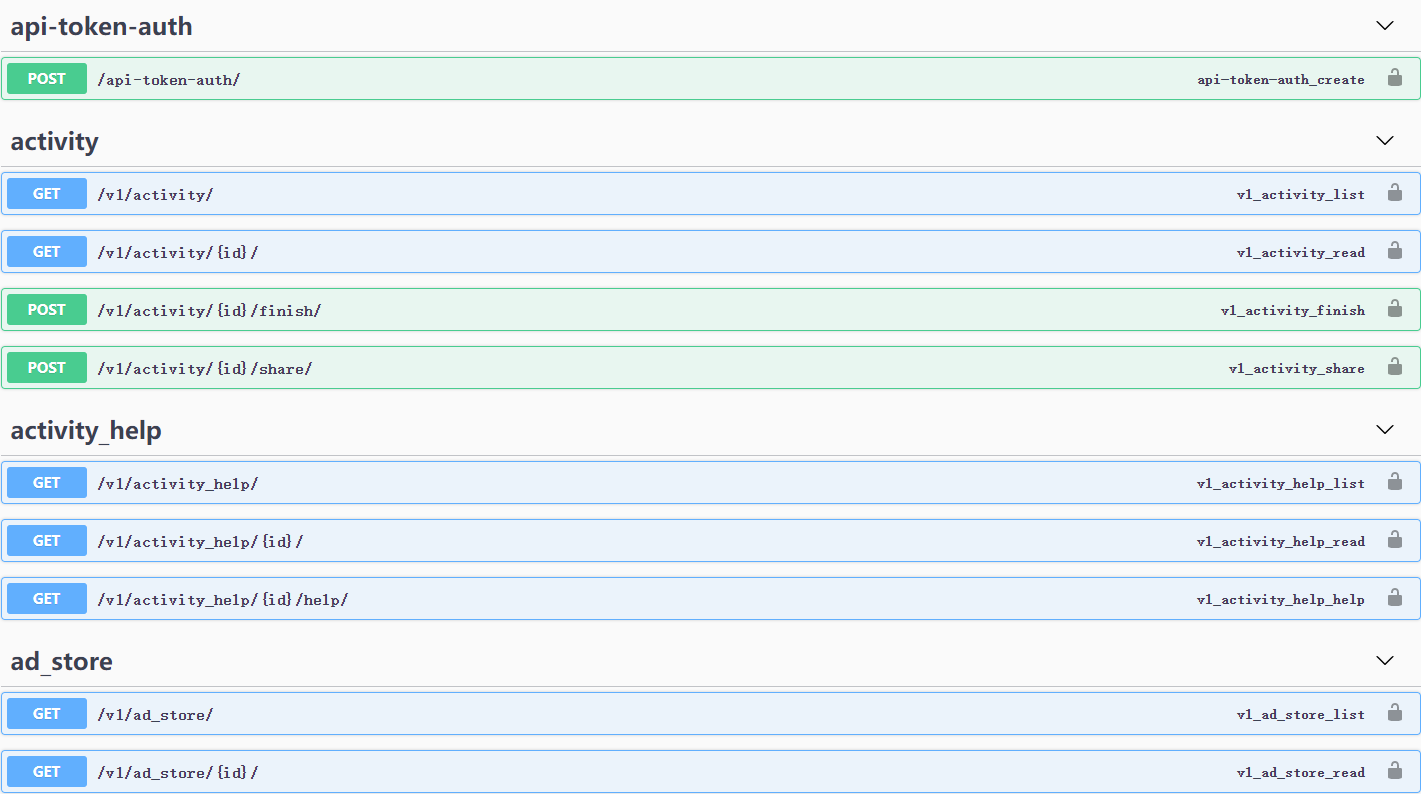
DRF has something called AutoSchema that can automatically scan places that provide APIs such as ViewSet and APIView. Unlike Spring's annotation-based documentation definition, in DRF you generally don't need to manually configure the name and description of each endpoint; just write them in the pydoc. However, this AutoSchema isn't very accurate either. It groups by URL, and especially with multi-level URLs like ours, it only groups by the first-level URL, so you get the ungrouped effect shown below.
Ungrouped Effect
Effect After Grouping
Solution
Define a class that inherits from SwaggerAutoSchema to customize the tags configuration, so we decide which level of the URL to use as the grouping tag.
Create a file, in this example: config/swagger.py
from drf_yasg.inspectors import SwaggerAutoSchema

class CustomSwaggerAutoSchema(SwaggerAutoSchema):
    def get_tags(self, operation_keys=None):
        tags = super().get_tags(operation_keys)

        if "v1" in tags and operation_keys:
            #  `operation_keys` 内容像这样 ['v1', 'prize_join_log', 'create']
            tags[0] = operation_keys[1]

        return tags
Then configure it in settings:
# Swagger 配置
SWAGGER_SETTINGS = {
    'DEFAULT_AUTO_SCHEMA_CLASS': 'config.swagger.CustomSwaggerAutoSchema',
}
That's all it takes~
References
Welcome to Discuss
I've compiled a series of technical articles and materials. Reply with linux, flutter, c#, netcore, android, kotlin, java, python, etc. in the backend of the WeChat official account 「程序设计实验室」 to get related technical articles and materials. If you have any questions, you can also leave a message in the official account backend~
_EOF_
Solving the Issue of Swagger API Not Grouping Correctly in drf-yasg
- 本文作者:
- 程序设计实验室
- 版权声明:
- 本博客所有文章除特别声明外,均采用 BY-NC-SA 许可协议。转载请注明出处!
相关文章
经验总结-drf-yasg接口文档几个细节的自定义方式
drf-yasg是Django RestFramework的一个扩展, 可以根据路由生成OpenApi接口, 不过用起来和在Java平台和.NetCore有很多不一样的, 有些自定义的地方也比较麻烦, 不过看看文档也还好, 可以解决. 本文记录几个在实际开发中遇到的, 虽然是细节, 但是优化好细节可以给对接的同事带来很大的方便~ 顺带一提, Python写后台真的太快了, 一上午出几十个接口你能信
2022-04-04 · 0_Swagger与drf-yasg接口文档系列 · 约 1 分钟
使用Python3新特性类型注解提高代码可读性
先看代码 def add(x: int, y: int) - int: return x + y 没用过类型注解(Type Annotations)的同学可能咋一看有点迷糊,其实上面这段代码和下面这个代码是一样的。 def add(x, y): return x + y 类型注解介绍 我们知道 Python 是一种动态语言,变量以及函数的参数是不区分类型。 Python解释器会在运
2022-05-27 · Python · 约 1 分钟
个人数据保全计划:安装Jellyfin
选择镜像:nyanmisaka/jellyfin Jellyfin中国特供版+Docker镜像,含驱动,免折腾开箱即用:https://post.smzdm.com/p/a3gw6g47/ 使用 docker-compose 部署 cd /share/Container/docker-apps/jellyfin mkdir cache config docker命令 docker run -d -
2022-11-04 · 个人数据保全计划 · 约 1 分钟
Django应用部署:uwsgi+Nginx方式
环境准备 nginx+uwsgi方式部署顾名思义,需要nginx和uwsgi两个软件包。 nginx不用说,是必备的,关于nginx的安装本文不再赘述,详情可以自行搜索或者参考我以前的文章: Debian8搭建LEMP环境 安装uwsgi pip install uwsgi 上传项目代码 & 测试 # 进入项目目录,具体目录请自行选择 cd /path/to/project # 建立虚拟环境 v
2022-04-02 · Django · 约 1 分钟
讨论
共 0 条加载评论中…