

Selenium Crawler Practice: AJAX Request Capture and Browser Exit
Preface I've been working on the company's internal systems lately and I'm exhausted. I need to export data from another internal system into a database for analysis. There's a lot of data collection work, and I have no way to get that system's APIs directly. It's so hard that I can only scrape it. But cookies expire frequently. To avoid being asked to re-inject Cookie every time a login expires, I wrote a mobile web page to control Selenium in the background for automatic login and to intercept tokens and cookies. AJAX request capture approach Searching for materials was really painful, but luckily the time wasn't wasted,
目录6 个章节
Preface
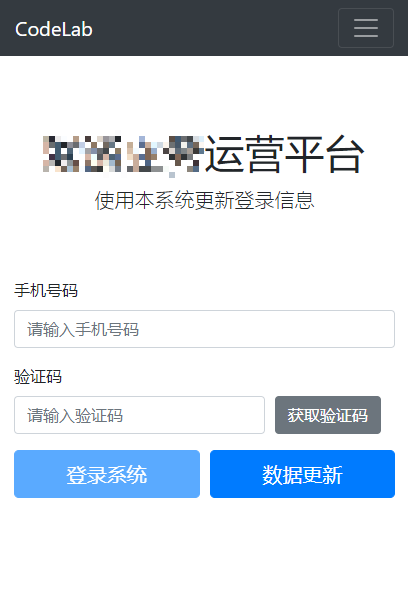
I've been working on the company's internal systems lately and I'm exhausted. I need to export data from another internal system into a database for analysis. There's a lot of data collection work, and I have no way to get that system's APIs directly. It's so hard that I can only scrape it. But cookies expire frequently. To avoid being asked to re-inject Cookie every time a login expires, I wrote a mobile web page to control Selenium in the background for automatic login and to intercept tokens and cookies.
AJAX Request Capture Approach
Searching for materials was really painful, but luckily the time wasn't wasted. I eventually solved the problem……
According to the materials I found, there are several ways to capture data from AJAX requests in Selenium
- Use a local proxy: browsermob-proxy (the method used in this article)
- Use Selenium's JS execution to inject an ajax hook and run it, then start a local server to receive the intercepted ajax data (see the third reference)
- Use the third-party library selenium-wire, an open-source GitHub project that can directly intercept response_code and body; the principle is probably also a proxy
- Enable Selenium performance capture and make changes in the performance logs to intercept response_body (see the first reference for details)
Using a Local Proxy
This article uses the Browsermob-Proxy proxy server. It's written in Java and has a Python wrapper package for convenient interaction……
Download it first: https://github.com/lightbody/browsermob-proxy/releases
Install the Python package:
pip install browsermob-proxy
Using it in code. Here I've excerpted part of the project's code—just take a look. The complete code can be found in the official docs or the references~
There are a few pitfalls to watch out for, which I've marked in the code
# 创建代理服务器
self.server = Server(
    # Windows就是bat,如果Linux就是另一个不带后缀名的
    r'path\bin\browsermob-proxy.bat',
    # 这里可以自定义端口
    options={'port': 9090}
)
# 这里启动服务器,等会机会要关掉,不然下次用就端口占用冲突了
self.server.start()
# 注意这里一定要 trustAllServers 不然等会selenium会报 error_tunnel 错误
self.proxy = self.server.create_proxy(params={'trustAllServers': 'true'})

# 设置selenium的代理
options = ChromeOptions()
options.add_argument('--ignore-certificate-errors')
options.add_argument(f'--proxy-server={self.proxy.proxy}')
self.driver = webdriver.Chrome(options=options)
Using the proxy for packet capture. This project of mine needs to extract the token and cookie from the AJAX request headers. The key excerpt is as follows:
self.proxy.new_har('抓包名称 自己起一个', options={'captureHeaders': True, 'captureContent': True})

# 找到需要点击的元素
elem_query = self.driver.find_element_by_css_selector(elem_css_selector)
elem_query.click()

# 点击按钮后等待 并把数据取出来
time.sleep(5)
result = self.proxy.har

data = {}

for entry in result['log']['entries']:
    url = entry['request']['url']
    # 根据URL找到数据接口
    if 'xxx/query' in url:
        _response = entry['response']
        _content = _response['content']['text']

        for item in entry['request']['headers']:
            # 提取出header里面的 token
            if item['name'] == 'Authorization':
                data['authorization'] = item['value']
            # 提取出header里面的 cookie
            if item['name'] == 'Cookie':
                data['cookie'] = item['value']
        break

print(data)
The code above is likewise not complete, but it fully expresses the specific packet capture process. Those who need it can code according to their actual requirements. As long as you can capture the data, everything else is easy~
Exiting the Browser and Proxy Server
Not much to write here, but there's a small pitfall too, so I'll fill some space~
As you can also see from the code above, I wrote a class to operate Selenium. After the program finishes, you definitely need to shut down the proxy and the server, otherwise Selenium will leave a chromedriver.exe process occupying resources in the background. Over time, system memory fills up.
I added code to close the proxy server and the browser in the class's __del__ method, as follows:
def __del__(self):
    print('SeleniumFxxkUnicom has been deleted.')
    self.proxy.close()
    self.server.stop()
    for win in self.driver.window_handles:
        self.driver.switch_to.window(win)
        self.driver.close()
    os.system('taskkill /im chromedriver.exe /F')
Note this loop of driver.close(). You can't normally execute driver.quit() in __del__. In theory quit is the best exit method, but it has to import all sorts of messy modules, which caused it to fail in this __del__, so I had to take a roundabout approach: first close all tabs, then kill the process with a system command…… It's a bit hardcoded. That's how it is—I'm tired.
References
- Capturing AJAX requests from web pages with Selenium: https://www.cnblogs.com/fish-101/p/13170021.html
- Selenium crawler - getting browser Network requests and responses: http://www.spiderpy.cn/blog/detail/47/
- How to process and save Ajax data in real time with Hooks
- How to easily intercept Ajax data in Selenium
- Closing the browser with driver.close() and driver.quit() in the Selenium framework: https://blog.csdn.net/yangfengjueqi/article/details/84338167
Welcome to Discuss
The Program Design Lab focuses on exploring popular new internet technologies and team agile development practices. Reply linux, flutter, c#, netcore, android, kotlin, java, python, etc. in the backend of the WeChat official account 「程序设计实验室」 to get related technical articles and materials. If you have any questions, you can also leave a message in the official account backend~
- Blog Garden: https://www.cnblogs.com/deali/
- Coding livestream: https://live.bilibili.com/11883038
- Zhihu: https://www.zhihu.com/people/dealiaxy
_EOF_
Selenium Crawler Practice: AJAX Request Capture and Browser Exit
- 本文作者:
- 程序设计实验室
- 版权声明:
- 本博客所有文章除特别声明外,均采用 BY-NC-SA 许可协议。转载请注明出处!
相关文章
一个玄学的爬虫bug竟让我放弃Python语言!?背后的原因令人唏嘘~
每一位成功的程序员,背后也许都站着无数秃头的男人——为其提供各种开发工具&代码库,当然也包括…… 各种玄学bug…… 玄学的开端 最近在用Python做一个爬虫项目的时候遇到一个很奇怪的问题,而且还不是每次都会触发,实在是令人费解…… 报错信息如下: UnicodeEncodeError: 'latin-1' codec can't encode character '\u2026' in pos
2021-12-18 · 爬虫 · 约 1 分钟
爬虫笔记:代理池和线程池
前言 爬虫和反爬虫是一对矛和盾,反爬虫很常见的一个方法就是封IP,一个IP短时间内频繁访问,可以做限流或者是加入黑名单,我之前的后台开发相关博客也有涉及这一块。 不过今天说的是爬虫,所以应对的方法就是用代理池,每次请求都用不同的IP就行,再加上UA模拟,完全是正常用户的行为,可以避开限流和黑名单反爬。 然后爬虫是一种IO密集型程序,如果全程单线程执行那会很慢,因此可以用多线程来提高数据采集效率,不
2022-02-12 · 爬虫 · 约 1 分钟
Selenium爬虫实战:截取网页上的图片
前言 同样是为了刷课,没想到工作后依然和大学一样逃脱不了需要刷网课的命运…… 正文 直接说干货了,截取图片,需要截取的图片是什么图片大家都懂(说的就是你,验证码),其他图片的话不需要截取,直接拿到地址下载就行,验证码不行,同样的地址再访问一次内容就变了。 我不知道为啥selenium不能直接把特定img元素的图片拿出来,太反人类了。 根据我找到的资料,主要有两种思路,一种是模拟鼠标操作,在验证码上
2022-05-27 · 爬虫 · 约 1 分钟
编写爬虫下载公众号上好看的壁纸
很多年前我还在大学的时候,曾经写过一篇类似的文章,不过当时是采集某游戏官网上好看的壁纸。 最近微信公众号总是给我推荐各种壁纸,里面有不少好看的,不过一张张保存太麻烦了,索性写个爬虫自动下载。
2025-01-20 · 爬虫 · 约 1 分钟
讨论
共 0 条加载评论中…