

Python-Web-Django: Starting the Django Journey
Preface The open-source web framework Django is simple and easy to use, with high stability and flexibility, so it is widely used in commercial environments. It fully leverages Python's advantage of having a rich set of libraries. Installing Django and Setting Up the Server Install the Django library: pip install django Create a new web application: django-admin startproject hello_django The above command will create a hello_django directory in the current folder. The directory structure is as follows
目录6 个章节
Preface
The open-source web framework Django is simple and easy to use, with high stability and flexibility, so it is widely used in commercial environments. It fully leverages Python's advantage of having a rich set of libraries.
Installing Django and Setting Up the Server
Install the Django library:
pip install django
Create a new web application:
django-admin startproject hello_django
The above command will create a hello_django directory in the current folder.
The directory structure is as follows:
- hello_django
- manage.py
- hello_django
__init__.py- settings.py
- urls.py
- wsgi.py
File descriptions: settings.py: Stores all parameter settings for the server urls.py: Collects all URL paths of the web application and the corresponding function names. These functions are located in views.py; their role is to render templates and generate the web pages pointed to by the URLs wsgi.py: The module for server communication with the web application
Starting the Server
python manage.py runserver 8080
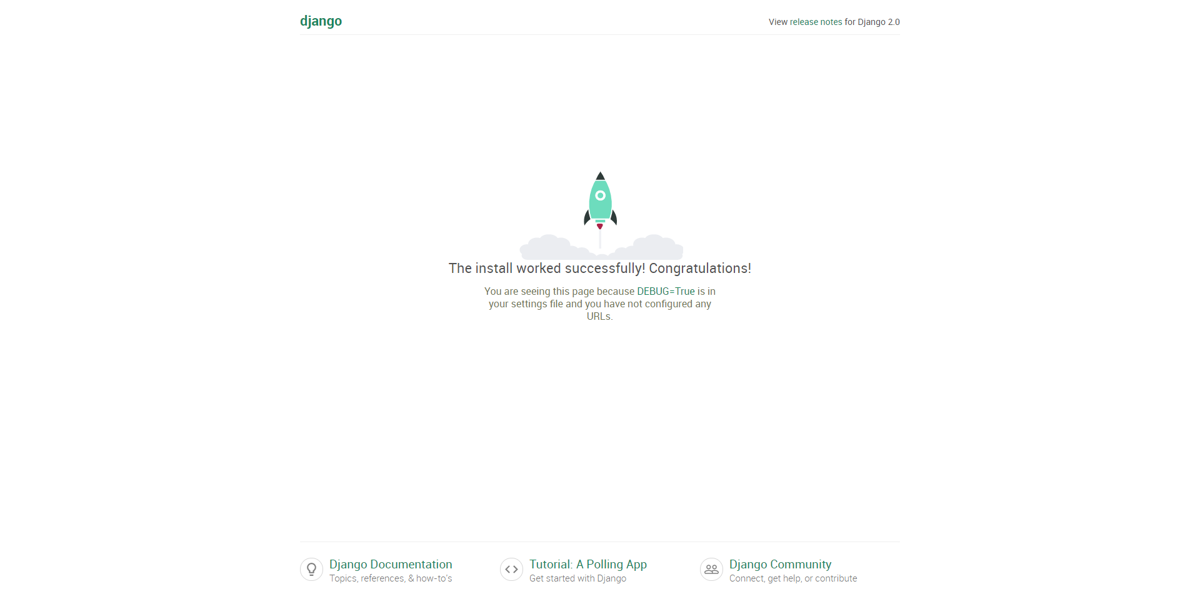
Open a browser and enter 127.0.0.1:8080. If you see the following interface, it means the server has started successfully.
Creating an App
Now our server still doesn't have anything. For the web server to actually function, we need to create different Web Apps. Use the following command to create an App:
python manage.py startapp hello_app
This command will automatically create a hello_app directory under the server directory (hello_django).
The directory structure of hello_app is as follows:
- hello_app
__init__.py- admin.py
- apps.py
- models.py
- tests.py
- views.py
- migrations
__init__.py
The configuration of settings.py will be introduced in the next article.
About

To learn more interesting operations, please follow my WeChat official account: DealiAxy Every article is collected on my blog: blog.deali.cn
_EOF_
Python-Web-Django: Starting the Django Journey
- 本文作者:
- 程序设计实验室
- 版权声明:
- 本博客所有文章除特别声明外,均采用 BY-NC-SA 许可协议。转载请注明出处!
相关文章
Python-Web-Django:settings-py-配置
安装REST框架 pip install djangorestframework pip install django-rest-swagger 安装了REST Framework之后,之前创建的Django App(hello_app)就可以使用REST API进行通信。 我们所有创建的App都要添加到INSTALLED_APPS这个字段里面。 INSTALLED_APPS = [ #
2021-12-18 · 0_Python-Web-Django入门系列笔记 · 约 1 分钟
Python-Web:Django-模板标签
if/else 标签 基本语法格式如下: {% if condition %} ... display {% endif %} 或者: {% if condition1 %} ... display 1 {% elif condition2 %} ... display 2 {% else %} ... display 3 {% endif %} 根据条件判断是否输出。
2021-12-18 · 0_Python-Web-Django入门系列笔记 · 约 1 分钟
Python-Web:Django模板继承
模板可以用继承的方式来实现复用。 接下来我们先创建之前项目的 templates 目录中添加 base.html 文件,代码如下: !DOCTYPE html html head meta charset=utf-8 title标题/title /head body h1Hello World!/h1 pDA Django 测试。/p {% block mainbody %
2021-12-18 · 0_Python-Web-Django入门系列笔记 · 约 1 分钟
Python-Web-Django:第一个Web-App的构建
View视图渲染 编辑App目录下的views.py from django.shortcuts import render from django.http import HttpResponse # Create your views here. def hello(request): return HttpResponse(Hello Django!) URL解析配置 编辑urls
2021-12-18 · 0_Python-Web-Django入门系列笔记 · 约 1 分钟
讨论
共 0 条加载评论中…