MECHREVO Wing Dragon 15 Pro Unboxing
I'll just say one thing, this is the strongest performance-to-price ratio laptop under 10,000 yuan this year, without comparison! The model I bought is the white top configuration with a 4070 and a 99wh battery, and with JD's national subsidy combined with various other discounts, I got it for nearly 2,000 yuan off, which is an amazing deal!
目录34 个章节
Preface
In the previous post, I mentioned that I've already ordered a new laptop.
It's Brother Chicken (鸡哥), yet it's not.
Here, I continue to keep you in suspense.
But indeed, this article is about unboxing Brother Chicken's Yilong 15Pro (翼龙15Pro).
About the Pterosaur 15 Pro
There are many reviews online!
I'll just say this: it's the best value-for-money laptop under 10,000 yuan this year, hands down!!
The model I bought is the white top-spec version, with a 4070 and a 99Wh battery. After stacking JD's national subsidies and various discounts, the total came to nearly 2,000 yuan off, making it an excellent deal~
Packaging
The packaging is thick and sturdy, giving a very reliable feeling.
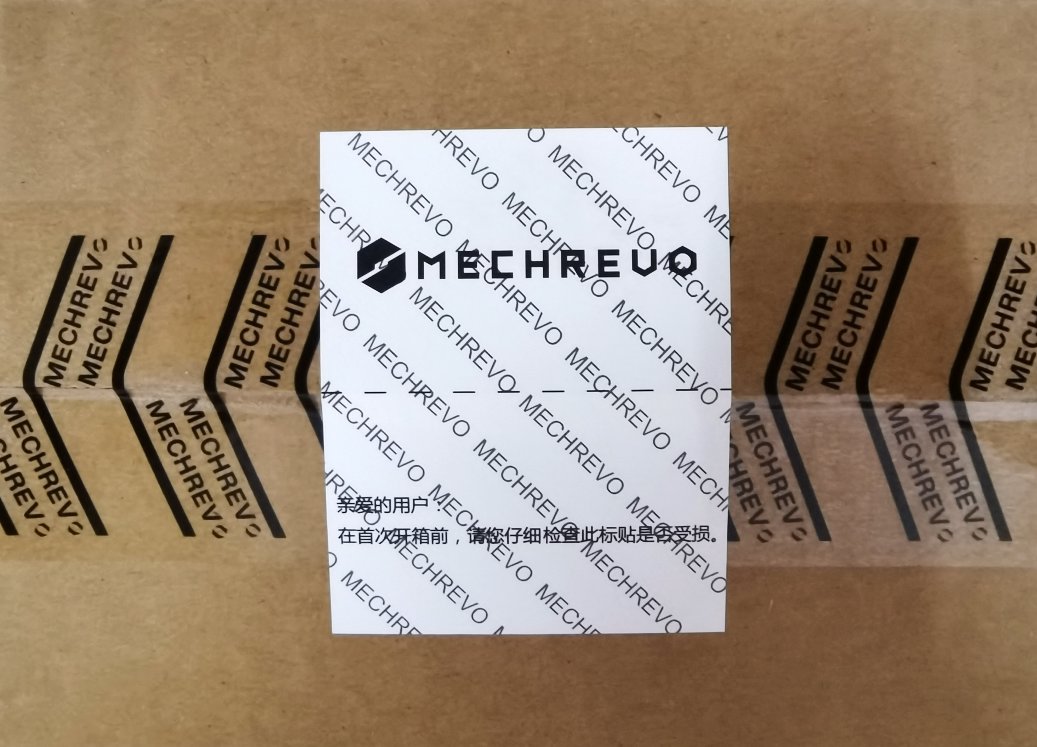
Side Information
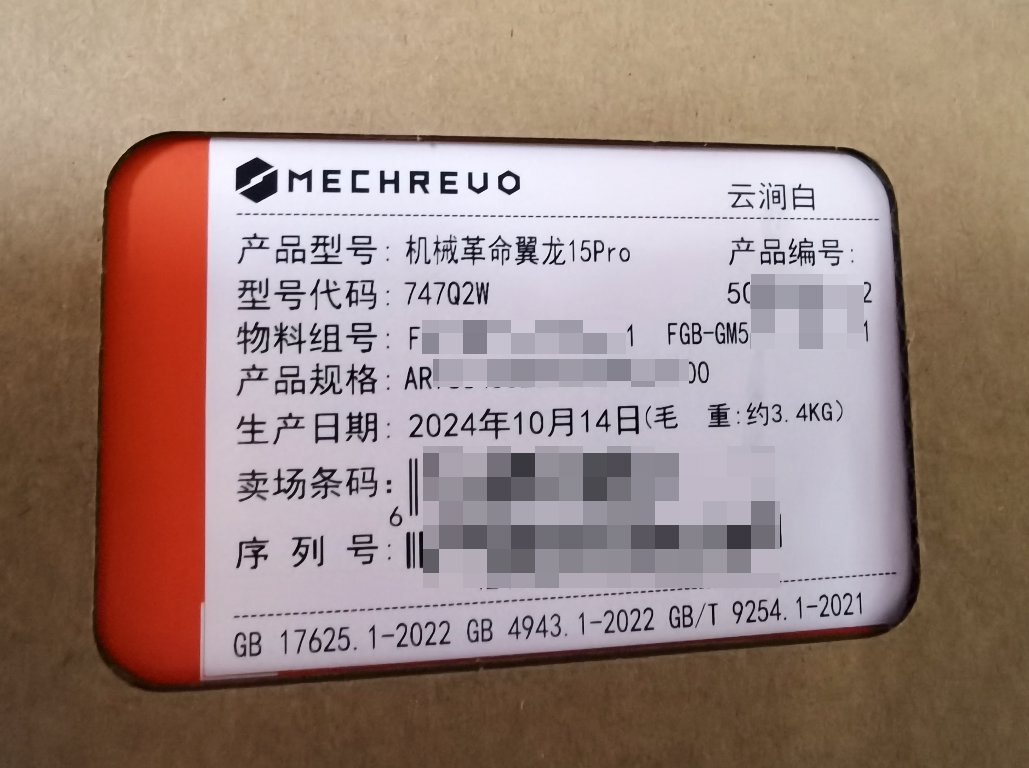
Front of Packaging
Unboxing
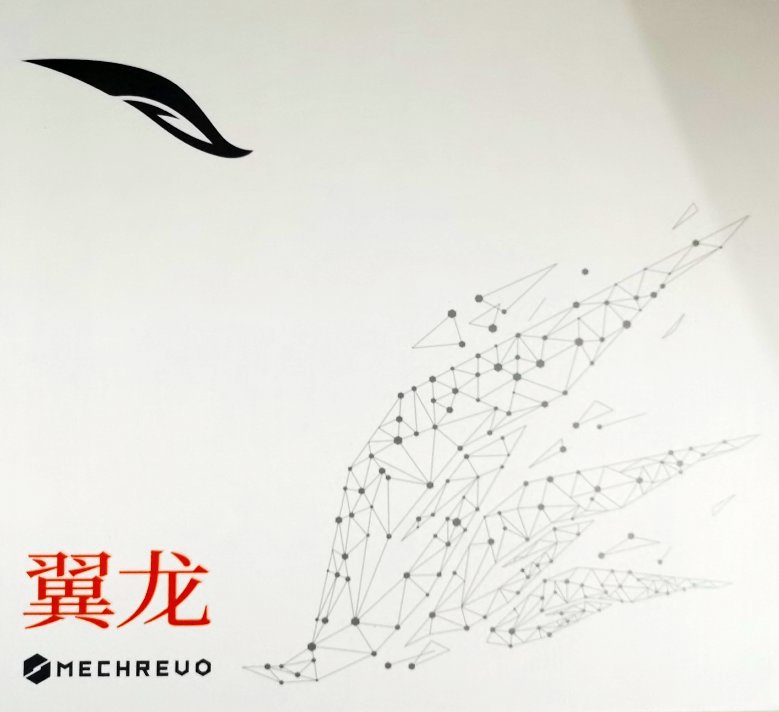
Open the express delivery box, inside is the product packaging with the big "Yilong" (翼龙) print on it.
Accessories
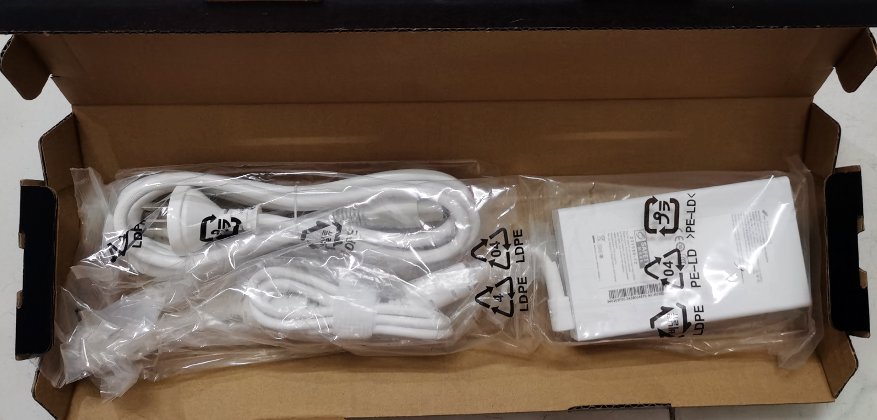
It's actually a power adapter.
Brother Ji's packaging gave me a sense of refinement that doesn't match the brand.
Instructions
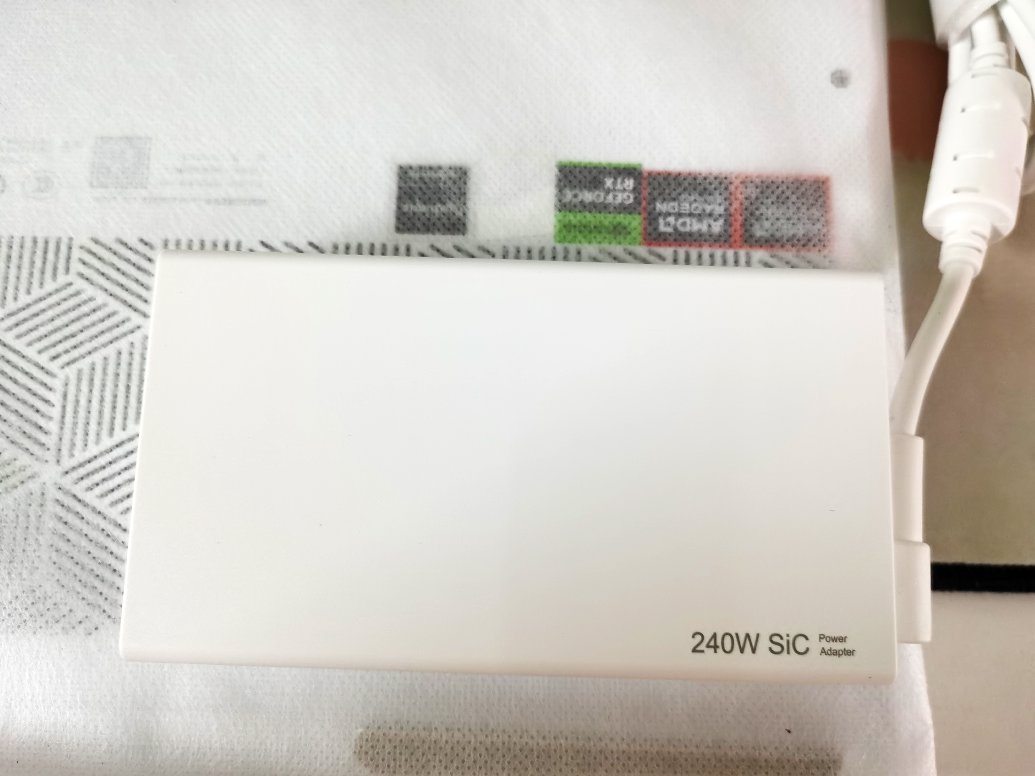
Power Supply
This 240W GaN (gallium nitride) charger is quite compact (except for the relatively large cable).
It's much more refined compared to the bulky and heavy power adapters of traditional gaming laptops.
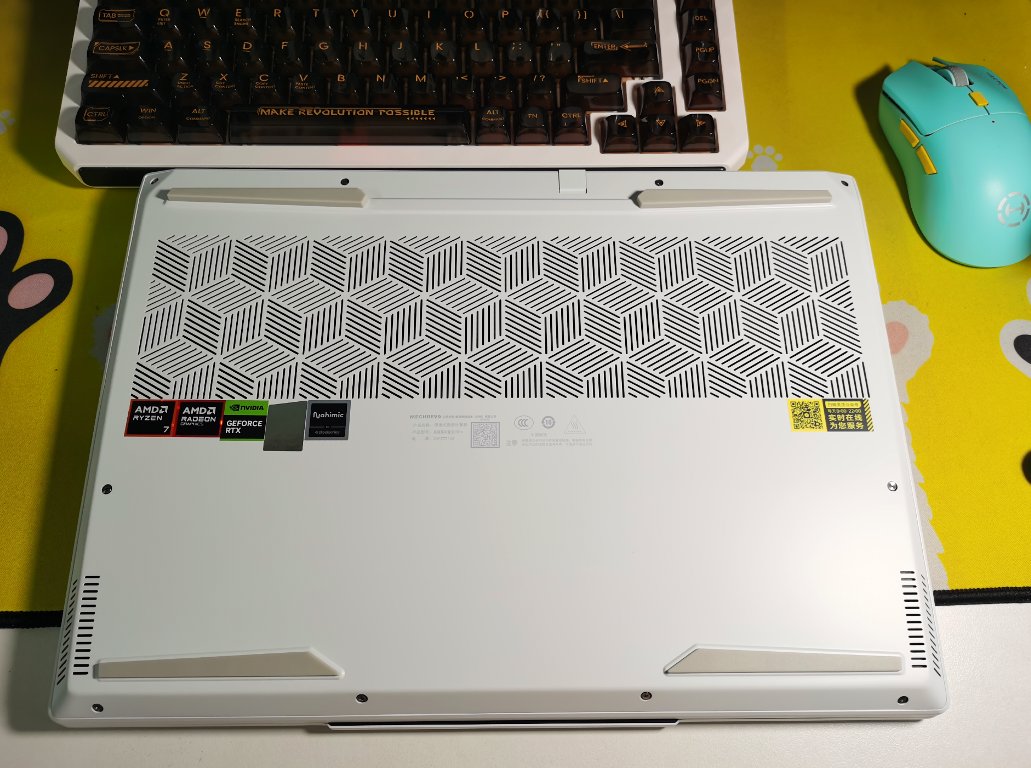
Computer Main Unit (电脑本体)
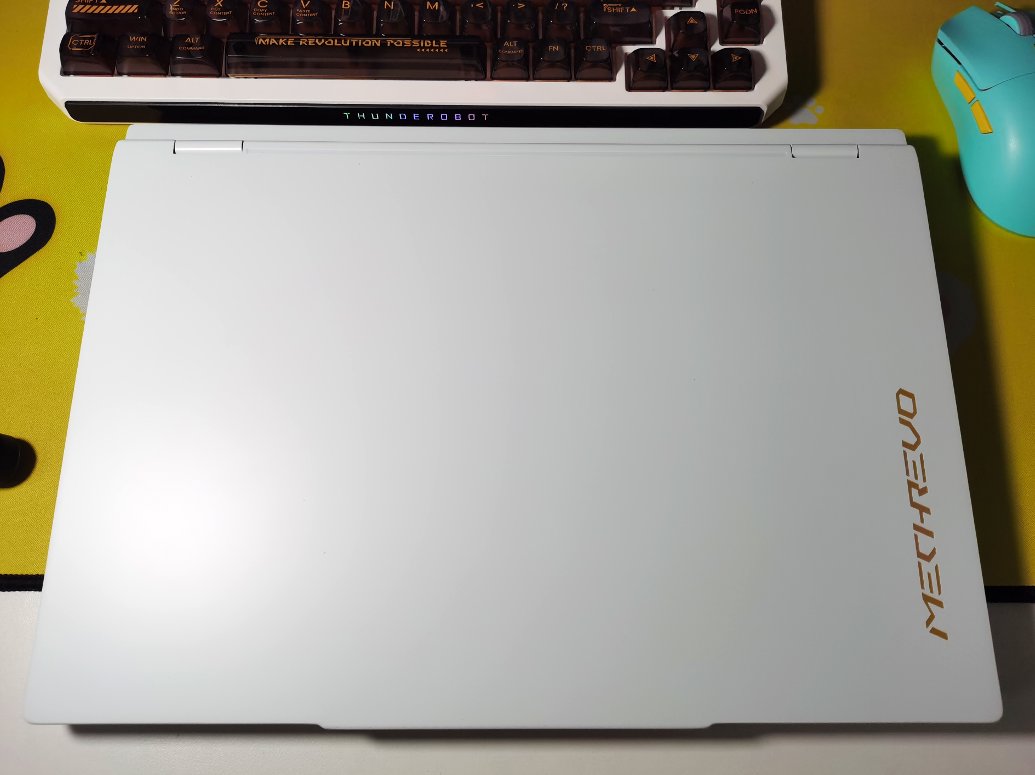
Back
Various trademarks are plastered all over the back, Love it!
Front
First time using an all-white machine like this, feels a bit unusual
But it looks pretty nice
B Side and C Side
This keyboard protective paper is pretty good, quite thick, with some basic operating instructions printed on it. Thumbs up 👍
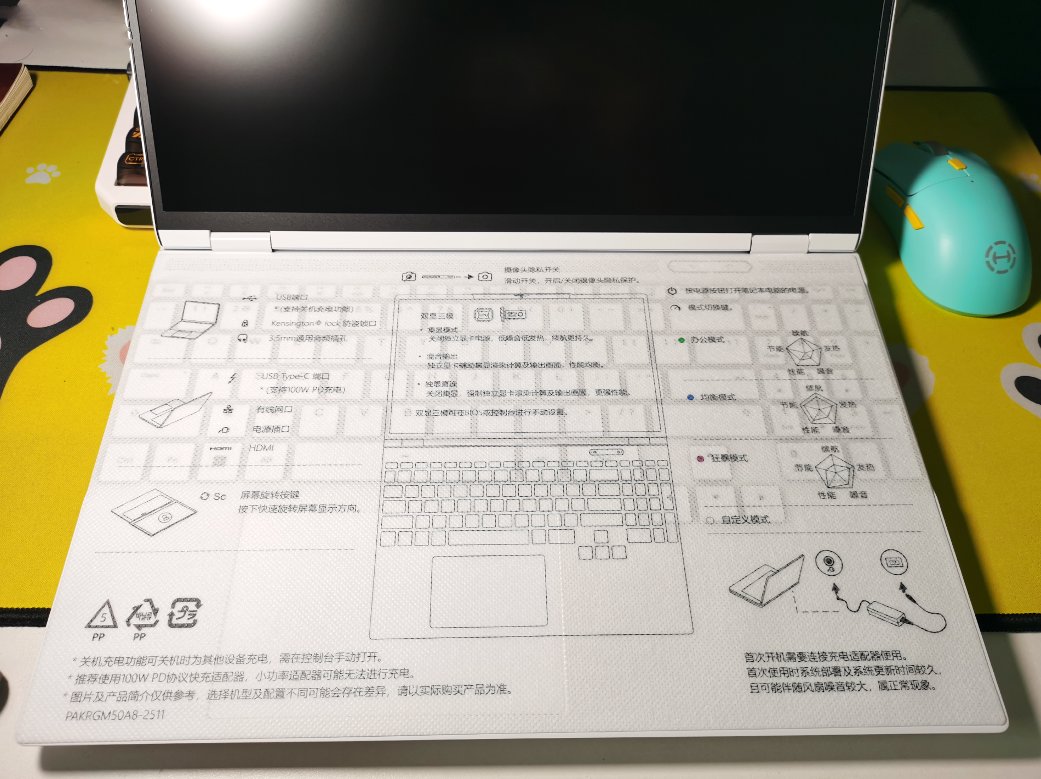
Another photo, the C side becomes more visible after removing the protective paper.
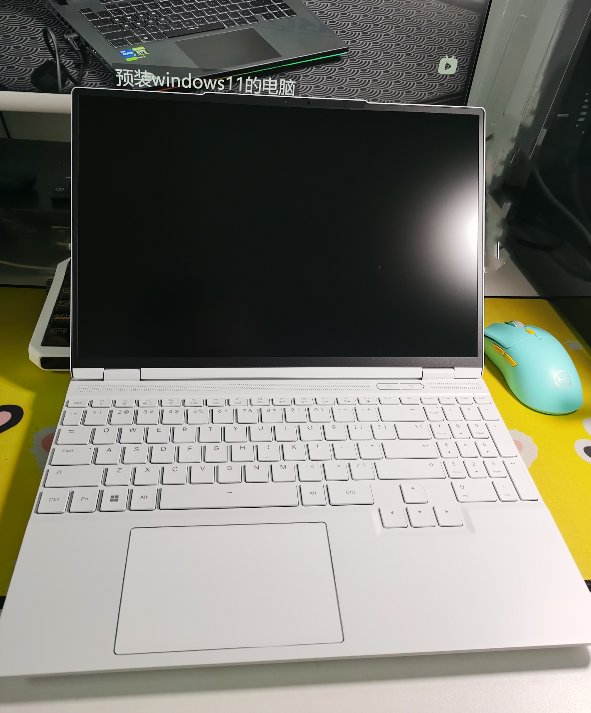
The appearance is decent, but I'm not too fond of this keyboard layout and trackpad.
If the numeric keypad were removed and the trackpad were centered, it would be better.
I still prefer a symmetrical layout.
Boot
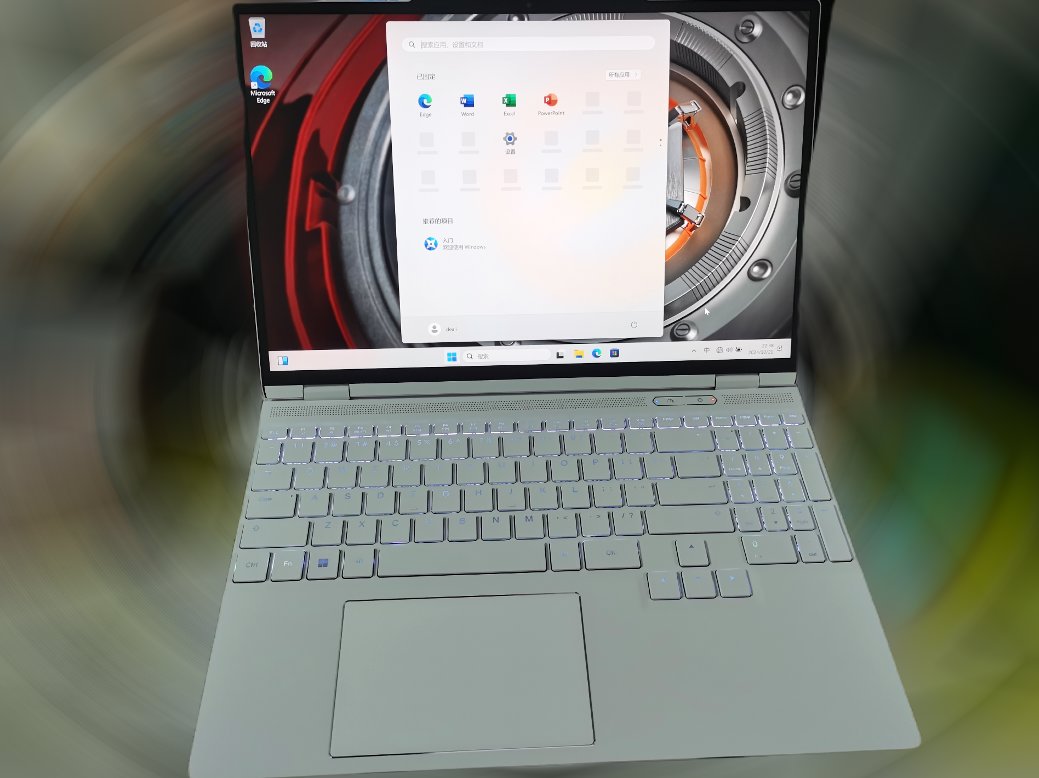
The default zoom scale of 200% was too large
It was changed to 150% later for a more comfortable experience
Hardware Information
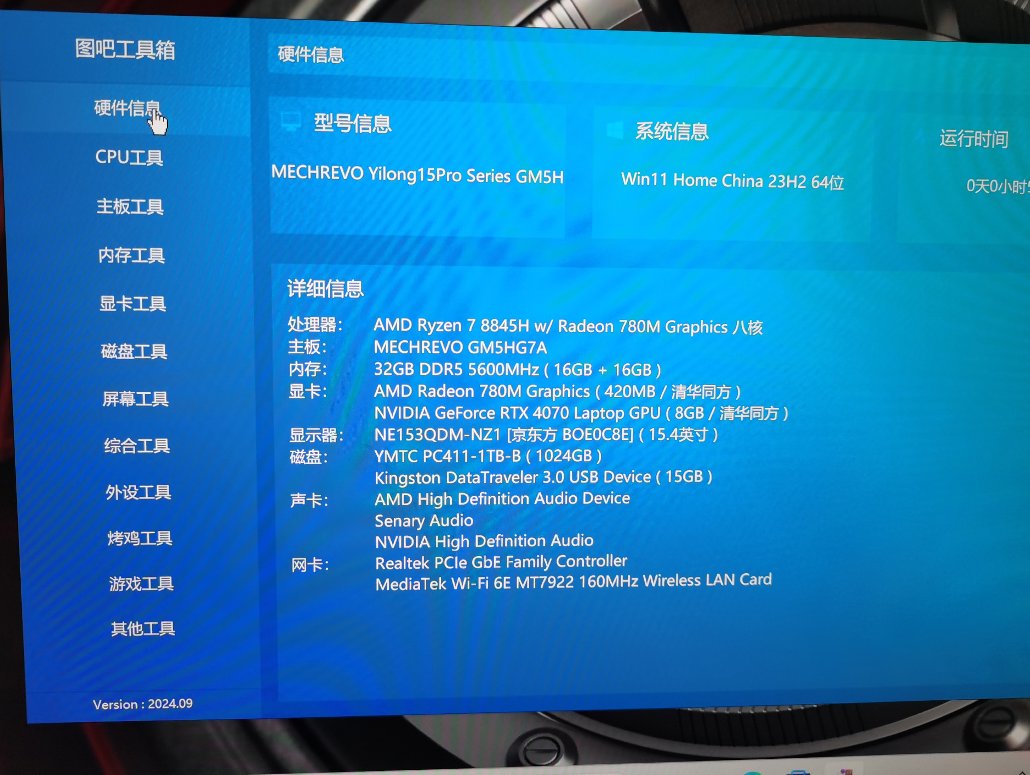
Let's first check the hardware information
Hardware Information of Tuba Toolbox
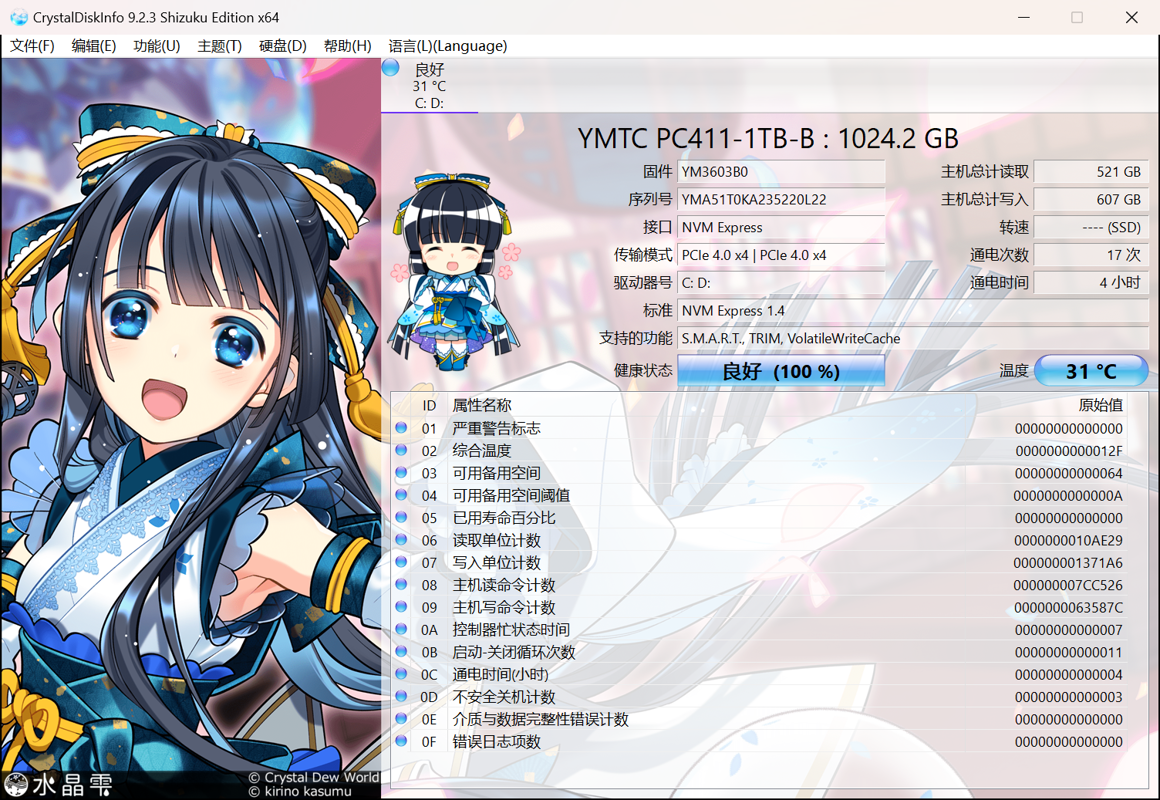
The Yilong laptop has an issue with mixed storage device lottery.
However, the top configuration version I purchased seems to be the default first prize (Yangtze Memory's PC411).
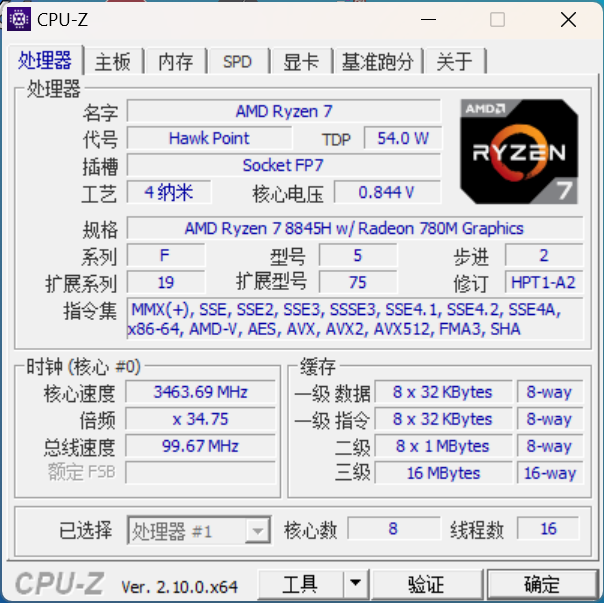
CPUZ
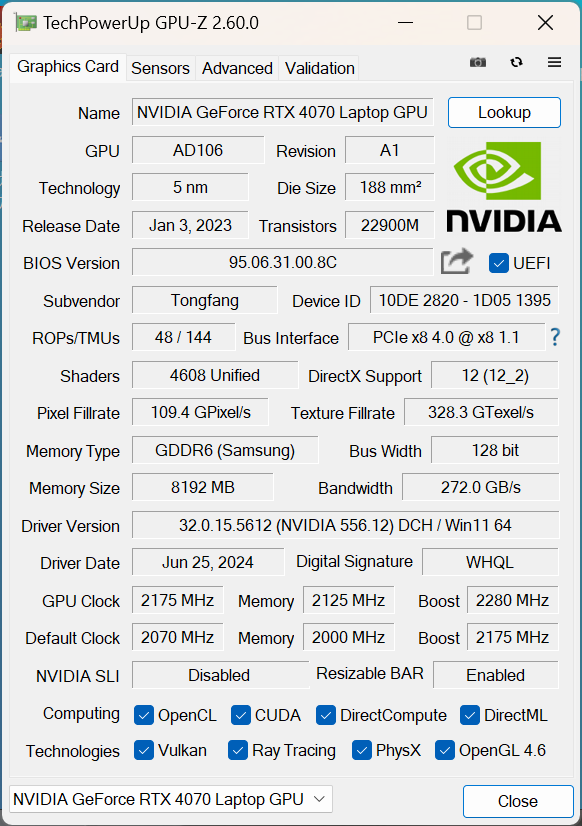
GPUZ
SSD Information
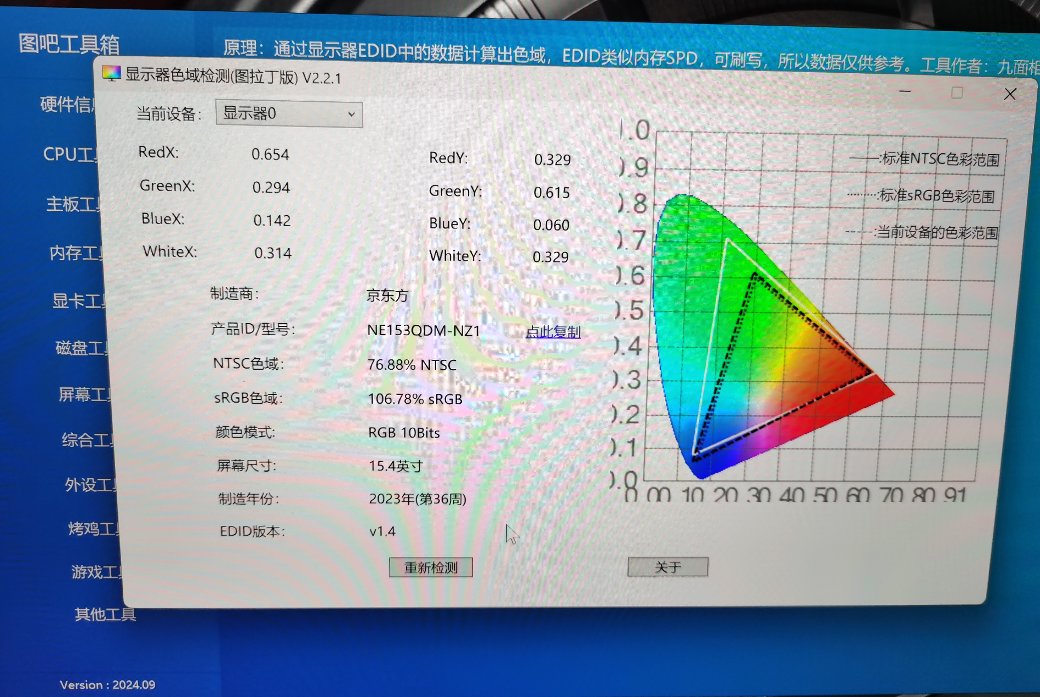
Screen Color Gamut
Brother Ji's screen is still very impressive.
I don't understand the specifics of the color gamut, but the brightness is quite impressive. It's foreseeable that using it outdoors won't be a problem.
Stress Testing
Many laptops today have craftsmanship that leaves much to be desired.
From the exterior, no obvious problems can be seen, but internally, there may be issues with heat dissipation.
In such cases, the only way to observe if there are heat dissipation problems is through stress testing (烤机).
Stress Test Tools
- Essential hardware verification tool: Tubal Toolbox
- CPU: AIDA64, check FPU inside
- GPU: FurMark, 1080p, without enabling antialiasing
- HWINFO, for viewing power and temperature information (of course, you can also use wrapper software like HWINFO such as Game++ or similar)
Stress Test Results
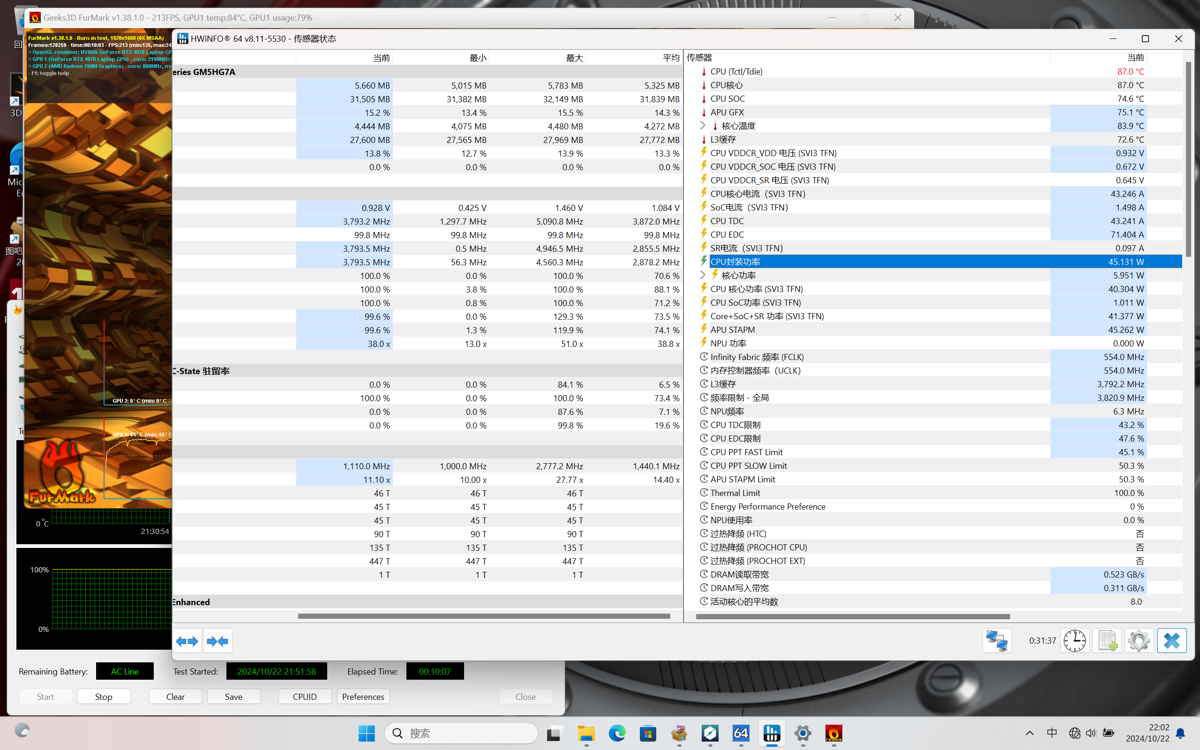
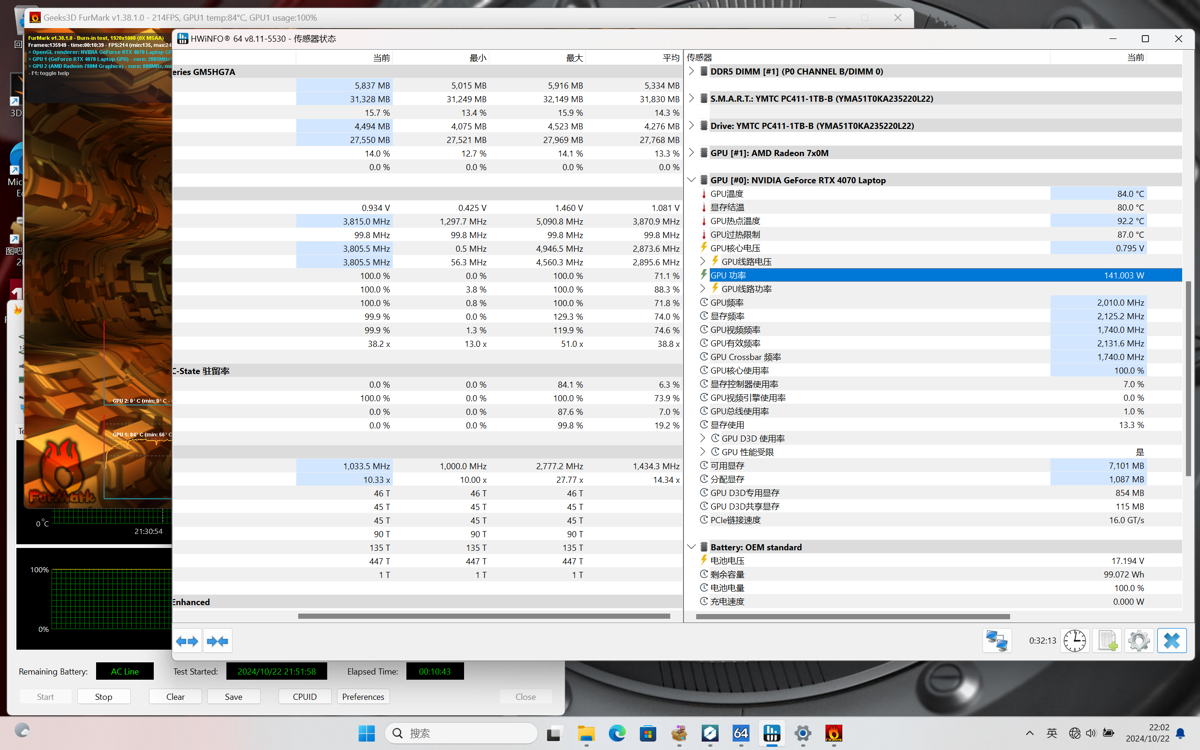
This unit of mine has excellent cooling performance. It can achieve 46+141 in a dual stress test, with a total system power consumption of 187W. I saw on Bilibili that most people can only reach 160W; it seems my unit has better silicon quality.
Dual Stress Test CPU Power Screenshot
Dual Stress Test GPU Power Screenshot
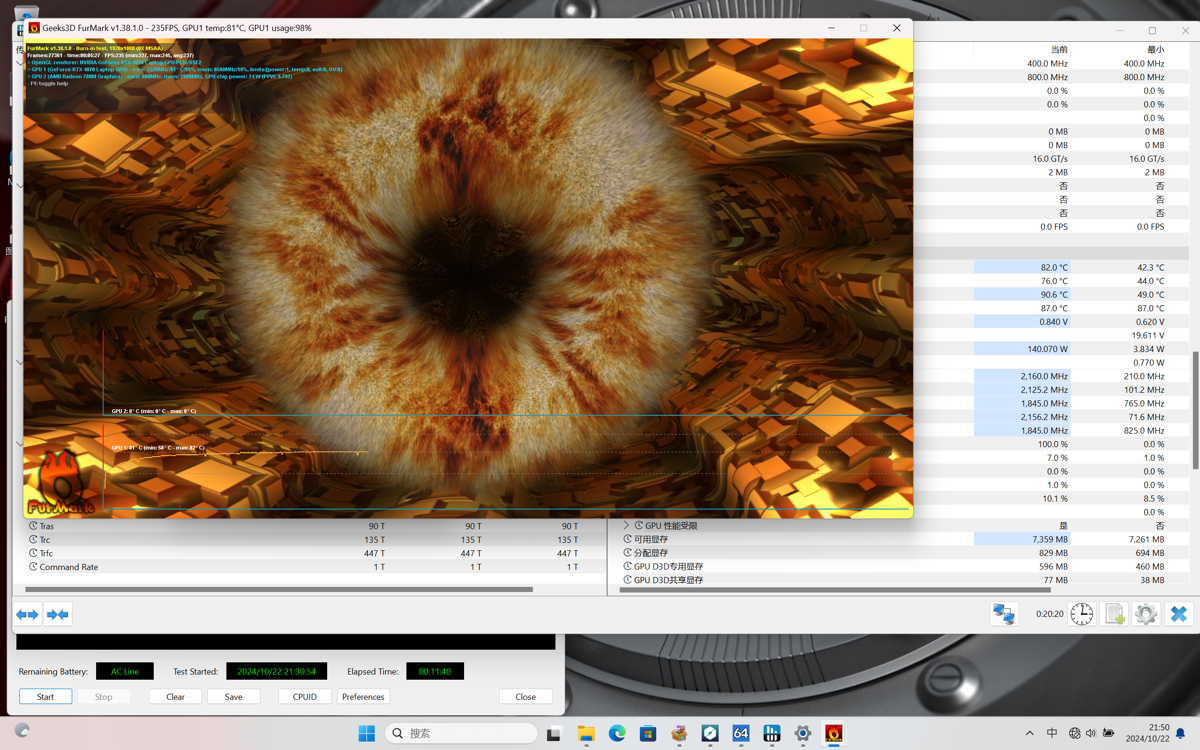
Single GPU Stress Test
The single stress test on the 4070 can reach 140W, which is very impressive.
Benchmark (跑分)
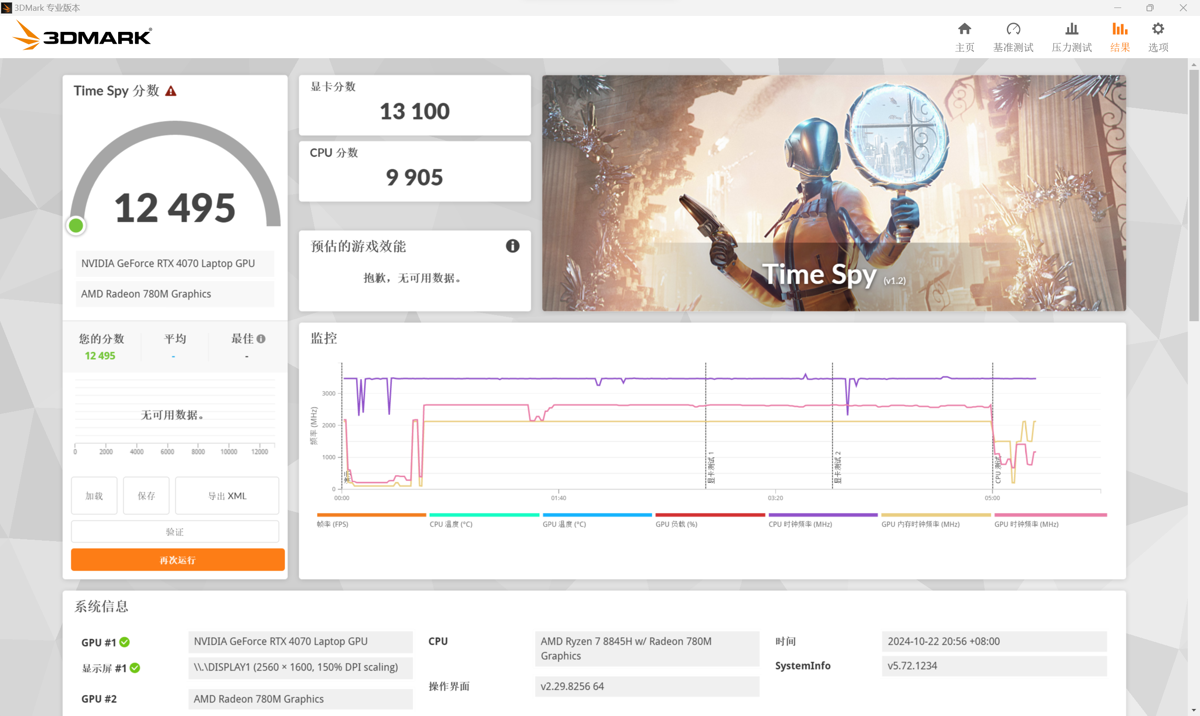
3DMark Time Spy
12495 points, what level is that, haven't compared much~
This laptop's 8845H processor is relatively weak.
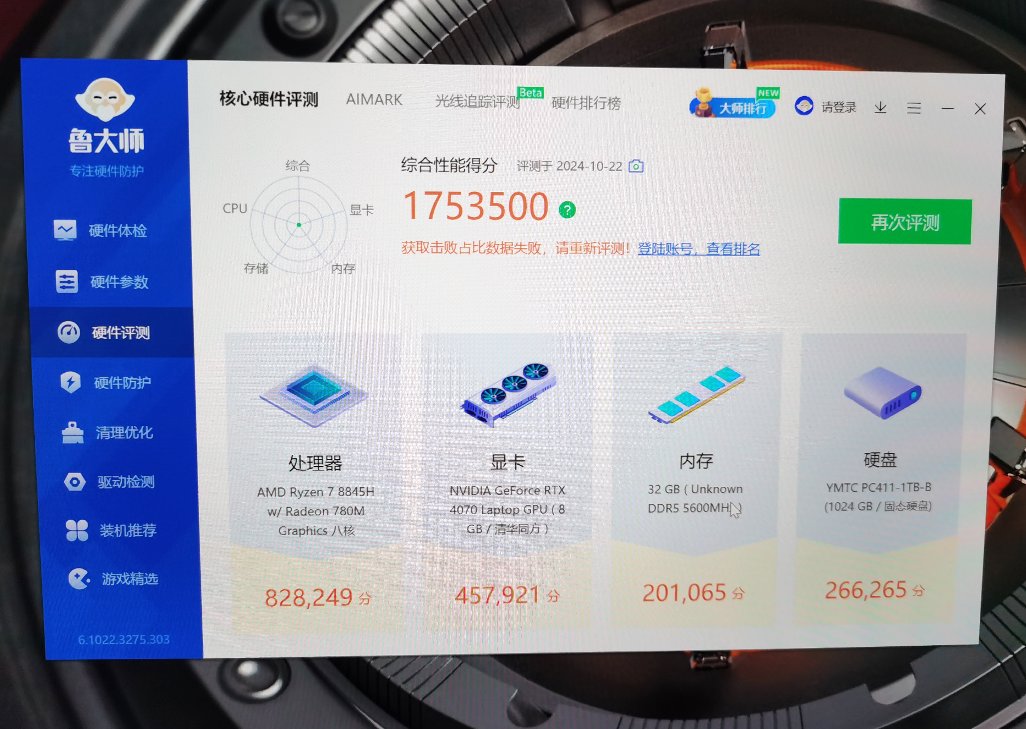
Entertainment Master
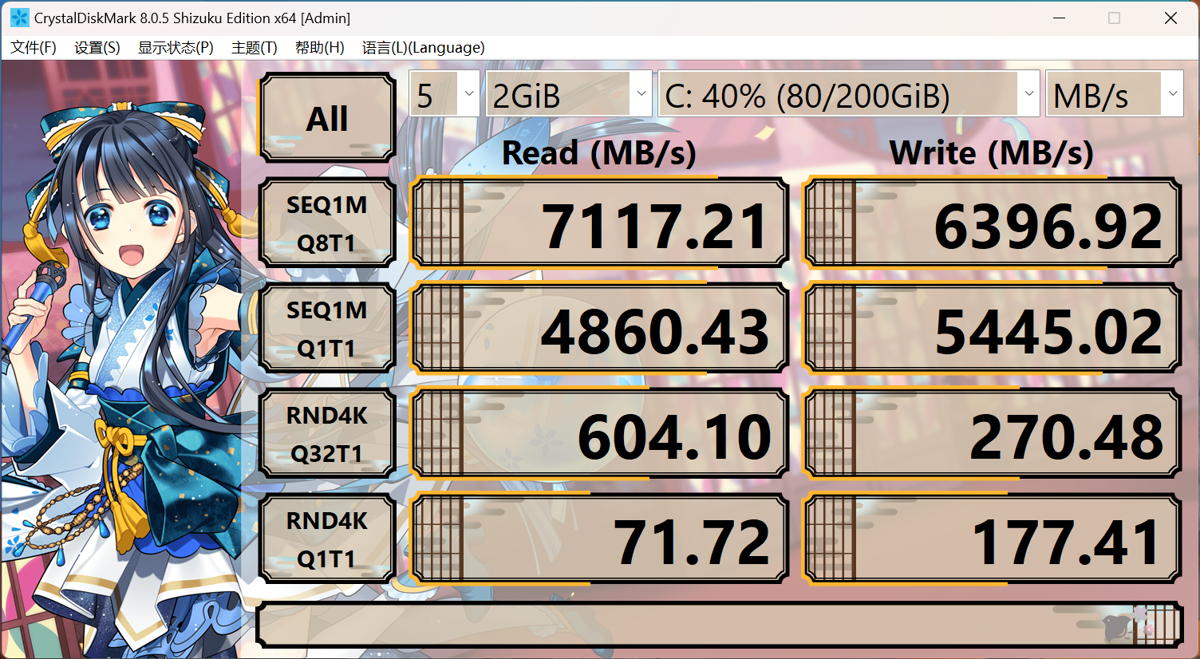
SSD Speed Test
This solid-state drive is definitely in the top tier among laptops.
The performance is not much different from what I use in my desktop PC.
Once again, I'm impressed—Changjiang Storage (YMTC) is truly yyds!
User Experience
Everyone online says you should be prepared for no after-sales service when buying Jige (nickname for a certain brand), and I'm a little scared too.
With a desktop, you can still tinker with it, but if a laptop breaks down, I really have no way to fix it.
There are also many examples online of people whose "revolution" (meaning attempts to fix/mod) failed.
However, the price-to-performance ratio of this Yilong (model name) is really high, with full specifications. Not to mention at this price point, it's hard to find a configuration this balanced even up to 1w (10,000 yuan).
What comes to my mind is the ThinkBook 16p from "Meidi Liangxiangxiang" (satirical nickname for Lenovo). Unfortunately, it uses an Intel 14th Gen HX processor, which carries a risk of instability...
The other models, the ThinkBook 14+/16+, are both expensive and mediocre 😂. Actually, I initially considered buying the 14+, but the online reviews are really poor... However, there aren't many options for 14-inch all-purpose laptops. Maybe I'll buy one later to try out?
Advantages
- Good value for money
- Decent build quality
- Hard drive and screen are both excellent
- Strong performance release
- The top-tier model has infrared facial recognition, making unlocking convenient
Drawbacks
- Asymmetric keyboard layout is not to my liking
- Trackpad is too far left, making it awkward to use
- Numerous minor issues (unclear if it's a Windows 11 problem or Jige's optimization issue)
- GPU tri-mode (三模) cannot be hot-swapped
- Runs slow on battery (AMD's off-battery performance isn't supposed to be decent, right??)
- A bit heavy (2kg is actually acceptable)
Summary
How to describe Brother Ji's laptop? To borrow a netizen's evaluation: "I wouldn't recommend it if you asked me, but I bought one myself."
There are quite a few minor issues, and the after-sales service is practically non-existent, so I still don't dare recommend it to others. However, buying it for myself to play around with feels really good—truly a pride of national products.
But after actually using it for a few days, I realized I'm still not quite used to it. My taste for laptops has been spoiled by thin-and-light models like the Huawei MateBook series and Apple MacBook...
Now, I find it really hard to accept such a heavy laptop. Before buying, I thought 2kg was no big deal—as someone who exercises regularly, would I be afraid of a mere 2kg?
In practice, I've realized that laptop usage often involves frequent movement, like carrying it around the house, placing it anywhere to handle work, write code, or watch entertainment. At that point, the 2kg weight becomes a bit tough to bear...
Moreover, I haven't used this kind of "gaming laptop" in so long. I suddenly realized how loud laptop fans can be, which immediately disenchanted me of the idea of running high-load scenarios (CUDA, gaming) on a laptop. Whenever the temperature rises slightly, the fan noise sounds like a hairdryer—it's terrifying and seriously impacts the user experience. Maybe adjusting the settings manually could help a bit?
In conclusion, I'll stick with a 1.5kg machine instead...
_EOF_
MECHREVO Wing Dragon 15 Pro Unboxing
- 本文作者:
- 程序设计实验室
- 版权声明:
- 本博客所有文章除特别声明外,均采用 BY-NC-SA 许可协议。转载请注明出处!
相关文章
MacbookAir-M3-15寸版本开箱
开箱?简约得无聊,环保包装?哦,真环保。硬件M3芯片不错,续航长,但键盘布局恶心,系统?呵呵。屏幕亮度不够?后来买了Pro,系统不如Linux舒服。
2025-10-28 · 笔记本电脑 · 约 1 分钟
华硕天选6Pro锐龙版开箱
又是AI热潮?天选6 Pro锐龙版也就那样,性能释放猛但噪音像飞机起飞,背起来更是重到离谱。一线品牌溢价明显,性价比?出门左转鸡哥就够。
2026-03-20 · 笔记本电脑 · 约 1 分钟
联想Thinkbook14+开箱
质感这块确实可以 不过据说今年的 Thinkbook 做工更差了,各种奇奇怪怪的问题都有 我这台还好,不过 C 面凸起还是有的 然后 Ultra 处理器的体验确实不如 AMD 的 8845 希望下一代 Intel 给力点吧
2025-10-28 · 笔记本电脑 · 约 1 分钟
2024年我最喜欢的轻薄本模具,机械革命无界14X暴风雪开箱
鸡哥这个无界 14x 换了新的模具之后,可以算得上是我最的轻薄本模具了,1.46kg 的重量,价格与能耗比都最适合轻薄本的 8845 处理器,80Wh大电池,还有双 M2/双内存插槽,扩展性拉满,接口也非常丰富,直接就是轻薄本的高分答卷~ (为啥其他厂商不抄一波呢?)
2025-10-28 · 笔记本电脑 · 约 1 分钟
讨论
共 0 条加载评论中…