Fix incomplete display of menu bar icons on Mac notch screen, two tools tested (including open-source free solutions)
This article shares the issue encountered by MacBook Air M4 users where too many menu bar icons cause display problems and provides two solutions: the paid software Bartender 4 ($15) and the free open-source tool Ice. The author details the installation methods for Ice (via brew or manual download) and usage experience, showcasing its flexible icon collapsing, expanded menus, and customizable settings, noting that its performance is comparable to the paid version. The article aims to help users optimize space management in the MacOS menu bar.
目录6 个章节
Preface
Recently, I followed the trend and bought a MacBook Air M4 13-inch (13寸) version. It's indeed exquisite with a nice texture, but the screen notch (刘海) is simply too large. When there are too many icons in the top menu bar, they won't fit.
Moreover, the logic of MacOS is really strange. Hidden icons just disappear without a trace. Without third-party tools, it's as if these icons vanish completely 😂
However, the functionality gaps in the MacOS system have also nurtured a thriving ecosystem for developers. Nearly every missing feature has a corresponding third-party solution.
This top menu bar icon issue is no exception. I searched online and found several solutions, both paid and free.
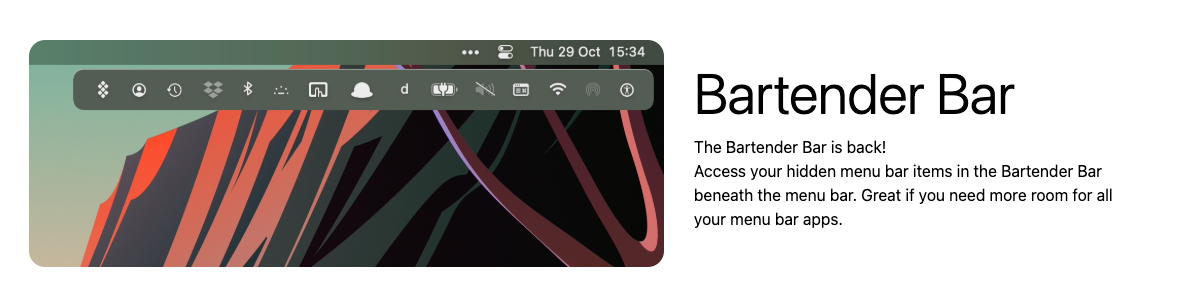
Bartender 4
Official website: https://www.macbartender.com/Bartender4/
This software costs 15 USD. It has a pretty polished interface. Users with a sufficient budget can purchase it on the official website to show their support.
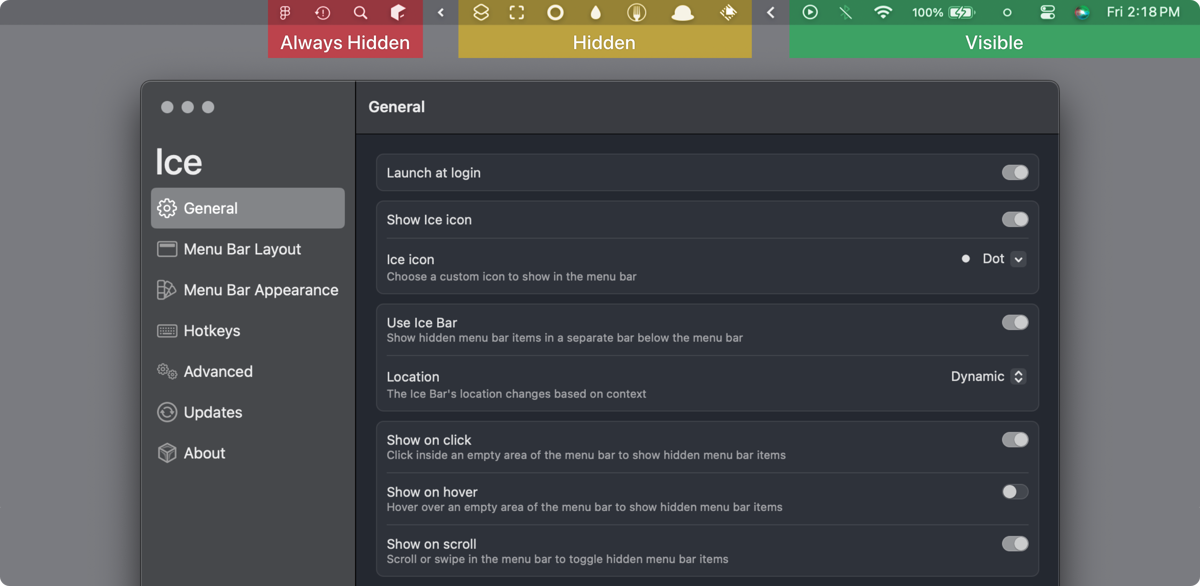
jordanbaird/ice
This is an open-source project with comprehensive features and free of charge.
Project URL: https://github.com/jordanbaird/Ice
How to Install
I installed it directly using brew 🏆
For those who don't have brew installed, you can download it from the GitHub project homepage.
For those who cannot access GitHub, you can send a private message with the keyword 【ice】 to the WeChat account 【曦远Life】 to obtain the software installation package.

Usage
After installation, I collapsed the icons on the menu bar, and the effect looks like this:

How does it look? It seems no different from the paid version, right?
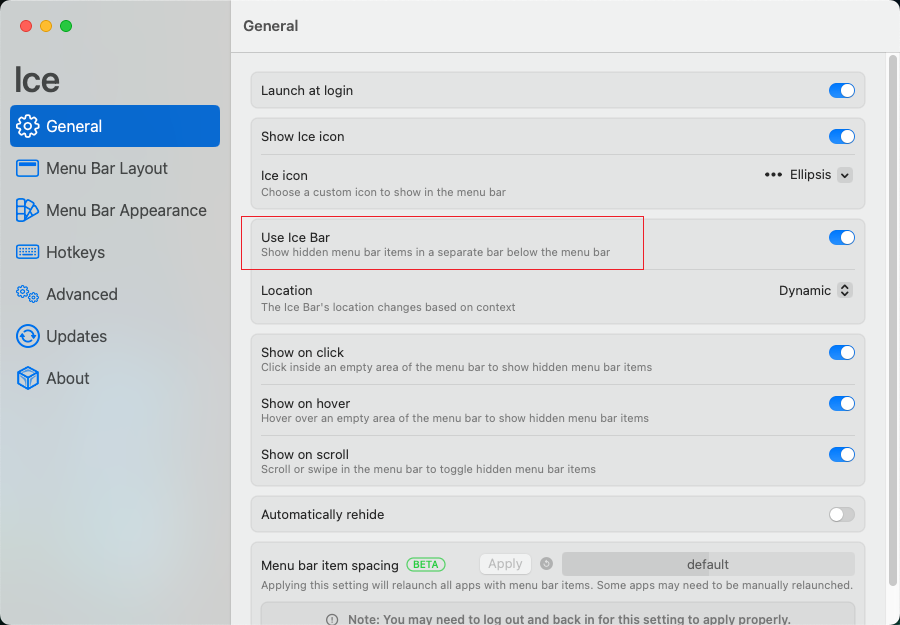
Then, the extension menu appears. You can choose to expand it directly, or you can add an additional menu bar below.

All of these can be configured in the settings.
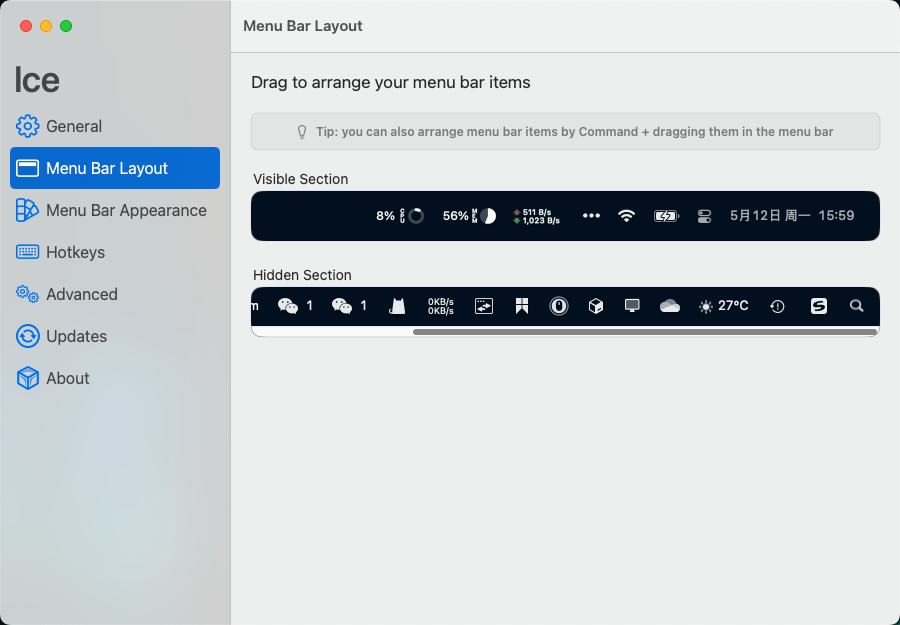
You can configure which icons should always be displayed. For example, I pinned the system monitor icon.
References
_EOF_
Fix incomplete display of menu bar icons on Mac notch screen, two tools tested (including open-source free solutions)
- 本文作者:
- 程序设计实验室
- 版权声明:
- 本博客所有文章除特别声明外,均采用 BY-NC-SA 许可协议。转载请注明出处!
相关文章
Mac必备利器:高效工具、系统增强与应用推荐
本文推荐了一系列提升Mac使用效率的工具,涵盖截图、眼睛保护、快捷命令、终端、系统辅助、鼠标手势增强、系统增强、输入法、美化与个性化等方面,旨在帮助用户优化操作习惯,提升日常使用体验。
2025-04-10 · Mac · 约 1 分钟
macOS 微信多开太麻烦?我用 DeepSeek 写了个工具一键搞定
知乎那套手动改Bundle ID再签名的操作,每回更新都得重来,不嫌烦?一行 `wechat-clone create 3` 搞定三开,还带TUI界面——写个Go工具十分钟,省得你终端敲坏键盘。
2026-05-23 · Mac · 约 1 分钟
使用国内NPM镜像源提高速度
NPM介绍 npm(全称 Node Package Manager,即“node包管理器”)是Node.js默认的、以JavaScript编写的软件包管理系统。 npm可以管理本地项目的所需模块并自动维护依赖情况,也可以管理全局安装的JavaScript工具。 但是由于npm的源在国外,所以国内使用起来动辄10kb/s,甚至根本下载不了,所以使用国内镜像源替代官方源就很有必要了。 国内源 淘宝np
2022-02-25 · Web前端 · 约 1 分钟
StarBlog博客开发笔记:前端开发之文件上传
参考资料 前端通过axios和FormData实现文件上传功能遇到的坑:https://segmentfault.com/a/1190000016927601 Element el-upload上传组件详解:https://segmentfault.com/a/1190000013796215
2023-07-14 · StarBlog前端开发-Vue · 约 1 分钟
讨论
共 0 条加载评论中…