LLM Exploration: DeepSeek goes viral, official website down? Deploy one locally to play around with.
DeepSeek's official website is down again? The locally deployed 14b model with the web interface is actually passable. Domestic large models are popular, but if the servers can't handle it, just build your own, huh. Coding capabilities yet to be verified, but at least it's better than the official site.
目录15 个章节
Preface
DeepSeek has recently taken the internet by storm, and domestic large models are truly getting more and more impressive 👍. The official servers are already overloaded, leading to frequent sluggish responses or even downtime, which is quite similar to what ChatGPT experienced over two years ago.
I haven't deployed models locally for a long time (since models from various providers are now cheap and plentiful). This time, I'm going to test the effectiveness of DeepSeek's open-source model.
Further Reading on Large Language Models (AI大模型)
- LLM Exploration: Environment Setup and Local Model Deployment
- LLM Exploration: Several Common Parameters in GPT-like Models: Top-k, Top-p, Temperature
- Come Play with AI Image Generation! Getting Started with StableDiffusion Model Setup and Usage~
- Implementing WebSocket Communication + Large Model Dialogue with Django-Channels
- Project Completion Summary: Developing a Large Model Client with Blazor and gRPC
Installing ollama
https://ollama.com/download/linux
I installed it on a Linux server, and it only takes just one command. For Windows, you probably just need to download and run the installer.
curl -fsSL https://ollama.com/install.sh | sh
When I installed it, I seemed to encounter network issues.
I changed the approach to first download it
wget https://ollama.com/install.sh
Then, I manually executed the installation, and it worked.
sh ./install.sh
Configuring Ollama Listening Address
After installation, ollama listens on 127.0.0.1 by default. For convenience, you can either modify the listening address or use SSH forwarding. Here, I chose to modify the address.
sudo systemctl edit ollama
This will automatically store the configurations you add or modify in /etc/systemd/system/ollama.service.d/override.conf.
Add the following configuration inside:
[Service]
Environment="OLLAMA_HOST=0.0.0.0:11434"
This will override the OLLAMA_HOST setting defined in the main service file, while other environment variables (such as PATH, etc.) will retain the values from the main service file.
Verification
First, restart the following:
sudo systemctl daemon-reload
sudo systemctl restart ollama
Then run the following command for verification:
sudo systemctl show ollama | grep Environment
You will see all the environment variables that the system ultimately sets for this service. If there are variables with the same name, the value that was written last (i.e., the override configuration) takes precedence.
Search Models
https://ollama.com/search?q=deepseek
The most popular DeepSeek-R1 is currently displayed prominently.
Based on VRAM (显存) availability, choose the appropriate model here—I selected the 14b version.
On the right side, there is an installation command; click the button to copy it.
Installation
Then execute the command
ollama run deepseek-r1:14b
Start downloading, the 14b model size is 9GB
Usage
Can be used directly from the command line
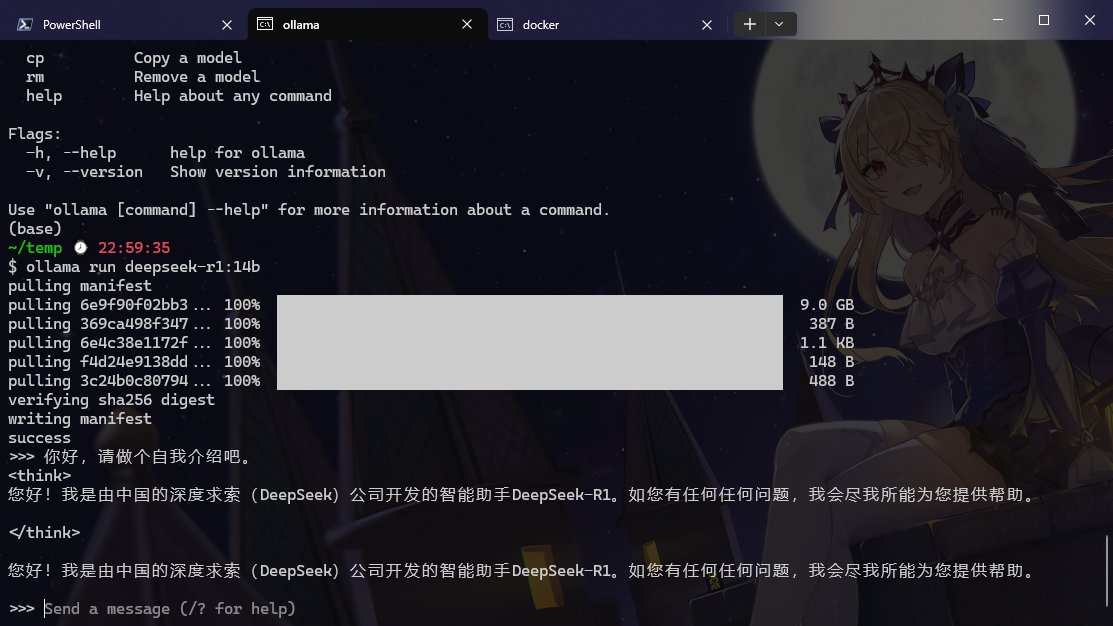
Install Open WebUI
https://github.com/open-webui/open-webui
pip installation
conda create -n open-webui python=3.11
Switch environment
conda activate open-webui
Install
pip install open-webui
Start
open-webui serve
docker
Only the docker command is officially provided
docker run -d -p 3000:8080 --add-host=host.docker.internal:host-gateway -v open-webui:/app/backend/data --name open-webui --restart always ghcr.io/open-webui/open-webui:main
I changed it to a docker-compose configuration
services:
  open-webui:
    image: ghcr.io/open-webui/open-webui:main
    container_name: open-webui
    restart: always
    ports:
      - "3000:8080"
    extra_hosts:
      - "host.docker.internal:host-gateway"
    volumes:
      - "./open-webui:/app/backend/data"
SSH Forwarding
Execute the following command on your local machine to forward the server's port to your local system.
ssh -L 3000:localhost:3000 username@server_address -p port
This way, you can open http://localhost:3000 in your local browser to access the WebUI.
Using the Web UI
It's very simple. The first time you open it, you'll need to create an admin account.
Once inside, the interface is somewhat similar to ChatGPT.
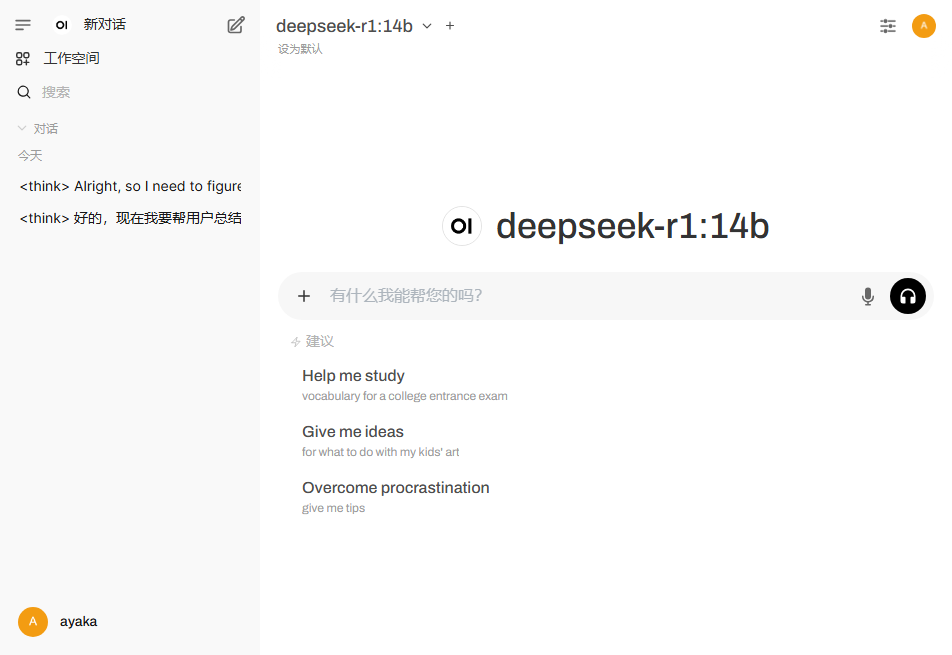
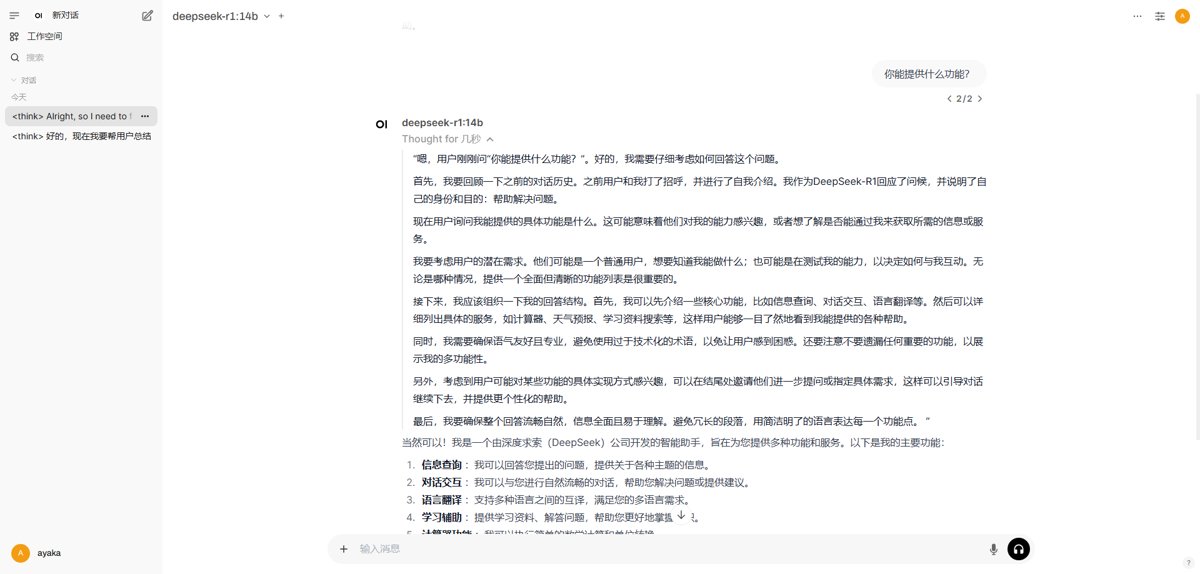
Chatting with the DeepSeek model, this 14b model already feels like it performs quite well. If it were the full version of the model, it would be even better. The future is really promising!
Postscript
It is said that DeepSeek has strong coding capabilities, but unfortunately, its official API service is currently inaccessible.
In the next article, I will try to use a locally deployed DeepSeek to write code and see how well it performs.
References
_EOF_
LLM Exploration: DeepSeek goes viral, official website down? Deploy one locally to play around with.
- 本文作者:
- 程序设计实验室
- 版权声明:
- 本博客所有文章除特别声明外,均采用 BY-NC-SA 许可协议。转载请注明出处!
相关文章
LLM探索:GPT类模型的几个常用参数 Top-k, Top-p, Temperature
A recent breakthrough in artificial intelligence (AI) is the introduction of language processing technologies that enable us to build more intelligent systems with a richer understanding of language than ever before. Large pre-trained Transformer language models, or simply large language models, vastly extend the capabilities of what systems are able to do with text.
2026-05-09 · LLM · 约 1 分钟
LLM探索:使用DeepSeek免费平替cursor
Cursor太贵?DeepSeek+Cline勉强能用,但token烧得比我还快。生成的代码bug一堆,还不如自己敲。32k上下文调整后总算不报错,效果嘛,也就那样。
2026-05-09 · LLM · 约 1 分钟
LLM探索:大模型背后的向量魔法,Embedding技术初探
Embedding技术从Word Embedding发展到动态预训练模型,无处不在,但本文只是过时的基础。LLM时代,向量魔法如此关键,作者却拖更太久,内容早该更新了。
2026-05-09 · LLM · 约 1 分钟
LLM探索:环境搭建与模型本地部署
又来折腾LLM本地部署?ChatGLM-6B在6GB显存下就能跑,MOSS却要显存翻倍,这差距。硬件要求高得离谱,但作者硬是在Ubuntu上搞定,佩服?开源LLM本地部署指南,就这?
2026-05-09 · LLM · 约 1 分钟
讨论
共 0 条加载评论中…