LCD enthusiasts check this out! Android + Qualcomm flagship chip, Odin 2 unboxing
This is simply the perfect phone replacement, with a clean native Android system, LCD screen, active cooling, and an enormous battery—apart from being a bit larger and heavier, it's practically flawless~
目录21 个章节
PS: An article written a few months ago that hasn't been polished for publication yet…
Foreword
Previously, I mentioned that the OnePlus Ace3Pro experience still wasn't great, mainly due to the screen, system, and heating issues.
For the screen, it's hard to find a solution on phones nowadays since all flagship phones use OLED screens, which are quite harsh on the eyes.
As for the system, OnePlus allows unlocking the bootloader and rooting to remove system ads and redundant features—this is why I chose the OnePlus brand (not many phones allow unlocking anymore). If it were the OnePlus 12, you could even flash a clean, ad-free international ROM, though that's quite a hassle...
Heating can only be mitigated with a cooling back clip, but portability suffers greatly.
Now, if you want a device with a flagship chip and an LCD screen, the options are very limited. Initially, I thought only tablets were available (like the OnePlus Pad Pro with Snapdragon 8 Gen 3 and the iQOO Pad with Dimensity 9300), but tablets are too large and completely lack portability.
That was until I came across Android handhelds like the Odin 2 and Aya Pocket S on Bilibili...
These are practically perfect substitutes for phones—clean, native Android system, LCD screen, active cooling, large battery—except for being a bit bigger and heavier, they’re nearly flawless.
You could say that with a handheld replacing most phone use cases, I can now opt for a phone with an LCD screen (currently, only mid-to-low-end phones might come with LCD screens) or even use an e-ink phone as a substitute.
OK, back to the main topic. This time, I got the Odin 2 with a Snapdragon 8 Gen 2 processor and 16GB+512GB storage. The value for money isn’t high—for this price, you could get an 8 Gen 3 phone with the same specs. However, for the native Android system and LCD screen, I bit the bullet this time 😂
Packaging
I purchased it from JD's official store (not self-operated).
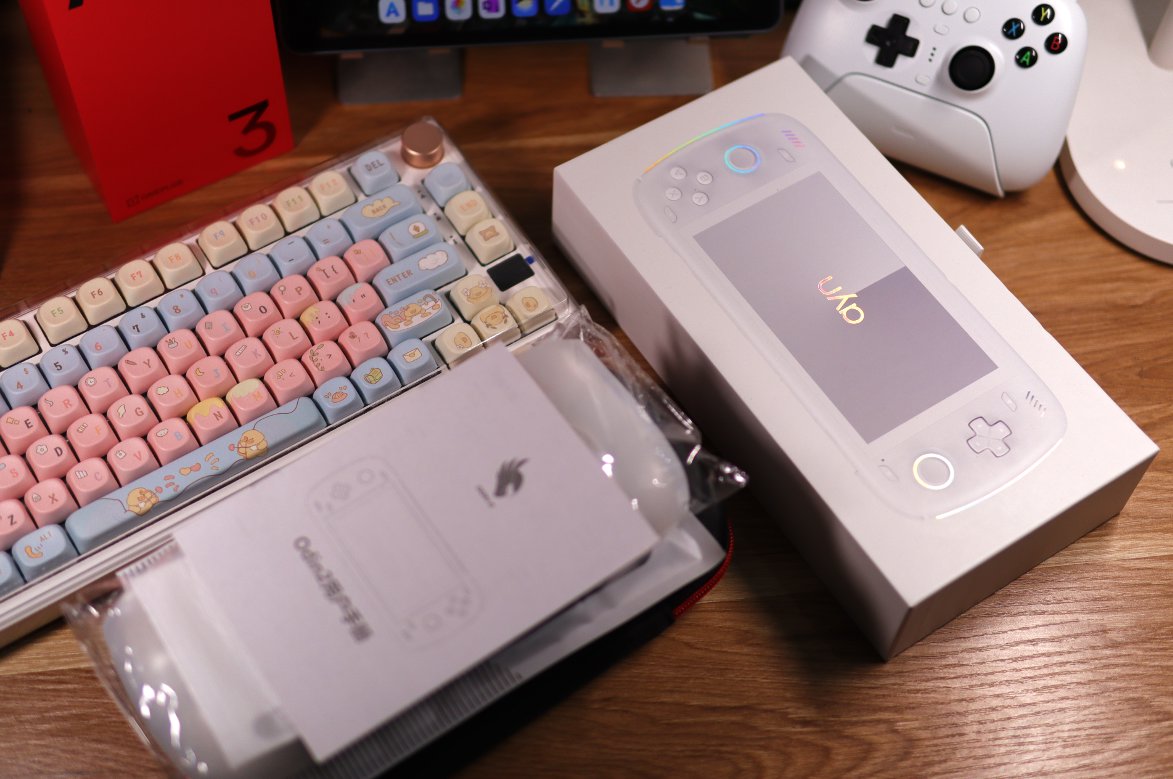
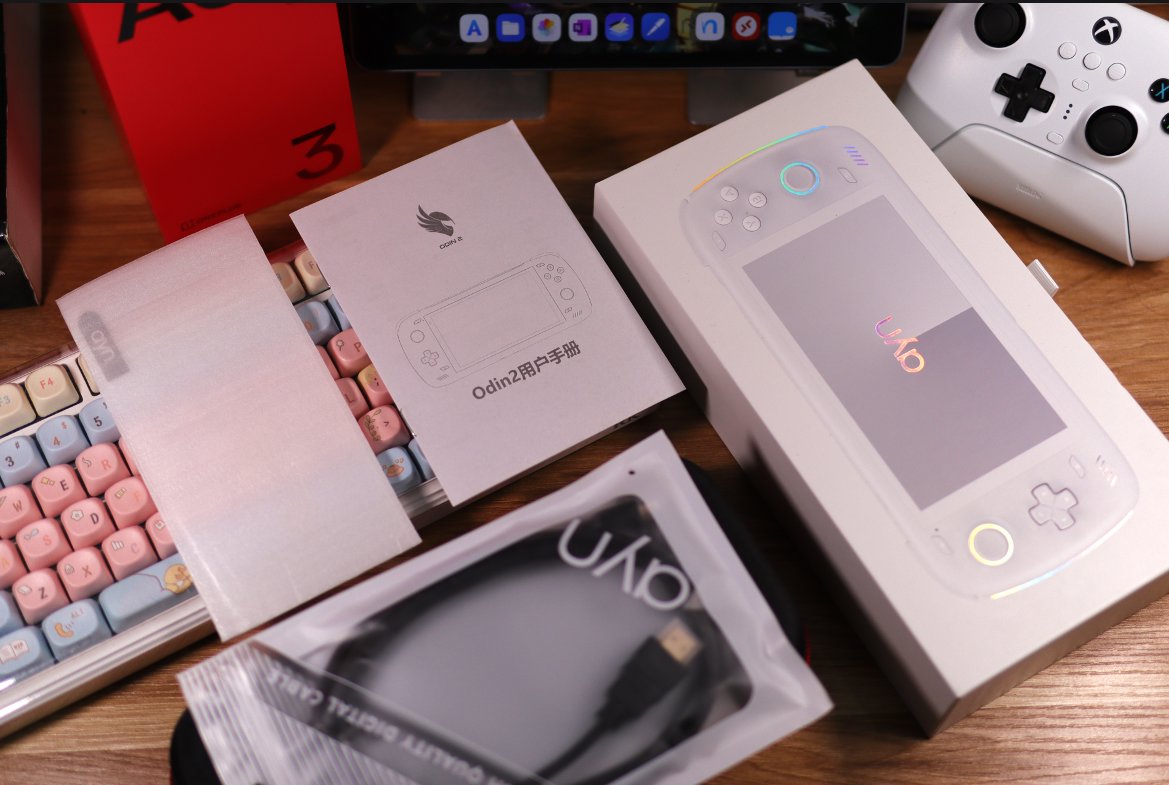
After receiving it, it was a large box containing the main unit's box, protective case, storage box, instruction manual, HDMI cable, tempered glass screen protector, and a bunch of other miscellaneous items~
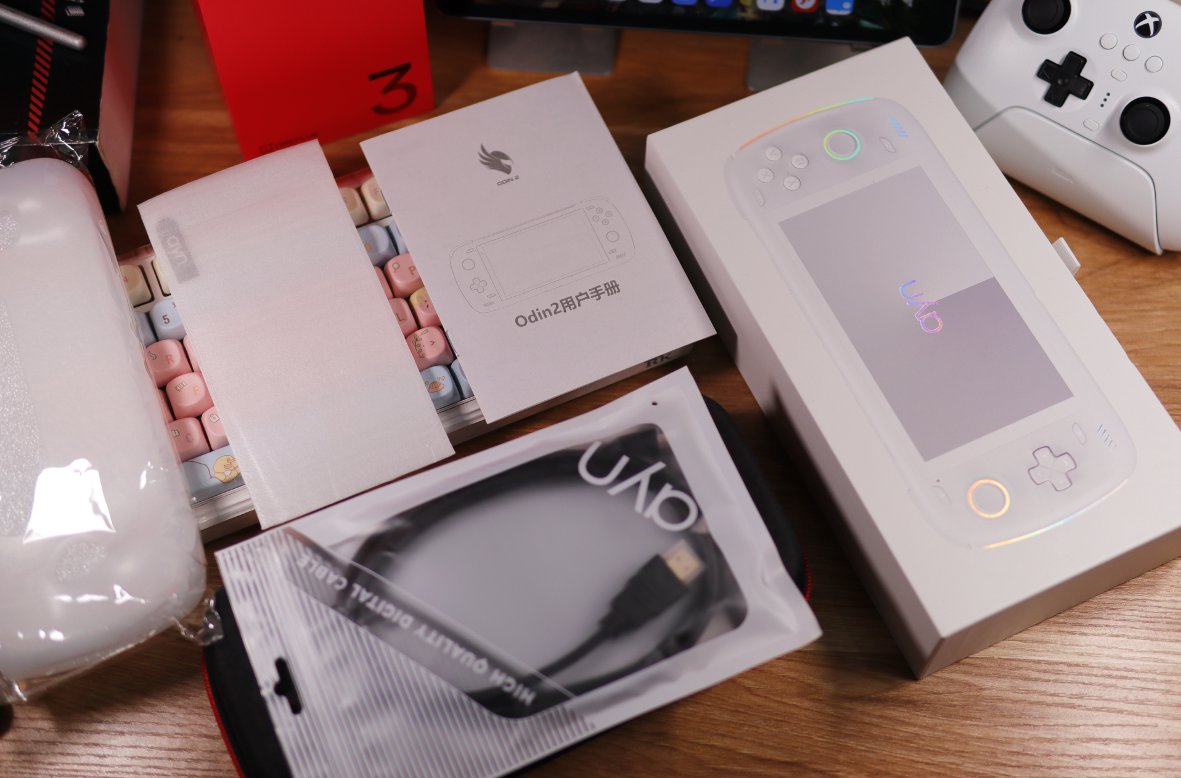
This HDMI cable is a Micro to HDMI type.
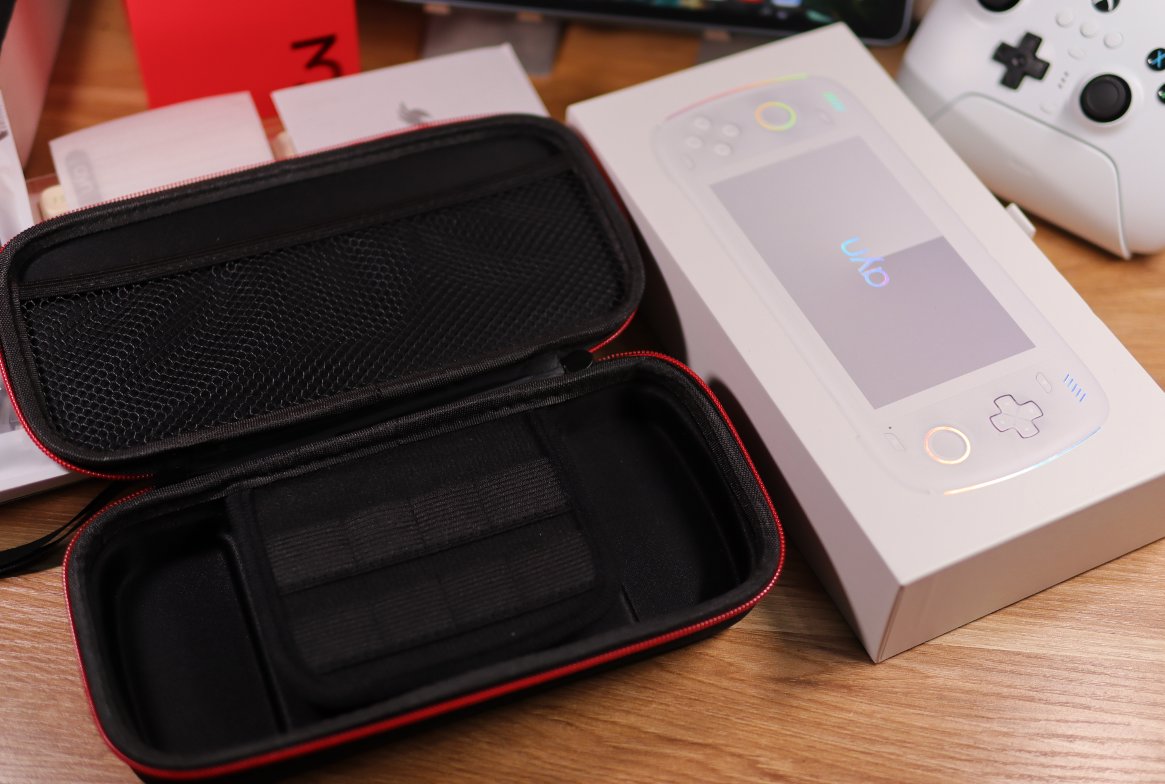
Protective Case
This is a hard-shell protective case, which looks decent at first glance.
However, during actual use later on, I discovered many issues, such as it being too small, difficult to remove, and the zippers not being smooth, etc.
Unboxing
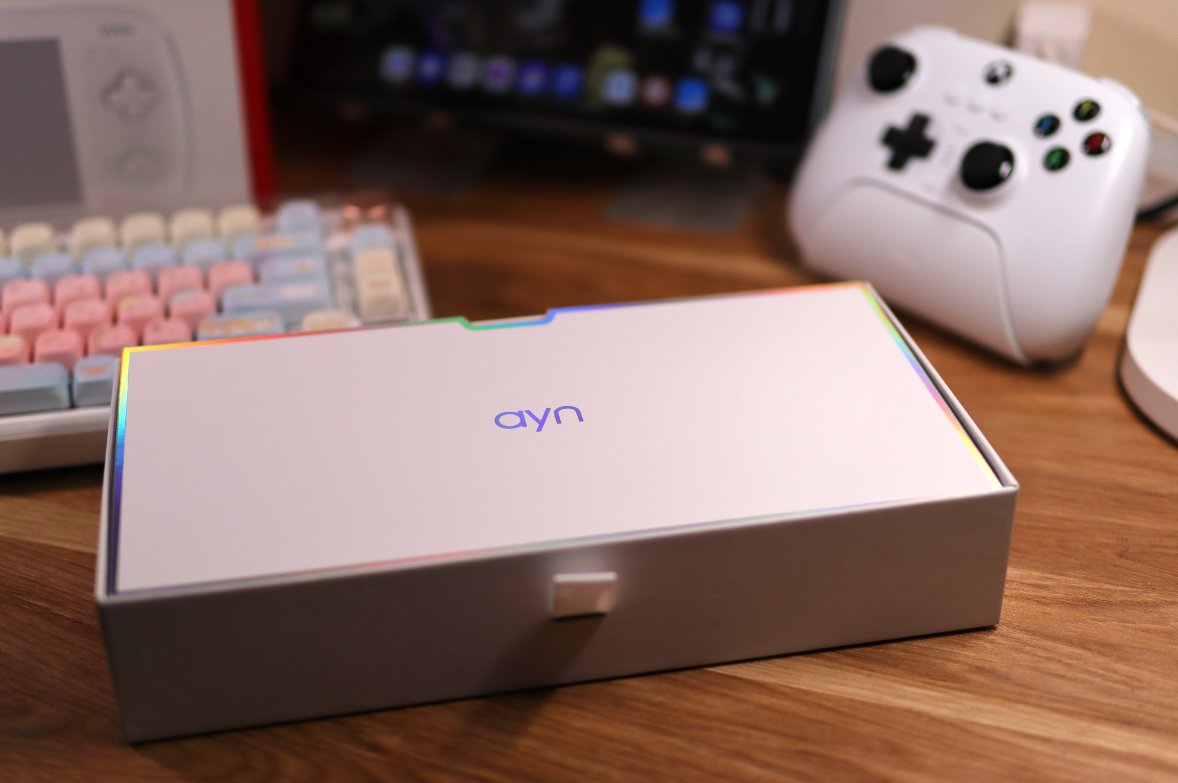
After opening the box, there is a small card.
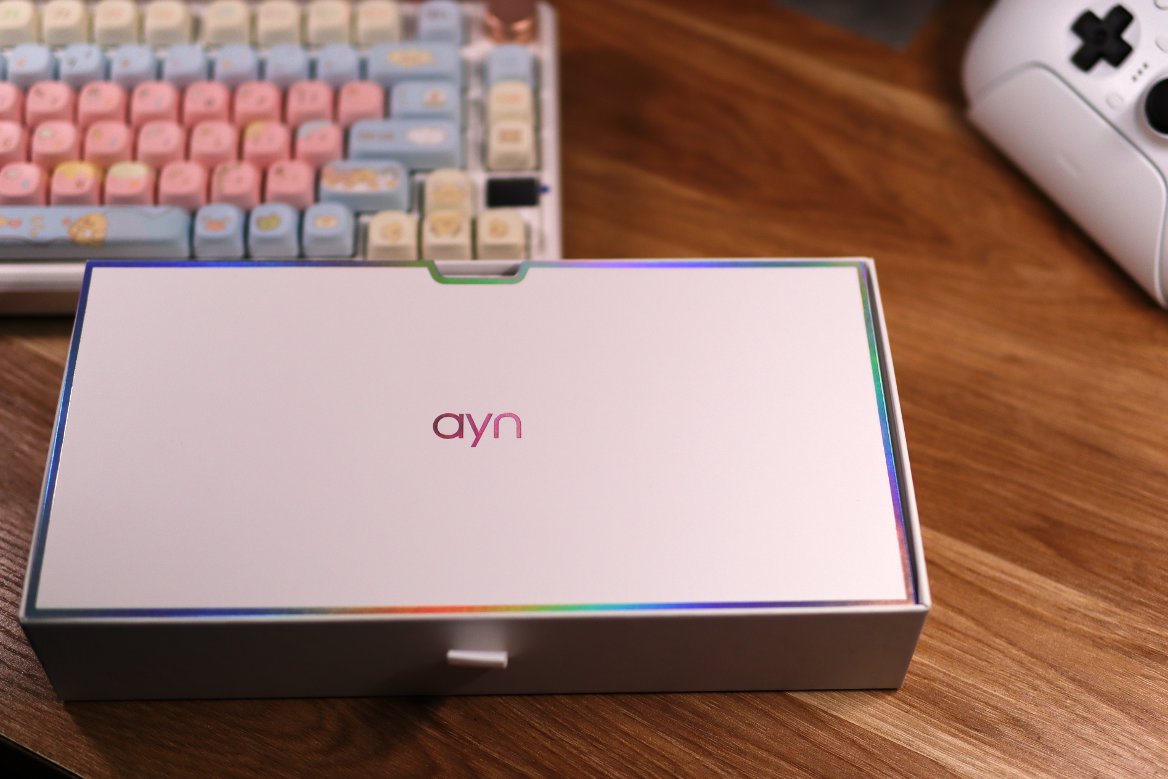
From a different angle
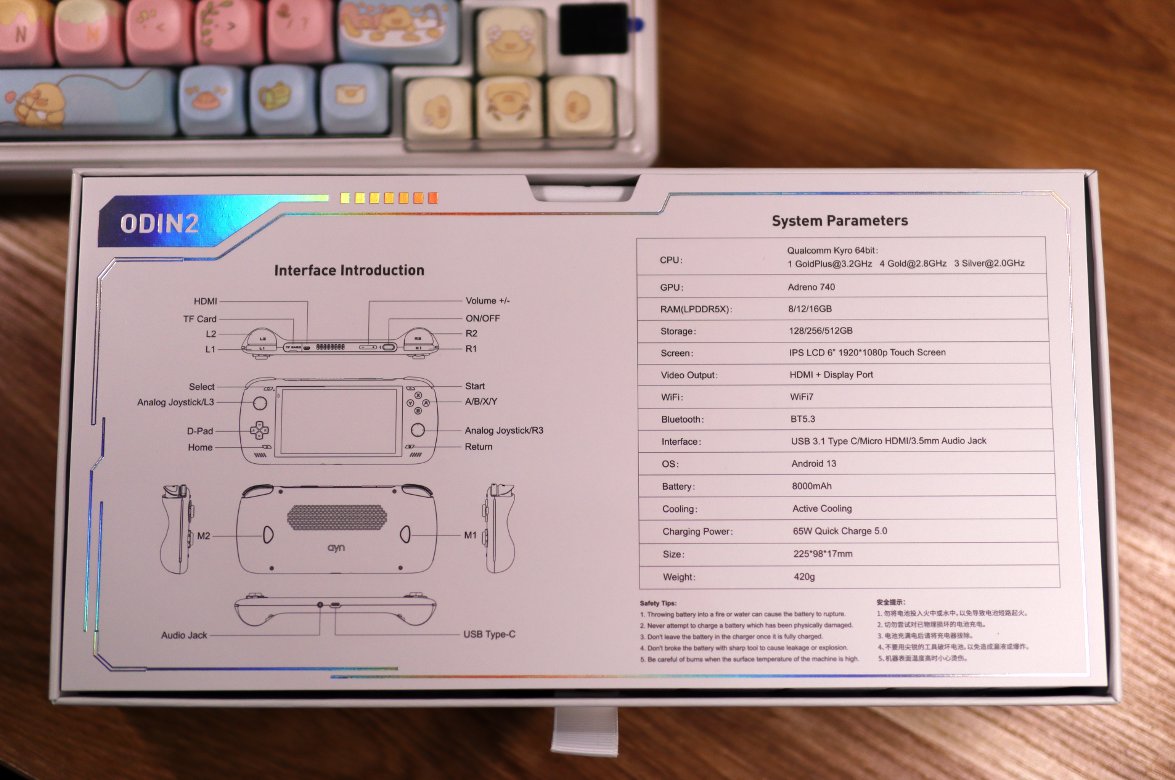
Small Card
The back of the small card has button instructions
Continuing the unboxing
After removing the card, there is a layer of sponge
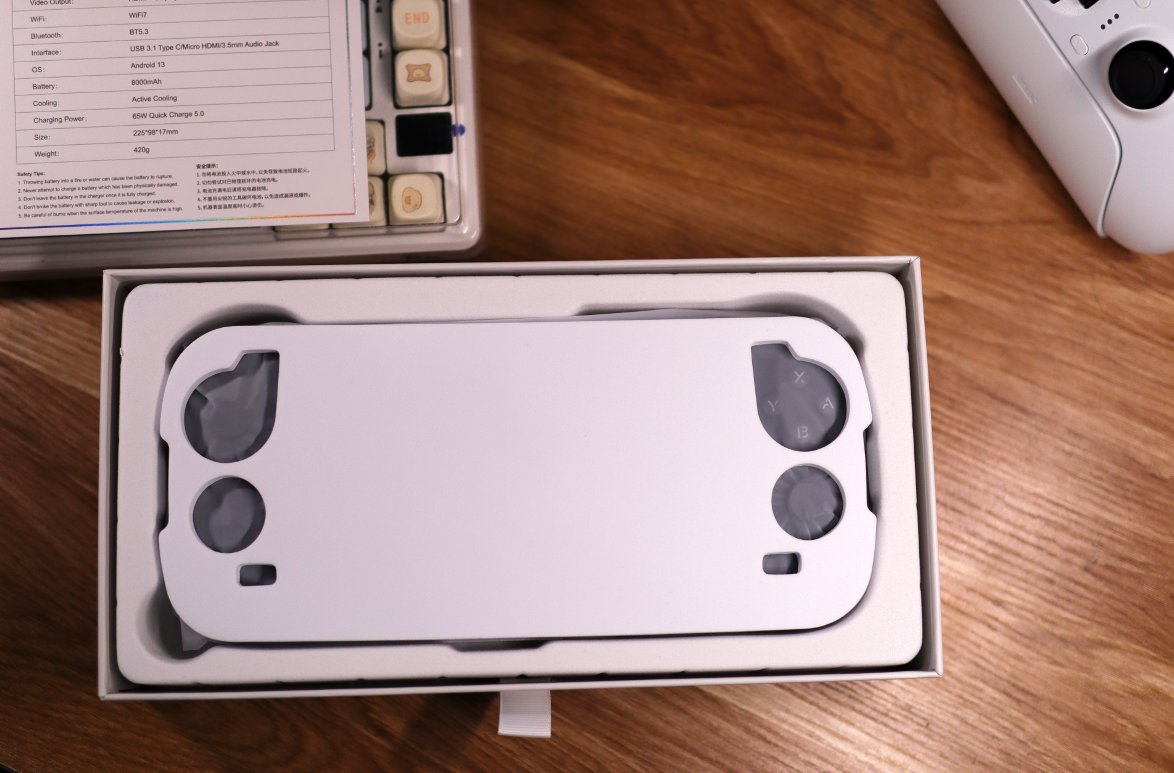
Device
Only after removing the sponge do you see the handheld console itself
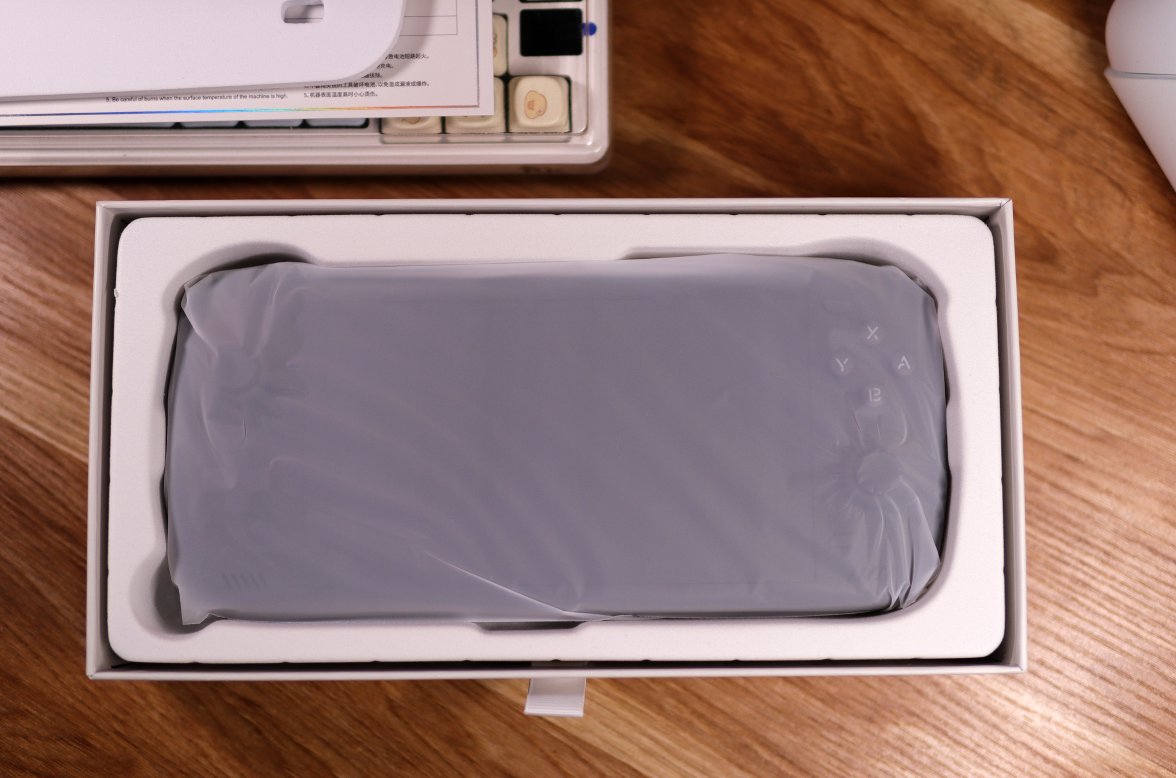
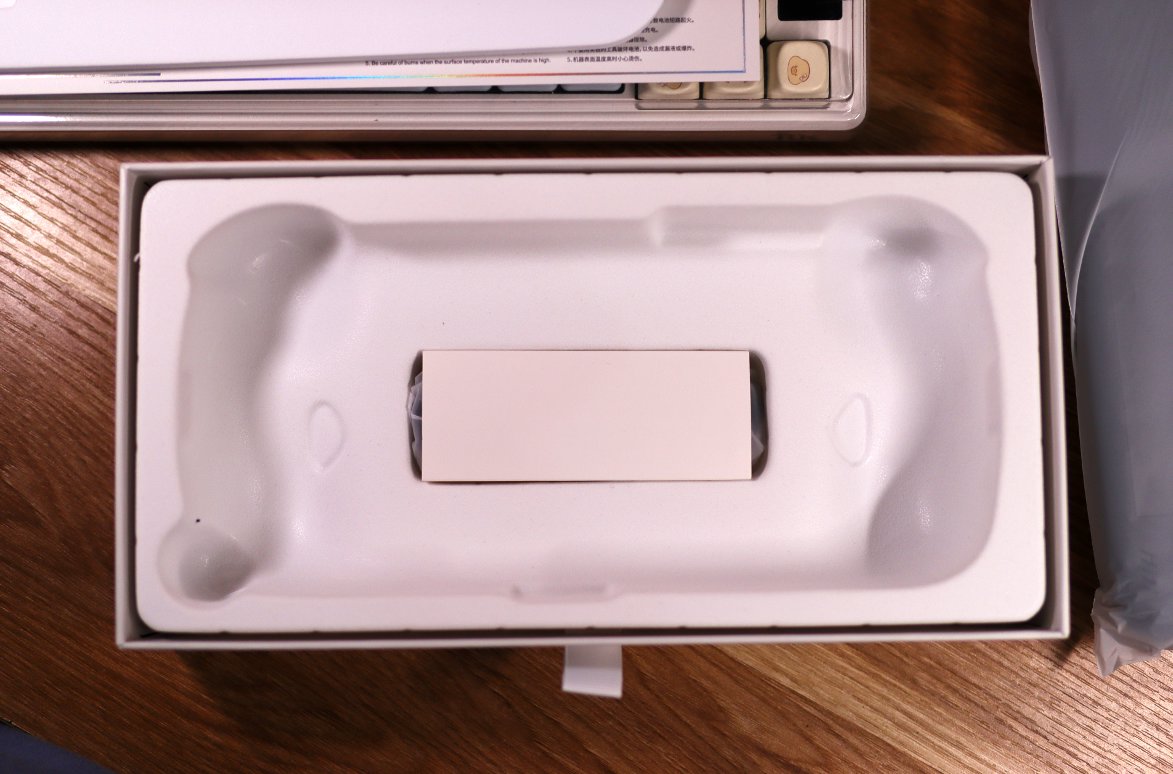
Charging Cable
At the bottom is the charging cable (they didn't even bother to include a charging head).
Main Unit
Finally got the main unit out.
I made sure to wear gloves when unboxing to avoid leaving fingerprints, so that any signs of use on the device wouldn't be affected by my own prints.
So far, there are barely any signs of use, and no fingerprints either. The only odd mark is on the left trigger—I'm not sure if it's from actual use. All other ports (HDMI, headphone jack, Type-C) show no signs of wear.
However, after booting up the system, I noticed the battery was at 95%, which is unusually high for a brand-new device. So, I ended up being a sucker after all... 😭
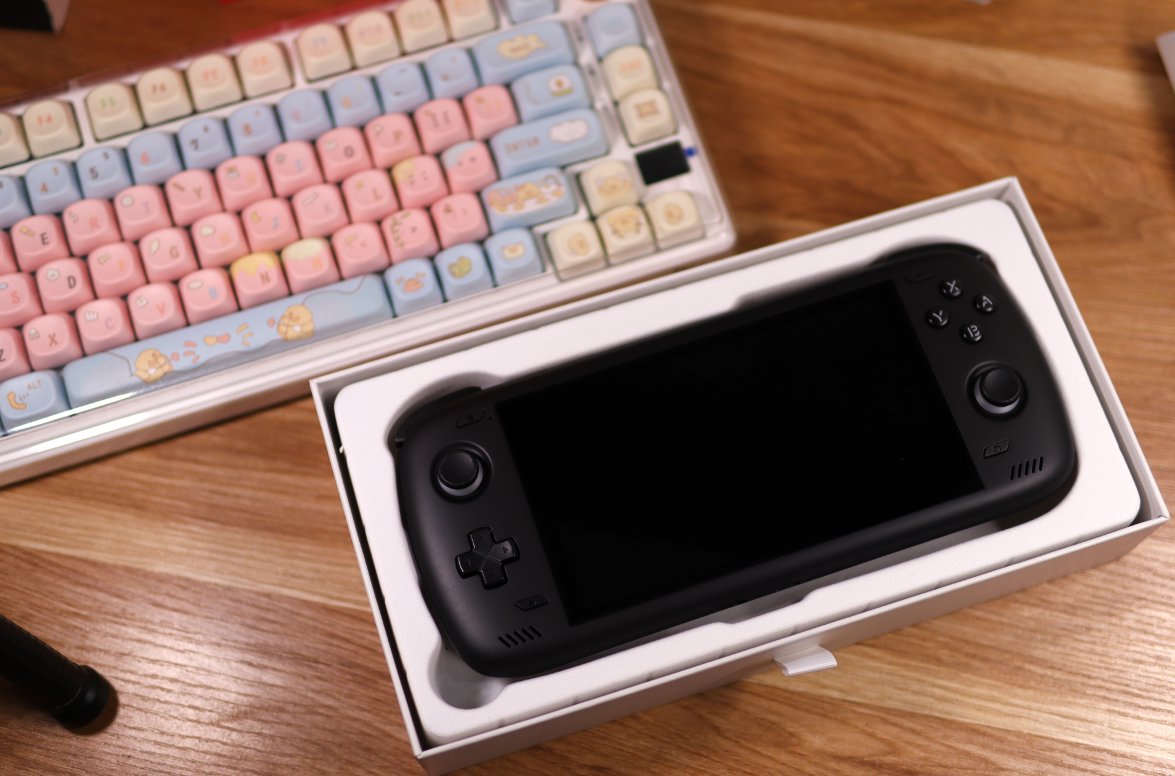
One more picture:
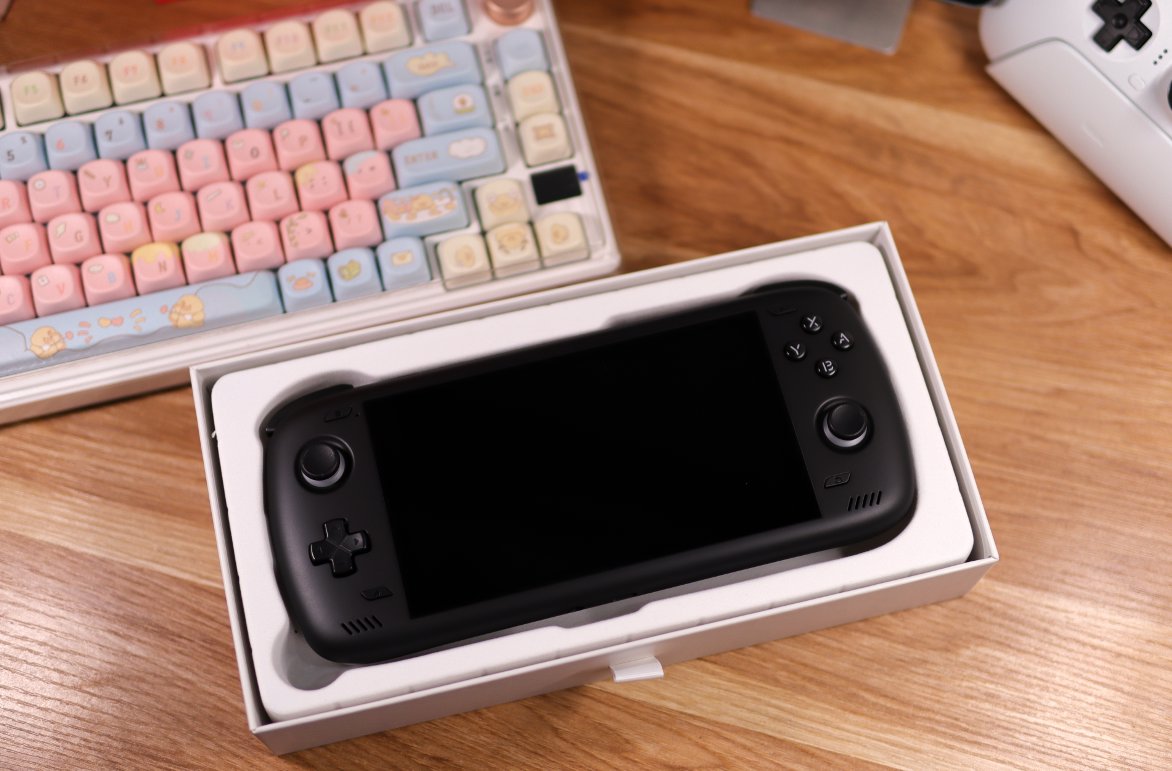
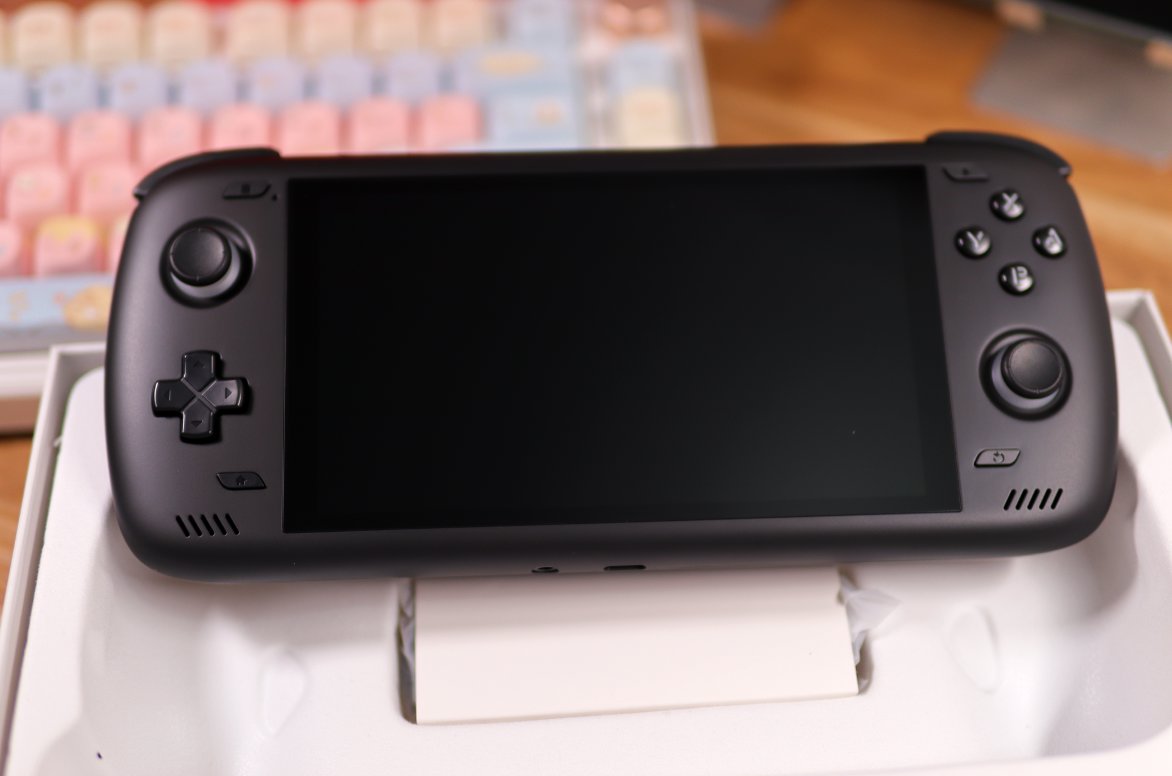
Front View
Looks quite exquisite from this angle.
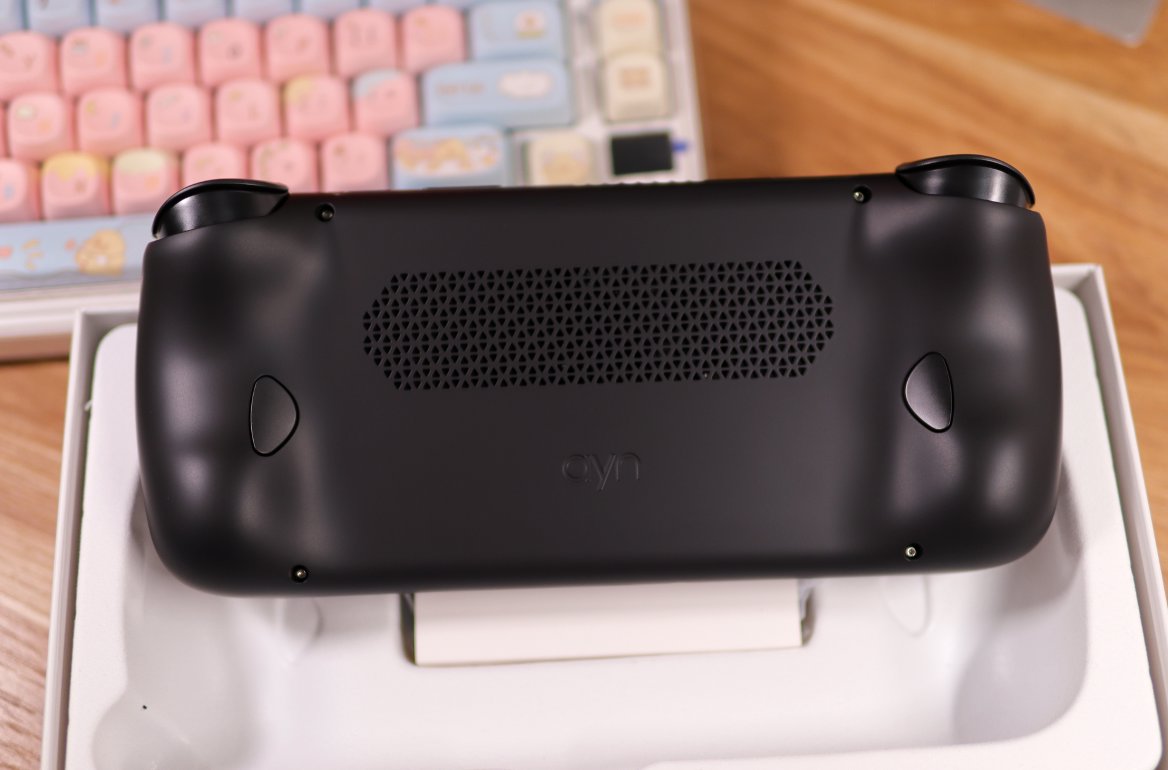
Back
The back has a large air inlet.
Benchmark Scores
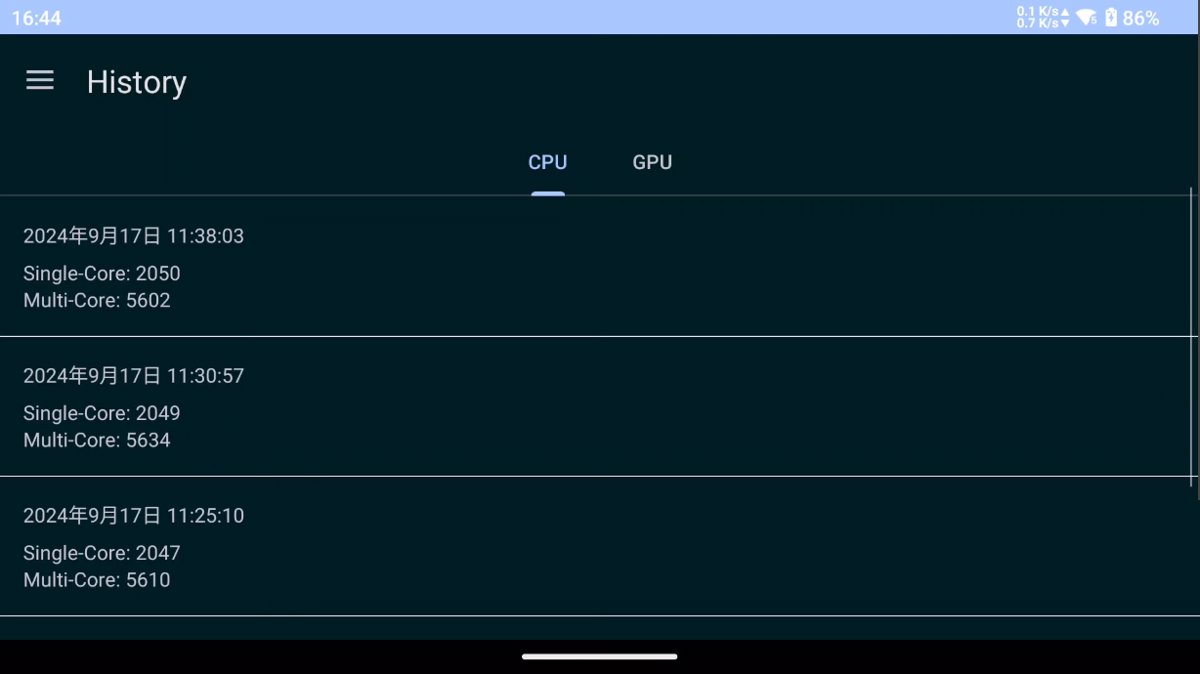
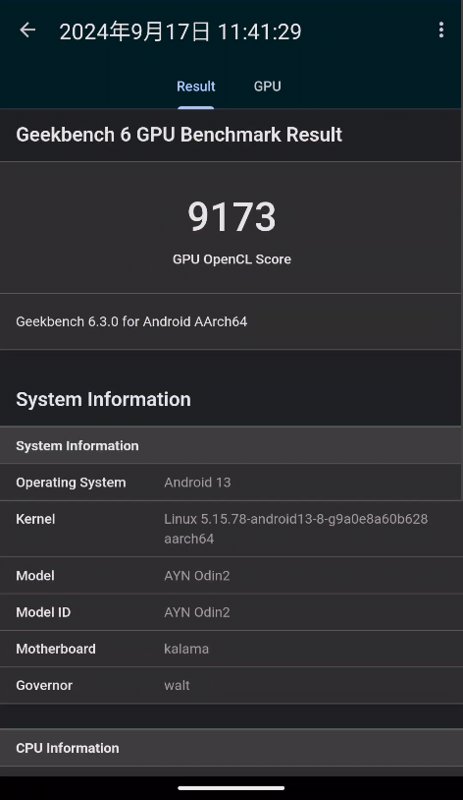
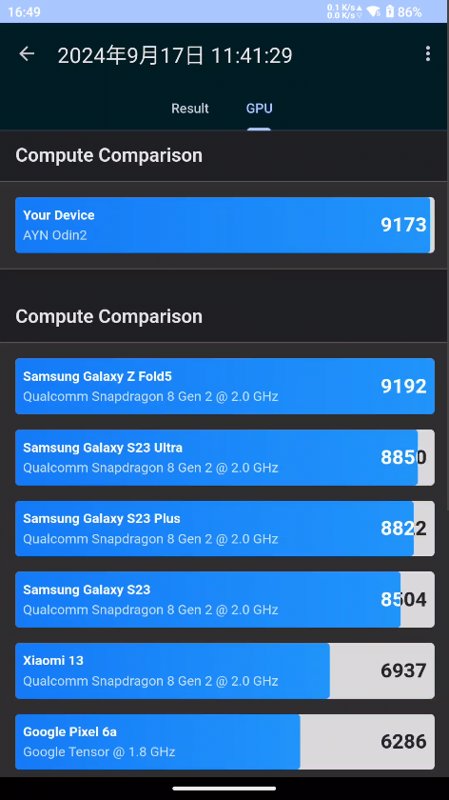
The benchmark scores of this device are much more normal compared to the OnePlus Ace 3 Pro mentioned earlier. Both the single-core and multi-core CPU scores are at the normal level for the 8 Gen 2,and they are also higher than the phone's scores~
Below are the Geekbench 6 CPU benchmark scores,tested under different performance modes (Normal,Performance,High Performance mode),with minimal difference in scores.
Below is a comparison of GPU benchmark scores across different device models.
| Benchmark Results | Comparison |
|---|---|
 |  |
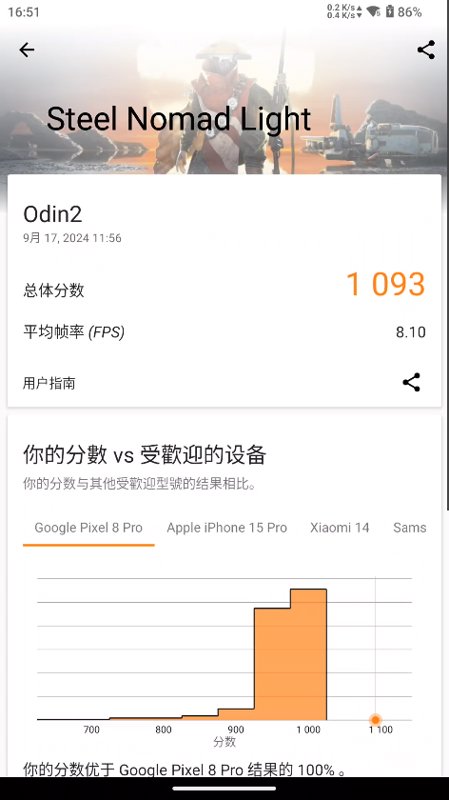
Then there are the 3DMark benchmark scores.
Emulator Integration Pack
The most legitimate use for these "open-source" handheld consoles is to play retro emulators. Although that's not my primary use case, I still installed an integration pack following online tutorials to give it a try.
Currently, there are two well-known integration packs in China. I've tried both and found them quite impressive. A huge thank you to the creators of these packs for their volunteer-driven effort
Tianma G
This is an integration package based on Pegasus. The complete version seems to be over 2TB, which is quite off-putting for many due to its large size. Fortunately, the thoughtful production team also provided a streamlined version, which is only around 200GB. Since I only wanted a quick look, I downloaded the streamlined version.
Pegasus is a cross-platform gaming frontend tool that allows you to customize the interface through configuration files.
Official Introduction: A cross-platform, customizable graphical frontend for launching emulators and managing your game collection.
Official Website: https://pegasus-frontend.org/
I won't list all the specific details about this integration package here. There are many introductions online, and if you're interested, you can check the links below, which also include detailed information.
- Odin 2 Integration Package - https://www.bilibili.com/opus/858080873160900611
- Odin 2 mini Integration Package - https://www.bilibili.com/opus/951423513367937042
The installation of this Tianma integration package is the most convenient. Apart from downloading ROMs and installing various emulators, you just need to place the resource package in the root directory of your storage, launch the Pegasus software, and it will automatically extract everything. It's a completely straightforward process.
Usage Recommendations
I've included download links for both the Odin 2 and Odin 2 mini versions above. According to the production team, both versions should work on the Odin 2. However, I recommend using the Odin 2 version. Although the Pegasus version for the Odin 2 is a bit older, the button layout in the Odin 2 mini version is specifically designed for the mini. Using the mini package on the Odin 2 would require reconfiguring the button settings.
The most commonly used emulator is RetroArch, also known as the all-in-one emulator (全能模拟器). The frontend invokes the emulator by configuring launch parameters, using different emulators for different types of games. RetroArch supports a vast number of platforms—for instance, I know all GameBoy series games run using this emulator. It also supports custom shaders and filters and other flashy features, though I haven't really explored those much...
As for the button layout, the default is the Nintendo layout, which I believe is the same as the Switch layout? For someone like me who is used to Xbox controllers, it was a bit awkward at first, so I changed it initially. This requires adjustments in both Pegasus and each individual emulator. However, after tinkering with it a few times, I got lazy and left it as is. Regarding filters and shaders, there are a bunch included, but since I'm using the integration package, I decided not to fuss with them and just play with the default settings.
Large Water Cup
Large Water Cup (Dà Shuǐ Bēi) is the name of an uploader on Bilibili. Compared to Tianma, this integration pack is smaller in size, only about 480GB in total.
However, there seems to have been some minor incident with Large Water Cup's integration pack. Later, the videos on Bilibili were all deleted, so it's not easy to find download links now.
After that, Large Water Cup switched the frontend to ES-DE. Before using the Large Water Cup integration pack, I had also used this frontend, and I felt it was slightly more fun than Pegasus? It comes with a built-in theme store and scraper, offering more features and easier customization. To change themes in Pegasus, you need to download them from the official website and extract them to a designated directory.
Installing Large Water Cup is a bit more troublesome. You need to place a bunch of resource compressed files in the root directory and then use the root user to execute the installation script (the bash script essentially restores the data for each emulator).
Tianma vs. Large Water Cup
I ultimately went back to using Tianma for these two.
Although the ES-DE frontend of the Large Water Cup is more playable, these kinds of integration packs ultimately depend on how well the resources are organized. Tianma has an introduction and video for each game, which feels very polished, so I ultimately chose Tianma.
In addition, many people worry about issues like startup speed, but the difference is actually quite negligible. If you want faster startup speed, you should store the ROMs in internal storage. The reading speed of a storage card is certainly no match for internal storage.
Extensions
There are also other game frontends, most of which are open source. I even saw paid ones on the Play Store... I gave it a brief try and then stopped tinkering, after all, simulators aren't something I've played much with.
Although the Tianma integration package uses the Pegasus frontend, it can also use the ES-DE frontend. Someone online researched and provided a conversion method, but the Python script was too messy, so I refactored it for easier use.
import os
import shutil
from pathlib import Path
from loguru import logger
from tqdm import tqdm
Modify the name of the copied game folder to the name in DS-DE
def dir_name_migrate(ds_de_res_path: str, fake_mode=True): work_dir = os.path.join(ds_de_res_path, 'downloaded_media') total_dirs = len(os.listdir(work_dir))
logger.info(f'Renaming folders to lowercase, {total_dirs} folders to be processed')

with tqdm(total=total_dirs, ncols=100, desc='Renaming folders to lowercase', unit='dir') as pbar:
    for dir_name in os.listdir(work_dir):
        dir_path = os.path.join(work_dir, dir_name)
        new_dir_path = os.path.join(work_dir, dir_name.lower())
        if os.path.isdir(dir_path) and not fake_mode and dir_path != new_dir_path:
            os.rename(dir_path, new_dir_path)

        pbar.update(1)

dir_name_map = {
    'fba': 'fbneo',
    'fc': 'nes',
    'joiplay': 'flash',
    'md': 'megadrive',
    'pce': 'pcengine',
    'philips': 'cdimono1',
    'pkmini': 'pokemini',
    'psv': 'psvita',
    'sega-32x': 'sega32x',
    'tic-80': 'tic80',
    'vb': 'virtualboy',
    'wsc': 'wonderswancolor',
    'zx': 'zxspectrum',
    '3ds': 'n3ds',
    'dc': 'dreamcast',
    'ngc': 'gc',
    'ps': 'psx',
    'ss': 'saturn',
}

for dir_name in os.listdir(work_dir):
    if fake_mode:
        dir_name = dir_name.lower()

    if dir_name in dir_name_map:
        dir_path = os.path.join(work_dir, dir_name)
        logger.info(f'Renaming {dir_path} to {dir_name_map[dir_name]}')

        if not fake_mode:
            os.rename(dir_path, os.path.join(work_dir, dir_name_map[dir_name]))
Copy Pegasus G Image and Video Resources to DS-DE File Structure
def copy_pegasus_g_media(pegasus_g_roms_path: str, ds_de_res_path: str, fake_mode=True): # Count total number of files for the progress bar total_files = 0
logger.info(f'正在扫描: {pegasus_g_roms_path}')

for platform in os.listdir(pegasus_g_roms_path):
    platformMedia_path = os.path.join(pegasus_g_roms_path, platform, 'media')
    if not os.path.isdir(platform_media_path):
        continue
    for game in os.listdir(platform_media_path):
        for _ in os.listdir(os.path.join(pegasus_g_roms_path, platform, 'media', game)):
            total_files += 1

logger.info(f'找到资源文件数量:{total_files},开始处理资源')

# Create a tqdm progress bar
with tqdm(total=total_files, ncols=100, desc="转换天马G资源为ES-DS资源", unit="file") as pbar:
    for platform in os.listdir(pegasus_g_roms_path):
        platform_media_path = os.path.join(pegasus_g_roms_path, platform, 'media')
        if not os.path.isdir(platform_media_path):
            continue
        for game in os.listdir(platform_media_path):
            for media_file in os.listdir(os.path.join(pegasus_g_roms_path, platform, 'media', game)):
                media_path_obj = Path(media_file)
                media_path = os.path.join(pegasus_g_roms_path, platform, 'media', game, media_file)
                target_path = None
                if media_path_obj.stem.lower() == 'boxfront':
                    target_path = os.path.join(
                        ds_de_res_path, 'downloaded_media', platform, 'covers',
                        f'{game}{media_path_obj.suffix}'
                    )
                elif media_path_obj.stem.lower() == 'logo':
                    target_path = os.path.join(
                        ds_de_res_path, 'downloaded_media', platform, 'marquees',
                        f'{game}{media_path_obj.suffix}'
                    )
                elif media_path_obj.stem.lower() == 'video':
                    target_path = os.path.join(
                        ds_de_res_path, 'downloaded_media', platform, 'videos',
                        f'{game}{media_path_obj.suffix}'
                    )

                if target_path and not fake_mode:
                    os.makedirs(os.path.dirname(target_path), exist_ok=True)
                    shutil.copy(media_path, target_path)

                pbar.update(1)
Example usage
if name == "main": pg_path = r'E:\Roms' ds_path = r'E:\Roms-output' copy_pegasus_g_media(pg_path, ds_path) dir_name_migrate(ds_path, fake_mode=False)
After converting to the ES-DE frontend, it can coexist with the Pegasus frontend without any conflicts.

Detailed usage instructions can be easily found by searching on communities like Bilibili (B 站), which is not highly relevant to the main topic of this article, so I won't elaborate further here~
## Streaming

One major use for handheld devices is streaming. The Odin 2 has a large 8000mAh battery, which is also excellent for streaming.

I'm currently using two solutions:

- Parsec
- Moonlight+Sunshine

Parsec was originally free and easy to use. Unfortunately, it's now blocked and requires a VPN to access, which is a bit troublesome. It seems that NetEase released a similar tool around the same time that's also ready to use out of the box. I'm not sure if it will charge fees later, but you can give it a try for now.

Then there's the Moonlight+Sunshine solution. Moonlight is the client, and Sunshine needs to be installed on the computer you want to control. This method is more cumbersome, and the official client is very user-unfriendly! I use the axixi fork version, which feels much better, but it still requires a virtual display driver or an HDMI dummy plug. It's truly not as straightforward as Parsec's plug-and-play experience...
## System

The Odin 2’s system is stock Android. To put it positively, the system is clean and ad-free; to put it negatively, it’s like an unfinished, bare-bones apartment.

However, it comes with root access and a high degree of freedom, which is something you can't enjoy with the customized ROMs on various domestic phones you can buy nowadays.

I haven’t done much research into tinkering with the Android system—it’s quite time-consuming. I’ll look into it when I have more time later~ For now, it’s good enough to get by.
## Summary

With the 8gen4 (i.e., e lite) already released, the 8gen2's performance indeed seems a bit lacking. However, when paired with an LCD screen, good heat dissipation, and system customizability, there's still no real substitute for a high-performance Android handheld device at the moment.

Unfortunately, the trend for Android handhelds seems to be moving toward OLED screens. Could the 8gen2 be the last bastion for LCD enthusiasts? 😂
_EOF_
LCD enthusiasts check this out! Android + Qualcomm flagship chip, Odin 2 unboxing
- 本文作者:
- 程序设计实验室
- 版权声明:
- 本博客所有文章除特别声明外,均采用 BY-NC-SA 许可协议。转载请注明出处!
相关文章
谁能拒绝一台能装进口袋的电脑?GPD Win Mini 开箱体验
啧,又是个满足童年幻想的玩具。GPD Win Mini确实能塞进口袋,但性能释放也就那样,烤机时风扇吵得让人皱眉。接口倒是意外地齐全,不过这种小玩意也就图个新鲜,真当生产力工具?想多了。
2025-10-28 · 掌机 · 约 1 分钟
抖音头条为什么这么火?揭秘推荐系统原理之协同过滤算法
上一篇文章简单介绍了推荐系统的基本原理和分类,本文着重介绍协同过滤的原理与实现~ 协同过滤 协同过滤(collaborative filtering)通过利用某兴趣相投、拥有共同经验之群体的喜好来推荐用户感兴趣的信息。 协同过滤算法最大限度的利用用户之间,或物品之间的相似相关性,而后基于这些信息的基础上实行推荐。比如说,你和你的某个好友都喜欢听音乐,而你们所喜欢的曲风都差不多,你的好友对于某一首歌
2021-12-18 · 推荐系统 · 约 1 分钟
Asp-Net-Core开发笔记:使用原生的接口限流功能
试用了一下,感觉还是太折腾,用回原来的 AspNetCoreRateLimit 组件得了
2024-05-22 · Asp-Net-Core开发笔记 · 约 1 分钟
别致的小东西,酷态科10号Ultra充电头
Anker 140W 嫌贵,最后 172 买了酷态科 10 号。四个口、接米家、能看功率曲线——就是 20W 都烫得能煎蛋,官方赶紧把散热改改行不行。
2026-07-28 · 其他 · 约 1 分钟
讨论
共 0 条加载评论中…