

Fixing VSCode's Word Wrap Issue
VSCode's Markdown word wrap looks simple, but it plays dead the moment Chinese fonts take the stage. The root cause is that the `simple` strategy miscalculates. Switch to `advanced`, pair it with `wordWrap: on`, and you finally don't have to drag the horizontal scrollbar to admire long sentences.
目录4 个章节
Introduction
After entering the AI programming era, my primary IDE has already switched to VSCode. Especially recently, with all development environments moved to remote development, I rely even more on VSCode's features.
In VSCode I often run into markdown editing, but by default, even with automatic wrapping enabled, VSCode's markdown still only wraps a few columns past the editor's bounds.
I spent quite a while investigating, with ChatGPT helping to troubleshoot, and finally solved it.
This post is a brief record of that.
Conclusion
I'll start with the conclusion.
VS Code has a known wrapping issue: the default editor.wrappingStrategy is simple, which may miscalculate for Chinese/CJK, non-standard character widths, and some monospaced Chinese fonts.
The corresponding issue: Incorrect wrap position in simple mode with monospaced Chinese fonts
The fix is to switch editor.wrappingStrategy to advanced
Here's the full configuration; just add this snippet to your user settings json.
"[markdown]": {
    "diffEditor.ignoreTrimWhitespace": true,
    "editor.scrollBeyondLastColumn": 0, // 允许编辑器在最后一列之外,再额外横向滚动 N 列。
    "editor.minimap.enabled": false,
    "editor.wrappingStrategy": "advanced", // 默认的 editor.wrappingStrategy 是 simple,对 中文/CJK、非标准字符宽度、某些等宽中文字体 可能计算不准。VS Code 甚至有一个几乎完全对应的 issue:“monospaced Chinese fonts 下 simple 模式自动换行位置错误”,切换到 advanced 后换行位置正常
    "editor.wordWrap": "on", // 一直开启换行
},
I also turned off the minimap here to avoid covering the text on the right.
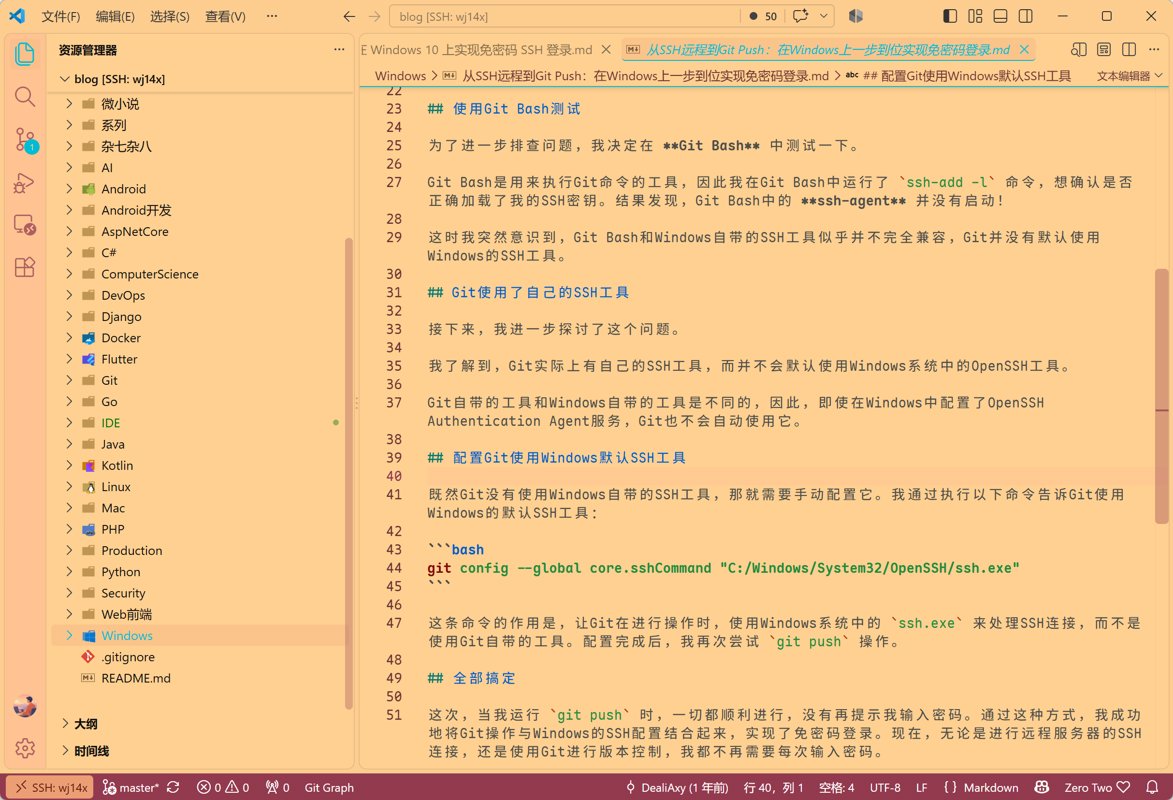
Screenshot of the result:
The Trial-and-Error Process
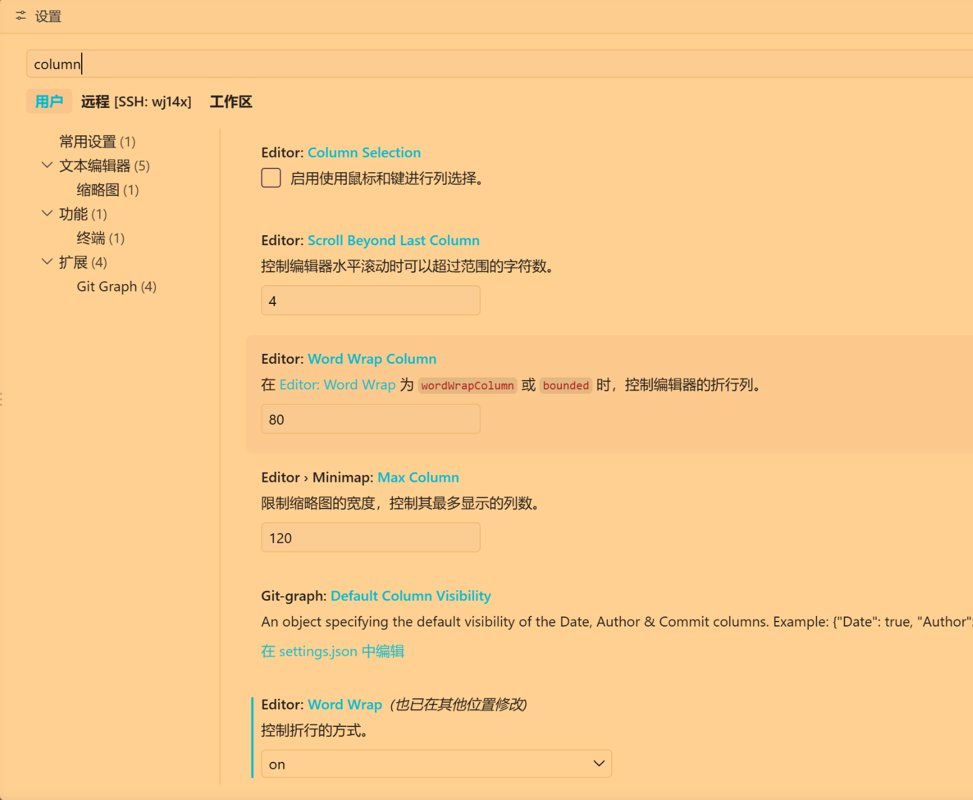
At first I enabled word wrap in the settings UI and set word wrap column,
but markdown lines were still too long, and I often had to drag the horizontal scrollbar, which really hurt the experience.
The configuration I tried at that point was:
"[markdown]": {
  "editor.wordWrap": "bounded",
  "editor.wordWrapColumn": 80,
  "editor.wrappingIndent": "same"
}
Using bounded instead of on, the logic is:
- Editor window narrower than 80 columns → wrap automatically to the window width
- Editor window is very wide → wrap at 80 columns at most
- So Markdown won't have "a sentence spanning the entire 4K screen"
- Normal text basically no longer needs horizontal scrolling
But it still didn't work; 80 columns was still too large, and only changing it to 70 had some effect.
And because of issues with how Chinese fonts are measured, the actual wrap position didn't match the editor width.
And this wasn't the effect I wanted either. I wanted wrapping to follow the editor width when I shrink it, not a fixed value.
This only takes effect when you set "editor.wordWrap": "on".
After all that fiddling it still didn't work. With the help of grandpa LLM, I finally found that GitHub issue mentioned earlier and solved it 😂
Appendix: VSCode Settings Override Priority
VSCode has four layers of configuration
| Setting | Scope | Typical use |
|---|---|---|
| Default Settings | Built-in defaults of VS Code / extensions | For viewing only, usually not modified |
| User Settings | VS Code global configuration | Font, theme, editing habits, etc. |
Remote Settings SSH: hostname | Only takes effect when connected to this remote machine | Linux shell, remote toolchain, special editor settings |
| Workspace Settings | Current project | Project-specific formatter, lint, language configuration, etc. |
Priority from high to low is: Workspace > Remote > User > Default
_EOF_
Fixing VSCode's Word Wrap Issue
- 本文作者:
- 程序设计实验室
- 版权声明:
- 本博客所有文章除特别声明外,均采用 BY-NC-SA 许可协议。转载请注明出处!
相关文章
修改Cursor侧边栏位置,改成和VSCode一样的风格
Cursor把侧边栏图标放顶部?既不能快速折叠,插件图标还塞不下,纯属为差异化而差异化。改回VSCode熟悉的竖排侧边栏,配置文件加一行的事,原作者至于在那儿批判半天吗?
2026-09-28 · IDE · 约 1 分钟
浅谈次世代代码编辑器 Zed:Rust 原生性能、GPU 渲染
Zed?一群老司机在 Atom 失败后,用 Rust 重新造轮子?性能确实骚,GPU 渲染的丝滑感 VSCode 始终没学会。协作功能也挺有意思,但插件生态暂时还够看?
2026-03-25 · IDE · 约 1 分钟
Zed AI 白嫖免费模型,搭配 DeepSeek v4,玩转 Agent 编程技巧
Zed AI功能够用但不算顶尖,自由度高轻量灵活,比主流工具舒服些。配置ACP协议和外部agent效果还行,但稳定性一般。白嫖DeepSeek、智谱等模型免费额度可行,但配置稍繁琐,Zed Agent虽开放但插件生态不足,Git Graph这类常用插件缺失令人头疼。
2026-04-28 · IDE · 约 1 分钟
从 WebStorm 转到 VSCode!使用一周体验报告
JetBrains 开源门槛提高?被迫转 VSCode,体验槽点满满:路径识别弱,自动引入加错后缀,标签不自动关闭,控制面板还无法折叠。轻量响应快,但细节反人类,免费还要啥自行车?
2024-01-28 · IDE · 约 1 分钟
讨论
共 0 条加载评论中…