Hanvon Clear Unboxing and User Experience
Almost forgot about the 7.8-inch open system category, and Hanvon is also a long-established and capable manufacturer. Coupled with the good reviews of the Hanvon Clear and its reasonable price, I ended up getting one as well.
目录17 个章节
Preface
I almost forgot about the 7.8-inch open system device. Hanvon is also an established and capable manufacturer. Coupled with the good reputation of the Hanvon Clear and its reasonable price, I decided to purchase one as well.
PS:The unit I purchased is the so-called "high-end version" with 4+64GB of storage, although I didn't notice it being particularly smooth. (The chip's performance can't keep up.)
Unboxing
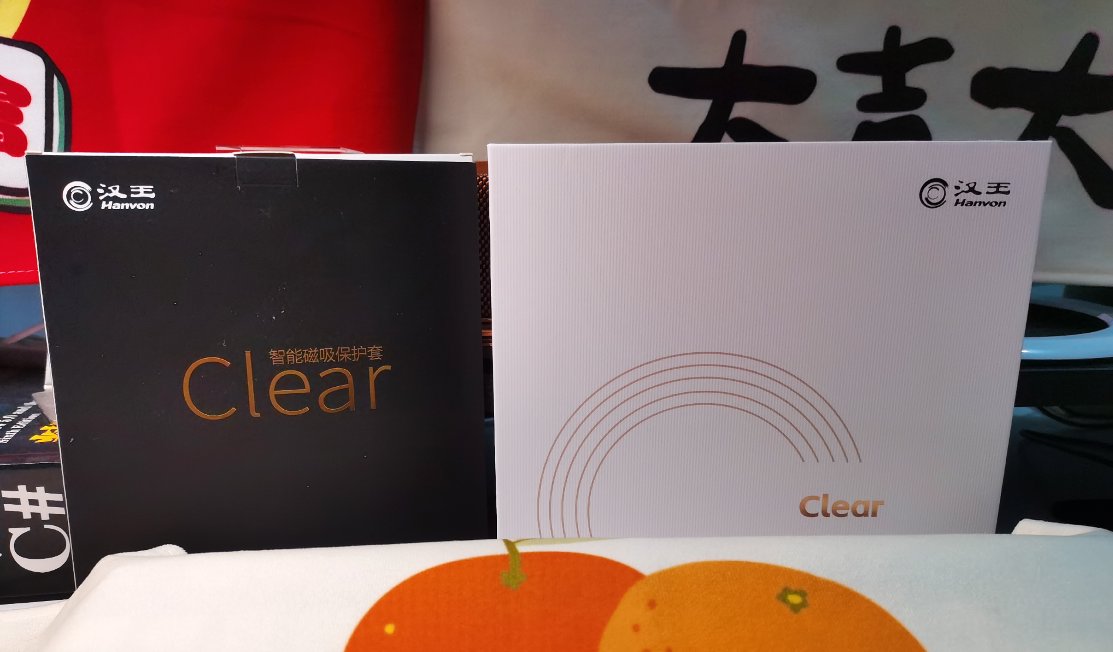
The packaging design of Hanvon is also quite nice.
The black one on the left is the stand protective case (tested and found the texture of this case is quite ordinary; not recommended for purchase).
The white box on the right is the main packaging of the Hanvon Clear.
Opening the packaging!
This packaging is pretty good, better than the simple paper-cover type like Moan's.
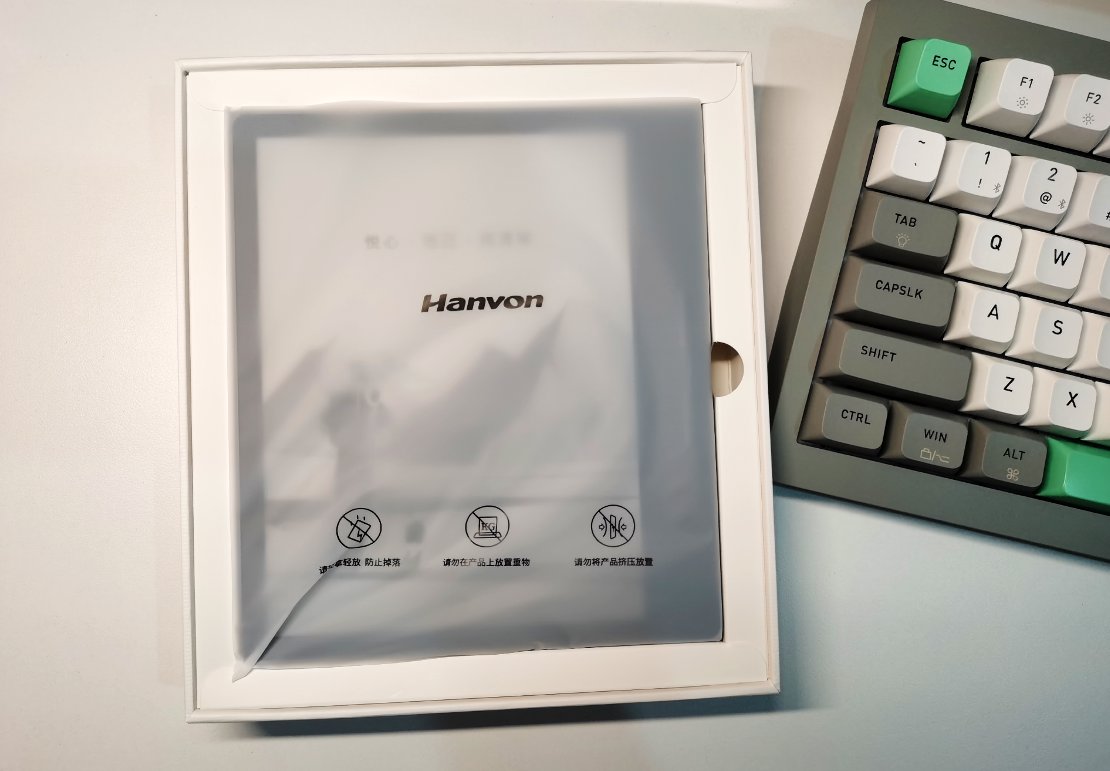
The e-reader itself.
You can see there are three buttons on the right side, which are "Previous Page", "Back", and "Next Page". The button functions can be customized in the settings.
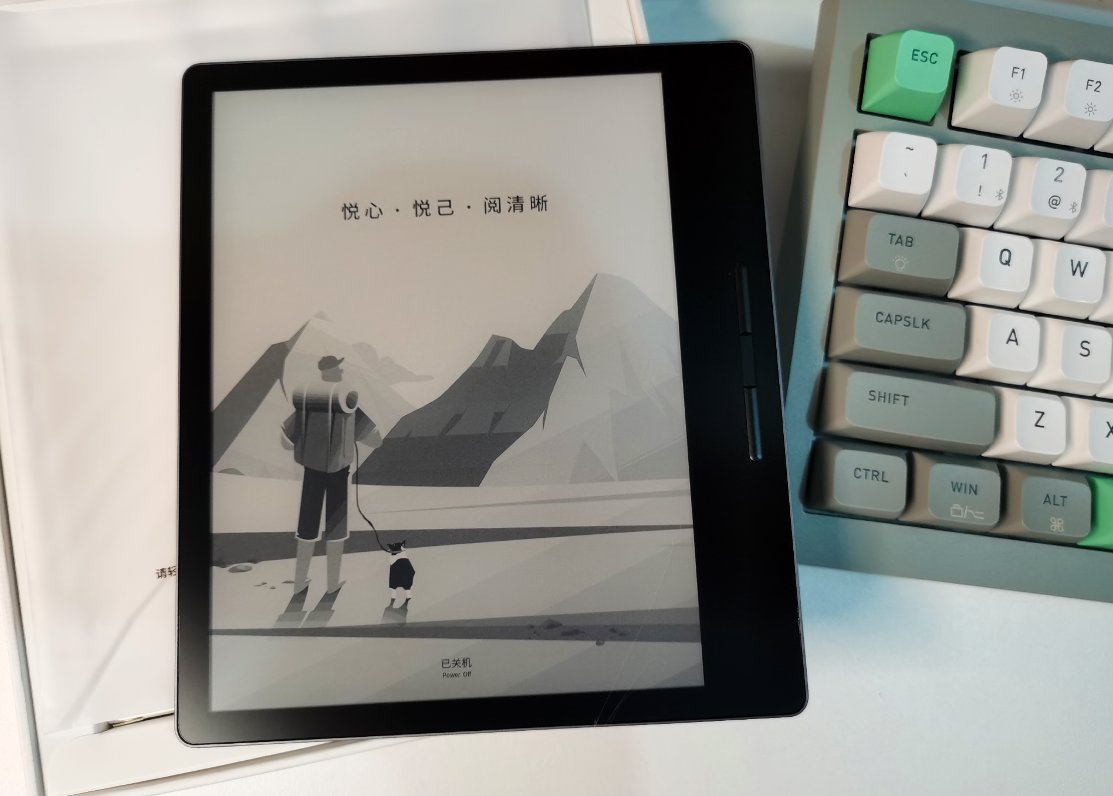
Power On
The power button is on the top, along with the microphone and charging indicator light. The design is great, thumbs up👍
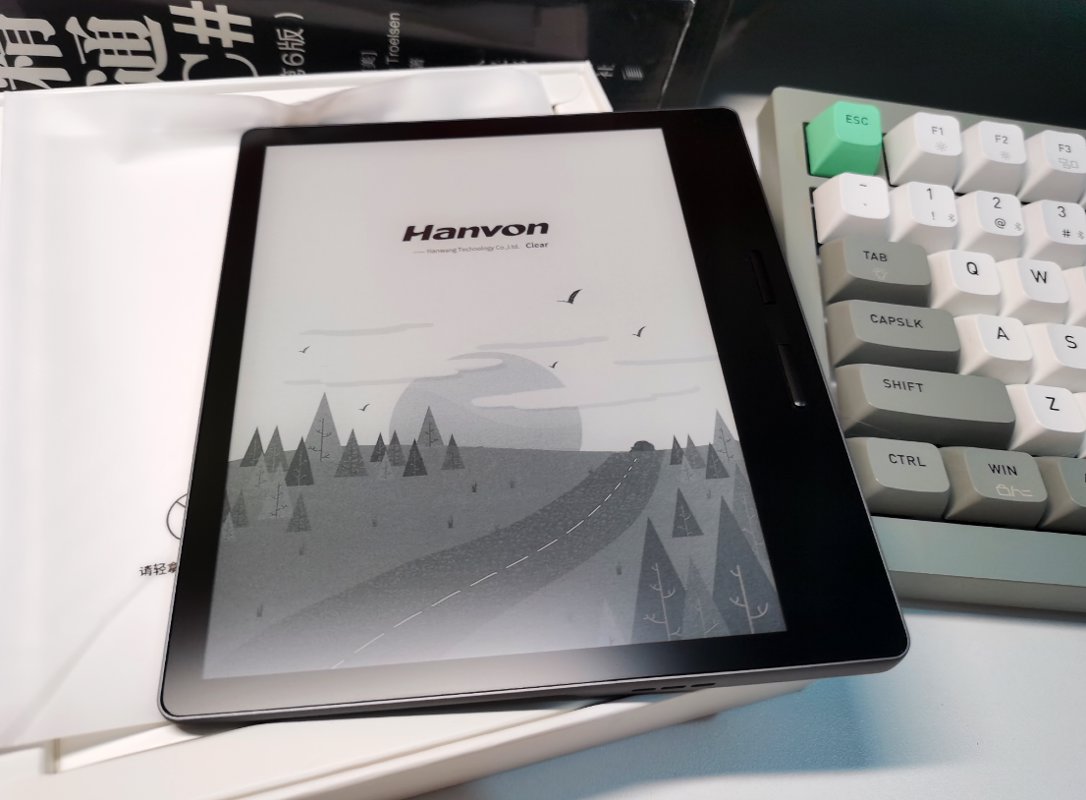
Entering the System
Without any warning, I was directly taken into the system.
It was a bit sudden—normally, electronic devices like this go through an initialization process on the first boot. (Could it be that I got scammed by JD again with a second-hand product?)
Main Interface
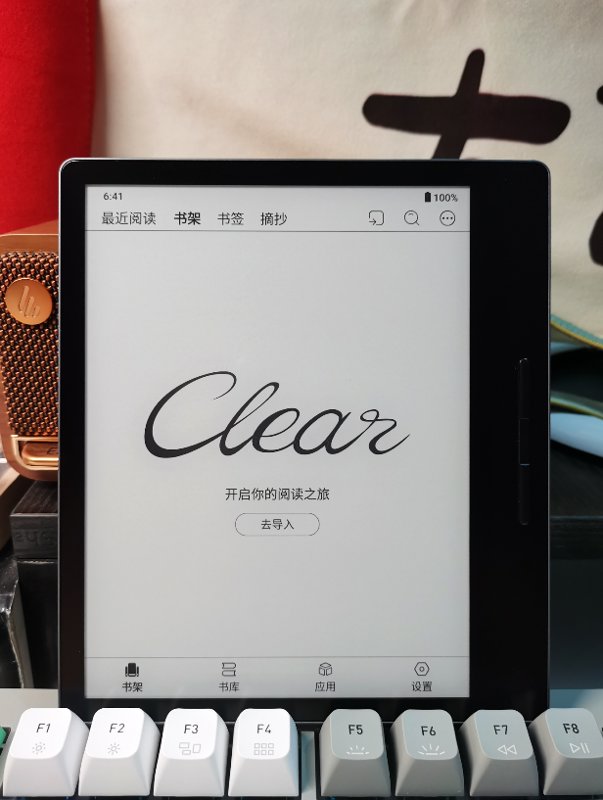
The main interface is a bookshelf, but it's not just a bookshelf; you can switch between the "Recently Read," "Bookshelf," "Bookmarks," and "Excerpts" tabs.
Library
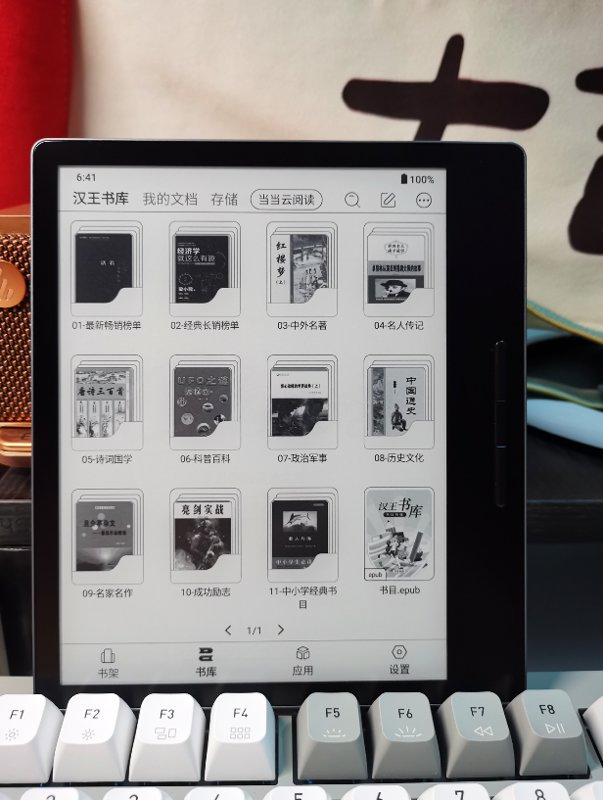
The Hanvon (汉王) library comes with 1200+ built-in e-books, which has received excellent reviews! This is what an e-book reader should be—ready to read right out of the box!
Then there are also the tabs "My Documents," "Storage," and "Dangdang Cloud Reading."
"Storage" is a simplified (阉割版) file management feature where you can view imported books.
Application Interface
Hanvon has separated system apps from installed apps, which is also a nice design.
There are quite a few system apps, among which "Dictionary," "Vocabulary Book," and "Class Schedule" are all useful features, especially helpful for students.
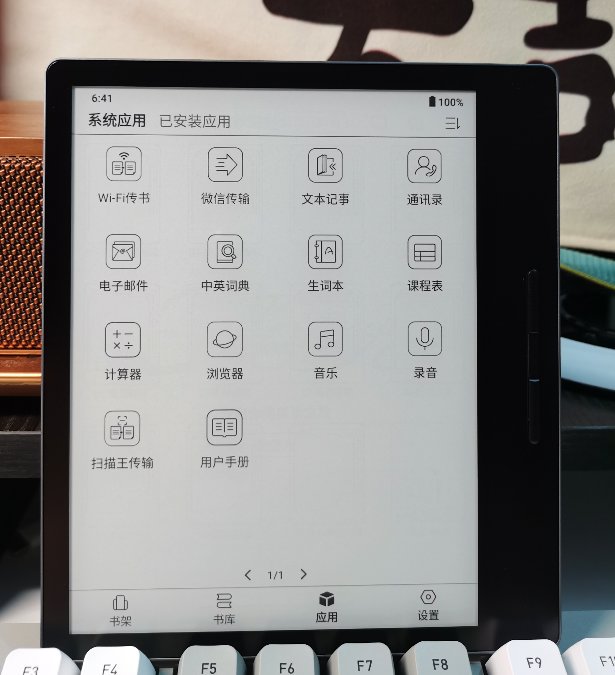
As for third-party apps, it comes pre-installed with a few like Hanvon Bookstore, WeRead, Reference News, etc. I only need WeRead, and I'll uninstall the others—perfect!
Settings Interface
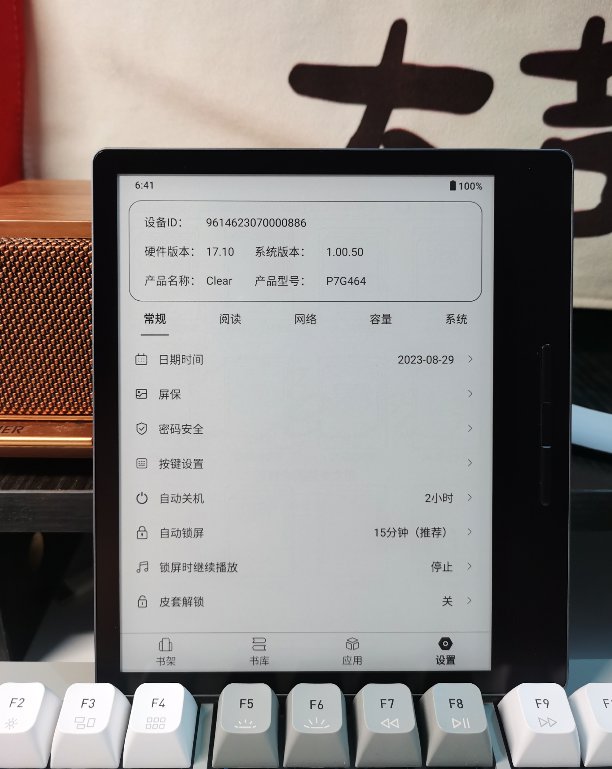
There are many settings options, and the system offers extensive customization possibilities. All three of these buttons can be customized (自定义).
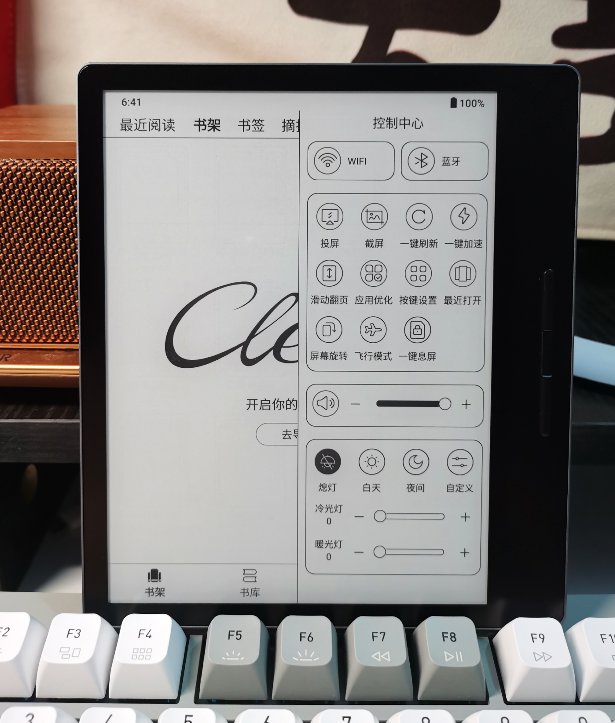
Control Center
This UI is actually quite decent, looking quite refined. Originally, Hanvon gave me the impression of a middle-aged business style, but after actually using it, I found it's quite similar to Onyx's deeply customized system, and even has a higher level of system customization than Onyx.
Note: A higher level of customization does not necessarily mean a better actual experience.
Build Quality & Feel
The Hanvon Clear is still a pretty good product. The asymmetric design makes it very comfortable to hold, and its build quality and feel are both better than those of the Boox Leaf2. Pressing on the frame doesn't produce any creaking sounds.
The back uses a skin-like material, which feels quite pleasant to the touch right now. It's unclear whether it will start peeling after prolonged use.
System & Performance
As mentioned earlier, Hanvon Clear's system is based on a deeply customized version of Android, but this system also has many drawbacks.
Missing Navigation Gestures
Without gesture operations or virtual buttons, it's very inconvenient to return to the home screen or manage multitasking.
To return to the home screen, you can set the middle button (the back button) to long-press to return to the home screen. In fact, that's exactly how I've configured it.
As for multitasking management, you need to swipe down from the top-right corner to open the control center and then tap the "Recently Opened" button there to access task management.
Why can't they add gesture navigation or virtual buttons, like Onyx Boox or Moaan devices?
Cannot Reset the System?
I've searched for a long time but couldn't find the entry point for resetting the system.
There is only a "Factory Reset" option. After clicking it, it indeed restores the factory settings, but it only resets all the "Settings" items—the system itself was never reset.
This is quite a significant issue. What should be done in scenarios where a bug that can only be fixed by resetting the system is encountered?
Slightly Slow Response
Guessing the CPU used in the Hanvon Clear is probably not very powerful, so opening apps and various operations feel rather slow. It seems about the same as the Onyx Leaf2, or even a bit slower?
However, if you're only using it for reading, this performance difference probably doesn't matter much.
Battery Life Is Terrible
The biggest problem is still the battery life!
I had heard from other users online before purchasing that the battery life of this product was average, and I was mentally prepared for it, but I didn't expect it to be this poor...
I don't know if this is an isolated case, but the battery life of the Hanvon Clear I have can only be described as terrible. After opening WeRead and reading for about two hours, the battery drops by over 35%. Moreover, the rate of battery drain doesn't seem to be linear—it drops even faster once it falls below 90%.
After using it these past few days, I basically have to charge it once a day.
According to what some users online have said, the poor battery life is very likely due to the Hanvon Clear using a chip with a relatively outdated process node of 22nm or above.
I just don't understand why, in 2023, some manufacturers are still using these "octa-core" or "quad-core" set-top box chips to deceive people. Come on, it's not 2013 anymore!
Is it really that hard to equip it with a better chip, like Huawei and Hisense do?
Advantages
- The after-sales customer service attitude is excellent, and there is also a fan group where users share usage experiences and issues daily. Customer service responds actively to everything, which definitely deserves a thumbs up!
- The screen uses the latest Carta 1200 technology, offering good display quality. However, compared to the Boox Leaf 2 and Moan Mix 7, the difference isn't that significant.
- The backlight is quite comfortable. It's said that the Hanvon Clear's backlight is competitive. I don't use the backlight much, so my experience is limited, but it does look comfortable.
- (That's all for now; I'll add more later...)
Summary
If you're just reading books, it's fine.
If you can tolerate the poor battery life...
_EOF_
Hanvon Clear Unboxing and User Experience
- 本文作者:
- 程序设计实验室
- 版权声明:
- 本博客所有文章除特别声明外,均采用 BY-NC-SA 许可协议。转载请注明出处!
相关文章
2023年墨水屏阅读器选购笔记
文石系统碾压墨案,华为性能天花板却不负责任;海信A9成绝唱,啧啧。选购笔记?无非折腾一堆设备,无所得即是得。
2025-10-28 · 墨水屏 · 约 1 分钟
墨案mix7与文石leaf2对比评测
墨案mix7输入法秒杀文石,手感完胜,UI却简陋如古董。文石leaf2界面精致,功能多,性能却拖后腿。充电续航半斤八两,手感墨案碾压,文石滑溜难握。总之,各有所长,选谁看运气,反正都够用。
2025-10-28 · 墨水屏 · 约 1 分钟
墨案mix7开箱与使用体验
我在18年第一次接触了 kindle 这种电子墨水屏设备,我在 kindle 上看完了诸如「刘慈欣全集」、「金庸全集」之类的大部头,电子墨水屏的看书效果确实非常好, 21年把 kindle 卖掉了,最近阅读量比较大,一直用平板看书也不是很好,于是打算入手国产开放系统的电子书。
2025-10-28 · 墨水屏 · 约 1 分钟
文石leaf2开箱与使用体验
上一篇文章介绍了墨案 mix7,这篇文章来写一下文石 leaf2。
2025-10-28 · 墨水屏 · 约 1 分钟
讨论
共 0 条加载评论中…