

Started Developing a New Blog, Retro Metro Style, Plus a Little JS Diss
emmm My original blog was built with WordPress. Back when Qiniu Cloud was still free I used it as a CDN, but now it charges, and keeping up with my current blog traffic would cost quite a bit every month, so I had to shut Qiniu Cloud down = =. That also meant a lot of images on my blog couldn't be accessed, and the page layout broke too. I didn't want to mess with it anymore, and WordPress never quite felt right to use anyway, so I might as well build one myself~ Plan I've been learning Spring Boot and such lately, and originally wanted to build a blog with Spring Boot
目录6 个章节
emmm
My original blog was built with WordPress. Back when Qiniu Cloud was still free I used it as a CDN, but now it charges, and keeping up with my current blog traffic would cost quite a bit every month, so I had to shut Qiniu Cloud down = =. That also meant a lot of images on my blog couldn't be accessed, and the page layout broke too. I didn't want to mess with it anymore, and WordPress never quite felt right to use anyway, so I might as well build one myself~
Plan
I've been learning Spring Boot and such lately, and originally wanted to build a blog with Spring Boot, but then I thought about it and there's really no need. My blog barely uses a database anyway (ever seen a blog based on md files?), that's right, I just want to make a GitPage-like blog~
So I still want to use Python for the backend. After all, it doesn't seem like I need much of a backend anyway—just render markdown into HTML, then use JS to buff up the pages and make them look good~ So none of this has much to do with what the backend is, it's mainly about the frontend = =. For a blog directory based on file structure, Java feels really tedious to work with. I'll stick with Python. Life is short, I use Python. (When I work on DataAcq v2 later I'll try how it feels to do it in Java)
Design Language
I spent all of last night thinking about how to design the pages, and looked at a lot of blog templates, but didn't find one I liked. Then it occurred to me: "no design is the best design," hahaha (just a casual cop-out)
So I went with the most minimal Metro design language, flat design, cool-toned colors (I think I ran off to Google and stole their Material Design color palette = =)
Metro style, see the image below:
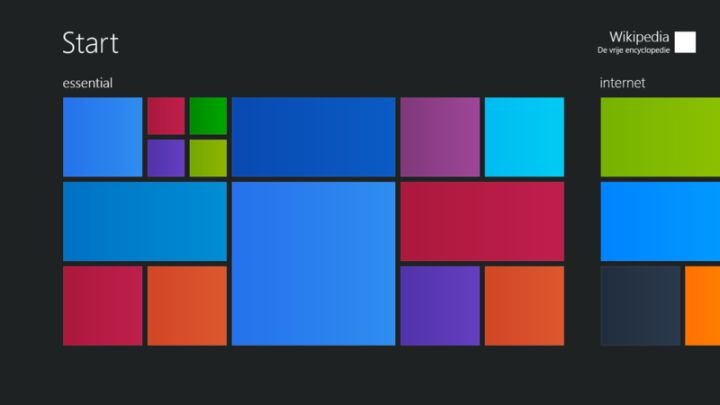
Metro intro: (from Wikipedia)
Metro is based on the design principles of Swiss graphic design, principles that were previously reflected in Windows XP's Windows Media Center, which is conducive to text-centric interface navigation. In 2006, Zune began using a Metro-like design style. Microsoft's designers planned to redesign existing user interfaces with cleaner typography and fewer accents to make them easier for users.<sup>[7]</sup> Zune's companion PC application also used clean typography and design different from the previous Portable Media Center user interface.
Design philosophy:
Metro, as a typography-based design, generally uses the standard typeface Microsoft designed for WP: "Segoe WP". Compared with other UI design styles it also places more emphasis on type, and it has been continuously evolving, because one of Metro's design principles is "content before chrome", which roughly translates to "content over decoration". So this design style focuses more on the application's content itself (typically presented as text and line drawings), rather than on "Graphic" (graphics) in the traditional design sense. That was also the main reason it amazed everyone when it first appeared on Lumia.
These design principles based on Swiss graphic design are conducive to designing text-centric navigation interfaces. Airport and subway signage inspired Microsoft's design team; the style makes heavy use of large type that can grab the viewer's attention. Microsoft believed the Metro design theme should be: "smooth, fast, modern" (Simple.Clean.Modern), so the Metro icon design you see now is also different from Android and iOS, even though it still has quite a few icons in the traditional sense.
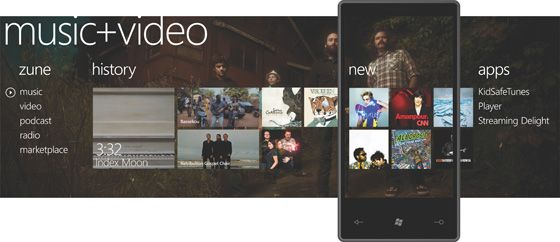
To be honest though, what I've made so far is just a budget version of Metro, like Win10 compared to Win8 = =.
I still quite like Metro Design. Pity Microsoft has already abandoned it and started doing Fluent Design, see Microsoft's official site: https://www.microsoft.com/design/fluent/#/
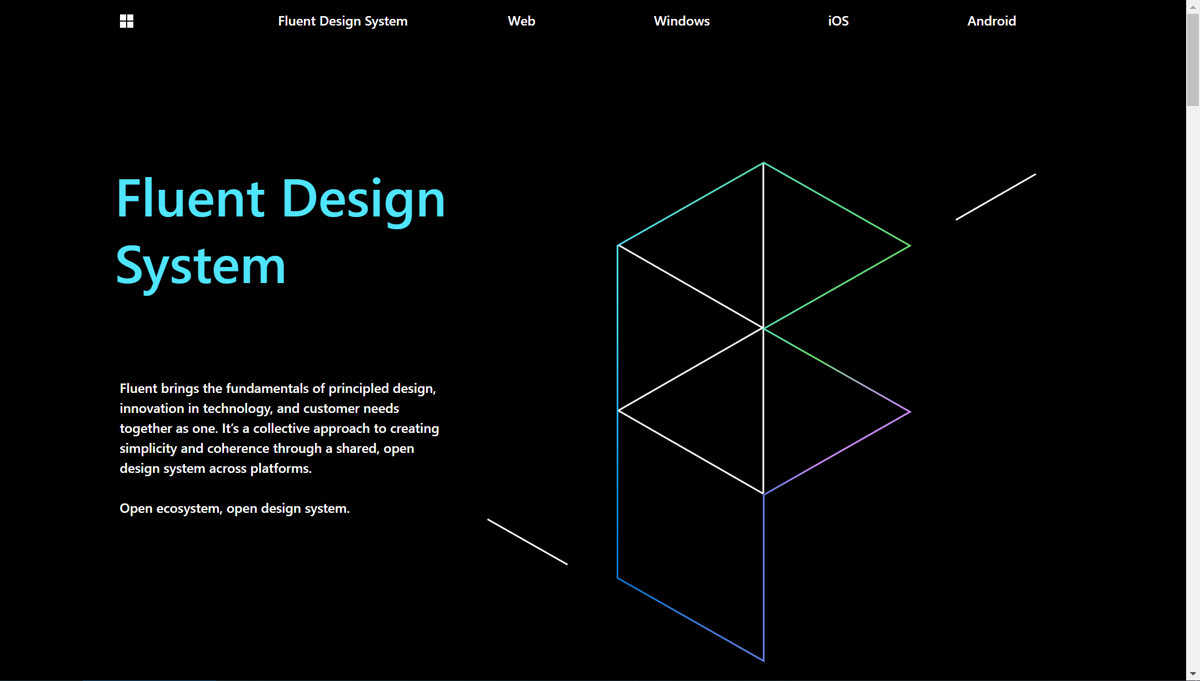
Feels like this Fluent is leaning a bit toward Google's Material Design, starting to emphasize a sense of depth, and they even brought in Aero-style frosted glass~
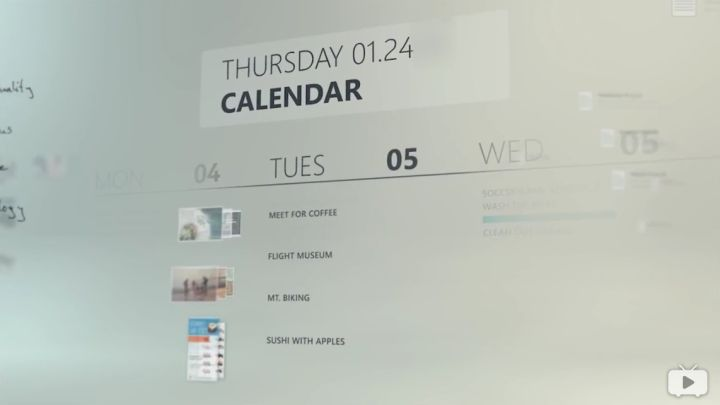
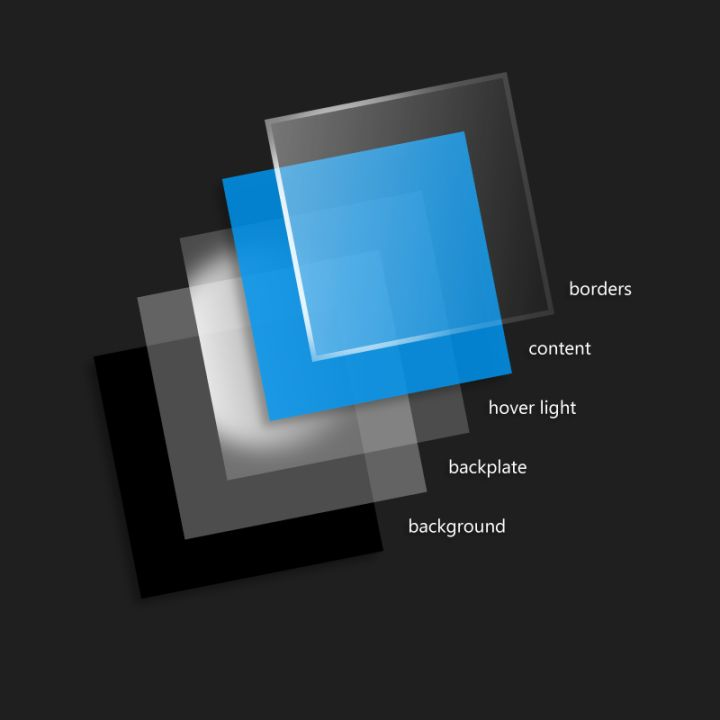
Right now only the homepage is done, but the other pages will be quick too. Once I'm finished I'll post another blog introducing the blog design.
The Biggest Problem
I think the biggest problem is still motion design. Because I've been learning a lot of CSS3 animation lately, my head is full of fancy tricks and I always want to make things flashy, but I also have to follow the design guidelines and can't just throw animations around. It's really a headache = =.
Better tone it down on the animations, don't go overboard = =
A Little JS Diss!
Coming from other languages I just can't get used to for in being a trap. After making a few mistakes I looked it up and found that JS's for in is pretty much useless = =. Who even goes around iterating over objects for no reason~
Switching to for of felt much better~
For the four kinds of for loops in JS, you can check out this article: https://juejin.im/entry/5a1654e951882554b8373622
ps: I'm out. Can only diss a little; any more and I'll get beaten up. JS is actually pretty nice to use, dog-head for protection (fleeing
Feel Free to Chat With Me
- Coding livestream: https://live.bilibili.com/11883038
- WeChat official account: DealiAxy
- Zhihu: https://www.zhihu.com/people/dealiaxy
- Blog: https://blog.deali.cn
- Jianshu: https://www.jianshu.com/u/965b95853b9f
_EOF_
Started Developing a New Blog, Retro Metro Style, Plus a Little JS Diss
- 本文作者:
- 程序设计实验室
- 版权声明:
- 本博客所有文章除特别声明外,均采用 BY-NC-SA 许可协议。转载请注明出处!
相关文章
返璞归真!使用 Alpine.js 开发交互式 web 应用,抛弃 node_modules 和 webpack 吧!
前端框架层出不穷,项目越做越大,alpine.js 和 htmx 这种库是反其道而行,可以用最简单的方法来开发现代化的 web 应用。
2024-11-21 · Web前端 · 约 1 分钟
魔改editormd组件,优化ToC渲染效果
前言 我的StarBlog博客目前使用 editor.md 组件在前端渲染markdown文章,但这个组件自动生成的ToC(内容目录)不是很美观,我之前魔改过一个树形组件 BootStrap-TreeView,所以就想要用这个树形组件来展示ToC。 原本的效果是这样的 image-20221020112752560 我魔改完的效果 image-20221020112914518 先分析一波 首先看
2022-10-20 · Web前端 · 约 1 分钟
配置Chrome支持网页内的frame跨域
前言 跨域限制可以保证安全,但是调试的时候关掉会更方便,然而现在网络上能找到的关闭跨域限制方法,在新版的Chrome浏览器上根本没用…… 经过一番摸索,发现用旧版的Chrome就可以绕过跨域限制,刚好我做的这个需要跨域内嵌frame的网页只是单纯展示的,所以这个正好符合我的需求,奥利给! 然后我找到了旧版的Chrome软件,解压出来是绿色版的可以直接运行,不过运行后发现直接把系统的Chrome给调
2021-12-18 · Web前端 · 约 1 分钟
视频中台解决方案:组织树组件+多路视频直播界面开发
这种国产粗犷风格的项目居然能用?16路视频播放界面倒是简单直接,但现场配置和设备管理流程真是够折腾的。WVP和mpegts.js?B站开源的尿性,细节全靠蒙。
2025-07-04 · Web前端 · 约 1 分钟
讨论
共 0 条加载评论中…