LLM Exploration: Using DeepSeek as a Free Alternative to Cursor
Cursor too expensive? DeepSeek+Cline is barely usable, but tokens burn faster than I do. The generated code is full of bugs, worse than writing it myself. After adjusting the 32k context, it finally doesn't throw errors, but the results are just so-so.
目录14 个章节
Preface
In the second half of last year, cursor became extremely popular, enabling many beginners who didn’t know a single line of code to create their own websites and build apps. This immediately sparked a wave of independent development.
However, the price of $20 per month is not exactly cheap. At this point, plugins like cline, aider composer, and continue, combined with other large model backends, can be used to achieve a similar effect.
About AI Programming
There are currently two main approaches to AI programming, briefly introduced below:
- Fully Automated Mode(such as tools like Cline, Aider):You talk, and AI acts. You can directly give it your requirements, and it will generate the code, suitable for small projects—like creating a single-page webpage or writing a command-line tool. However, the technology isn't quite there yet; it can easily stumble with complex projects.
- Semi-Automated Mode(the classic like Copilot):You and AI team up to write code. You keep your hands on the wheel, while the AI helps you complete code and find and fix issues, acting like a co-pilot handing you tools at any moment.
Here's the key point: As long as you're not leaving everything to the AI, you must not blindly accept the generated code verbatim! It's best to use version control tools like Git and make multiple commits. Every time the AI modifies the code, pull it up and compare the changes. This way, you can spot problems promptly and avoid letting the code become a tangled mess—consider this a lifesaving tip for using AI programming.
Issues with cline
Online sources say that cline consumes a large amount of tokens (using large models requires payment based on the number of tokens consumed). I gave it a try, and it's indeed true—before I even finished writing one page, the 20 yuan worth of tokens I had topped up for a certain model were all used up…
Using the Locally Deployed DeepSeek Model
Tried using cline for auto-coding, but it burns through money faster than if I wrote the code myself...
Previously deployed the DeepSeek distillation model (the original 671B model, with others being distillations of open-source models like Llama/Qwen). The results were quite acceptable, so now it can serve as the backend for cline.
Encountering Issues
However, under the default configuration, it cannot be used.
It will show a prompt
Cline is having trouble...
Cline uses complex prompts and iterative task execution that may be challenging for less capable models. For best results, it's recommended to use Claude 3.5 Sonnet for its advanced agentic coding capabilities.
The root cause of this prompt is Cline's working mode, which typically requires models to have strong "agentic" reasoning capabilities, step-by-step thinking, and the ability to understand and execute complex instructions. Relatively speaking, some open-source large models (such as DeepSeek-R1 14B) may not be fully sufficient in chain-of-thought reasoning, code interpretation, or complex context inference, or they may have limitations on interaction rounds and context formats. Therefore, under multi-turn agentic plugins like Cline, they can easily "fall behind," triggering the "Cline is having trouble..." warning message.
In principle, Cline's interaction workflow is as follows:
- Cline generates relatively complex, agent-like prompts based on your instructions, which contain guidance information such as "who you are," "what your goal is," and "how you should self-reflect and review."
- It allows the model to think iteratively over multiple turns, using the content and output of each thought to generate prompts for subsequent turns, continuously refining the solution.
- If the model cannot follow or remember these multi-turn prompts well, or if its understanding of the guiding instructions is inaccurate, it will lead to situations like irrelevant answers or confused context. Cline will detect these phenomena and report errors or indicate incompatibility, etc.
The core of the issue lies in the default context length being too small, while the Cline plugin needs to preserve a larger amount of multi-turn conversation context. This prevents the model from processing sufficiently long prompts, resulting in the "Cline is having trouble..." message.
If you insist on using Ollama, the only solution is to adjust the context length to resolve this problem. (Reference: https://github.com/deepseek-ai/DeepSeek-R1/issues/28)
Adjusting Context Length
What is Context Length?
- The term "Context Length" refers to the upper limit of the number of Tokens a model can remember and process during a single inference (you can simply understand it as the model's "memory capacity").
- If this capacity is insufficient, when you provide the model with multiple rounds of instructions or large blocks of text, the subsequent parts will be truncated or forgotten, meaning the task may not be fully understood or executed.
Many open-source models have an initial context window setting of often 2K or 4K. If Cline generates a long Prompt or if you have multiple conversations with it accumulating a lot of historical information, the original 4K context can easily become insufficient.
Creating a Model Image with Large Context Length in Ollama
Create a file named deepseek-r1-14b-32k.ollama (the filename is customizable). You can place it anywhere; Ollama does not require it to be in a fixed location, as long as the command line can locate the file.
Once you use the ollama create command to create the new model, it will be stored in Ollama's model repository. For subsequent references, you only need the model name and no longer need to worry about the file's location.
The content is roughly as follows:
FROM deepseek-r1:14b
PARAMETER num_ctx 32768
Then, use the Ollama command line to convert this file into a new model. For example:
ollama create deepseek-r1-14b-32k -f deepseek-r1-14b-32k.ollama
Once completed, you essentially have a copy of the DeepSeek-R1 14B model with a 32k context window.
After finishing, you can execute ollama list to verify.
$ ollama list
NAME                          ID              SIZE      MODIFIED
deepseek-r1-14b-32k:latest    6ecc115f8ae2    9.0 GB    1 second ago
deepseek-r1:14b               ea35dfe18182    9.0 GB    21 hours ago
Next time in Cline, switch the model to this "deepseek-r1-14b-32k" to utilize the 32k context capacity, avoiding mid-process errors caused by insufficient context.
Mapping the Ollama Service to Local
In the previous article, I deployed the model on the server.
To enable local access, you need to set up an SSH tunnel for forwarding.
ssh -L 11434:localhost:11434 用户名@服务器地址 -p 端口
Configuring the cline Plugin
Click the gear button in the top-right corner.
Select "Ollama" for the API Provider, and choose the model we just created, "deepseek-r1-14b-32k".
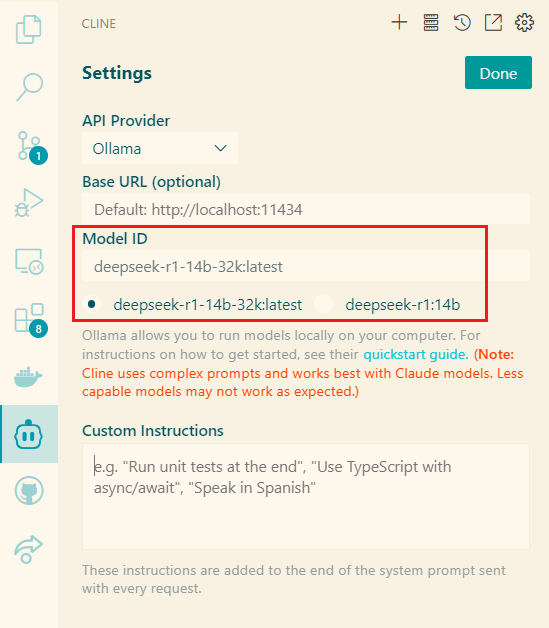
After completing the settings, click "Done" to save.
Coding at Full Speed
Here, I had the AI create a "New Year Greeting Generator" (inspired by the idea of a certain content creator on Bilibili).
For this, I wrote a fairly detailed prompt, telling the AI all the design specifics. This helps reduce the number of subsequent modifications.
This prompt is quite long, and due to space constraints, I won't include it in the main text. Students who need it for reference can reply "prompt" in the WeChat public account backend to get the full version.
You can also give this prompt to DeepSeek for reference if you need to develop other features.
After inputting the prompt, the AI starts writing code. You can see the code being generated line by line.
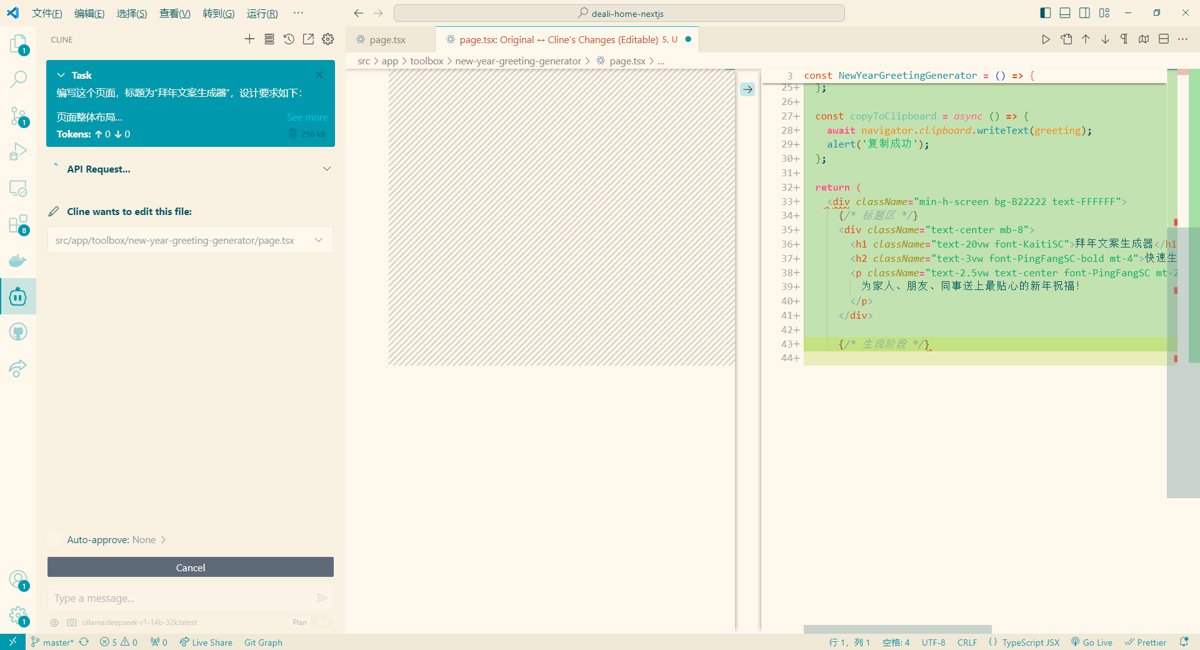
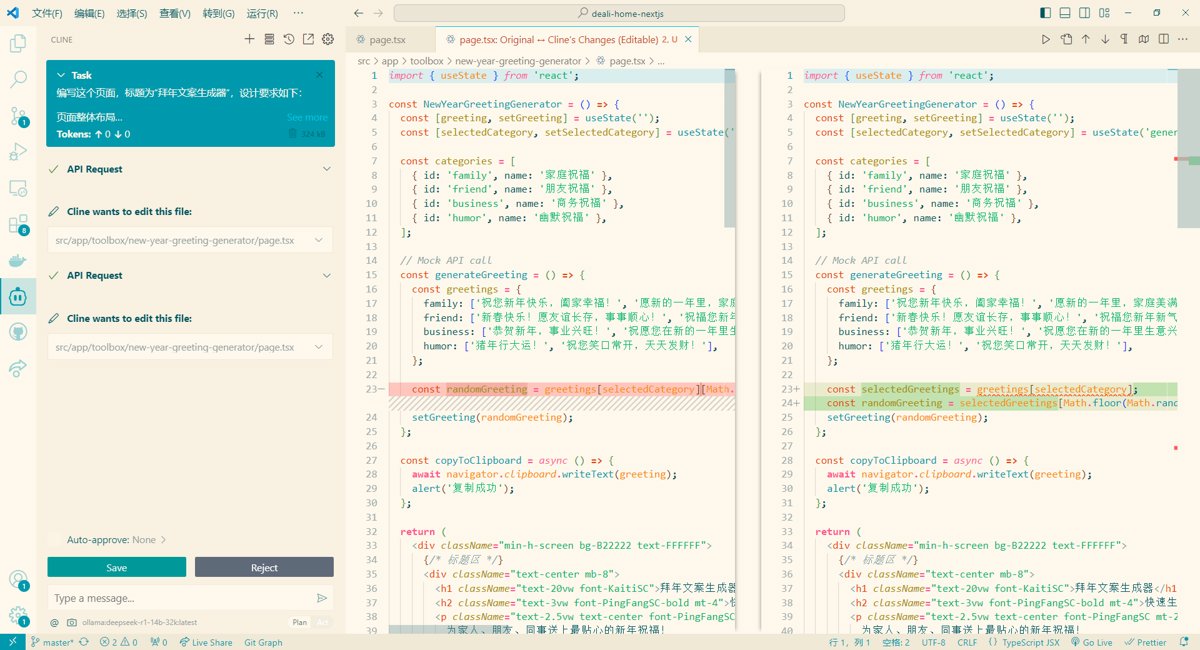
After completion, there are highlighted warnings. Don't worry; the AI will automatically modify them based on the alert messages.
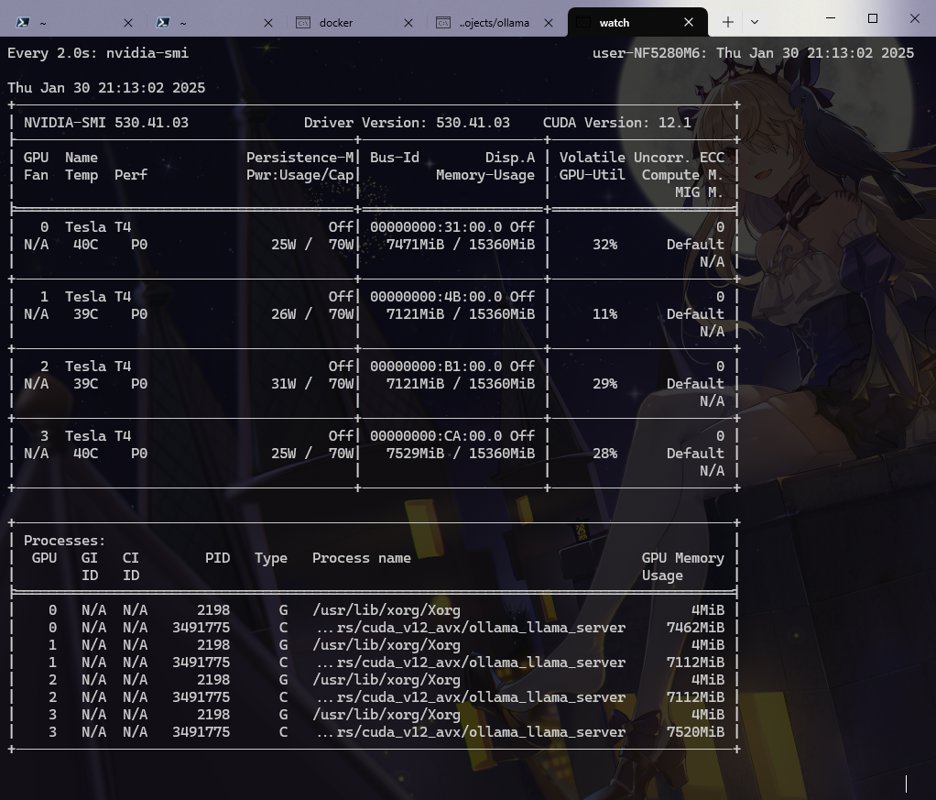
Several GPUs are running. Ollama's scheduling is truly amazing.
Implementation Effect
The generated code can only be described as average; DeepSeek-14B is likely still constrained by its model parameter size.
First, the following code was generated:
<p className="text-sm opacity-70 mt-2">距离春节还有 {new Date().getDaysLeftToChineseNewYear()} 天</p>
However, this prototype extension method was never defined.
Furthermore, its understanding of Tailwind CSS is quite limited, and the promised background color did not take effect.
After I manually fixed the bug, the running page looked like this:
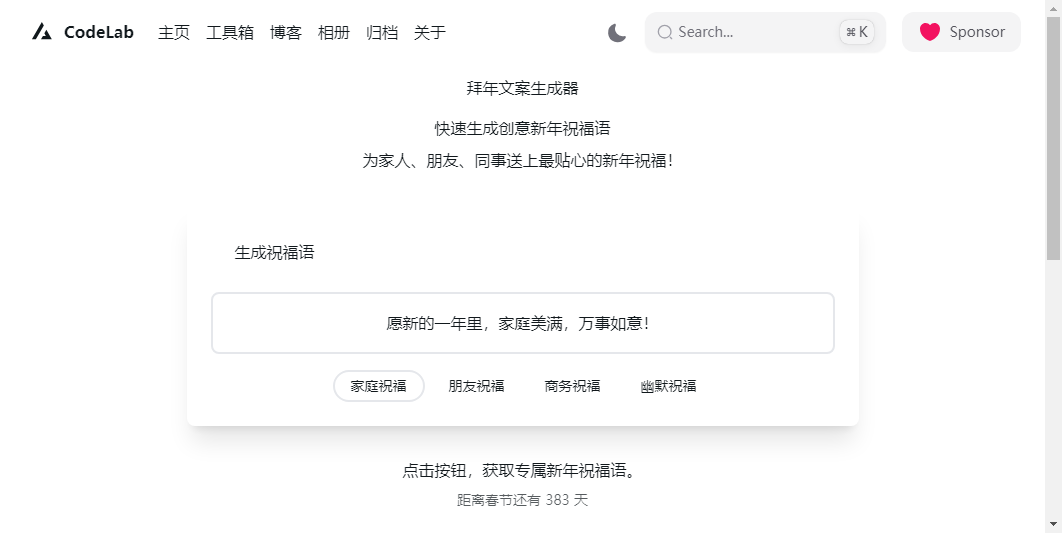
That said, we cannot say that DeepSeek-14B's coding ability is entirely lacking.
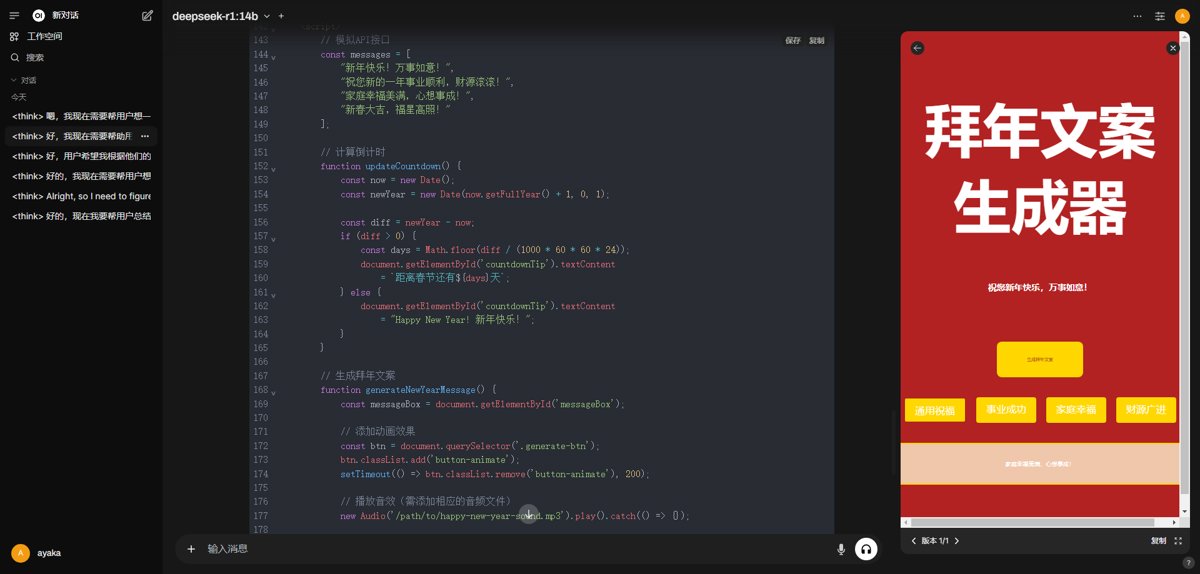
It is very likely due to the overly long context in the Cline plugin.
When I directly conversed with the model with the same requirements, the generated code ran immediately.
Deploying LocalAI (Optional)
https://github.com/mudler/LocalAI
LocalAI serves as an OpenAI API-compatible gateway, exposing routes such as /v1/xxx (e.g., /v1/completions, /v1/chat/completions).
- You can use any client that supports the OpenAI API (e.g., the Python
openailibrary, LangChain, or various open-source/commercial tools) to call the LocalAI address. - In the backend, LocalAI will load
.binor.ggufmodels locally, perform inference using CPU or GPU, and return the results to the client in an OpenAI-compatible JSON format.
Since the cline plugin I used this time supports calling Ollama directly, I did not deploy LocalAI. Those interested can try it themselves.
References
Summary
Barely usable, the token consumption of cline is really high. I'll try other plugins next time to see if there's any improvement.
_EOF_
LLM Exploration: Using DeepSeek as a Free Alternative to Cursor
- 本文作者:
- 程序设计实验室
- 版权声明:
- 本博客所有文章除特别声明外,均采用 BY-NC-SA 许可协议。转载请注明出处!
相关文章
LLM探索:DeepSeek火爆全网,官网宕机?本地部署一个随便玩
DeepSeek官网又崩?本地部署14b模型,web界面倒还凑合。国产大模型热度高,服务器不行就自己搭,呵。代码能力待验证,反正比官网强。
2026-05-09 · LLM · 约 1 分钟
LLM探索:离线部署Ollama和one-api服务
离线部署Ollama?手动下载上传,导入模型文件,啧,麻烦。one-api用Docker,tiktoken需下载重命名,更烦。添加渠道?简单。
2026-05-09 · LLM · 约 1 分钟
LLM探索:为ChatGLM2的gRPC后端增加连续对话功能
给ChatGLM2的gRPC后端硬塞了连续对话功能,改了proto、C#客户端和Python服务端代码。OpenAI格式转ChatGLM格式?真够折腾的,幸好有loguru。搞定了,但调试gRPC还是麻烦,考虑改OpenAI接口了。
2026-05-09 · LLM · 约 1 分钟
LLM探索:GPT类模型的几个常用参数 Top-k, Top-p, Temperature
A recent breakthrough in artificial intelligence (AI) is the introduction of language processing technologies that enable us to build more intelligent systems with a richer understanding of language than ever before. Large pre-trained Transformer language models, or simply large language models, vastly extend the capabilities of what systems are able to do with text.
2026-05-09 · LLM · 约 1 分钟
讨论
共 0 条加载评论中…