DeepSeek+Claude join forces to drive the upgrade of the DjangoStarter 3.1 framework using AI.
I was in training last week and didn't have time to update my blog. Last week, I had some free time and continued to explore the recently popular AI-assisted programming.
目录22 个章节
Preface
I was in training for a week at the end of last month and didn't have time to update my blog.
I had some spare time last week, so I continued to explore the recently popular AI-assisted programming.
As mentioned in my previous articles, I had configured VSCode + the Cline plugin with a locally deployed DeepSeek to achieve AI-assisted programming.
But the Cline plugin consumes tokens too quickly, and using a locally deployed DeepSeek isn't smart enough.
Later, I switched to the RooCode and Continue plugins, and also tried the new IDE Trae.
After using them, I found RooCode to be quite good. It's a fork of Cline with some additional features. I haven't tracked the token consumption, but it feels about the same.
For the large model service, I chose to purchase APIs from DeepSeek and Claude.
Trae's advantage is that it's free, but the different treatment for users inside and outside China is a bit frustrating.
Ultimately, with the assistance of Claude and DeepSeek, I completed the development of DjangoStarter version 3.1.
About DjangoStarter
DjangoStarter v3 is the next-generation rapid development template for Django projects, specifically designed to enhance development efficiency and performance.
By combining the rich features of Django with the performance, flexibility, and simplicity of Django-Ninja, the v3 version aims to provide developers with a more powerful, streamlined, and high-speed development experience.
With this new framework version, developers can quickly set up a project infrastructure that meets modern web application standards.
As I mentioned earlier, I wrote a dedicated article introducing this v3 version, so I won't go into detail here.
If you're interested, you can check it out: About the DjangoStarter v3 Version Currently in Development
UI Refactoring
The biggest change this time is the replacement of the original Bootstrap with Tailwind CSS, along with the addition of many new pages, such as User Center, Settings, About Us, Contact Us, Login, Registration, User Agreement, etc. Basically, it is moving towards the direction of a CMS.
I even thought about introducing wagtail at one point, but then decided against it. It's already heavy enough, and it might completely detach from the small project. Haha 😄
Internationalization Support (beta)
This update also adds internationalization support
Django itself has internationalization features
Many projects simply remove them
This time I've incorporated internationalization support, though it's only a beta version. I've only added the support so far—I haven't completed the translation work yet, which is why the language switch button hasn't been added either.
Below is an overview of how to use the internationalization features.
In the Template
{% translate 'Home' %}
In Python Code
from django.utils.translation import gettext_lazy as _

print(_('hello'))
Generating Translation Files
Run the following command in the src directory:
django-admin makemessages -l [language_code]
language_code:
- zh_Hans
- en_US
For other languages, you can refer to the official Django website.
Compile message files
Again, run in the src directory
django-admin compilemessages
Windows Development Environment
If you are developing on Windows, you need to install the gettext tool first.
It is recommended to use the scoop package manager.
scoop install gettext
After the installation is complete, run the following command to verify.
xgettext --version
Partial Interface Screenshots
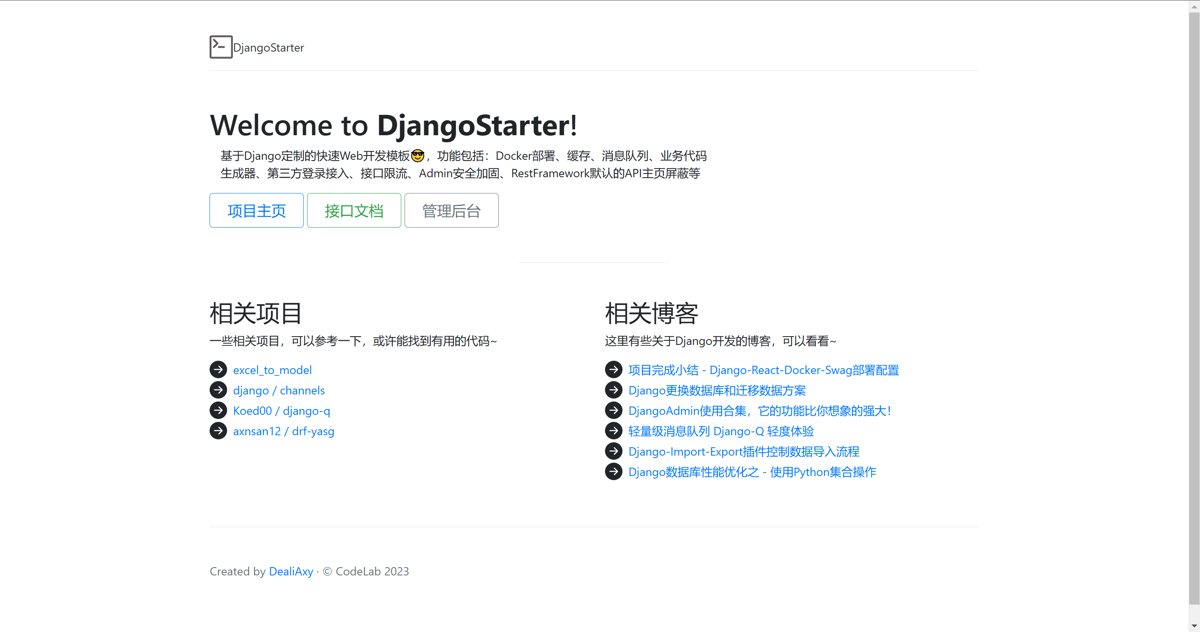
Old Homepage
Let's first take a look at what the old homepage looked like.
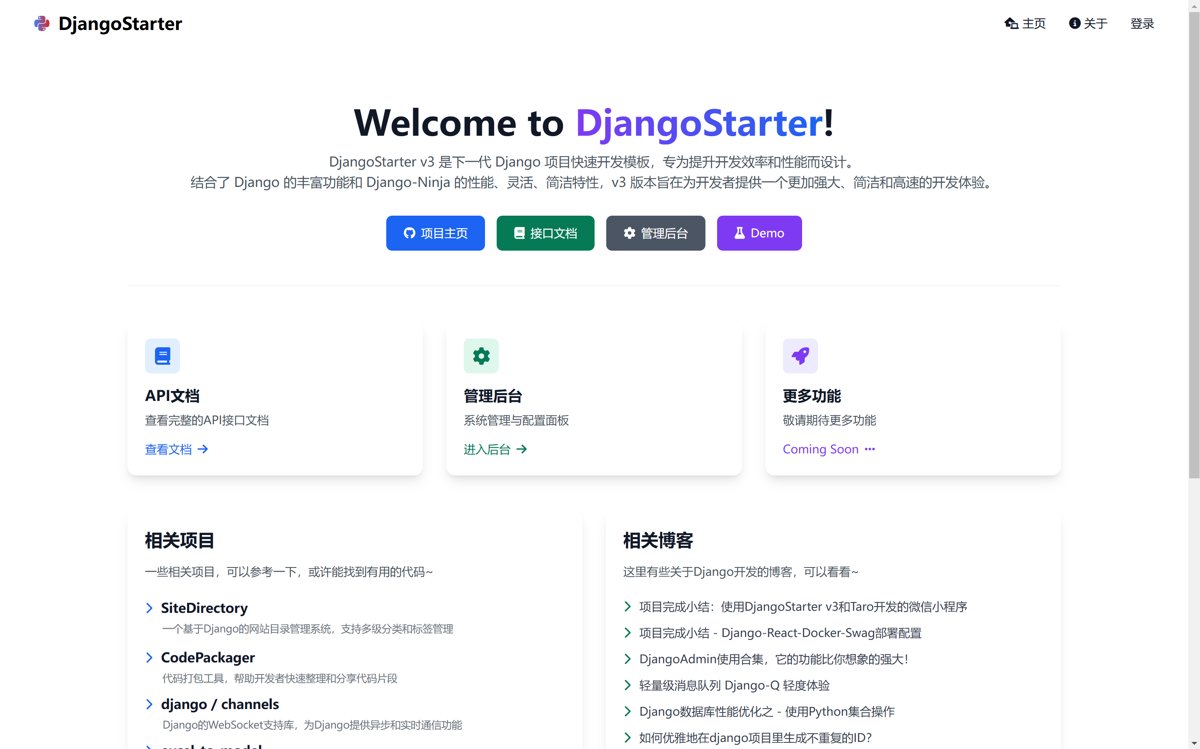
New Homepage
The new interface has been rebuilt using Tailwind CSS, making it much more visually appealing.
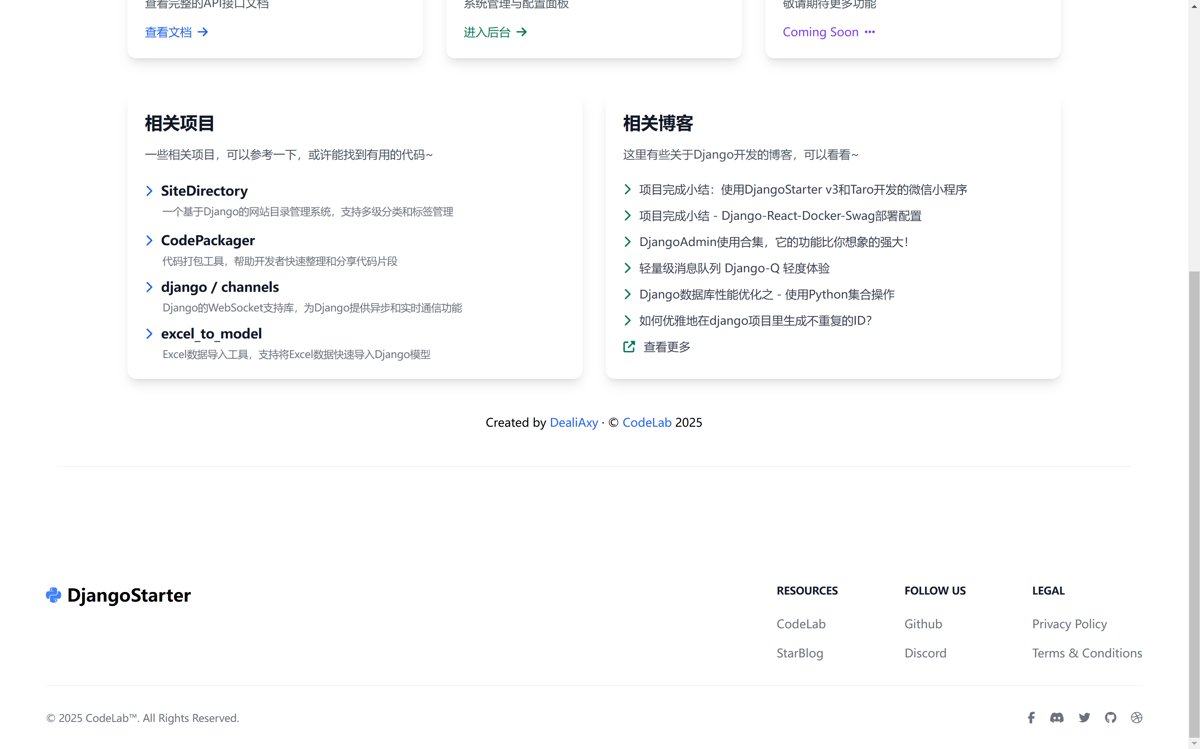
The bottom section is also configurable.
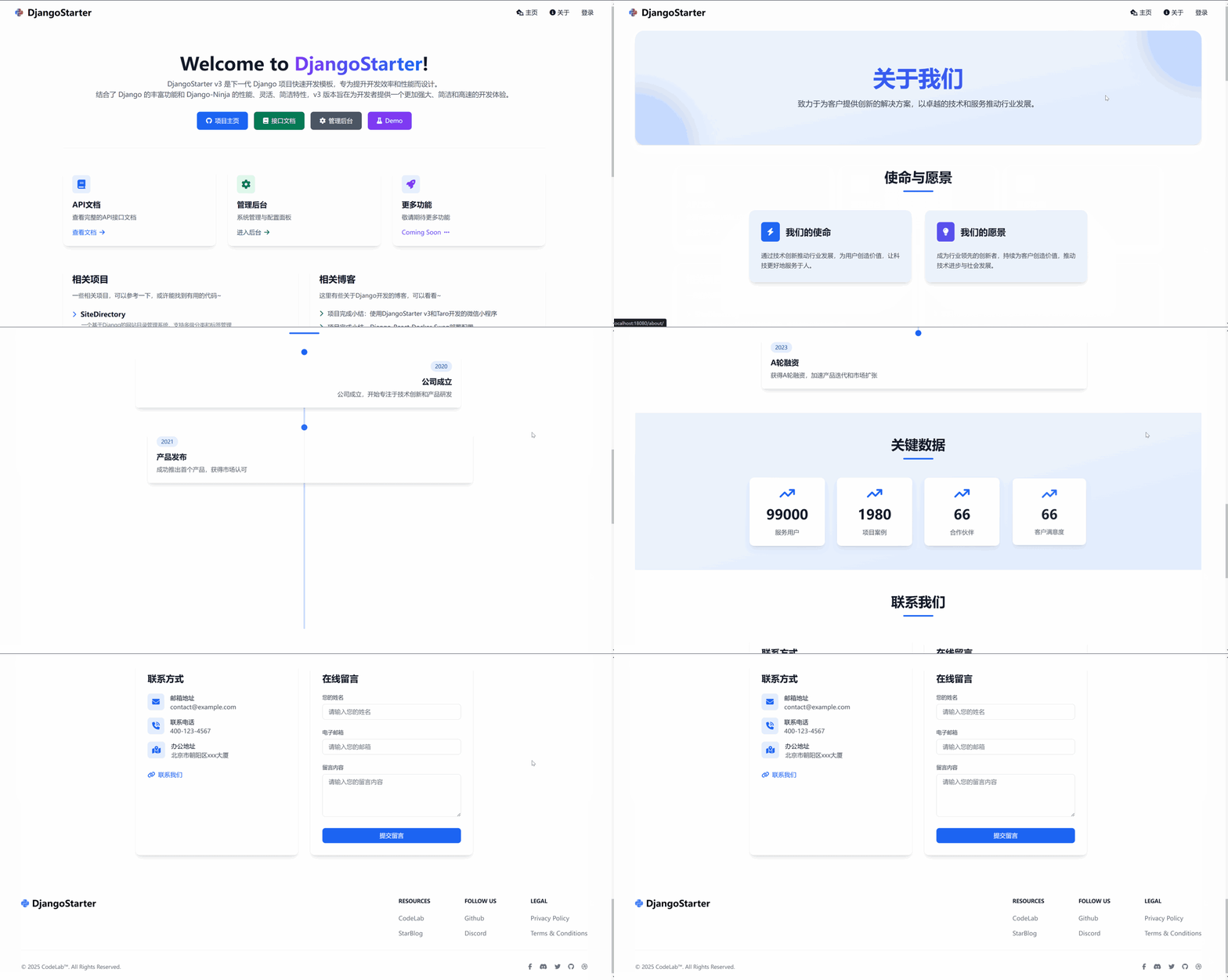
About
This page has a lot of animations, check out the GIFs below.
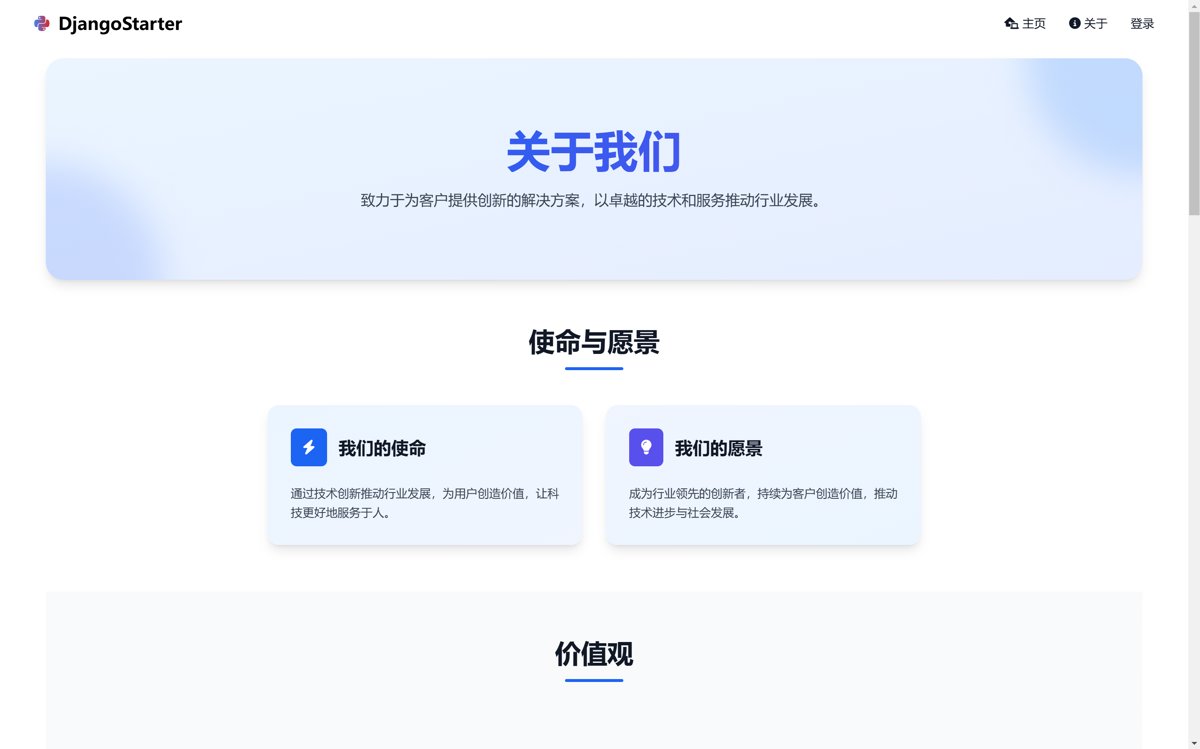
The animations were created using AOS (Animation On Scroll), which I think is pretty good and convenient. However, you need to use the beta version 3.0, as I initially overlooked this and ran into quite a few issues.
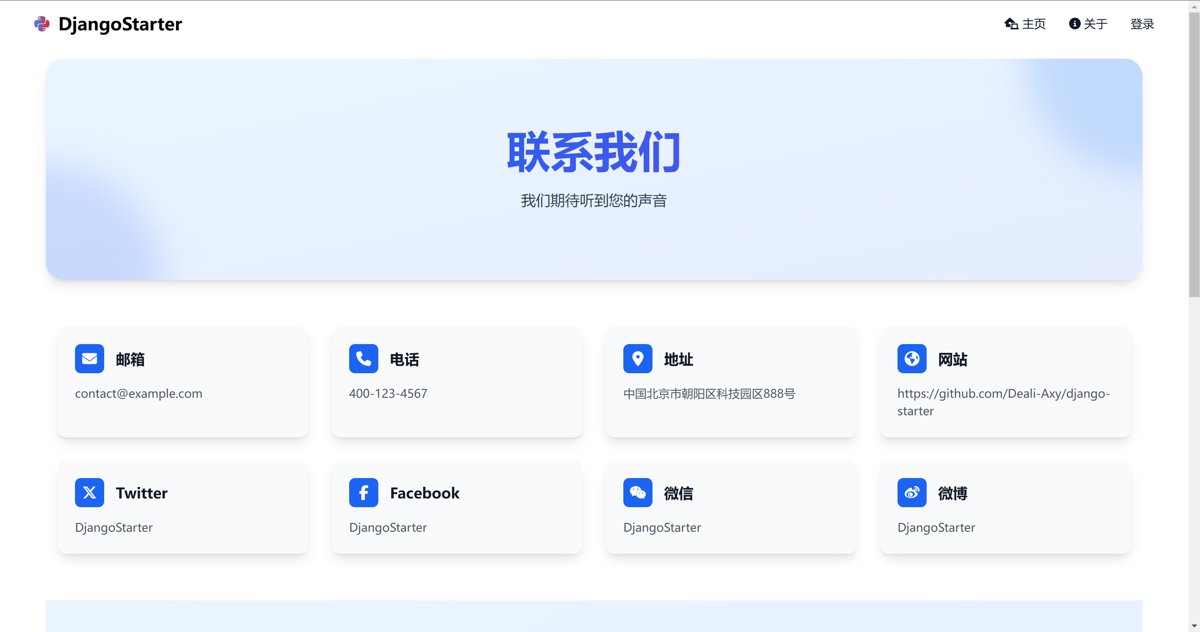
Contact Us
These contact methods are all configurable.
The form also utilizes the newly packaged BaseModelForm from DjangoStarter.
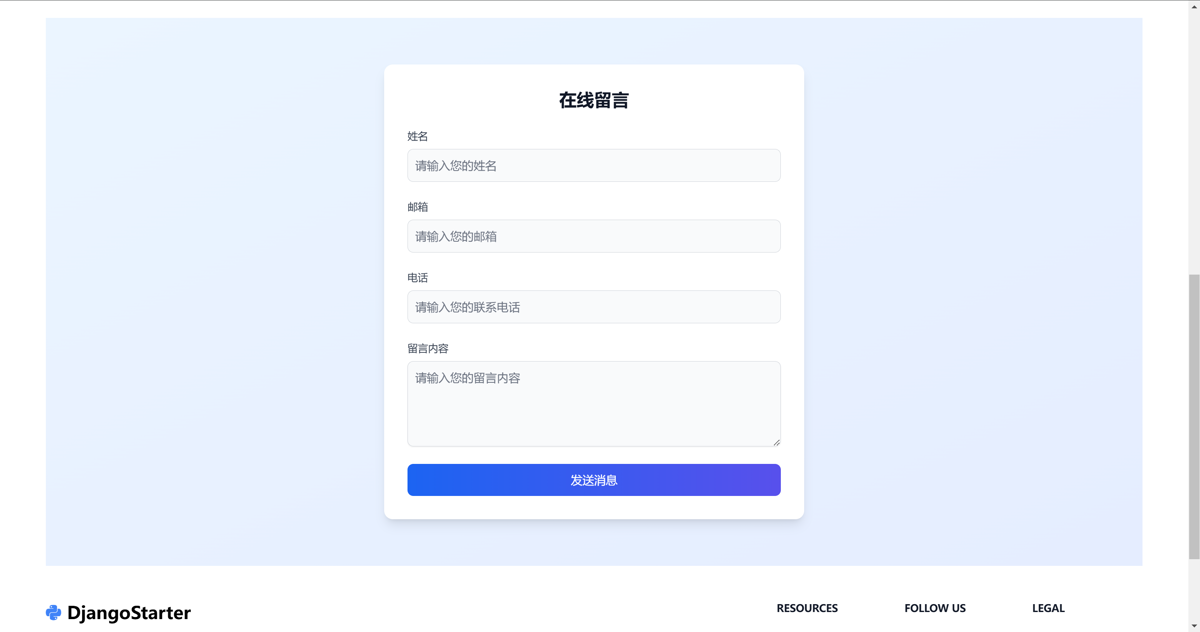
The packaged BaseModelForm is used like this:
class ContactModelForm(BaseModelForm):
    class Meta:
        model = Contact
        fields = ('name', 'email', 'phone', 'message')
        widgets = {
            'name': forms.TextInput(attrs={'placeholder': '请输入您的姓名'}),
            'email': forms.EmailInput(attrs={'placeholder': '请输入您的邮箱'}),
            'phone': forms.TextInput(attrs={'placeholder': '请输入您的联系电话'}),
            'message': forms.Textarea(attrs={'placeholder': '请输入您的留言内容', 'rows': 4})
        }
Login/Register
This login page was migrated from a previous project that used Wagtail.
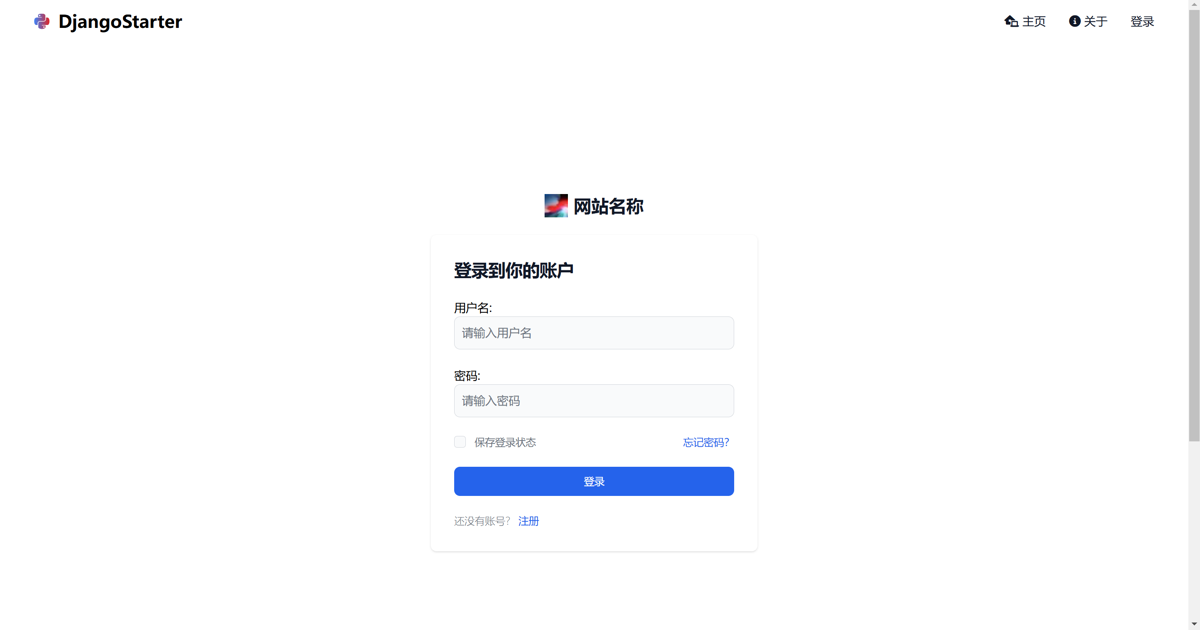
The registration page is similar, so I won't include an image here.
Personal Center
The layout here for the personal center comes from a previous project called TodayTV, though it was originally referenced from other online templates. The interface isn't very visually appealing.
However, even after repeatedly optimizing it with Claude 3.5 and DeepSeek R1, I'm still not satisfied with the result. Moreover, the code has become increasingly messy, and I feel I'll have to make the changes myself later on.
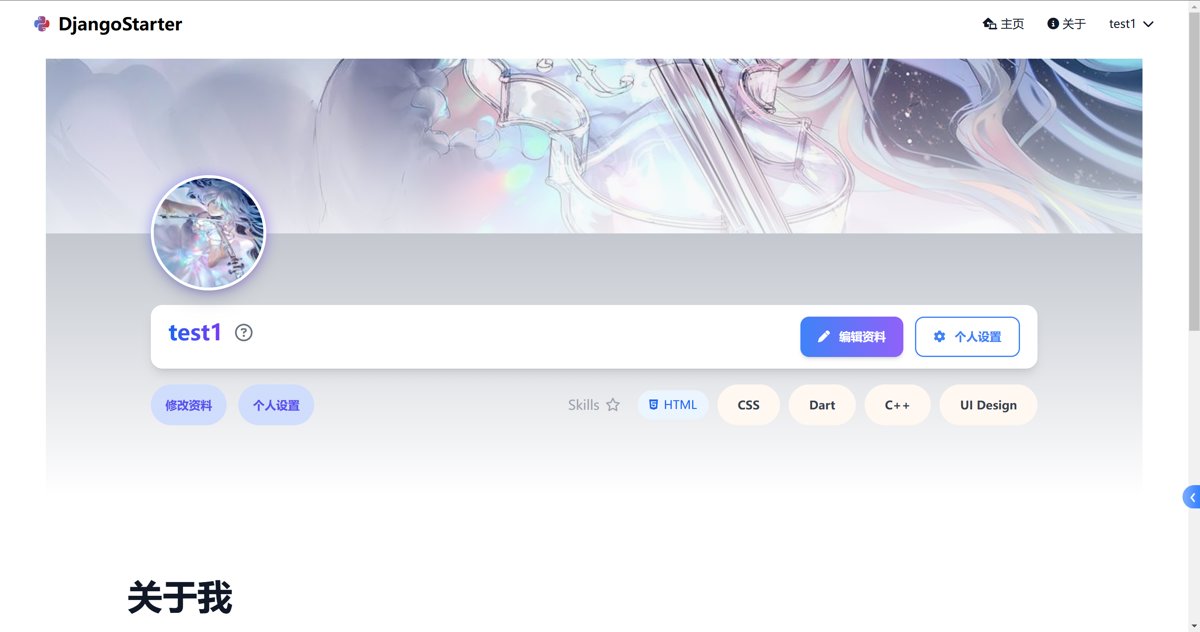
Below is the "About Me" section.
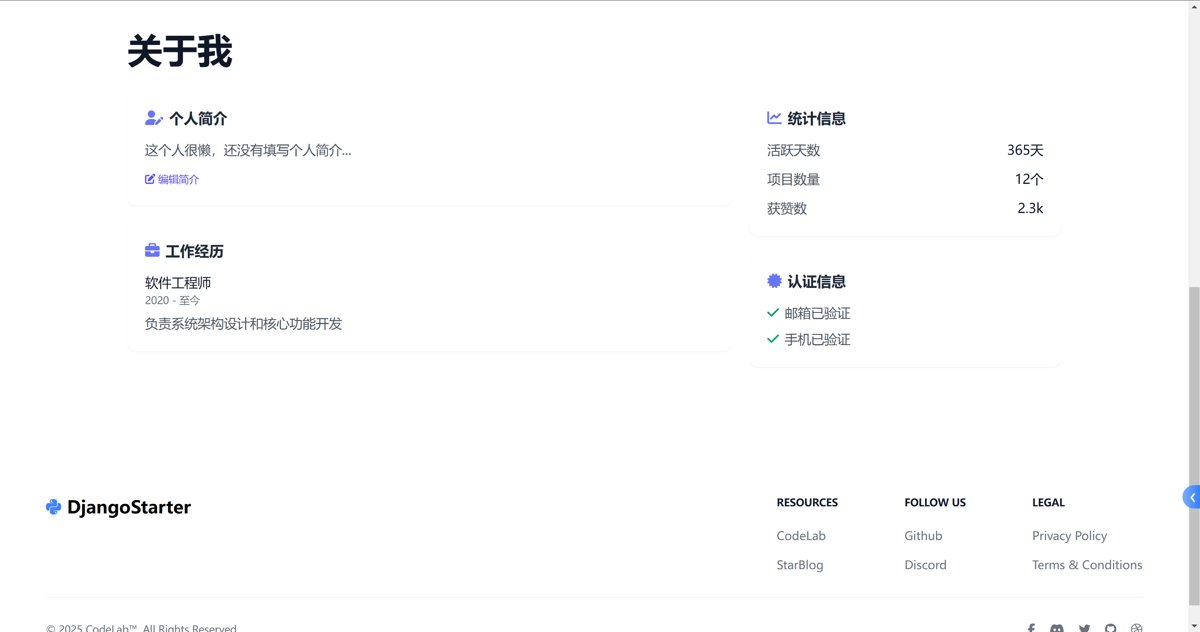
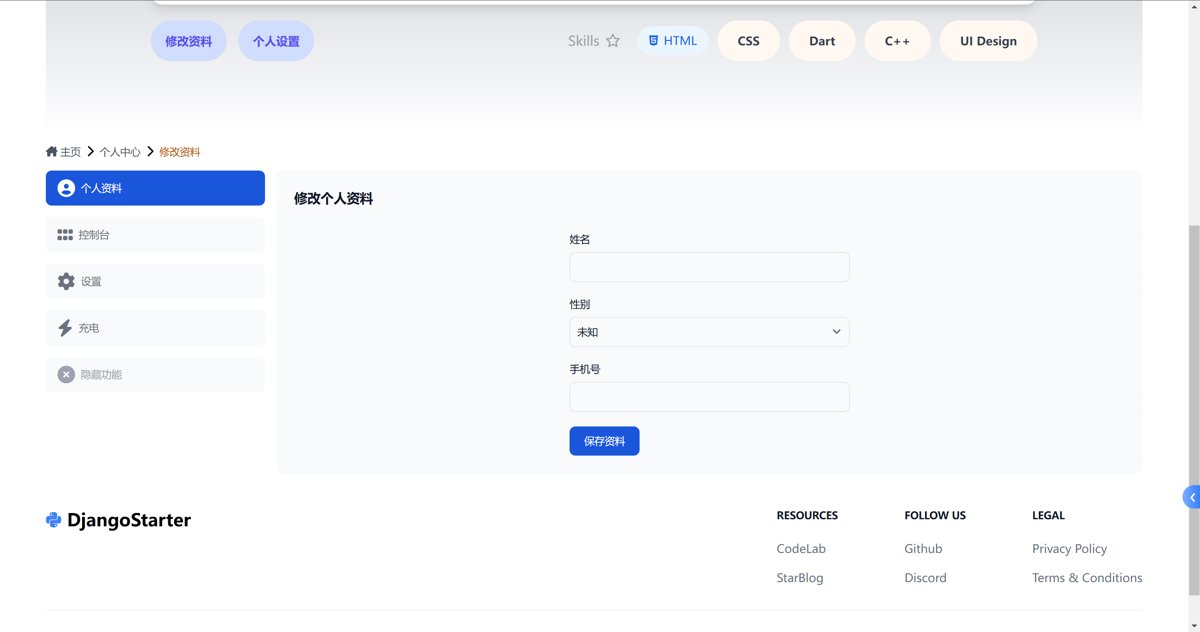
Profile Editing
This is also from the TodayTV project, and the implementation with Django Forms works reasonably well.
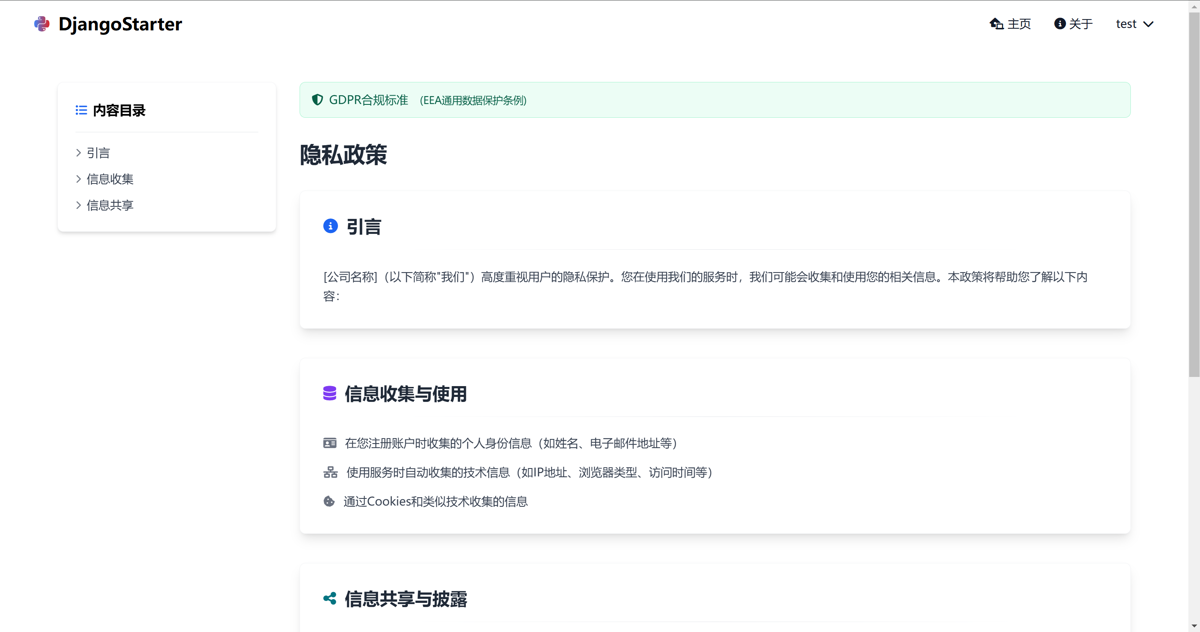
Privacy Policy
This was generated using Claude,with the prompt optimized by RooCode. It looks quite professional.
The terms of service are similar,so I won't include a screenshot here.
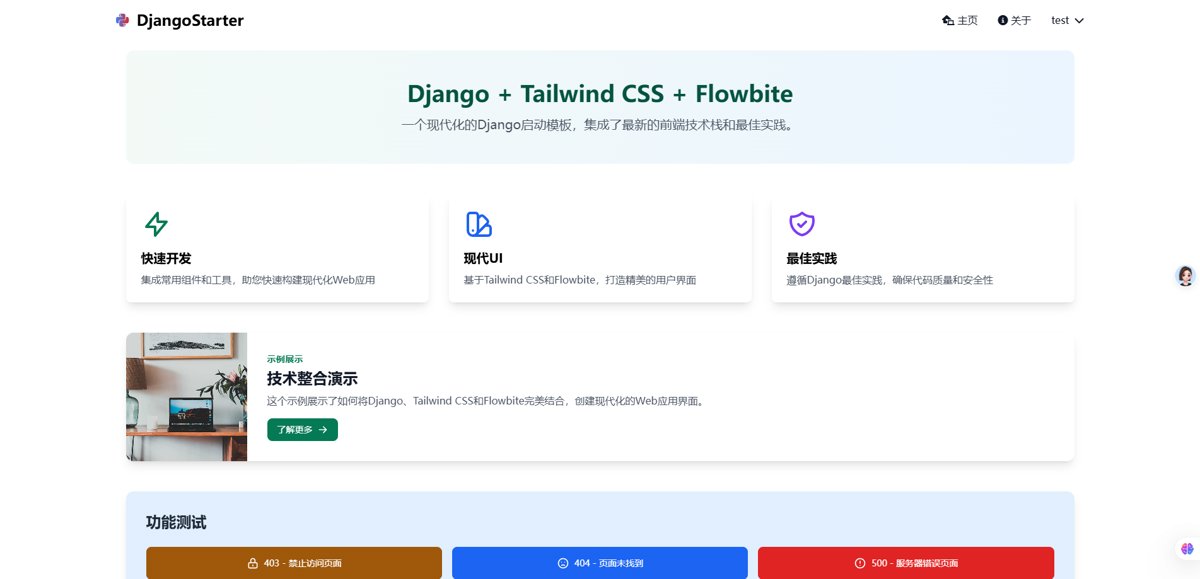
Demo Page
To facilitate demonstrating various features, I've also added a Demo page.
Of course, this a bit inconsistent page is with AI-assisted layout (AI辅助布局).
Error Pages
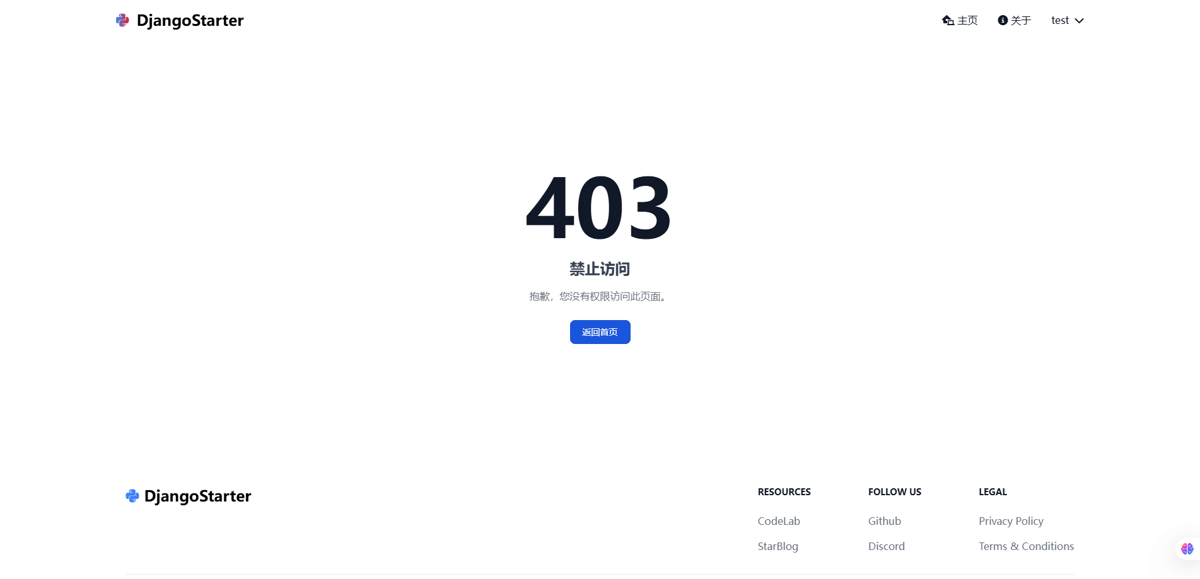
And generated several error pages using Claude
Including 403, 404, and 500 pages, which are similar. Here, I only show a screenshot of the 403 page.
Resolved an issue
https://github.com/Deali-Axy/DjangoStarter/issues/20
A user reported that an API that should have returned 400 was actually returning 200.
After examining it, I found this was a legacy issue from migrating from DRF to ninja.
Previously, I had encapsulated responses in the framework for quick output of various return statuses.
def ok(message: str, data: Optional[dict] = None):
    return _gen_resp(message, data, 200)

def forbidden(message: str, data: Optional[dict] = None):
    return _gen_resp(message, data, 403)

def bad_request(message: str, data: Optional[dict] = None):
    return _gen_resp(message, data, 400)

def not_found(message: str, data: Optional[dict] = None):
    return _gen_resp(message, data, 404)
But now, in ninja, it always returns 200. This is where the issue with handling return status codes lies.
There were several possible solutions. Overriding the renderer didn't work for me because you can't define return values in the renderer; you can only change the response content.
Another option was using a Django middleware, but parsing JSON would impact performance.
Ultimately, I refactored the responses and added a new ResponseGenerator class. I won't paste the code here.
The key implementation is using ninja's api.create_response method, which allows specifying the status code.
In places where it's needed, such as src/apps/account/apis/auth/apis.py:
router = Router(tags=['auth'])

_resp = ResponseGenerator(router=router)

@router.post('/register', url_name='account/auth/register')
def register(request, data: RegisterSchema):
    if User.objects.filter(username=data.username).exists():
        return _resp.bad_request(request, 'Username already exists!')

    if data.phone:
        phone_pattern = '^(13[0-9]|14[5|7]|15[0|1|2|3|5|6|7|8|9]|18[0|1|2|3|5|6|7|8|9])\\d{8}$'
        if not re.match(phone_pattern, data.phone):
            return _resp.bad_request(request, 'Invalid phone number format!')

        if UserProfile.objects.filter(phone=data.phone).exists():
            return _resp.bad_request(request, 'Phone number already registered!')

    if data.password != data.confirm_password:
        return _resp.bad_request(request, 'Passwords do not match!')
Compared to the original approach, each response now requires adding a request parameter.
Although it's a bit more complex than before, it's effectively resolved.
Todos
- https://django-ninja.cn has many ninja ecosystem components, which can be utilized later
- Switch the admin from simpleui to unfold admin
- Add more default pages
_EOF_
DeepSeek+Claude join forces to drive the upgrade of the DjangoStarter 3.1 framework using AI.
- 本文作者:
- 程序设计实验室
- 版权声明:
- 本博客所有文章除特别声明外,均采用 BY-NC-SA 许可协议。转载请注明出处!
相关文章
DjangoStarter v3.2.1 更新:框架瘦身以及方向思考
DjangoStarter 成了时间黑洞?一堆无关组件拖累维护成本,果断瘦身砍掉 django-compressor、Prometheus、Grafana,小项目何必搞企业级运维?Less is more,把精力花在刀刃上。
2025-11-26 · DjangoStarter · 约 1 分钟
使用django-crispy-forms美化表单UI
呵,又一篇Django表单美化的水文。自己封装了Tailwind样式还嫌不够,非得折腾django-crispy-forms这种老古董——Bootstrap都过时了喂!不过crispy-tailwind倒是勉强能看,至少比手写模板优雅点。反正最后都会用React重写,何必浪费时间?
2025-07-19 · DjangoStarter · 约 1 分钟
Django集成腾讯COS对象存储
腾讯COS集成Django真够折腾的,官方SDK和文档烂到不行。自己封装Storage虽然简单,但腾讯那帮人写代码的心思让人看不懂。Django这套东西倒是好用,`FileField`、`ImageField`自动转OSS,不过`django-filer`那中文locale问题得手动改。
2025-07-17 · DjangoStarter · 约 1 分钟
在 DjangoStarter 中集成 TailwindCSS
之前看到有个叫 `django-tailwind` 的 python包,不过可能配套的 `tailwind` 版本不方便更新,再加上 **DjangoStarter** 很早就使用 NPM 和 gulp 来管理前端静态资源了,所以还是手动来添加 tailwind 比较好。
2024-07-15 · DjangoStarter · 约 1 分钟
讨论
共 0 条加载评论中…