Analyze the unit test coverage of C# projects to improve code quality
C# coverage analysis? Isn't it just about using tools to generate reports? Which tool out of VSCode, VS, or Rider can't do this? Do you really think this is some kind of rocket science?
目录12 个章节
Introduction
As I previewed in my previous article on ImageGlider, this post is also part of the series sharing my experience with the "C# + automated publishing" development workflow. I continue to document the pitfalls I encountered and the lessons learned, hoping we can all avoid unnecessary detours.
The importance of unit testing goes without saying, right? 😄
And coverage ensures the breadth and effectiveness of unit tests—it helps developers uncover overlooked logical branches and prevents the awkward situation of "testing something that wasn't actually tested."
Especially in today’s era of AI programming, comprehensive testing allows AI to automatically verify the results of functionality implementation.
Fortunately, C# has a very robust infrastructure. Such a feature-rich language is particularly well-suited for the AI era. I have a feeling that the .NET platform has a promising future in the age of AI! 😁
When it comes to coverage testing, there are many methods available. Initially, I used a third-party tool to generate HTML reports, but later I discovered that IDEs like VSCode, VS, and Rider all support this as well! 🤣
C# Toolbox
This year I have successively developed quite a few tools using C#
They cover a broad range of areas
It feels like they could be assembled into a small toolbox.
These tools are:
- Video Editing Tool Clipify
- AI Article Publishing Tool StarBlog Publisher
- Icon Generation Tool SharpIco
- Image Processing Tool
Dependencies
The dotnet-reportgenerator-globaltool tool can generate HTML reports.
dotnet tool install -g dotnet-reportgenerator-globaltool
Test Coverage
Using the ImageGlider project as an example.
Use the following command to analyze the project's unit test coverage and generate a test report webpage.
# Generate Test Coverage Report (生成测试覆盖率报告)
```bash
dotnet test --collect:"XPlat Code Coverage" --results-directory ./temp/TestResults
Using reportgenerator to Generate HTML Reports
reportgenerator -reports:"./temp/TestResults/*/coverage.cobertura.xml" -targetdir:"./TestResults/CoverageReport" -reporttypes:Html
Example of the generated test report path

```bash
temp\TestResults\4eaa9684-a3b6-4b2a-81ac-d75e1e375e4b\coverage.cobertura.xml
Simply open this webpage to view the coverage report.
HTML Report
Very detailed
Overview
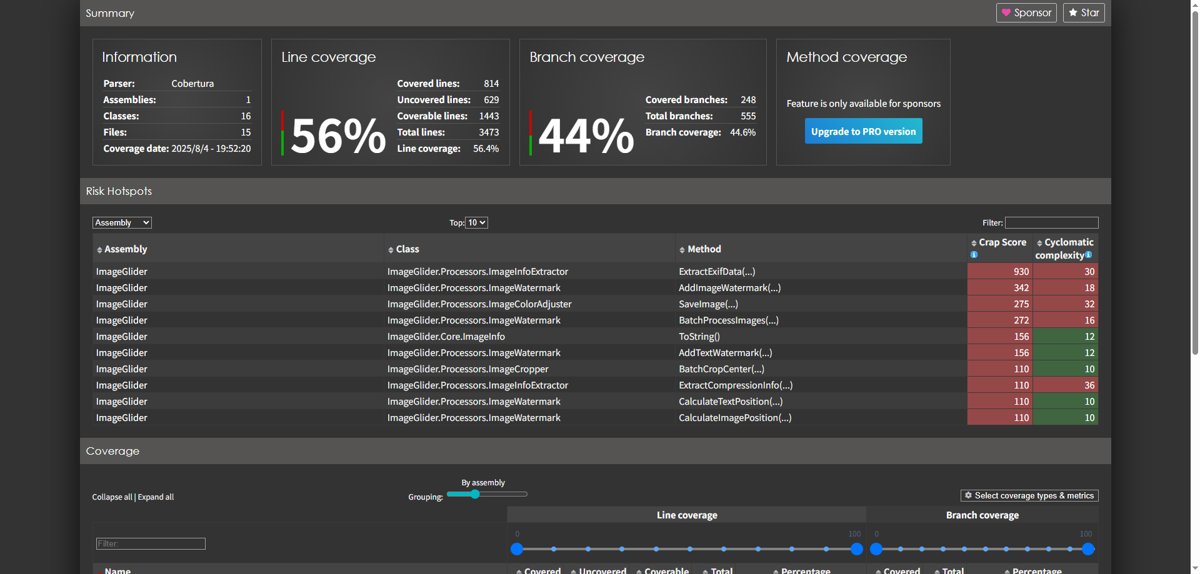
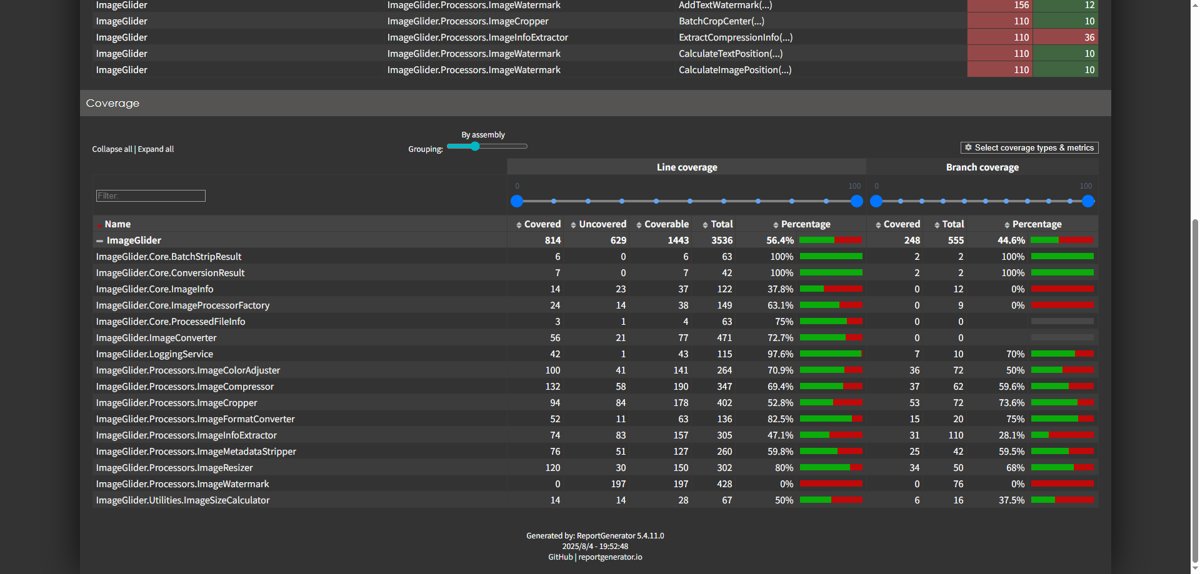
View Detailed Coverage
Here you can adjust the grouping mode.
The default is By assembly.
You can change it to By namespace, where the namespace mode is further divided into level 1 and level 2.
Both Line coverage and Branch coverage can be filtered.
For larger projects, it is recommended to select By Namespace level 2, which is more intuitive.
Method Test Coverage
Click on a specific class to navigate to the method coverage page.
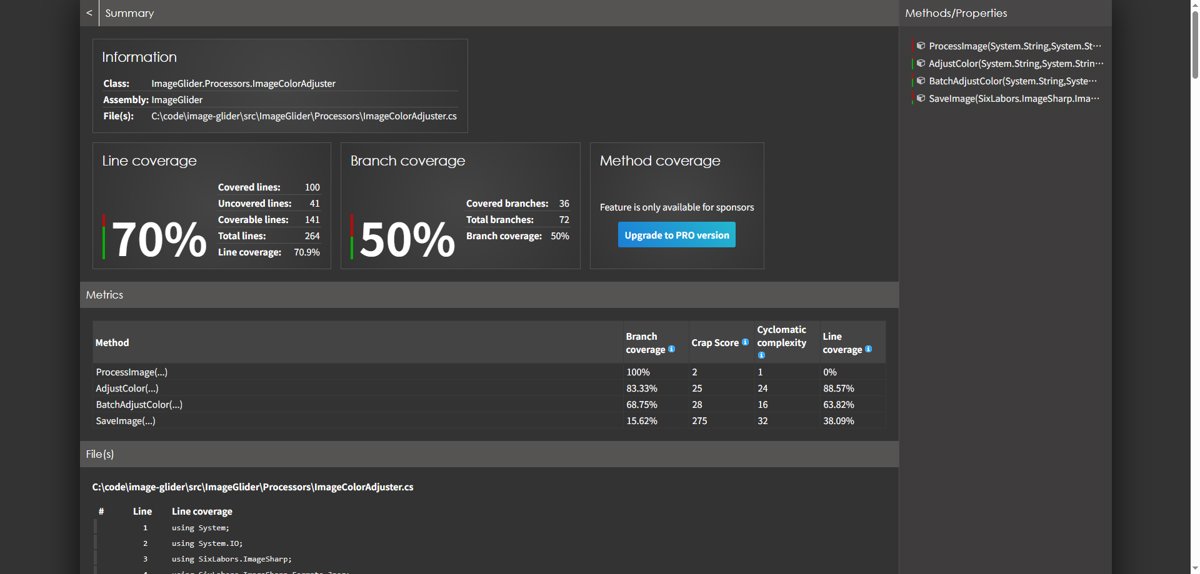
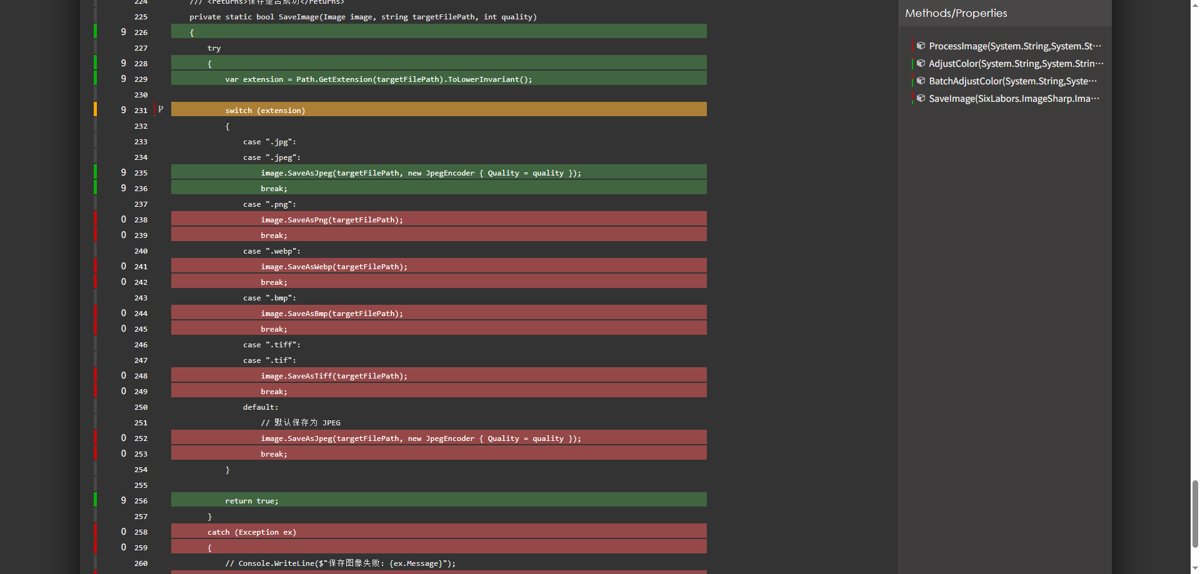
Here you can see which methods lack tests or which test cases are not covered. In short, it's very convenient.
VSCode
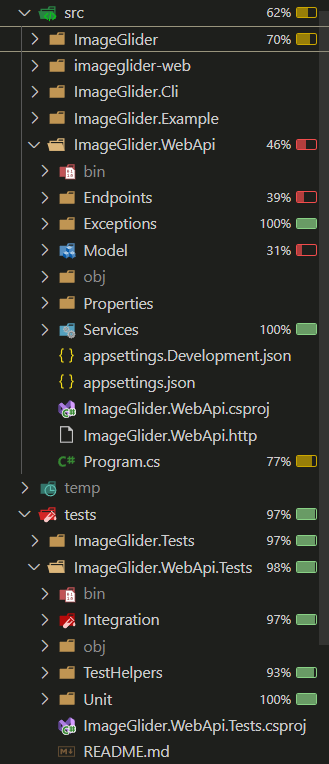
Right-click on the tests directory and run the coverage test.
Soon, battery-like icons (quite cute 😄) will appear across each directory.
This makes it easy to view the test coverage for each project and code file.
Rider
I first discovered it in VSCode
I thought
If VSCode has this feature, then Rider, the established C# IDE, should definitely have it too
After testing it out, it really does
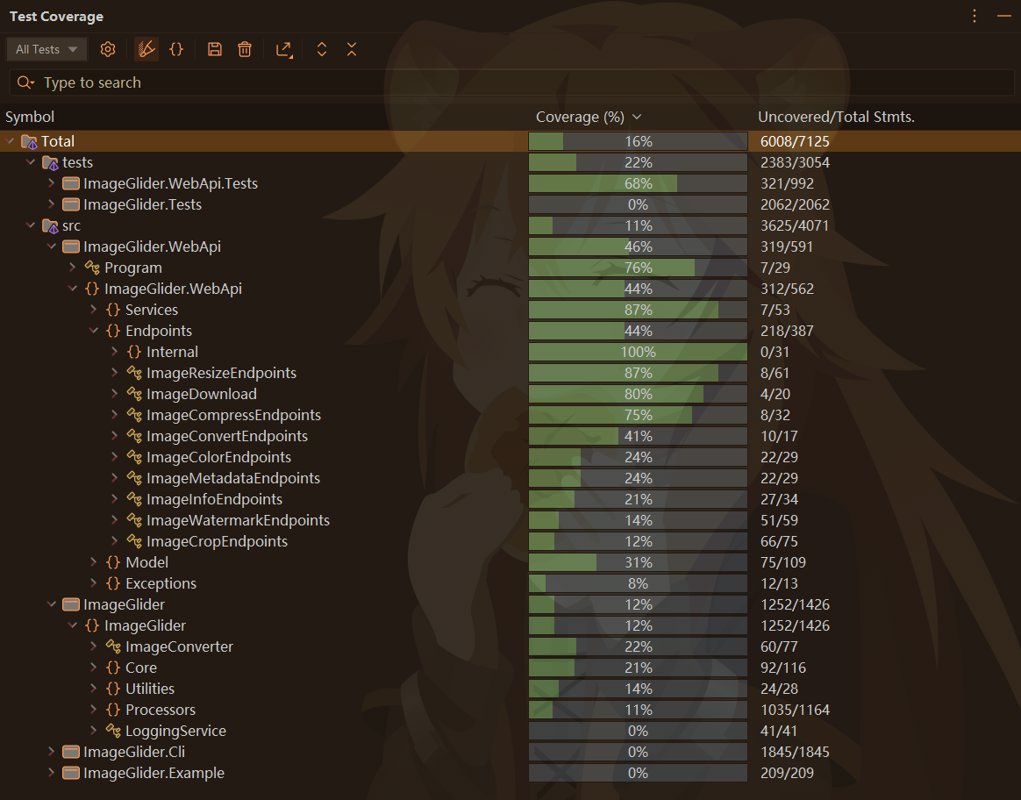
The menu path is Tests -> Cover Unit Tests
This feature is also pretty good, and it can even export to HTML, among other formats
Summary
In summary, through dotnet-reportgenerator-globaltool and the built-in features of IDEs like VSCode, VS, and Rider, we can easily analyze the unit test coverage of C# projects, helping improve code quality and testing effectiveness.
_EOF_
Analyze the unit test coverage of C# projects to improve code quality
- 本文作者:
- 程序设计实验室
- 版权声明:
- 本博客所有文章除特别声明外,均采用 BY-NC-SA 许可协议。转载请注明出处!
相关文章
C#中AES加密的实现
AES算法简介 高级加密标准(英语:Advanced Encryption Standard,缩写:AES),在密码学中又称Rijndael加密法,是美国联邦政府采用的一种区块加密标准。这个标准用来替代原先的DES,已经被多方分析且广为全世界所使用。经过五年的甄选流程,高级加密标准由美国国家标准与技术研究院(NIST)于2001年11月26日发布于FIPS PUB 197,并在2002年5月26日
2022-05-27 · C# · 约 1 分钟
C#实现生成Markdown文档目录树
前言 之前我写了一篇关于C#处理Markdown文档的文章:C#解析Markdown文档,实现替换图片链接操作 算是第一次尝试使用C#处理Markdown文档,然后最近又把博客网站的前台改了一下,目前文章渲染使用Editor.md组件在前端渲染,但这个插件生成的目录树很丑,我魔改了一下换成bootstrap5-treeview组件,好看多了。详见这篇文章:魔改editormd组件,优化ToC渲染效
2022-10-26 · C# · 约 1 分钟
让 C# 也拥有 gofmt 般的体验:用 CSharpier + Roslyn 实现 csfmt
C# 代码长到像答辩?用 CSharpier 自动折行,再用 Roslyn 修正 K&R 花括号,Taskfile 一键收尾。再补上 format-check,省得 CI 反复制造 Git diff。两步流水线并非原生 gofmt,顺序和版本仍得老实锁住。
2026-10-22 · C# · 约 1 分钟
C#使用iKvm黑科技无缝接入JVM生态
C#开发者用iKVM白嫖JVM生态?省事,但依赖处理还得手动折腾。无缝接入?不过是把JAR转DLL,省了移植代码的麻烦。AI工具缺?直接调用HanLP,但依赖处理,呵呵。
2023-10-06 · C# · 约 1 分钟
讨论
共 0 条加载评论中…