

Coolify: An Open-Source Self-Hosted Alternative to Vercel
Another Vercel alternative—an open-source self-hosted PaaS. Auto build and deploy looks the part, but the UI is so crude it makes you want to roll your eyes. It's picky about networking too; don't bother with servers in China.
目录6 个章节
Preface
Yesterday I mentioned I've been tinkering with Coolify lately; today I'll share some of that experience.
Coolify
The most accurate way to position Coolify is: an open-source, self-hostable PaaS platform. You can think of it as a self-hosted alternative to Vercel, or as putting a Heroku/Vercel-like UI on top of Docker.
Some of you may have used 1panel, but Coolify and 1panel are still different. 1panel focuses on server operations and maintenance; you can think of it as adding a graphical interface to your server.
Coolify focuses on application lifecycle management (ALM). What it delivers is very similar to Vercel: after you push code to GitHub, it automatically builds a Docker image, auto-deploys, auto-configures domain SSL, and auto-performs zero-downtime updates.
OK, that all sounds great, but Coolify is actually better suited to overseas servers. You need a clear, unobstructed network to use it smoothly. For servers in China, the traditional Docker deployment approach is still better, since it's easier to switch various image registries.
UI
Back to the main topic. After I got Coolify set up, I deployed a few services.
The interface is fairly simple—not as good-looking as Vercel.
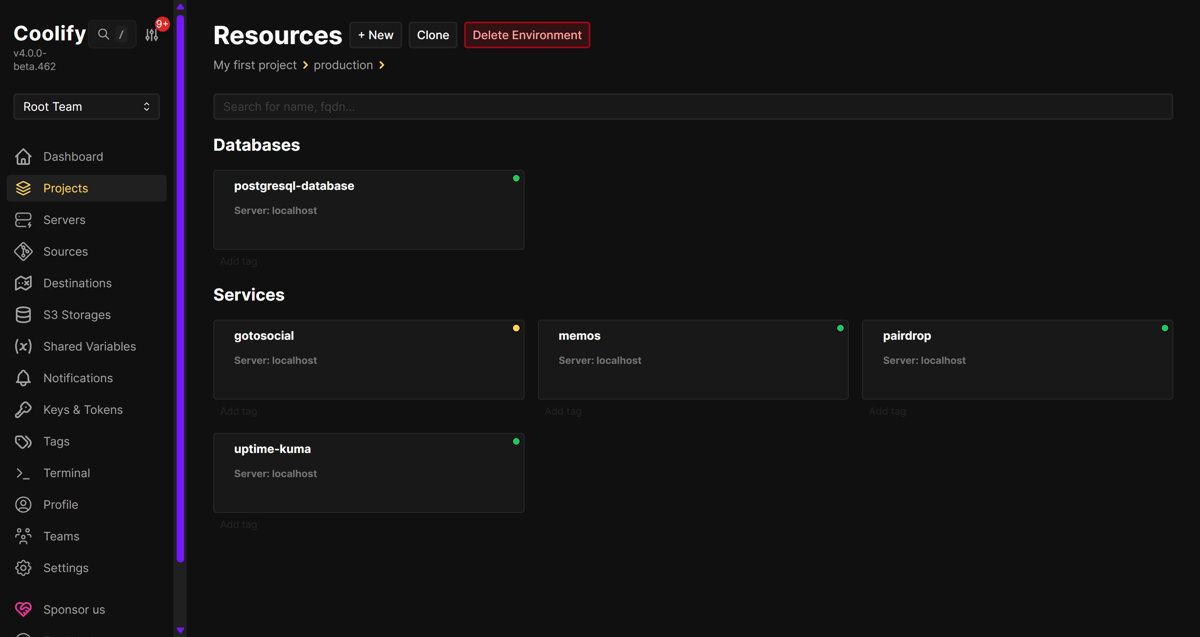
Installing Coolify on a Server
Installing it on a server is easy.
Coolify is essentially a PHP (Laravel) application running in Docker.
For installation, you can refer to the official docs: https://coolify.io/docs/get-started/installation
There's a script for one-click install:
curl -fsSL https://cdn.coollabs.io/coolify/install.sh | sudo bash
It's recommended to install on a fresh server to avoid conflicts with existing services.
I also found a tool for managing Coolify from the command line: https://github.com/coollabsio/coolify-cli
But the configuration is a bit of a hassle, and I haven't gotten around to it yet.
Usage
So far I've only used the service and docker deployment types.
On the project page, click the New button to add a resource.
Applications at the top is for custom content—you can enter a GitHub repository URL, a Docker image name, docker-compose config, and so on.
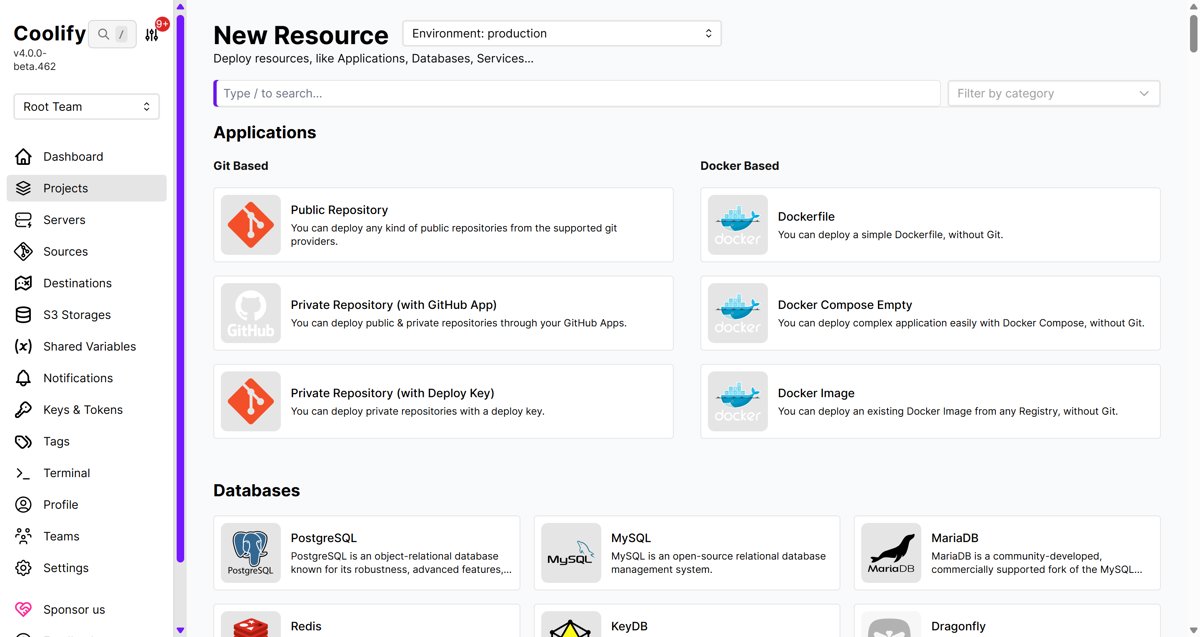
The services below look like some Docker images curated by Coolify, similar to an app store when you're playing with a NAS. They're not very complete; I feel like LinuxServer.io has a lot of stuff, and the quality is pretty good.
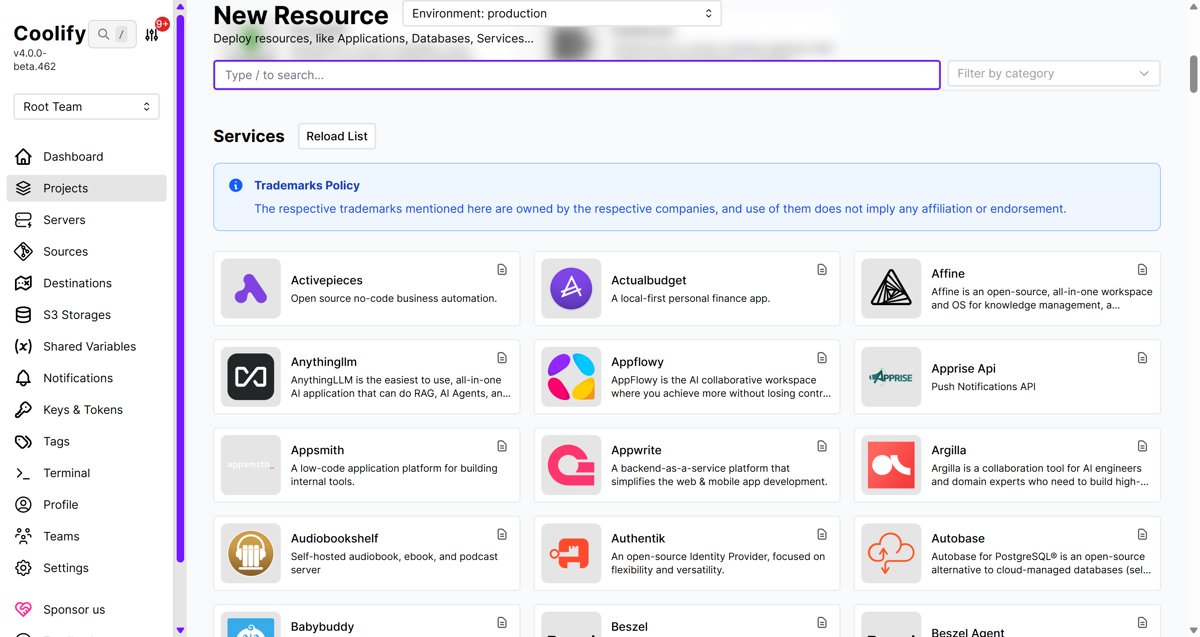
So far I've deployed:
- memos - a self-hosted diary/microblog app
- pair drop - WebRTC-based LAN quick file transfer
- uptime kuma - monitor server online status
Wrap-up
Oh, and while using it I also tried these two: Two new things I found while playing with Coolify
OK, that's all I'll share for now. Later I'll deploy a Next.js project onto it and write that up then.
_EOF_
Coolify: An Open-Source Self-Hosted Alternative to Vercel
- 本文作者:
- 程序设计实验室
- 版权声明:
- 本博客所有文章除特别声明外,均采用 BY-NC-SA 许可协议。转载请注明出处!
相关文章
极大提高项目部署的生产力!分享一个半自动化的CICD实现方案
半自动CICD?听起来就像是对完全自动化方案的妥协。用脚本一键发布,还真能省事,不过得忍受服务器内网访问等麻烦。国内环境下的CI/CD,果然还是得自己想办法。
2025-07-11 · DevOps · 约 1 分钟
重启sentry+升级ExceptionLess版本,docker排坑记录
折腾的过程真的是究极折磨,写这篇文章仿佛又被折磨了一遍……
2024-07-19 · DevOps · 约 1 分钟
GitLab的安装、配置、使用
前言 上周去参与“中国数字经济创新发展大会”了,然后又忙新项目的事情,博客又有一段时间没有更新,今天周一事情比较少,立刻开始写文,最近有挺多值得记录的东西~ 进入正文,最近我们搭了个Gitlab,并且把正在开发的项目代码都迁移到自建的Gitlab上,整个过程还是比较流畅的~~(就是有点费内存~~ PS:立即下单给这台服务器买了四条16G内存组四通道~ 在此之前,我们团队一直使用Gitee企业版作为
2022-07-21 · DevOps · 约 1 分钟
Gitlab的CI_CD自动部署前端项目
前言 之前陆续写了 Gitlab 的安装使用还有 Gitlab CI/CD 的配置使用,已经把 AspNetCore 的后端项目都做了持续集成了,尝到甜头之后,现在前端的项目也要加入自动化部署,所以经过一番折腾,有了本文~ 前文回顾: GitLab 的安装、配置、使用 持续集成指南:GitLab 的 CI/CD 工具配置与使用 跟之前的 AspNetCore 项目操作差不多,我依然使用 docke
2022-09-30 · DevOps · 约 1 分钟
讨论
共 0 条加载评论中…