

Coolify: An Open-Source Self-Hosted Alternative to Vercel
Another Vercel alternative—an open-source self-hosted PaaS. Auto build and deploy looks the part, but the UI is so crude it makes you want to roll your eyes. It's picky about networking too; don't bother with servers in China.
目录6 个章节
Preface
Yesterday I mentioned I've been tinkering with Coolify lately; today I'll share some of that experience.
Coolify
The most accurate way to position Coolify is: an open-source, self-hostable PaaS platform. You can think of it as a self-hosted alternative to Vercel, or as putting a Heroku/Vercel-like UI on top of Docker.
Some of you may have used 1panel, but Coolify and 1panel are still different. 1panel focuses on server operations and maintenance; you can think of it as adding a graphical interface to your server.
Coolify focuses on application lifecycle management (ALM). What it delivers is very similar to Vercel: after you push code to GitHub, it automatically builds a Docker image, auto-deploys, auto-configures domain SSL, and auto-performs zero-downtime updates.
OK, that all sounds great, but Coolify is actually better suited to overseas servers. You need a clear, unobstructed network to use it smoothly. For servers in China, the traditional Docker deployment approach is still better, since it's easier to switch various image registries.
UI
Back to the main topic. After I got Coolify set up, I deployed a few services.
The interface is fairly simple—not as good-looking as Vercel.
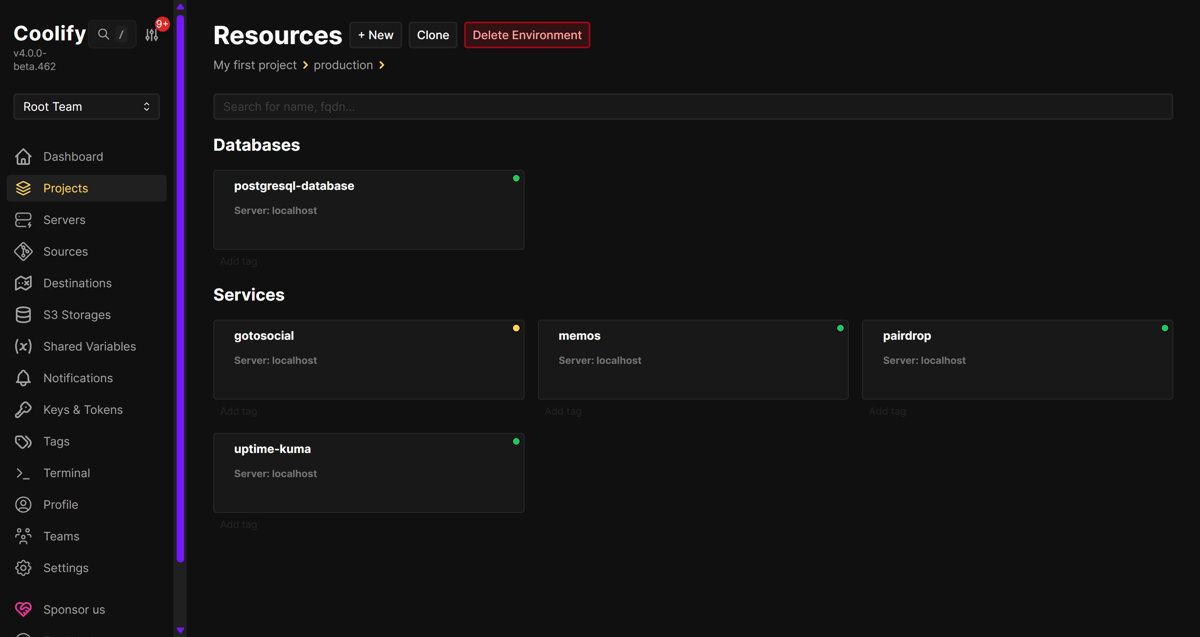
Installing Coolify on a Server
Installing it on a server is easy.
Coolify is essentially a PHP (Laravel) application running in Docker.
For installation, you can refer to the official docs: https://coolify.io/docs/get-started/installation
There's a script for one-click install:
curl -fsSL https://cdn.coollabs.io/coolify/install.sh | sudo bash
It's recommended to install on a fresh server to avoid conflicts with existing services.
I also found a tool for managing Coolify from the command line: https://github.com/coollabsio/coolify-cli
But the configuration is a bit of a hassle, and I haven't gotten around to it yet.
Usage
So far I've only used the service and docker deployment types.
On the project page, click the New button to add a resource.
Applications at the top is for custom content—you can enter a GitHub repository URL, a Docker image name, docker-compose config, and so on.
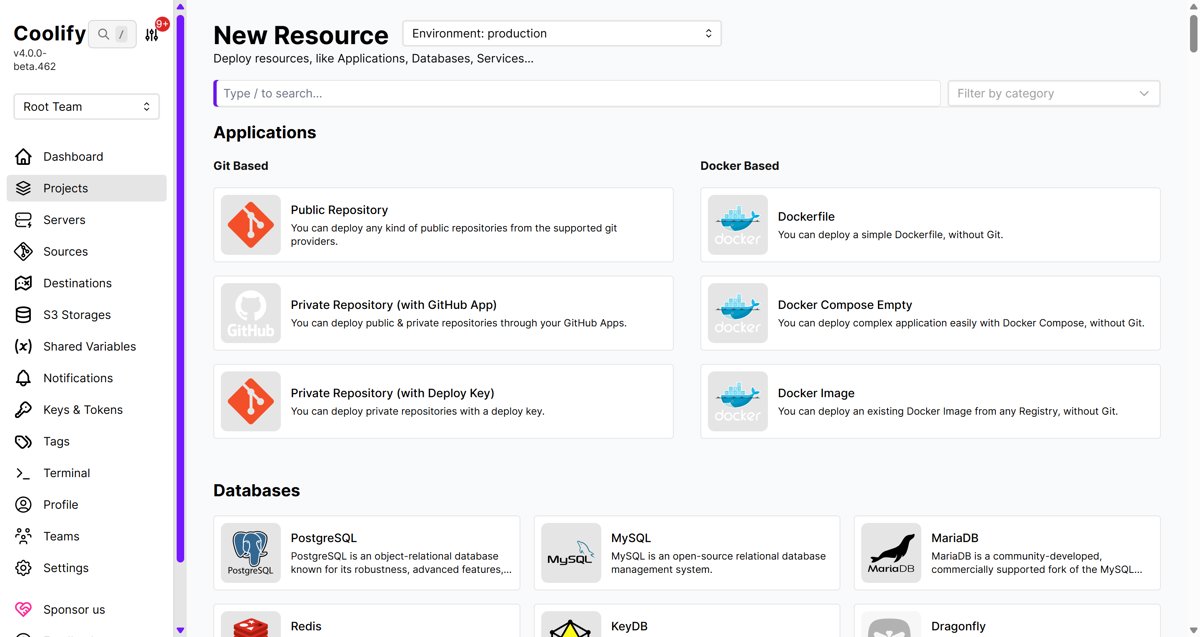
The services below look like some Docker images curated by Coolify, similar to an app store when you're playing with a NAS. They're not very complete; I feel like LinuxServer.io has a lot of stuff, and the quality is pretty good.
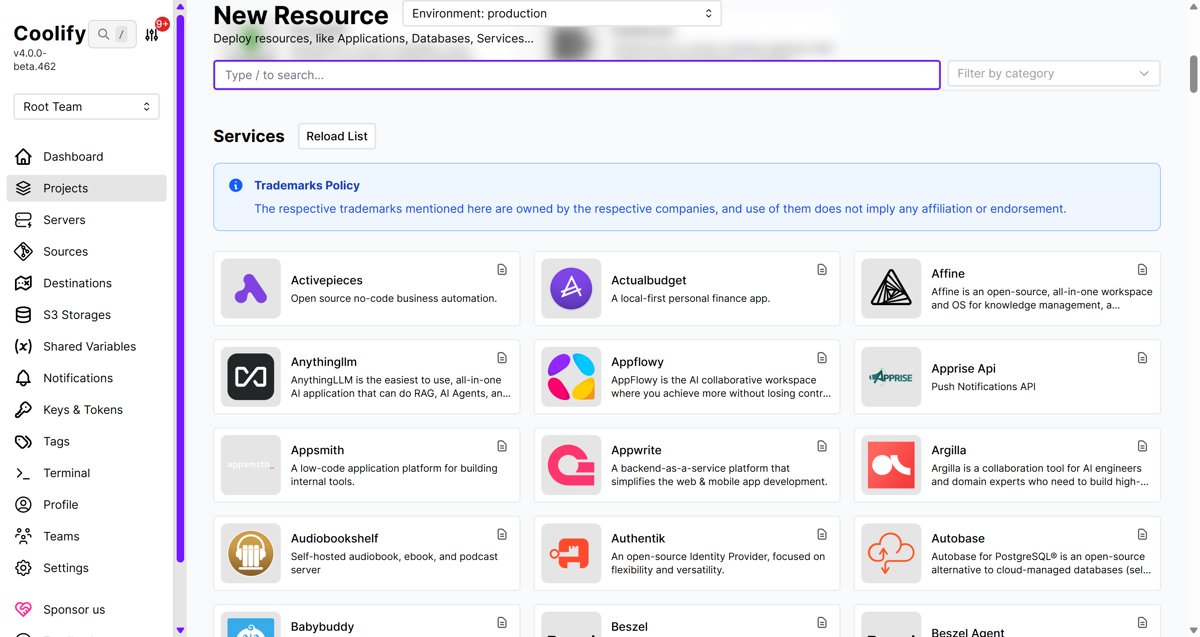
So far I've deployed:
- memos - a self-hosted diary/microblog app
- pair drop - WebRTC-based LAN quick file transfer
- uptime kuma - monitor server online status
Wrap-up
Oh, and while using it I also tried these two: Two new things I found while playing with Coolify
OK, that's all I'll share for now. Later I'll deploy a Next.js project onto it and write that up then.
_EOF_
Coolify: An Open-Source Self-Hosted Alternative to Vercel
- 本文作者:
- 程序设计实验室
- 版权声明:
- 本博客所有文章除特别声明外,均采用 BY-NC-SA 许可协议。转载请注明出处!
相关文章
GitLab的CI_CD配置与使用
前言 写代码这项工作,本质就是将工作自动化,减少手工操作提供效率,~~因为人的本质都是懒狗~~,程序员也不能例外,为了各种意义的效率提升~~(懒)~~,我们需要持续集成工具,将代码测试、编译、发布这些重复性很高的工作,全部变成自动化,减轻工作量,提高效率,解放生产力,~~为华夏伟大复兴贡献力量~~ 说回正题,持续集成工具主流的就 Jenkins 、Gitlab CI/CD 这些,因为我们刚好在用
2022-09-30 · DevOps · 约 1 分钟
Gitlab的CI_CD自动部署前端项目
前言 之前陆续写了 Gitlab 的安装使用还有 Gitlab CI/CD 的配置使用,已经把 AspNetCore 的后端项目都做了持续集成了,尝到甜头之后,现在前端的项目也要加入自动化部署,所以经过一番折腾,有了本文~ 前文回顾: GitLab 的安装、配置、使用 持续集成指南:GitLab 的 CI/CD 工具配置与使用 跟之前的 AspNetCore 项目操作差不多,我依然使用 docke
2022-09-30 · DevOps · 约 1 分钟
code-porter 代码工作区迁移工具
换电脑几十个项目手动拷?你不是懒就是蠢。写了code-porter,自动扫描、智能打包(bundle/zip),脏仓库也能保留未提交改动,一行uvx搞定。零依赖跨平台,U盘一插完事。别问我为什么不用rsync——它懂你项目结构?
2026-05-22 · DevOps · 约 1 分钟
兼容sentry协议的轻量级监控,glitchtip
上一篇文章说了重启 sentry 的事 因为过程太折腾了,一度想过放弃 sentry 换成其他比较轻量级的开源监控系统
2024-07-23 · DevOps · 约 1 分钟
讨论
共 0 条加载评论中…