

Project Completion Recap - Civil Affairs Bureau Project - Django 3.x Version - Development and Deployment Notes
Preface Recently, due to a work mistake by the government-enterprise department, our project almost fell apart. The client was very unhappy, so we were forced into 007 overtime mode, working ourselves ragged. Only today did we barely finish revising and delivering the project. It's time to write a recap. Tech Because the requirements were unclear early on, the data volume wasn't large, and we didn't have many people, I went straight with Django for the backend. Django's built-in admin can be used as the management backend, so we could finish this requirement quickly. We have two frontends: a data display large screen, and a visualization map. The former uses Vue+El
目录17 个章节
Preface
Recently, due to a work mistake by the government-enterprise department, our project almost fell apart. The client was very unhappy, so we were forced into 007 overtime mode, working ourselves ragged. Only today did we barely finish revising and delivering the project. It's time to write a recap.
Tech
Because the requirements were unclear early on, the data volume wasn't large, and we didn't have many people, I went straight with Django for the backend. Django's built-in admin can be used as the management backend, so we could finish this requirement quickly.
We have two frontends: a data display large screen, and a visualization map. The former is implemented with Vue+ElementUI+DataV, the latter with jQuery+Baidu MapV.
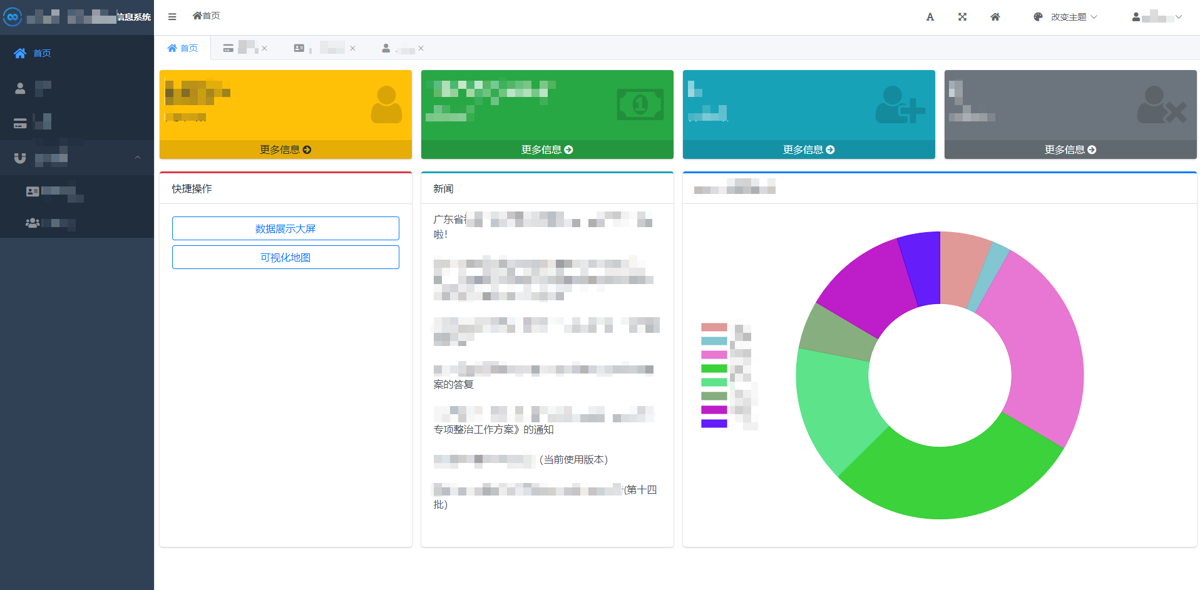
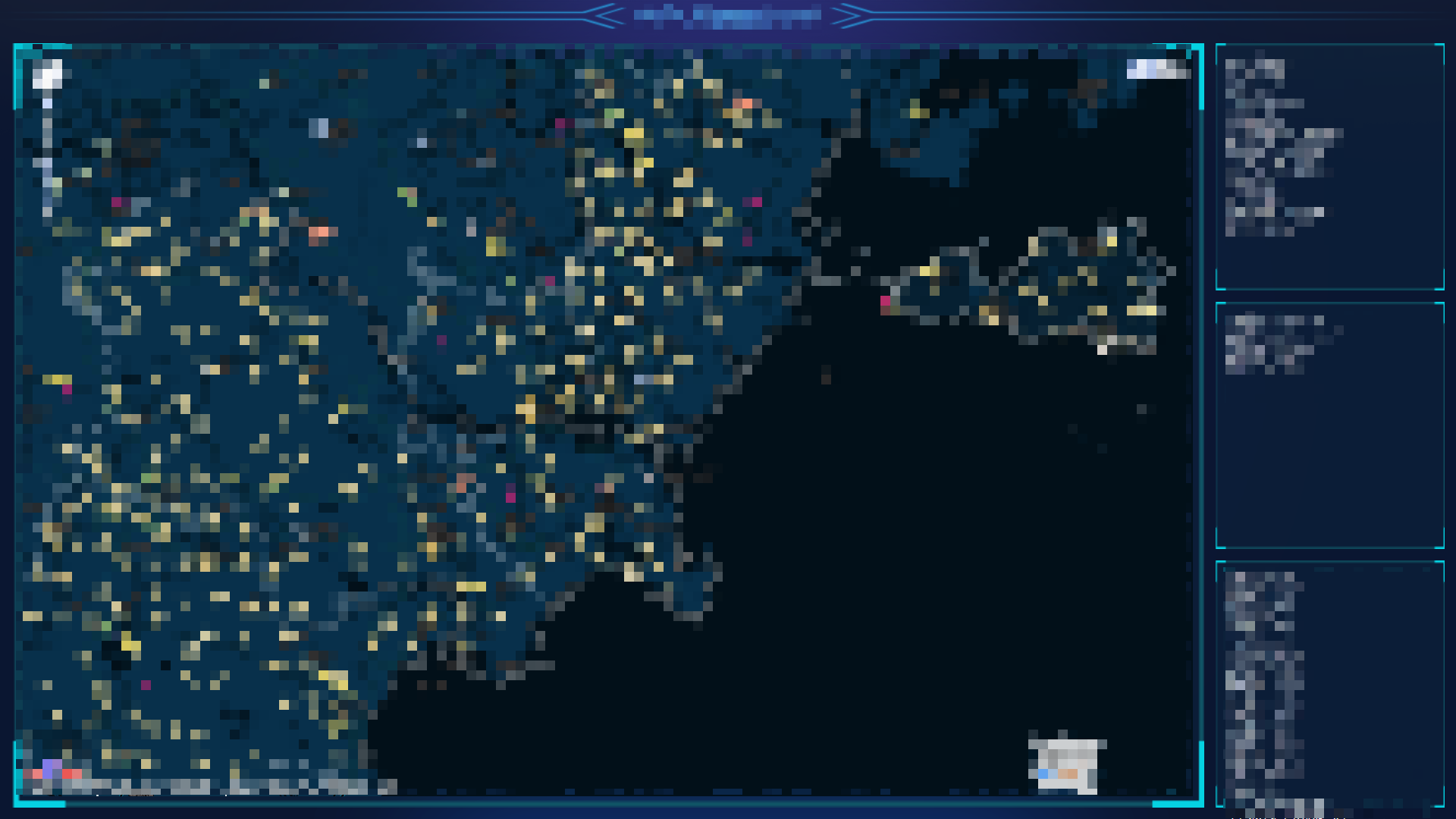
The general effect is as shown below. The parts involving data have to be redacted, thanks for understanding~
This is Django's admin interface; I rewrote the homepage
Data display large screen

Visualization map
The technical complexity isn't actually high, but during the concrete implementation and delivery of the project, there were some issues and details that are still worth recording.
Switching to MySQL
During development we used the SQLite database by default. In the production environment, we needed to switch to a C/S architecture server, such as MySQL.
My configuration looks like this
# 数据库配置
database_config = {
    'sqlite3': {
        'ENGINE': 'django.db.backends.sqlite3',
        'NAME': os.path.join(BASE_DIR, 'db.sqlite3'),
    },
    'mysql': {
        'ENGINE': 'django.db.backends.mysql',
        'NAME': 'name',
        'USER': 'root',
        'PASSWORD': 'password',
        'HOST': 'mysql' if DOCKER else 'localhost',
        'PORT': '3306',
    }
}
DATABASES = {'default': database_config['sqlite3']}
This makes it convenient to switch between different databases. You can actually also control database switching with environment variables: use MySQL in Docker, and SQLite in the local development environment.
The MySQL HOST config is: 'mysql' if DOCKER else 'localhost', also to adapt to switching between the local environment and the Docker environment. Later I'll wrap the database configuration part of DjangoStarter to implement the environment-variable switching config mentioned above.
Mass Data Import Issues
The first troublesome problem this project ran into was importing a large amount of data.
The data the client provided was in Excel format, around several million rows. I first used Python to preprocess the data, doing some deduplication, data cleaning, and similar operations, then exported it as a JSON file.
Then when importing into the Django database we hit a problem: Django ORM was way too slow!
I let it run overnight and it only imported around 800,000 records. That definitely wouldn't work, because the business department had already dropped the ball, and the project had only a few days left before going live—we had to rush! There were several million records in total...
No choice, had to go straight to SQL. I pulled out Navicat, connected to the server's MySQL database, imported the data directly into a temporary table, then did some SQL wrangling to import it into the tables Django generated. That took care of the data problem.
(Of course there were still a series of data issues afterward. The earlier data cleaning still wasn't enough. Later we discovered some issues like missing data, which we handled while rushing the schedule, applying some remedial measures. In the end it was still barely usable.)
Next time for data cleaning I should still try a professional tool like Pandas. Relying on Python itself isn't enough.
API Caching
Because the data volume was too large, a few endpoints that needed computation were relatively slow. Everything that could be optimized for now had been optimized (I might write about Django ORM optimization below), so we could only add caching.
The project used my DjangoStarter project template, which already integrates Redis support, so caching could just use Redis.
There are two ways to use caching: Django's default cache_page decorator, or the third-party library rest_framework_extensions.
The former applies to function views; of course class views can use it too, but you have to add method_decorator, and then you have to wrap a cache expiration config yourself.
The latter can use rest_framework's cache configuration, which is relatively more convenient; you just need to install a library. (Also worth mentioning, the rest_framework_extensions library has some other features too. I'll introduce them when I have time; interested folks can explore on their own.)
In the end I chose the second one, haha~
But I'll introduce both anyway, they're simple.
Using cache_page
from django.views.decorators.cache import cache_page
from rest_framework.decorators import api_view

@cache_page(CACHE_TIMEOUT)
@api_view()
def overview(request: Request):
	...
CACHE_TIMEOUT is in seconds; you can also set it to None, in which case the cache never expires.
rest_framework_extensions
rest_framework Cache Configuration
REST_FRAMEWORK = {
    # 缓存过期时间
    'DEFAULT_CACHE_RESPONSE_TIMEOUT': 60 * 60,
}
Installation
pip install drf-extensions
Usage
Two commonly used approaches: decorator and Mixin
Decorator usage
from rest_framework_extensions.cache.decorators import cache_response

class ViewSet(viewsets.ModelViewSet):
    ...

    @cache_response()
    def list(self, request, *args, **kwargs):
        ...
Mixin usage; note that CacheResponseMixin should be placed before ModelViewSet
from rest_framework_extensions.cache.mixins import CacheResponseMixin

class ViewSet(CacheResponseMixin, viewsets.ModelViewSet):
    ...
References
- Implementing common data caching with DRF: https://segmentfault.com/a/1190000018170069
Response Payload Too Large
The visualization map page mentioned earlier needs to fetch tens of thousands of personnel records. This endpoint wasn't optimized at first; the returned data was 50MB, which is ridiculous. Network transfer alone took 40 seconds—painfully laggy.
After the frontend teammate reported this issue, I checked the server logs and found the response time itself already reached 5 seconds. Unbearable. At first I added caching, which was very effective—response time was compressed straight down to 0.1 seconds! But it didn't help; transfer time was still very long.
Continuing the analysis: because the endpoint was implemented using DjangoStarter's auto code-generation feature, after the request it would by default return all fields of the personnel info. But obviously, the map only needs three fields: ID, longitude and latitude.
So I rewrote a serializer
class BasicPersonSerializer(serializers.ModelSerializer):
    class Meta:
        model = BasicPerson
        fields = ['id', 'address_lng', 'address_lat']
Then in the viewsets I also overrode the list method, using this newly defined serializer
class BasicPersonViewSet(viewsets.ModelViewSet):
    ...

    @cache_response()
    def list(self, request, *args, **kwargs):
        queryset = self.filter_queryset(self.get_queryset())

        page = self.paginate_queryset(queryset)
        if page is not None:
            serializer = BasicPersonSerializer(page, many=True)
            return self.get_paginated_response(serializer.data)

        serializer = BasicPersonSerializer(queryset, many=True)
        return Response(serializer.data)
Then I tested again: response time 69 milliseconds, data size became 4MB+, a very significant improvement!
The entire transfer time only needed around 1.2 seconds~
Nice. But I still wasn't satisfied. Since there was still room to optimize, I kept going.
Let's add gzip compression to the endpoint~
To save trouble, I just enabled site-wide compression
MIDDLEWARE = [
    'django.middleware.gzip.GZipMiddleware',
]
Done
Requested again
Data size was compressed to 480kb, transfer time only 356 milliseconds! Nice
This problem was solved.
Reference: Using gzip in Django to compress requests - https://www.pythonf.cn/read/116970
Aggregation Queries
Since we're using Django, with such a convenient and easy-to-use ORM, don't always be thinking about using SQL statements.
The ones I used relatively often in this project are these
- aggregate
- annotate
- values (though this might not count, but I used it a lot)
- Count
- Sum
I won't copy-paste the specific usage of each function; see the references below~
References:
- Aggregation | Django documentation | Django (djangoproject.com)
- 075: 【Django Database】ORM Aggregate Functions in Detail-Sum - zheng-weimin - CNBlogs (cnblogs.com)
Performance Optimization
Django's performance is honestly a bit of a mixed bag. Performance optimization is also a well-worn topic, but as far as practical use goes, we're still exploring it here too, because for most scenarios it's good enough—there's not that much concurrency.
But one relatively slow part was the large-screen dashboard data API, because it had to gather data from several tables for statistics, hundreds of thousands to millions of records, a bit slow. At first the response time needed 40 seconds, which is ridiculous.
Definitely needed optimization. The optimization approach started from reducing database access counts, combining computations, and adding caching. After optimization, cold start was 5 seconds, cache hits within 60 milliseconds. The results were decent.
I still need to keep looking into performance optimization later. Django has too many places that can be optimized...
(Or if that doesn't work, just rewrite it with a high-performance platform like .Net Core?)
Deployment
For deployment it's still the uwsgi / docker / docker-compose combo. We've used it many times before, it's fairly stable, the config files are all ready-made. Just upload the code to the server, run up, and it starts. Very convenient.
Oh, and we also need to configure nginx. uwsgi uses a proprietary protocol, so we need to set up a reverse proxy before it can be accessed over HTTP.
After deployment, turn off debug mode, and you also need to enter the docker container and run collectstatics in bash to collect static files.
Later when updating, I just need to configure PyCharm so that when you commit it also deploys, submitting the modified code files to the server, then tweak the readme.md file (I configured a watch on this file) to restart the service.
Project Monitoring
Oh, and another critical thing: after the project goes live, we need to monitor the project's running status.
For Django projects, I use Sentry for monitoring. It works great and is convenient to integrate. I plan to write an article introducing this Sentry later.
PS: For .Net Core projects, I use ExceptionLess, which is dedicated to .Net. The UI is clean and intuitive, but the docs aren't as detailed as Sentry's. Still, setting it up with Docker is quite convenient.
You can check out my previous article: Integrating ExceptionLess Monitoring into a Vue 2.x Project
Recap
OK, that's about it. The project isn't over at this point, it's just a pause for now. Next we'll see if the client has any new requirements and continue development.
I've been using the Django framework on and off for two or three years. Although the application scenarios have all been relatively simple, I've basically figured out the development workflow and the ceiling of customization. Take django-admin, the built-in admin backend: even though it has a lot of custom configuration features, and excellent third-party UIs like simpleUI, its ceiling is still sitting right there. When you run into admin backend requirements that need a bit more customization, you still have to build your own. Fortunately writing APIs with RestFramework is really convenient—export the APIs, wrap them with a vue+elementUI frontend, and you've got an admin backend.
If we also need visualization features like data large screens, we've now accumulated some technology and experience in this area and can ship products fairly quickly.
Going forward, many new projects will still prioritize .Net Core, considering stability and performance. I still trust .Net Core more.
Django's advantages are mainly in development efficiency and the powerful ecosystem of the Python community, but it's a bit weaker in performance and deployment convenience.
Anyway, both are good. Use them according to the scenario~
_EOF_
Project Completion Recap - Civil Affairs Bureau Project - Django 3.x Version - Development and Deployment Notes
- 本文作者:
- 程序设计实验室
- 版权声明:
- 本博客所有文章除特别声明外,均采用 BY-NC-SA 许可协议。转载请注明出处!
相关文章
项目完成小结-民政局项目-Django3.x版本-开发部署小结(2)
前言 好久没更新博客了,最近依然是在做之前博客说的这个项目:项目完成 - 基于Django3.x版本 - 开发部署小结 这项目因为前期工作出了问题,需求没确定好,导致了现在要做很多麻烦的工作,搞得大家都身心疲惫。唉,只能说技术团队,有里一个靠谱有能力的领导是非常重要的。 进入正题 本文继续记录Django项目开发的一些经验。 本次的项目依然基于我定制的「DjangoStarter」项目模板来开发,
2022-05-17 · 项目开发小结系列 · 约 1 分钟
项目完成小结:使用DjangoStarter v3和Taro开发的微信小程序
后端DjangoStarter v3秒杀开发,ninja API写起来真香。前端Taro做微信小程序?呵呵,微信烂得一坨但居然有护城河?django-filer和tailwindcss还行,分享搞定,就是拖太久没动代码。
2024-09-12 · 项目开发小结系列 · 约 1 分钟
项目开发小结-8月新项目-校车项目
Model/数据库设计建议 from django.db import models from django.utils import timezone class ModelManager(models.Manager): def get_queryset(self, *args, **kwargs): return super().get_queryset(*args
2022-08-28 · 项目开发小结系列 · 约 1 分钟
项目完成小结:使用Blazor和gRPC开发大模型客户端
其实几年前我就有轻度使用了一下 Blazor 这个技术,一开始使用 Blazor ,我是有点嫌弃的,我还是比较倾向于传统的前后端分离,AspNetCore用来做后端,用 React 做前端,生态很丰富,要做啥组件都容易。这次只是个小 Demo 项目,试用了一下 Blazor ,从一开始的非常别扭,到越来越顺手。感觉 Blazor Server 写小项目还是挺好用的,后面继续完善项目,持续发掘 B
2023-07-14 · 项目开发小结系列 · 约 1 分钟
讨论
共 0 条加载评论中…