

A Shallow Experience with the Homegrown Linux Distro Deepin
Introduction Yesterday I reinstalled the system twice, so I didn't have time to write a post. I just finished setting things up today, so here it is. These past few days, after upgrading my computer's hardware, I still hadn't finished configuring the system—I'd only installed Win10. I still prefer working in a Linux environment, and I saw that Deepin's UI looks really nice, so I installed it to give it a try. But I haven't used it for long, so this can only be a shallow experience. System Screenshots The desktop in two modes. Fashion Mode (similar to the Mac) Efficient Mode (similar to Windows) Dashboard (all applications
目录10 个章节
Introduction
Yesterday I reinstalled the system twice, so I didn't have time to write a post. I just finished setting things up today, so here it is. These past few days, after upgrading my computer's hardware, I still hadn't finished configuring the system—I'd only installed Win10. I still prefer working in a Linux environment, and I saw that Deepin's UI looks really nice, so I installed it to give it a try. But I haven't used it for long, so this can only be a shallow experience.
System Screenshots
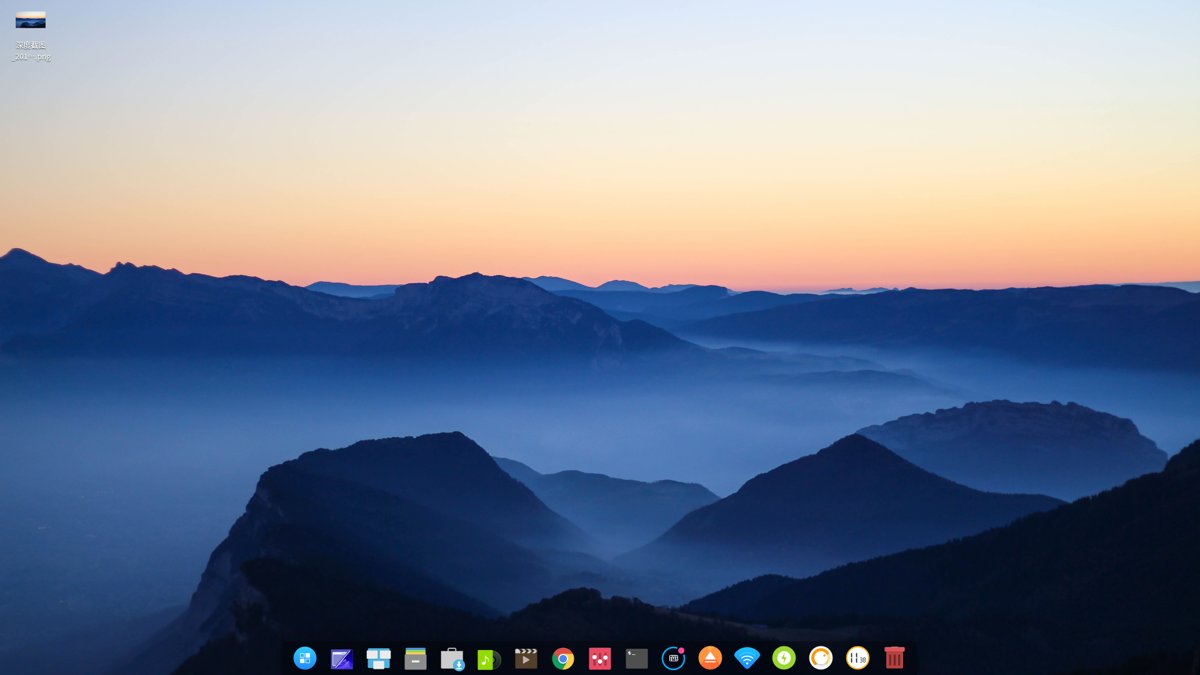
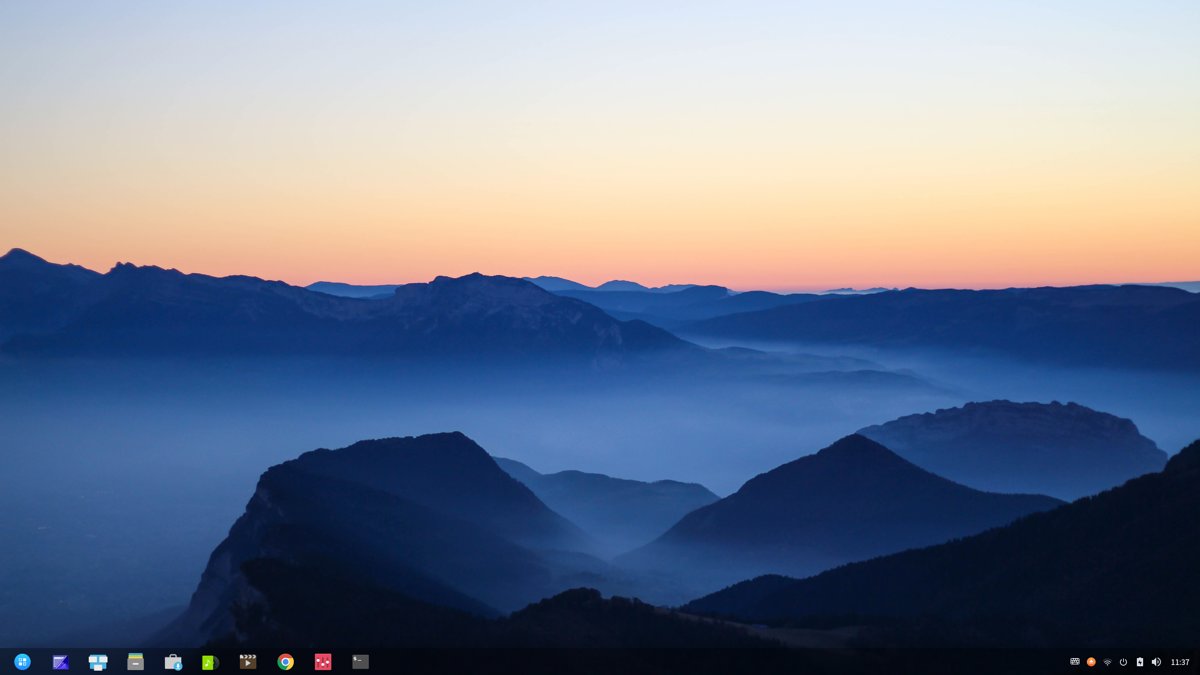
The desktop in two modes.
Fashion Mode (similar to the Mac)
Efficient Mode (similar to Windows)
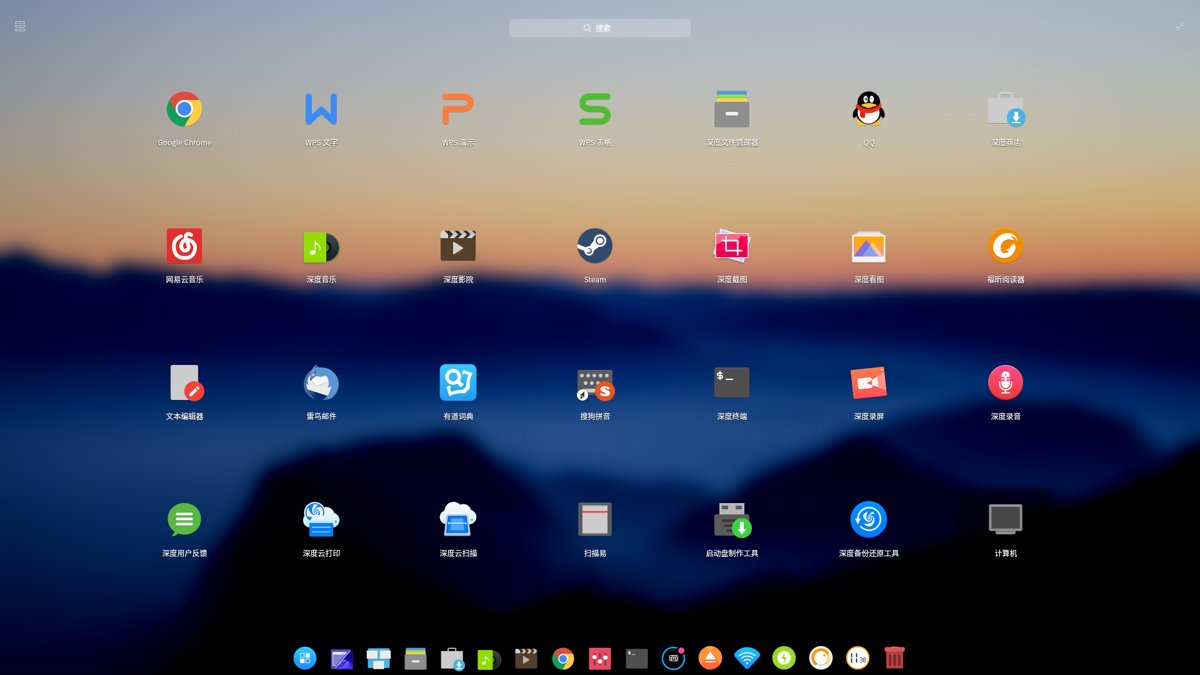
Dashboard (all applications)
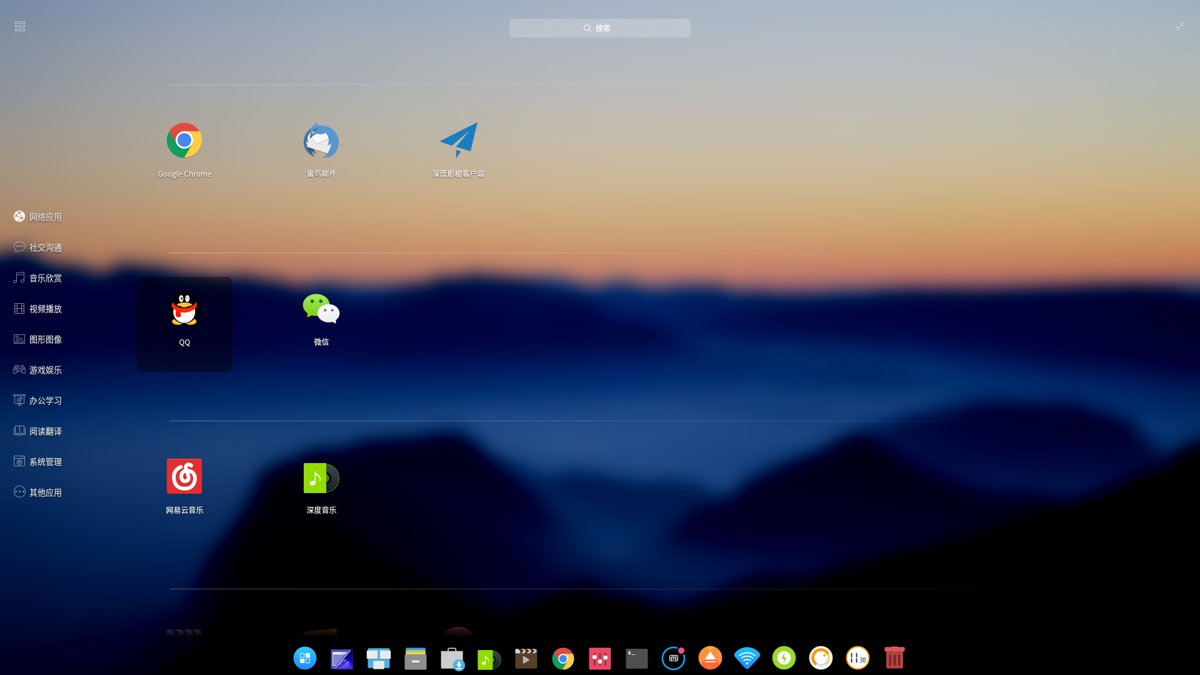
Grouped view
Multitasking view
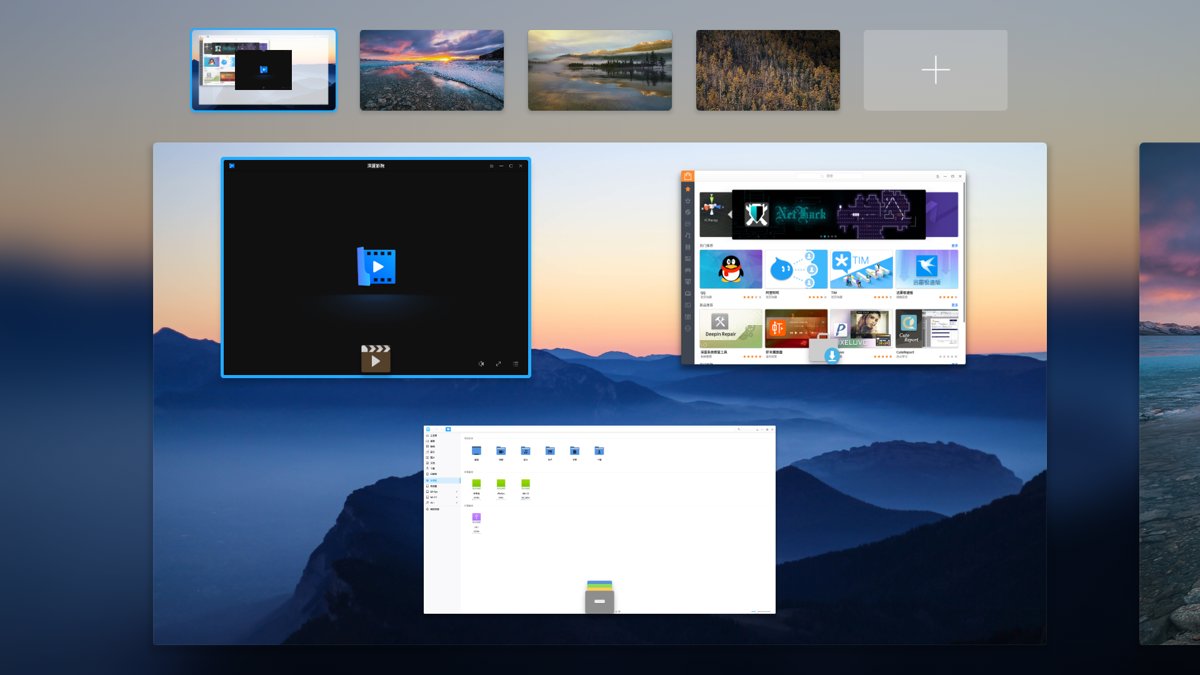
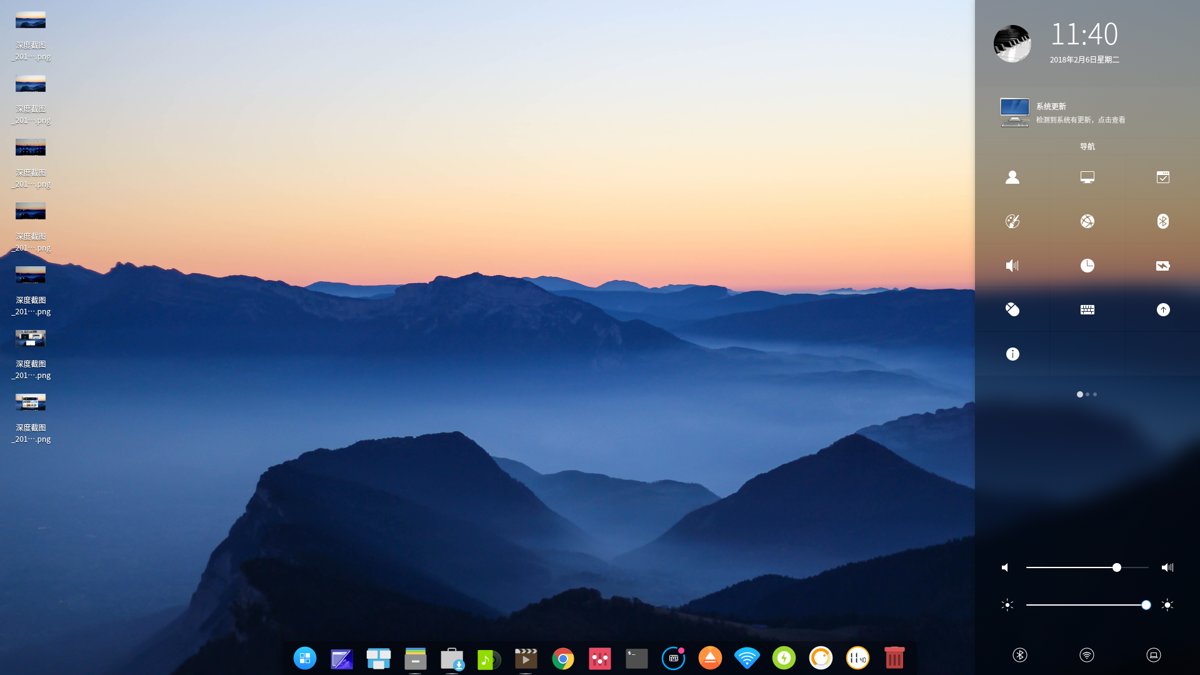
Control Panel
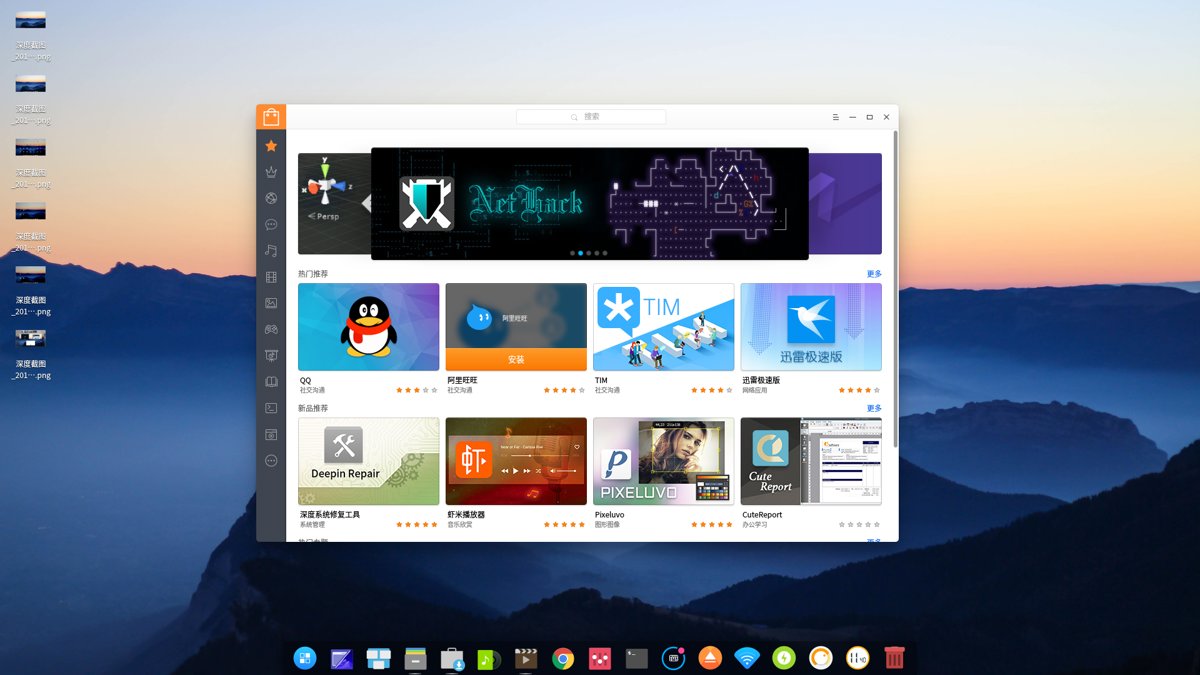
App Store
The Review Begins
This article mainly covers: user interface, applications, development experience, and system performance details Each section gets a score out of 10.
User Interface
Score: 9.0 (docking one point so you don't get cocky)
You can tell from the screenshots above that Deepin's UI is genuinely top-notch. The actual experience is really satisfying—not a lot of flashy effects, a clean interface that still has personality (perfect for showing off XDD...) Deepin's desktop environment is called DDE. Unlike other "homegrown distros" that just slap a new theme on Gnome or KDE and claim they made it themselves, this DDE was built from scratch with Qt. Deepin's desktop used to be developed in HTML5, so it was rather laggy; this Qt-rewritten desktop hasn't stuttered at all during use.
Applications
Score: 8.5 (no pressure for daily use; no need to switch back to Windows)
What matters most for an OS is the quantity and quality of apps. The reason Windows became the king of desktop operating systems is its huge software ecosystem; the fundamental reason Windows Phone declined was also a lack of enough apps.
As a developer, I don't really care about promoting Linux on the desktop. I use Linux purely because it's convenient for development. On Linux, anything you can do with a mouse, you can definitely do from the command line—the reverse is not true.
One of the screenshots above is Deepin's App Store, and the QQ icon is right there in plain sight. In fact, Deepin already comes with QQ preinstalled. For a long time, running QQ on Linux has been a big problem, because Tencent officially won't release any more QQ clients, so you either use WebQQ or mess around with WineQQ yourself—very troublesome and unstable. Deepin configures it for you: it works out of the box and is stable enough. As for Windows software, Deepin purchased a Crossover license and preconfigured commonly used Windows apps (such as WeChat, PS, Xunlei, Baidu Cloud, and iQiyi) so you can install them directly from the App Store. Very convenient.
Although the App Store is convenient, as a programmer I still spend most of my time on the command line. I found Deepin's apt package manager a bit confusing, because when I ran apt update and it found new packages available, using apt upgrade to update them told me that updating via apt would cause errors, and that I should choose 系统更新 in the Control Panel...
Turns out system updates can't be done directly via apt on the command line—you have to do it in the Control Panel = =. A bit of a hassle.
Development Experience
Score: 8.0
On installing development tools: Very convenient—they're all in the App Store. vscode, sublime, the whole JetBrains suite, all one-click installs. (Although the JB suite also has a little tool for managing them, installing these from the store is really convenient—thumbs up for that)
Actual development experience—not much of it. I've only used it for a few days, haven't even installed Android Studio, just installed VSCode to write frontend code and PHP, plus pycharm. JetBrains stuff is really good—not only a great experience, but also cross-platform. Daily development is no problem. npm and pip both work OK. I manage Python with anaconda—no issues.
I've seen people on forums saying the versions of these tools in Deepin's repos aren't new enough. Easy fix—isn't Deepin based on Debian? Just use Debian's repos.
System Performance
Score: 6.5 (rather mediocre performance)
Deepin's pretty interface is still fairly demanding on hardware. In actual use it doesn't feel as good as Debian with Gnome or KDE. My computer is a 6th-gen i5 with 16GB of RAM, and Deepin is installed on an SSD, but it still feels a bit odd—not as comfortable as Debian.
Experience Details
Score: 3.0
First, boot. From power-on to reaching the desktop, no issues—fast, within about 15 seconds. But once on the desktop, the wallpaper won't load?? This wallpaper loading process takes about a minute. You can still operate freely during this time so it doesn't matter much—it's just that the wallpaper is a black screen, which, for someone with a mild case of OCD like me, is unbearable.
Then there's power management. Deepin's power management definitely has problems, because you can't shut down or reboot normally! Yes, you heard that right—shutdown and reboot don't work on my computer. Specifically: whether you choose shutdown from the menu or type a shutdown command in the terminal, it gets stuck on this screen. The mouse can still move, but the UI is frozen and it never actually shuts down. I had to force a power-off.
If the wallpaper loading earlier was a minor issue, this should count as a major one. This problem directly led to Deepin not lasting more than 3 days on my computer.
Networking also has big problems. After waking the computer from sleep, the WiFi disconnects, and you can't reconnect! It can't find any WiFi signals at all! Some people on the forums said a wired connection still works; on my computer it doesn't. And this isn't just my computer—a lot of people have this issue.
(There are some other minor issues I don't want to complain about anymore)
Conclusion
Finally, Deepin's overall score across the aspects mentioned above: 7 The score is still decent, because the good-looking UI and rich applications pulled up the average. I'm still fairly optimistic about Deepin as a distro—it has a lot of potential; it's just not very stable yet, and many details are unfinished. If they get power management and performance optimized, it would definitely become another major player among Linux distros. To quote an answer on Zhihu: If even Deepin can't succeed, Linux on the desktop is finished. Deepin is a system that's truly made with care. I hope it gets better and better. I'm waiting for the day I can go back to Deepin.
Wrote this much, seems pretty good. Anyway, I'm out—going to install the big lizard (OpenSUSE) (flees
Welcome to Chat with Me
- Coding livestream: https://live.bilibili.com/11883038
- WeChat official account: DealiAxy
- Zhihu: https://www.zhihu.com/people/dealiaxy
- Jianshu: https://www.jianshu.com/u/965b95853b9f
_EOF_
A Shallow Experience with the Homegrown Linux Distro Deepin
- 本文作者:
- 程序设计实验室
- 版权声明:
- 本博客所有文章除特别声明外,均采用 BY-NC-SA 许可协议。转载请注明出处!
相关文章
最好的Linux发行版:Ubuntu-18-04-深度使用体验
前言 经常看我博客和公众号的同学应该知道,我是狂热的Linuxer,对Linux系统有一种偏执的喜好,所以当你看到这篇文章的时候应该不会觉得奇怪,不过,真正应该疑惑的是,为什么说Ubuntu才是最好的Linux发行版呢?按照我的习惯和风格,不应该是大蜥蜴(OpenSUSE)或是Arch(Manjaro)么? 接下来本文将解答这些问题。 Why Ubuntu 是大蜥蜴不好看?还是Arch不好用?玩什
2021-12-18 · Linux评测 · 约 1 分钟
关于系统的折腾-&-OpenSuSE养老
前言 最近python写得多了真的受不了Windows的开发环境了,于是又开始折腾系统,先是试了黑苹果,结果发现真的是难,问题一大堆 = = ... 于是果断选择回到我大蜥蜴的怀抱,用过那么多桌面环境,最喜欢的还是Gnome,所以就这样吧,在大蜥蜴养老就行了,好像这次安装完之后没什么大问题了,除了输入法暂时用不了搜狗,其他都ok,不折腾了,太浪费时间。 附上截图 欢迎与我交流 打代码直播间:htt
2021-12-18 · Linux评测 · 约 1 分钟
在鸡哥14x上安装Linux:Fedora 42 上手体验
鸡哥14x装Fedora42挺顺,驱动开箱即用。GNOME小清新,但Wayland半死不活,终端没透明度,多任务不如Windows整齐。小bug不少,网络又废了?重装吧。
2025-09-07 · Linux评测 · 约 1 分钟
无需折腾的Linux发行版:Manjaro体验与配置笔记,开箱即用-真香!
本文的系统配置部分会持续更新,欢迎关注和交流~ 前段时间装了KDE版的Manjaro之后又换了黑苹果,不过没折腾好,这不又乖乖换回了Manjaro,这次我用了Gnome,很久没用Gnome,Manjaro的调教有点惊艳到我了~ 首先是开机的时候就弹出来Hello界面,以前没怎么注意它,这次发现居然已经预设了好几种布局,真的啥都有,连自己折腾都省得了。我果断选了最喜欢的unity布局(其实就是装了u
2025-10-27 · Linux评测 · 约 1 分钟
讨论
共 0 条加载评论中…