ChatGLM-6B本地部署
下载项目代码 git clone https://github.com/THUDM/ChatGLM-6B.git 创建虚拟环境,建议使用 conda 管理 conda create -n chatglm python==3.8 安装依赖 conda activate chatglm pip install -r requirements.txt conda install cudatoolkit=
下载项目代码
git clone https://github.com/THUDM/ChatGLM-6B.git
创建虚拟环境,建议使用 conda 管理
conda create -n chatglm python==3.8
安装依赖
conda activate chatglm
pip install -r requirements.txt
conda install cudatoolkit=11.7 -c nvidia
PS:没有安装
cudatoolkit的话,会报RuntimeError: Library cudart is not initialized错误但 issues 里也有人说可以通过使用CPU输出量化模型后直接调用的方式解决,暂未尝试。
硬件需求
| 量化等级 | 最低 GPU 显存(推理) | 最低 GPU 显存(高效参数微调) |
|---|---|---|
| FP16(无量化) | 13 GB | 14 GB |
| INT8 | 8 GB | 9 GB |
| INT4 | 6 GB | 7 GB |
修改一下启动参数
model = AutoModel.from_pretrained("THUDM/chatglm-6b", trust_remote_code=True).half().cuda()
使用量化模型
# 按需修改,目前只支持 4/8 bit 量化
model = AutoModel.from_pretrained("THUDM/chatglm-6b", trust_remote_code=True).quantize(4).half().cuda()
下载模型和启动 Gradio 界面
cd ChatGLM-6B
python web_demo.py
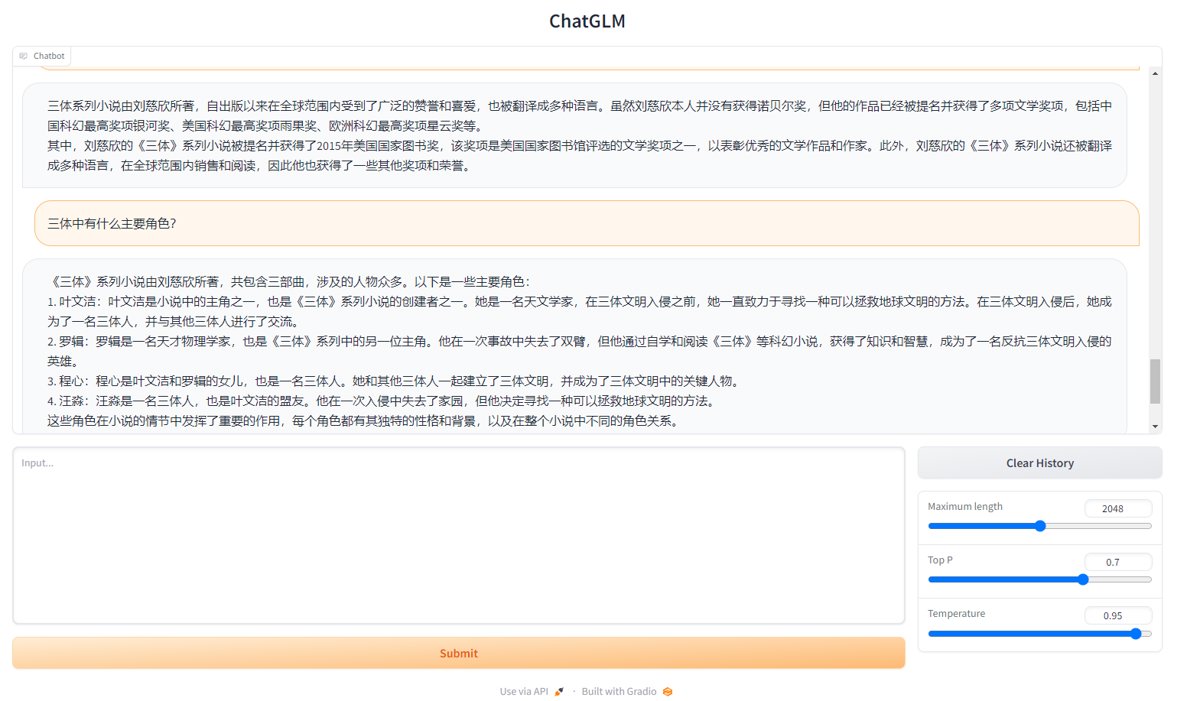
运行效果
_EOF_
ChatGLM-6B本地部署
- 本文作者:
- 程序设计实验室
- 版权声明:
- 本博客所有文章除特别声明外,均采用 BY-NC-SA 许可协议。转载请注明出处!
相关文章
LLM探索:离线部署Ollama和one-api服务
离线部署Ollama?手动下载上传,导入模型文件,啧,麻烦。one-api用Docker,tiktoken需下载重命名,更烦。添加渠道?简单。
2026-05-09 · LLM · 约 1 分钟
用本地大模型驱动中文输入法,我做了一个实验性的项目
一个拿350MB小模型给输入法做语境排序的实验,思路倒是比那些堆参数的玩意儿清醒。不过老哥,先用着Web版就别急着吹原生输入法框架,等你能把打字延迟压到100ms以下再说。
2026-05-09 · LLM · 约 1 分钟
LLM探索:GPT类模型的几个常用参数 Top-k, Top-p, Temperature
A recent breakthrough in artificial intelligence (AI) is the introduction of language processing technologies that enable us to build more intelligent systems with a richer understanding of language than ever before. Large pre-trained Transformer language models, or simply large language models, vastly extend the capabilities of what systems are able to do with text.
2026-05-09 · LLM · 约 1 分钟
LLM探索:环境搭建与模型本地部署
又来折腾LLM本地部署?ChatGLM-6B在6GB显存下就能跑,MOSS却要显存翻倍,这差距。硬件要求高得离谱,但作者硬是在Ubuntu上搞定,佩服?开源LLM本地部署指南,就这?
2026-05-09 · LLM · 约 1 分钟
讨论
共 0 条加载评论中…