

Asp-Net-Core Study Notes: 4. Blazor-WebAssembly Getting Started
Originally, I had other plans starting today and couldn't set aside enough time to study NetCore. However, I believe in seeing things through from start to finish. Apart from gRPC not being up and running yet, I've also learned a bit about the Blazor part. For now, it's still not very complete, and the true offline single-page application is still in the preview stage.
目录9 个章节
I had other plans starting today, and couldn't find much time to study NetCore. However, I like to see things through from start to finish. Besides gRPC not running yet, I've also learned a bit about Blazor. The official website: https://dotnet.microsoft.com/apps/aspnet/web-apps/blazor
It's not very mature at the moment, and true offline single-page applications are still in the preview stage.
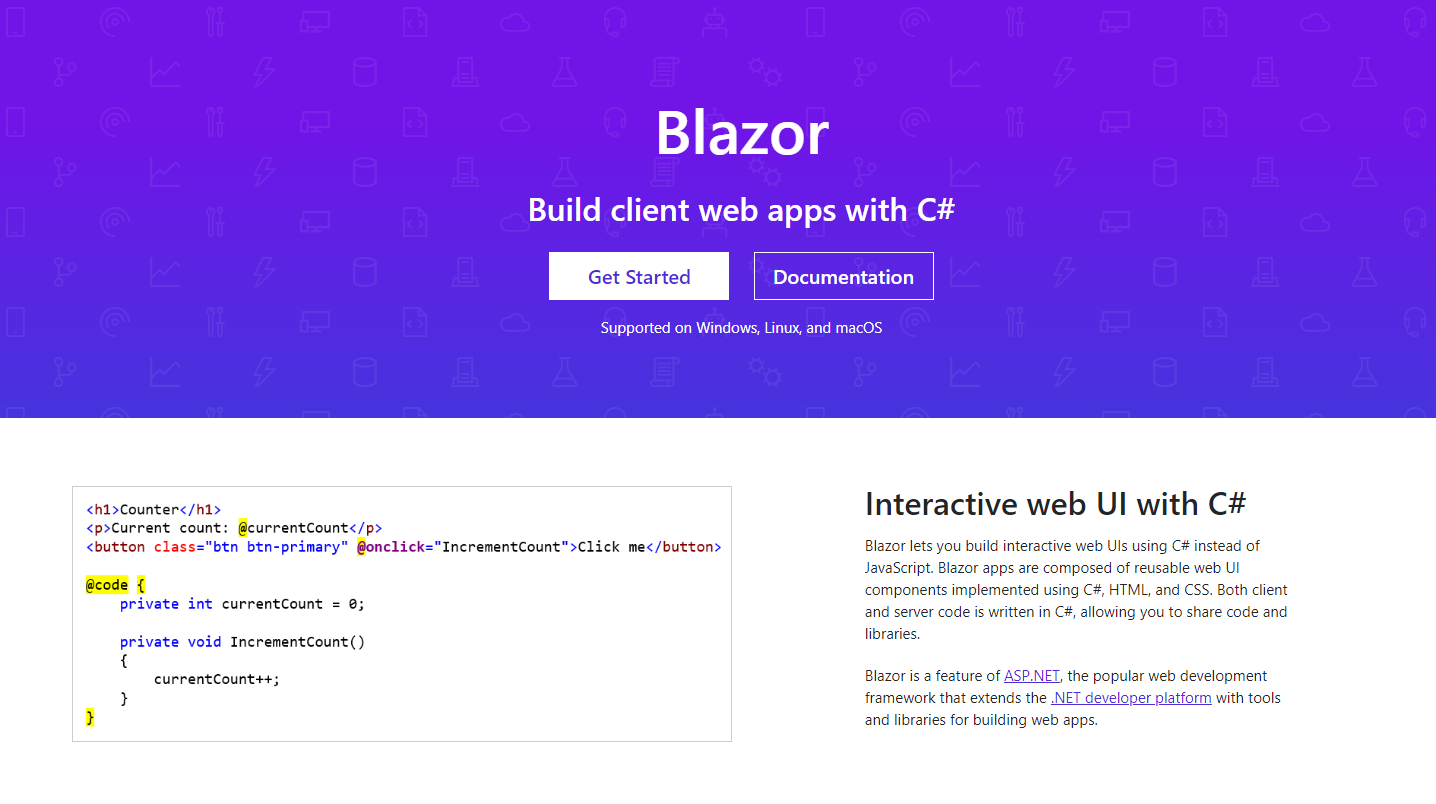
Blazor currently has two deployment modes: one is server-side deployment, and the other is client-side deployment. The latter can run entirely without a server, which is the WebAssembly mentioned in the title, though it's currently in preview (a bit clickbait in the title).
Official documentation: https://docs.microsoft.com/zh-cn/aspnet/core/blazor/get-started?view=aspnetcore-3.1&tabs=visual-studio
Project File Structure
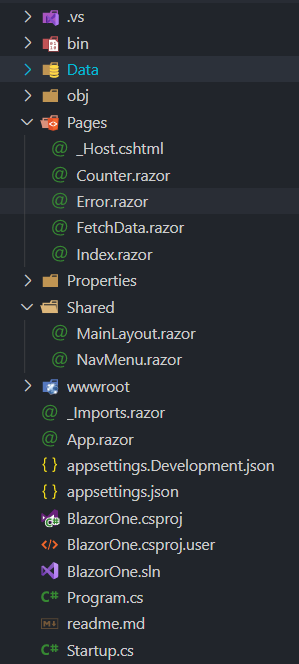
The main folders are Pages and Shared. They contain MVC pages (ending with .cshtml) and Razor components (ending with .razor).
Next, let’s look at the wwwroot folder:
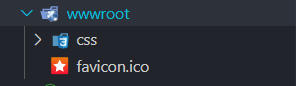
You can see there is only CSS and no JS folder because Blazor’s goal is to replace JavaScript code with C# code—essentially having backend developers handle frontend development.
(PS: Node.js allows frontend developers to do backend work—history is eerily similar, lol)
Let’s first look at how the code is written, and then I’ll provide more details later.
Example Code
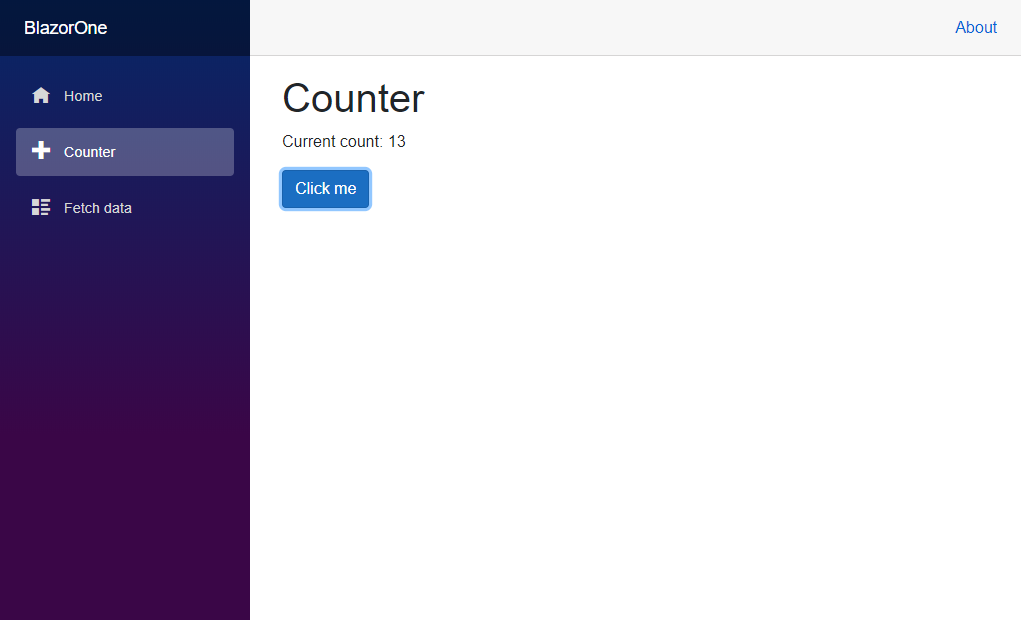
This is an official example where clicking the button calculates the number of clicks.
@page "/counter"
<h1>Counter</h1>
<p>Current count: @_currentCount</p>
<button class="btn btn-primary" @onclick="IncrementCount">Click me</button>
@code {
    private int _currentCount = 0;
    private void IncrementCount()
    {
        _currentCount++;
    }
}
I feel that the project's specific code should be placed at the end, so let's continue with explaining the principles or something like that~
Hosted Model (托管模型)
This refers to the server and client modes mentioned earlier.
Client-Side Model
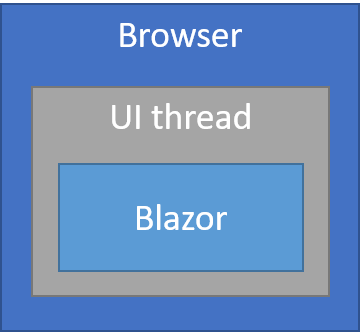
Blazor's main hosting model runs client-side in the browser on WebAssembly. The Blazor application, its dependencies, and the .NET runtime are downloaded to the browser. The application executes directly inside the browser threads. UI updates and event handling occur within the same process. The application's assets are deployed as static files to a web server or a service capable of serving static content for clients.
Server-Side Model
Using the Blazor Server hosting model, the app is executed server-side from within an ASP.NET Core app. UI updates, event handling, and JavaScript calls are handled over a SignalR connection.
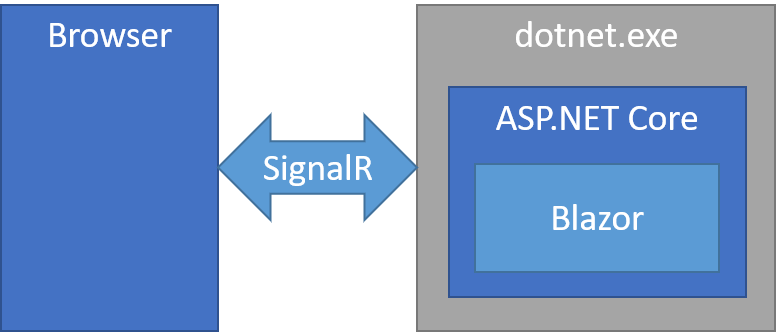
SignalR appears again—it's really useful. For more about SignalR, you can check out my previous article: Asp.Net Core Study Notes: (III) Developing a Chat Room Using the SignalR Real-time Communication Framework.
The Blazor Server hosting model offers several advantages:
- The download size is significantly smaller than a Blazor WebAssembly app, and the app loads much faster.
- The app takes full advantage of server capabilities, including using any .NET Core-compatible API.
- .NET Core on the server is used to run the application, so existing .NET tooling (such as debugging) works as expected.
- Thin clients are supported. For example, Blazor Server apps work with browsers that don't support WebAssembly and on resource-constrained devices.
- The app's .NET/C# code base, including the app's component code, isn't served to the client.
The Blazor Server hosting model has some downsides:
- Latency is often high. Every user interaction involves a network hop.
- No offline support. If the client connection fails, the app stops working.
- Scalability is challenging for apps with many users. The server must manage multiple client connections and handle client state.
- An ASP.NET Core server is required to serve the app. Serverless deployment scenarios (for example, serving the app from a CDN) are not possible.
Project Configuration
Starting from a standard AspNetCore project, perform the following configurations:
// Registering Services
public void ConfigureServices(IServiceCollection services)
{
    services.AddRazorPages();
    services.AddServerSideBlazor();
    services.AddSingleton<WeatherForecastService>();
}

// Configuring Middleware
public void Configure(IApplicationBuilder app, IWebHostEnvironment env)
{
    if (env.IsDevelopment())
    {
        app.UseDeveloperExceptionPage();
    }
    else
    {
        // Configure error page for production environment
        app.UseExceptionHandler("/Error");
        app.UseHsts();
    }

    app.UseStaticFiles();
    app.UseRouting();

    app.UseEndpoints(endpoints =>
    {
        // Equivalent to a Blazor version of SignalR
        endpoints.MapBlazorHub();
        endpoints.MapFallbackToPage("/_Host");
    });
}
Writing Razor Components
Blazor, as the name suggests, is similar to the original Razor in AspNetCore, so many of their syntaxes are alike, such as TagHelper.
First, write App.razor:
<Router AppAssembly="@typeof(Program).Assembly">
    <Found Context="routeData">
        <RouteView RouteData="@routeData" DefaultLayout="@typeof(MainLayout)" />
    </Found>
    <NotFound>
        <LayoutView Layout="@typeof(MainLayout)">
            <p>Sorry, there's nothing at this address.</p>
        </LayoutView>
    </NotFound>
</Router>
Previously, in the middleware configuration, we set up endpoints.MapFallbackToPage("/_Host"); which can be understood as the default page.
The content is as follows:
@page "/"
@namespace BlazorOne.Pages
@addTagHelper *, Microsoft.AspNetCore.Mvc.TagHelpers
@{
    Layout = null;
}

<!DOCTYPE html>
<html lang="en">
<head>
    <meta charset="utf-8" />
    <meta name="viewport" content="width=device-width, initial-scale=1.0" />
    <title>BlazorOne</title>
    <base href="~/" />
    <link rel="stylesheet" href="css/bootstrap/bootstrap.min.css" />
    <link href="css/site.css" rel="stylesheet" />
</head>
<body>
    <app>
        <component type="typeof(App)" render-mode="ServerPrerendered" />
    </app>

    <div id="blazor-error-ui">
        <environment include="Staging,Production">
            An error has occurred. This application may no longer respond until reloaded.
        </environment>
        <environment include="Development">
            An unhandled exception has occurred. See browser dev tools for details.
        </environment>
        <a href="" class="reload">Reload</a>
        <a class="dismiss">🗙</a>
    </div>

    <script src="_framework/blazor.server.js"></script>
</body>
</html>
As you can see, it's just the typical way of writing an AspNetCore MVC page, but inside the body there is an <app> node that can render other Razor components.
Effect
This is the effect of running the official example. I couldn't think of a good use for it, so I just ran the official example as is (lazy).
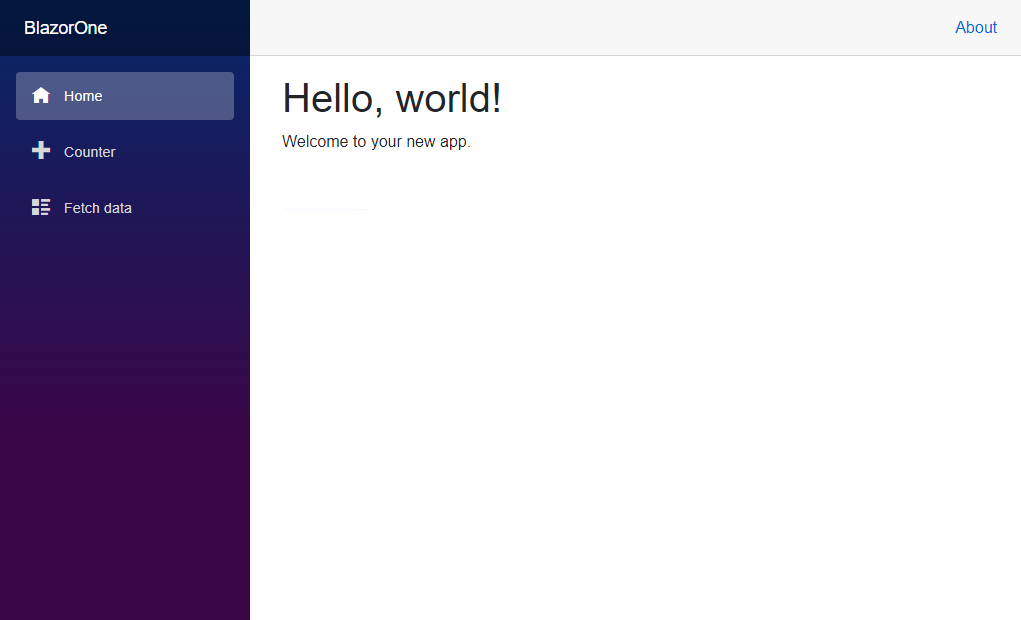
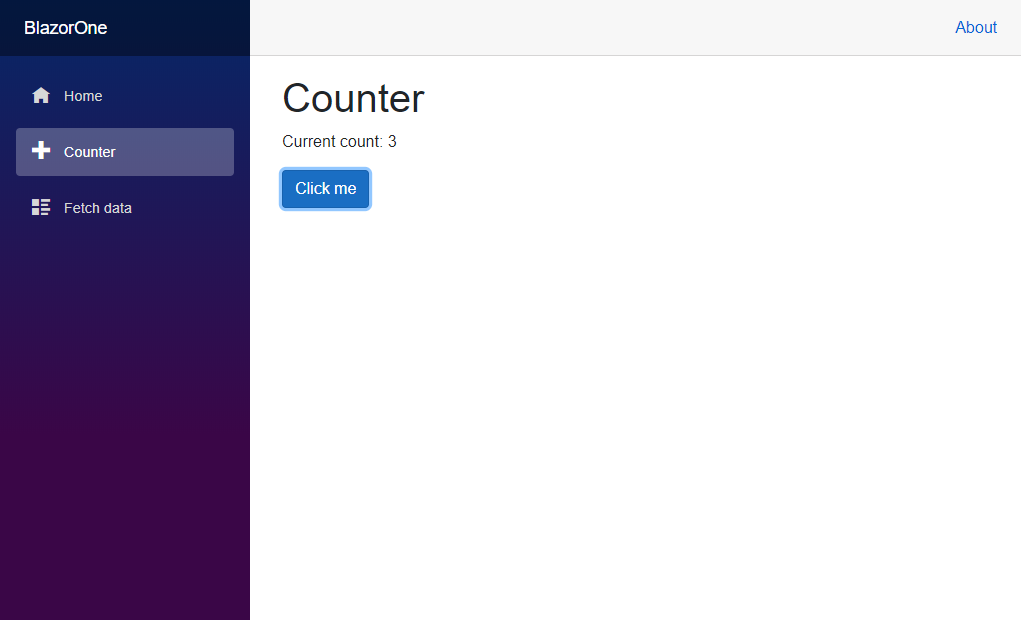
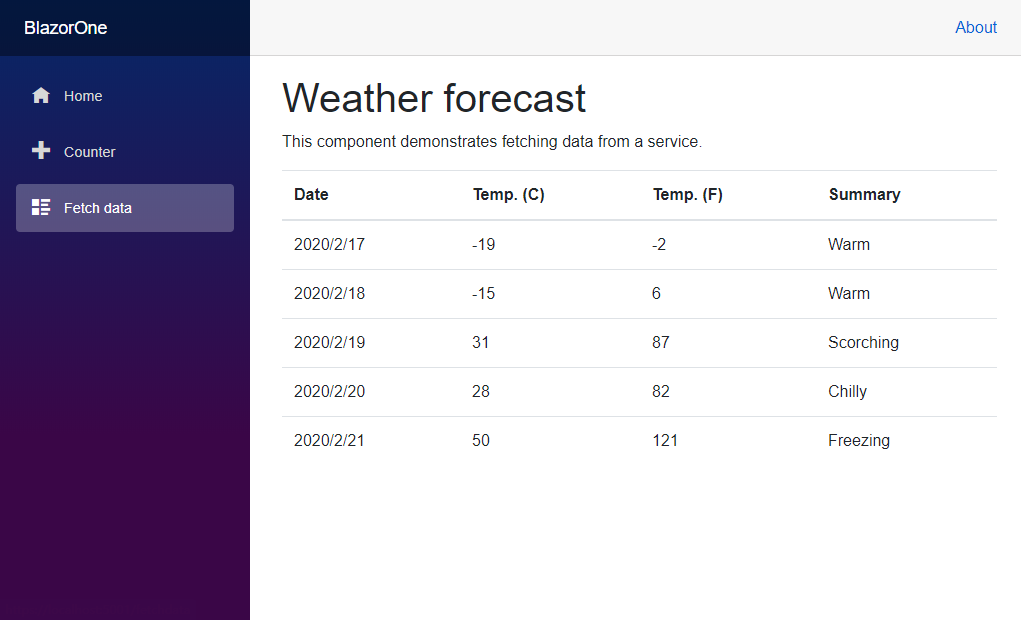
I found that Microsoft's official documentation is actually quite good. Although it seems a bit like machine translation, it reads pretty smoothly and is also very detailed.
Official documentation: https://docs.microsoft.com/zh-cn/aspnet/core/blazor/hosting-models?view=aspnetcore-3.1
Welcome to Communication
Please leave a message in the WeChat Official Account backend for questions. I will reply to every message~
- WeChat Official Account: 画星星高手
- Live Coding Stream: https://live.bilibili.com/11883038
- Zhihu: https://www.zhihu.com/people/dealiaxy
- Column: https://zhuanlan.zhihu.com/deali
- Jianshu: https://www.jianshu.com/u/965b95853b9f
_EOF_
Asp-Net-Core Study Notes: 4. Blazor-WebAssembly Getting Started
- 本文作者:
- 程序设计实验室
- 版权声明:
- 本博客所有文章除特别声明外,均采用 BY-NC-SA 许可协议。转载请注明出处!
相关文章
Asp-Net-Core学习笔记:WebApi开发实践
前言 用AspNetCore做Api开发也有一段时间了,正好年底在做总结,做一个WebApi开发实践笔记。 暂时想到的一些技术关键词,同时也作为本文的大纲,现在对这套技术体系的了解还不够深入,以后会持续更新这个Api开发实践~ 身份认证:JwtBearer 分页:X.PagedList 缓存 ResponseCache Redis:StackExchange.Redis 数据持久化 / ORM F
2022-07-04 · Asp-Net-Core学习笔记 · 约 1 分钟
Asp-Net-Core学习笔记:单元测试和集成测试
我在使用 AspNetCore 的这段时间内,看了很多开源项目和博客,发现各种 .Net 体系的新技术很多人都有关注和使用,但却很少有人关注测试。 测试是软件生命周期中的一个非常重要的阶段,对于保证软件的可靠性具有极其重要的意义。在应用程序的开发过程中,为了确保它的功能与预期一致,必须对其进行测试。这样做不仅能够确保功能正确执行,同时能够帮助开发人员尽早地发现并改正系统中所存在的缺陷(Bug),
2023-07-17 · Asp-Net-Core学习笔记 · 约 1 分钟
Asp-Net-Core学习笔记:部署,早知道,还是docker,以及一点碎碎念
前言 AspNetCore技术栈在我们团队里的使用也有一段时间了,之前的部署方式一直是本地编译之后上传可执行文件到服务器,使用supervisor来管理进程这种很原始的方式。 参考之前的文章: 对于小项目来说尚可,够用,但是存在几个问题: 每次更新花费的时间太长了,无论是Framework-Dependent还是Self-Contained,都要上传很大的文件~ 更新的时候需要在superviso
2022-02-16 · Asp-Net-Core学习笔记 · 约 1 分钟
Asp-Net-Core学习笔记:5.构建和部署
从上次开始学习Asp.Net Core以来,一直都是玩一玩,还没有什么机会用来实战,最近公司有个新的小项目,于是我用Asp.Net Core来尝尝新,结果也是非常OK,熟悉之后开发效率感觉和Django基本没差。 那么进入正题,本文简单说说Asp.Net Core应用的构建和部署。 构建 构建是使用build命令,不过一般我们都用vs或者rider之类的IDE,应该比较少会用到这个命令: dotn
2022-02-16 · Asp-Net-Core学习笔记 · 约 1 分钟
讨论
共 0 条加载评论中…